Interconnection Between Intra-region and Cross-region Clusters in GlobalRouter Mode
Baixar
Modo Foco
Tamanho da Fonte
Última atualização: 2024-12-19 21:04:06
Traduzido por IA
Overview
Peering Connection is a high-bandwidth and high-quality connectivity service that supports communication among Tencent Cloud resources. You can achieve intra-region and cross-region communication among different clusters through a peering connection.
Prerequisites
The directions in this document are based on an existing cluster with nodes. If no such a cluster exists, create one by referring to Quickly Creating a Standard Cluster.
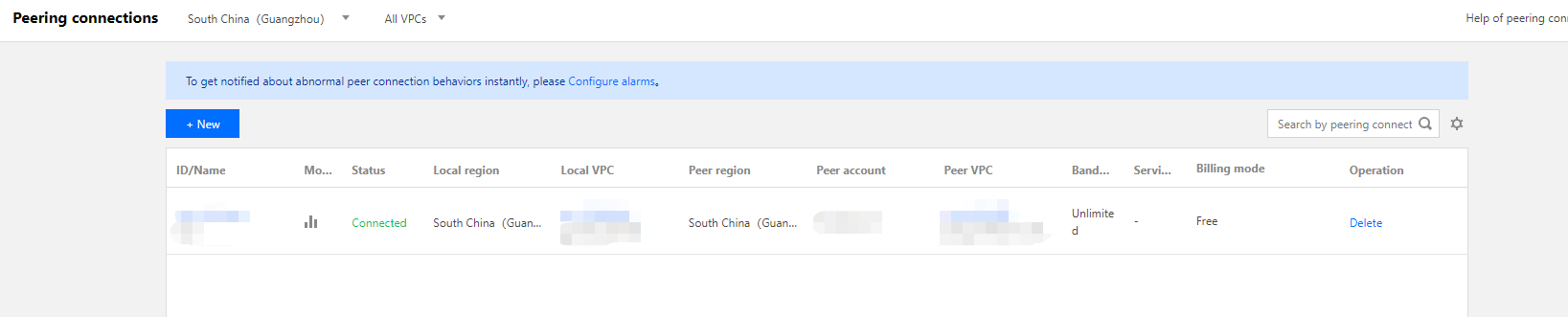
Create a peering connection by referring to Creating Intra-account Peering Connection. Make sure that the peering connection is successfully created and the CVM instances can communicate with one another. If the peering connection does not work, go to the console and check if the route table, CVM security groups, and subnet ACL are configured properly.
Directions
Note:
To implement interconnection between cross-region clusters, submit a ticket after completing the following steps to configure container routing to interconnect containers.
Getting container information
1. Log in to the TKE console and select Cluster in the left sidebar.
2. Click the target cluster ID/name to go to the cluster details page. For example, go to the basic information page of cluster A.
3. Record the following information: Region, Node Network, and Container Network.
4. Repeat step 3 to step 4 for the other container in the different cluster.
For example, go to the basic information page of cluster B, record the Region, Node Network, and Container Network of the cluster B container.
Configuring route tables
1. Log in to the VPC console and select Peering connection from the left sidebar.
2. On the peering connection management page, record the name/ID of the peering connection.
3.
Select
Subnet from the left sidebar to go to the subnet management page.
4. Click the route table associated with the desired subnet.
5. On the details page of the associated route table, click + New routing policies.
6. On the Add a route page, configure the following parameters:
Destination: Enter the IP address range of the container in Cluster B.
Next hop type: Select Peering connection.
Next hop: Select the established peering connection.
7.
Click OK
to complete the configuration of the local route table.
8. Repeat step 3 to step 7 to configure the route table of the opposite end.
Expected Results
Intro-region peering: the above directions should allow containers in different clusters to communicate.
Cross-region cluster: after the peering connection is established successfully, submit a ticket to configure container routing to interconnect the containers.
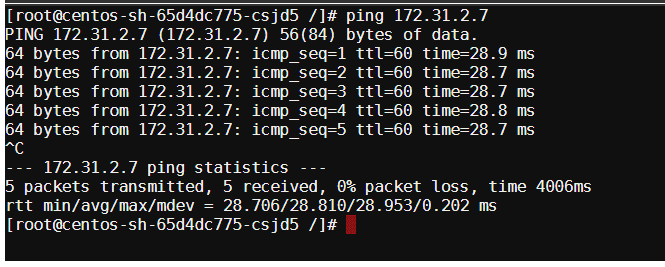
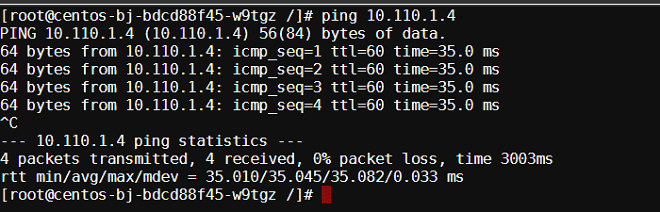
Refer to Basic Remote Terminal Operations on how to log in to a container, and verify the peering connection as instructed below:
1. Log in to the container in Cluster A and access the container in Cluster B.
2. Log in to the container in Cluster B and access the container in Cluster A.