Rename CDH Instance
Baixar
Modo Foco
Tamanho da Fonte
In order to facilitate quick identification and management of CDHs, Tencent Cloud supports setting of host name with immediate effect.
Renaming a CDH Instance in Console
1. Log in to the CDH Console.
2. Select a region, check the host to be renamed and click More actions > Rename at the top of the list.
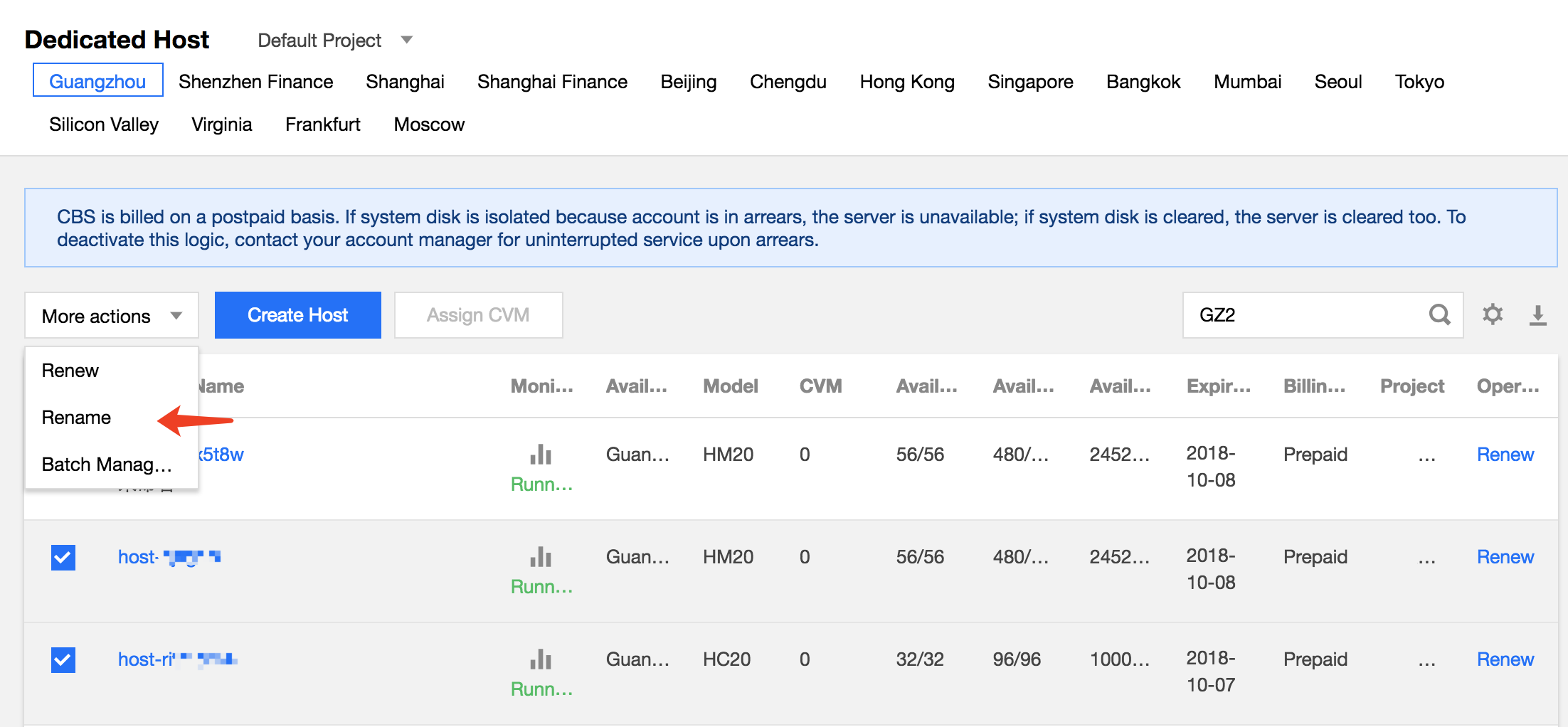
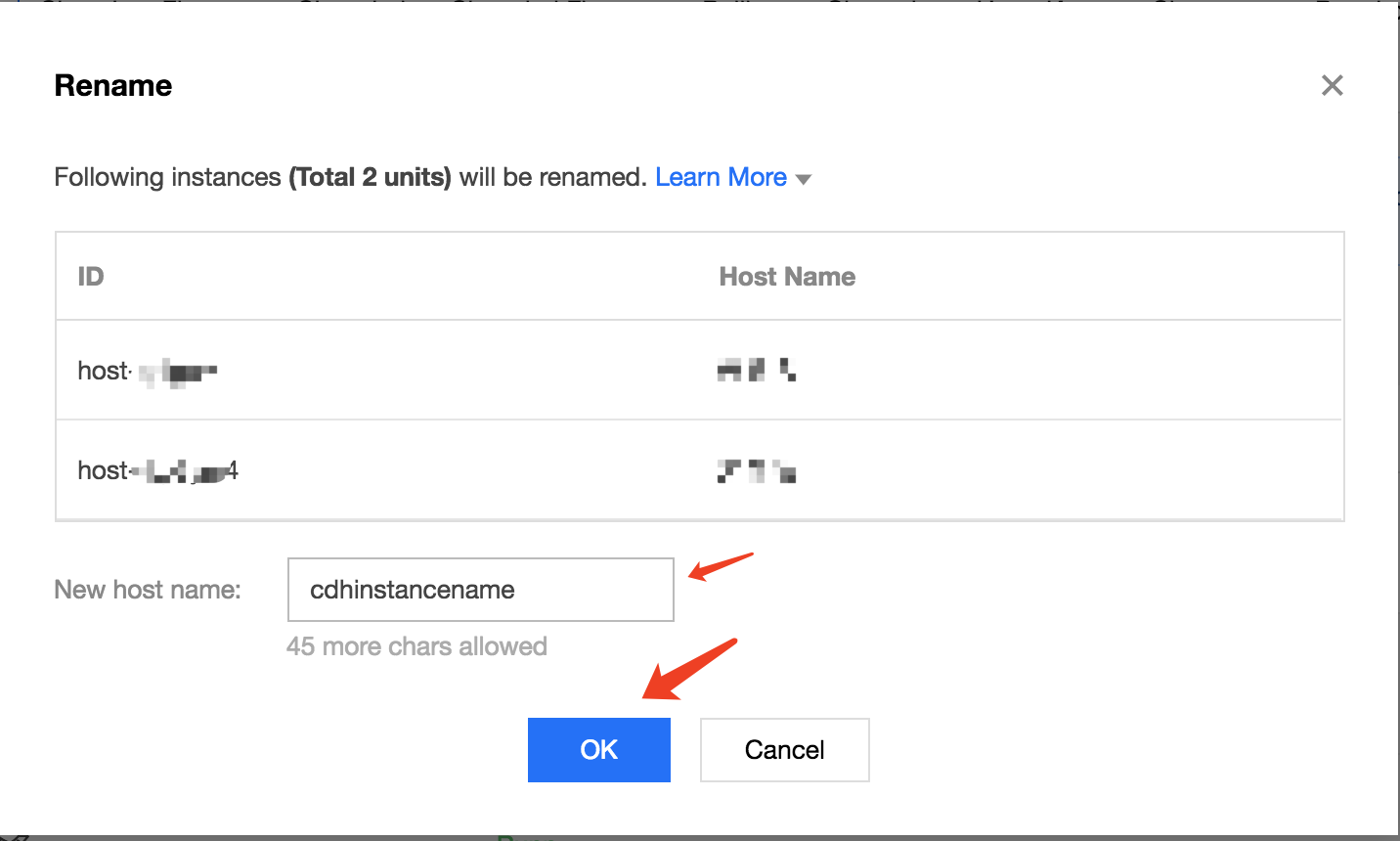
3. In the renaming operation pop-up, enter the new host name and click OK to complete.
Renaming a CDH Instance Through API
CDH instances can be renamed using the ModifyHostsAttribute API. For details, see API for Modifying CDH Instance Attributes.
Ajuda e Suporte
Esta página foi útil?
Você também pode entrar em contato com a Equipe de vendas ou Enviar um tíquete em caso de ajuda.
comentários