Configuring Deletion Protection
Download
Modo Foco
Tamanho da Fonte
This feature prevents an instance from being deleted and released by mistake.
Restrictions
When a CLB instance is terminated due to overdue payment, the instance will be released automatically even if deletion protection is enabled.
Directions
1. Log in to the CLB console and select your region in the top left corner of the Instance management page.
2. In the instance list, click the ID of the target instance.
3. On the page that appears, click Enable Deletion Protection on the Basic configuration tab.
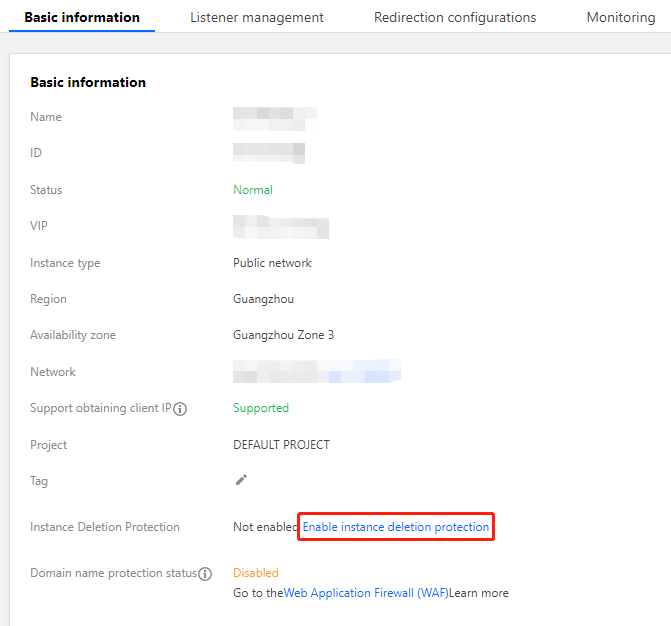
4. In the pop-up window, click OK.
Note:
After enabling deletion protection for an instance, you cannot delete the instance in the console or by calling an API. To delete the instance, go to the instance details page and click Disable Deletion Protection on the Basic configuration tab.
References
Ajuda e Suporte
Esta página foi útil?
Você também pode entrar em contato com a Equipe de vendas ou Enviar um tíquete em caso de ajuda.
comentários