Test and Publish
下载
聚焦模式
字号
Access Management Panel. Click Chatbot > Any Page in the left sidebar to test and publish your intelligent bot.
Chatbot Test
During the process of configuring the knowledge base and basic settings or after completing the configuration, you can perform Online test on your chatbot through the test entry on the right side of any page under the intelligent bot category page. The chatbot's replies in the test window will show the source of the answers, and you can optimize the knowledge base based on the answer sources.
Management Console Test Entry | Test Examples |
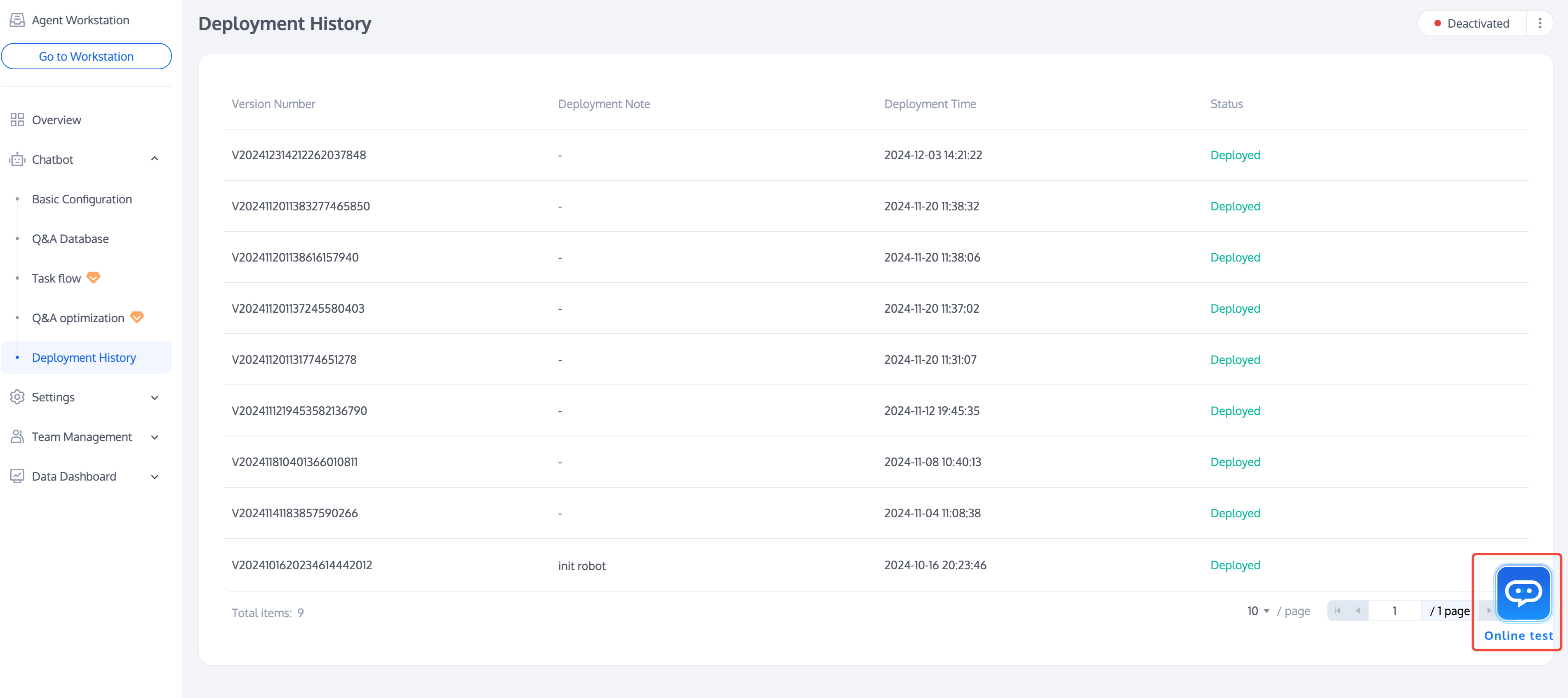 | 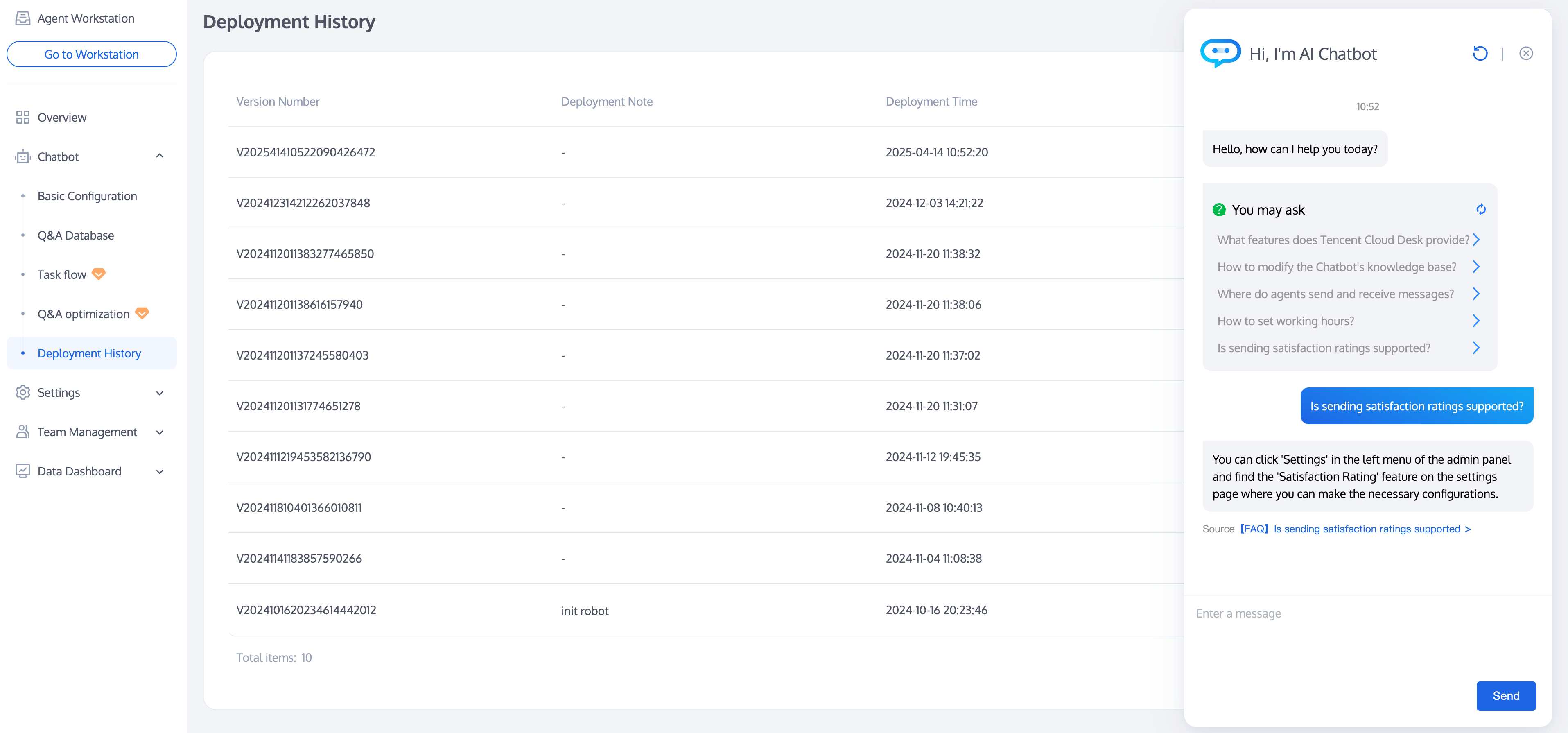 |
Deploy
After completing the configuration and testing, if your chatbot has been enabled, you can publish the configuration to the online environment by clicking Deploy in the top right corner of the page.
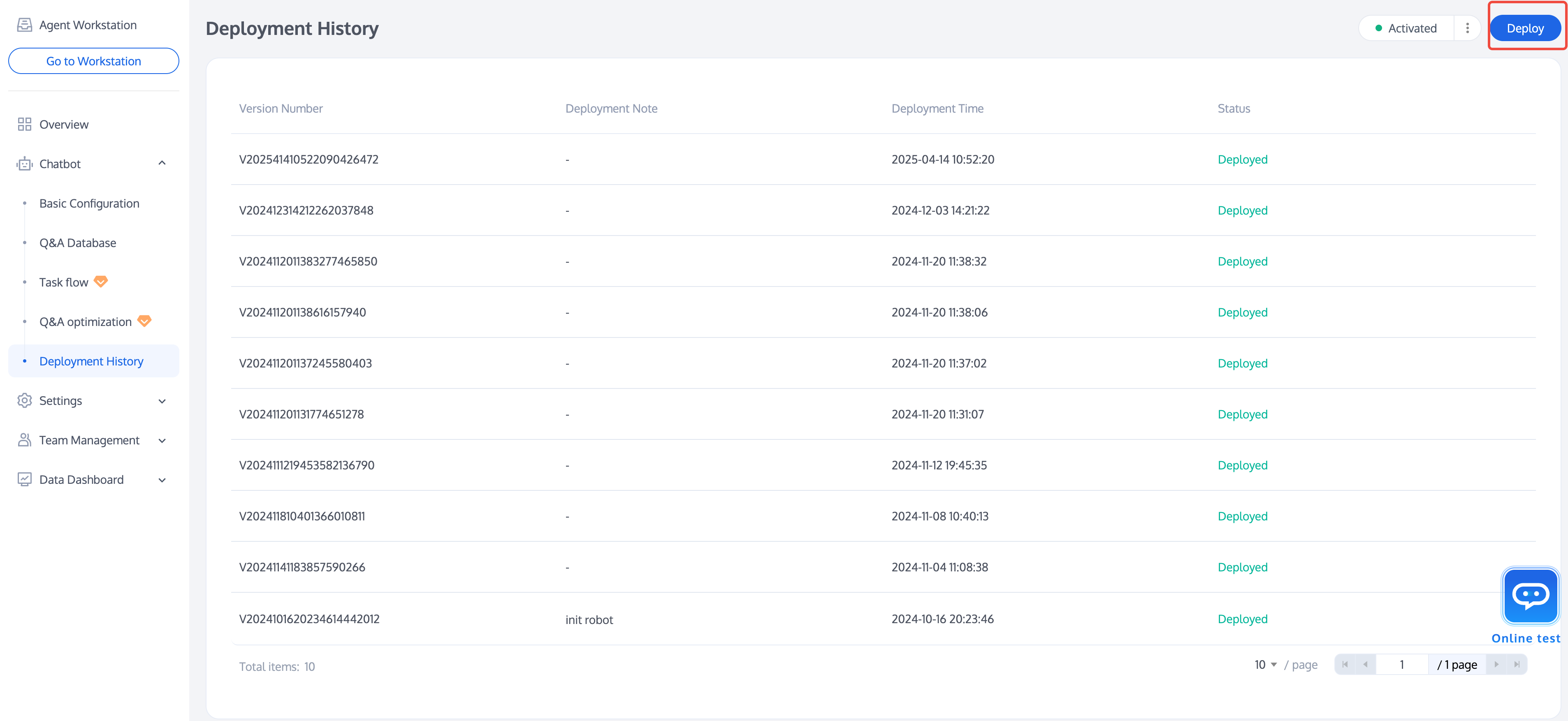
Deployment History
If you need to view the release history, click Chatbot > Deployment History in the left sidebar. The information includes the version number, Deployment note, Deployment time, and status.
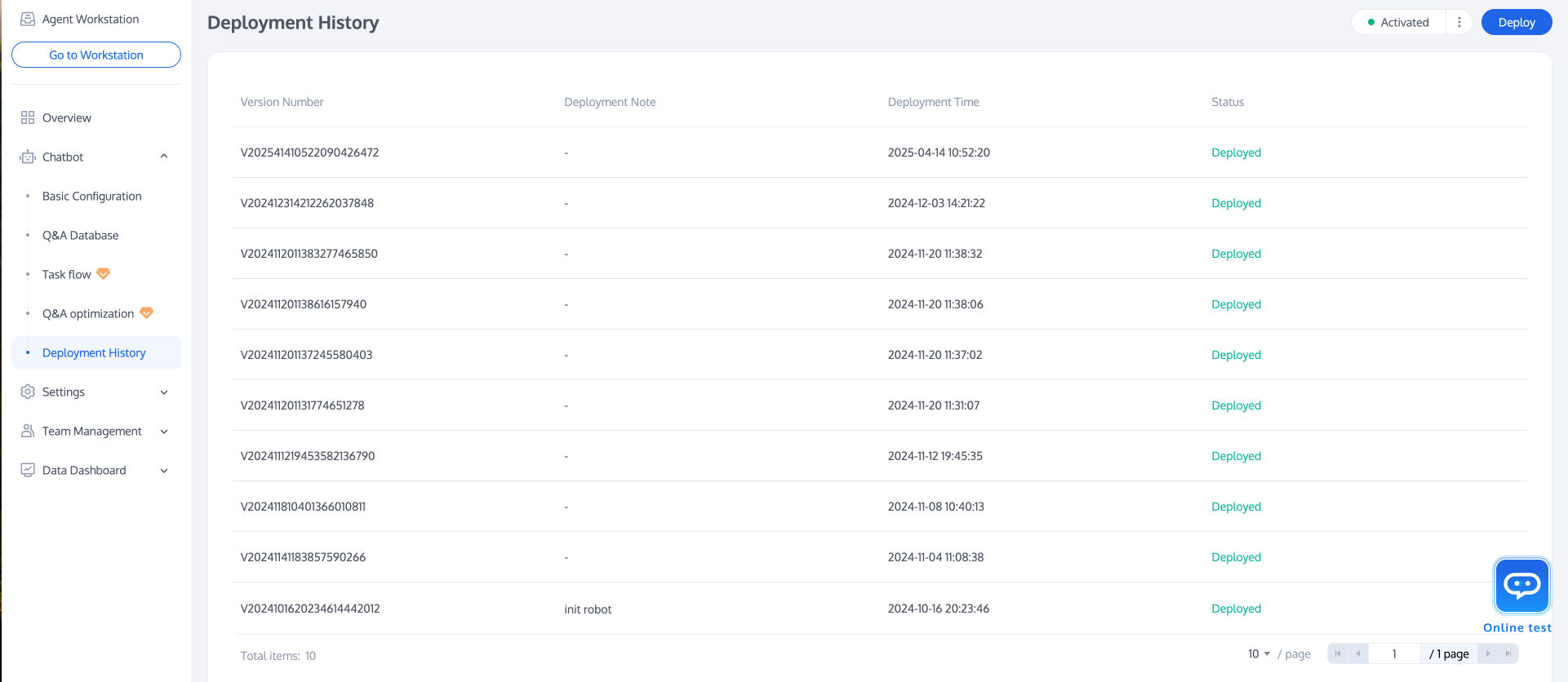
文档反馈