Based on real-world cloud environments, this document describes how CFW defends against common crypto-mining worm attacks, focusing on three aspects: defense, detection, and rapid containment after an intrusion.
Prerequisites
Defense against crypto-mining worm behavior is implemented through the CFW Intrusion Defense module. The Premium Edition, Enterprise Edition, and Ultimate Edition all support the Intrusion Defense feature, which can defend against crypto-mining attacks. However, common crypto-mining attacks typically originate from private network hosts that have been infected with Trojans, botnets, or other malware before the attacks spread to the Internet. To accurately locate the at-risk private network host, you need to enable the NAT Firewall feature. Therefore, it is recommended to use the Premium Edition, Enterprise Edition, or Ultimate Edition of CFW.
How Mining Worms Spread
Crypto-mining worms primarily spread by exploiting network vulnerabilities, which are generally classified into generic vulnerabilities and 0-DAY/N-DAY vulnerabilities.
Common Vulnerability Exploitation
Crypto-mining worms typically exploit common vulnerabilities that are widely present in applications or websites, such as code defects, configuration errors, and weak passwords in business systems, to launch continuous scanning and attack activities on the Internet with the goal of infecting hosts. Common attack methods that exploit generic vulnerabilities primarily include: SSH/RDP brute-force password cracking, command injection attacks, credential stuffing attacks, Webshell communication, and connections to malicious external hosts. Common intrusion methods that exploit generic vulnerabilities are shown in the following table:
Intrusion Type
Representative Family
Typical Intrusion Method
Brute-force Attack Category
MyKingsMrbMinerLoggerMinerGuardMinerDDG RDPMiner
MongoDB brute-force attack
SSH brute-force attack
Tomcat brute-force attack
MySQL brute-force attack
PostgreSQL brute-force attack
SQL Server brute-force attack
FTP brute-force attack
RDP brute-force attack
SMB brute-force attack
Telnet brute-force attack
Zero-Day/N-Day Vulnerability Exploitation
After a 0-DAY or N-DAY vulnerability is exposed, if the vulnerability remains unpatched during the window period, it can easily lead to large-scale spread and infection, causing significant damage to applications or business operations.
Common 0-DAY/N-DAY vulnerabilities primarily include: WebLogic vulnerability exploitation, deserialization vulnerability exploitation, EternalBlue, Tomcat remote code execution vulnerabilities, and others.
Common intrusion methods that exploit 0-DAY/N-DAY vulnerabilities are shown in the following table:
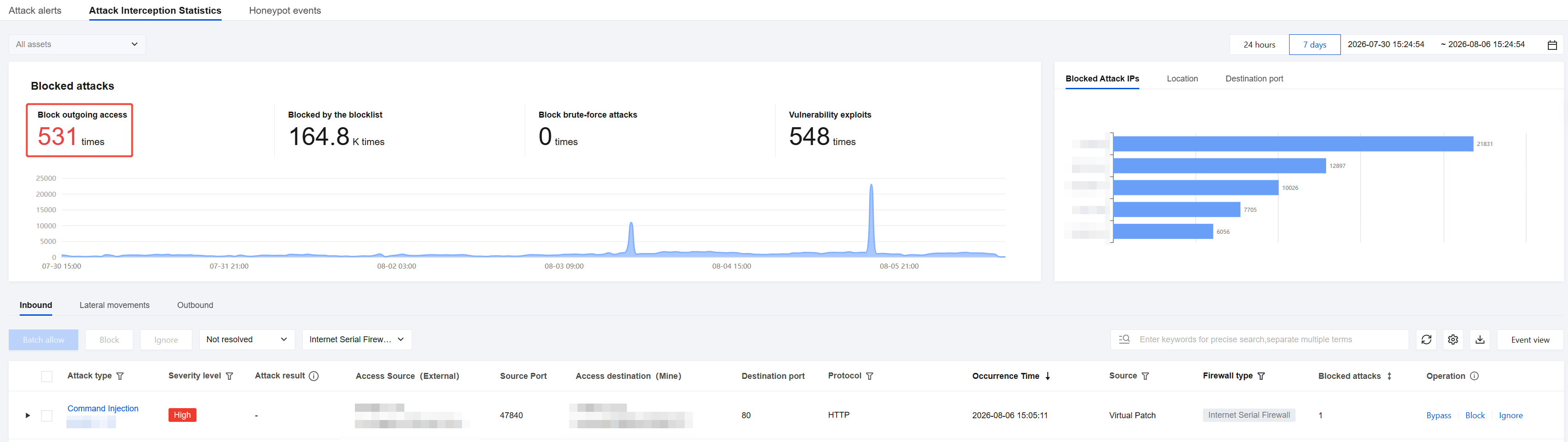
CFW performs real-time inspection on traffic flows. If malicious characteristics such as crypto-mining worms are detected in the traffic, CFW can automatically block the traffic to defend against crypto-mining worm viruses. This is specifically reflected in the following two aspects:
Defending Against Common Vulnerabilities
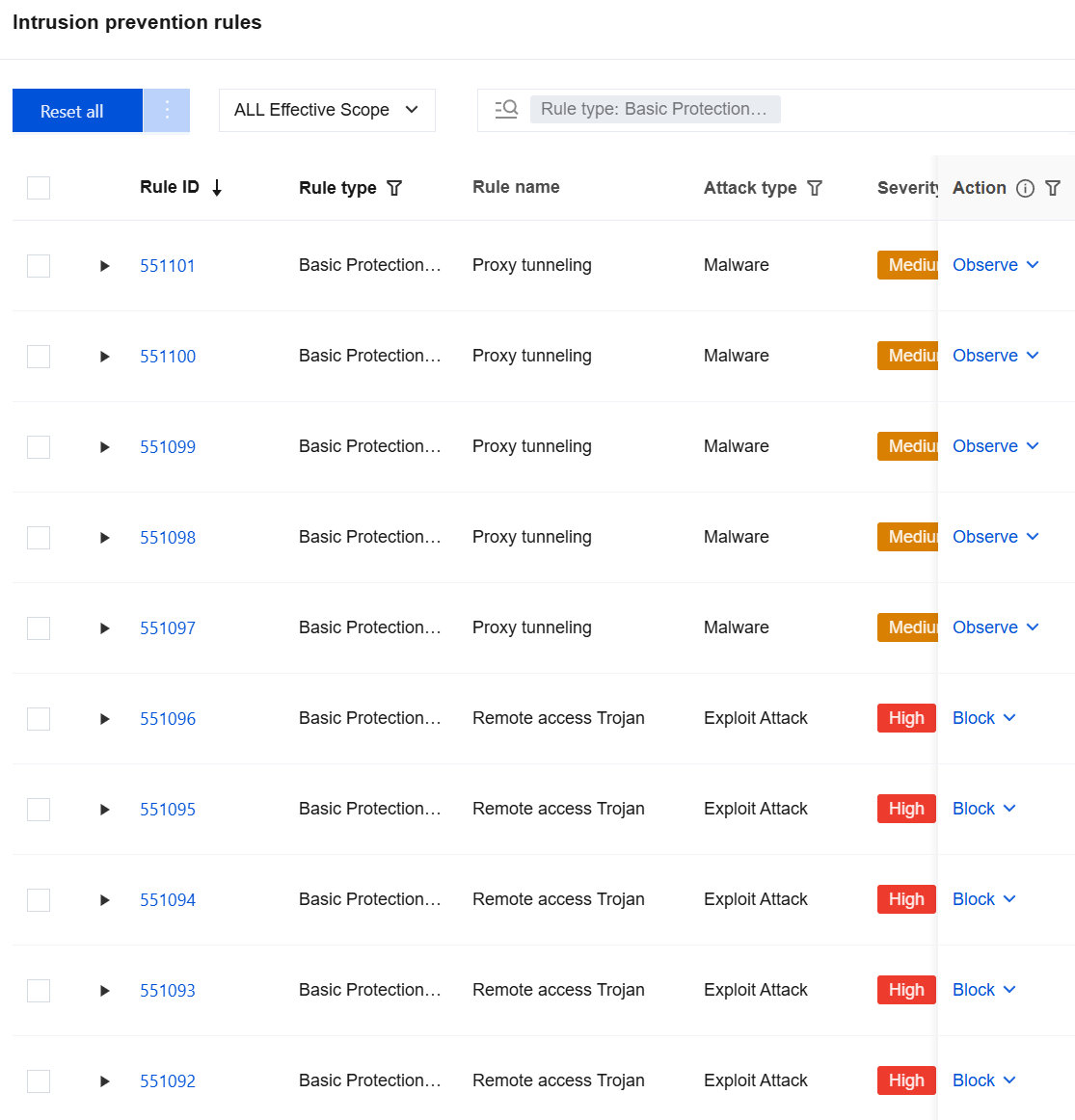
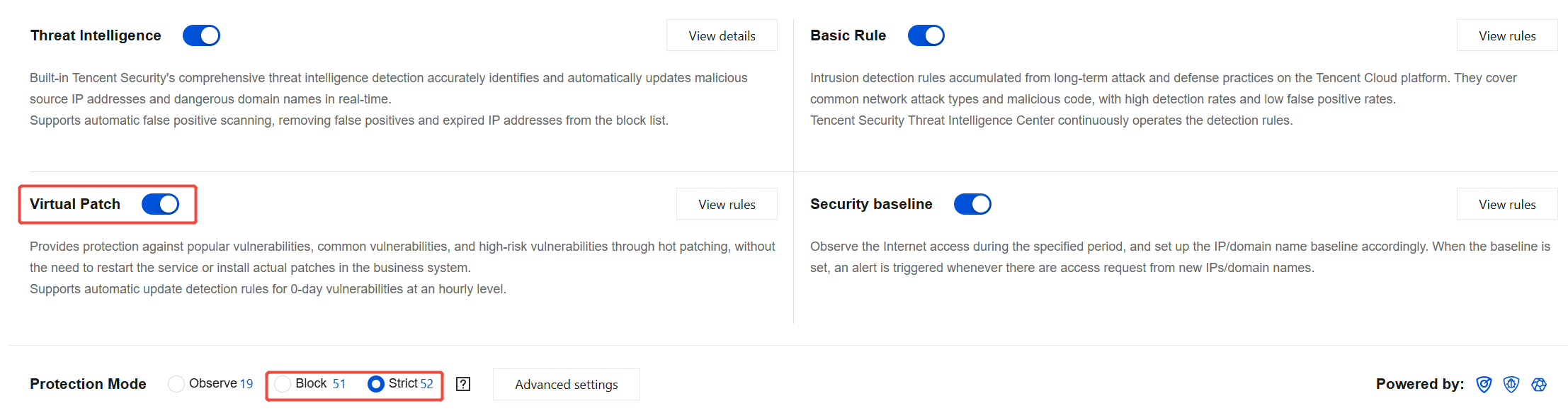
Generic vulnerability attacks are often carried out through methods such as RDP/SSH brute-force cracking and system command injection. Such attacks can be defended against by using the Basic Defense module in CFW Intrusion Defense. Basic Defense includes built-in intrusion detection rules accumulated from long-term attack and defense practices on the Tencent Cloud platform, covering common network attack types and malicious code. The details are as follows:
Enable the Basic Defense feature to defend against attacks from crypto-mining worms that exploit generic vulnerabilities. The specific steps to enable it are as follows:
1. Log in to the CFW console. In the left-side navigation, click Intrusion Defense.
2. On the Intrusion Defense page, click
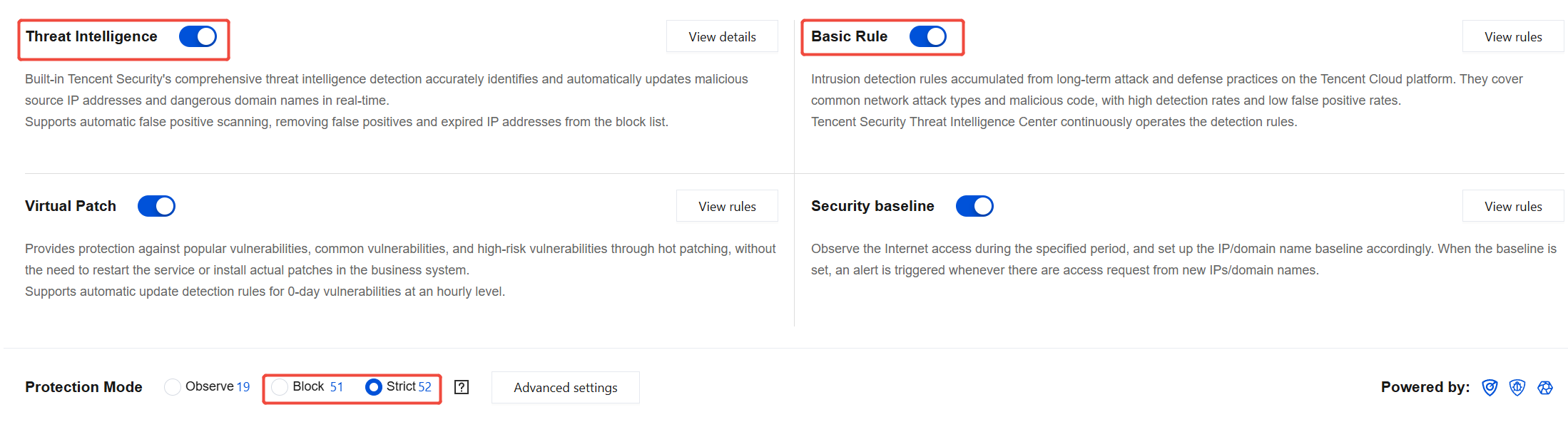
to enable the Threat Intelligence and Basic Defense switches, and select the protection mode as Block Mode or Strict Mode.
Note:
In Observation Mode, detected crypto-mining worm activities are not automatically blocked but are recorded in the Alarm Center.
In Block Mode, the Threat Intelligence module supports automatically blocking unauthorized external connections, and the Basic Defense module supports automatically blocking high-confidence alarms.
In Strict Mode, any alarms detected by the Threat Intelligence and Basic Defense modules are automatically blocked or added to the blocklist.
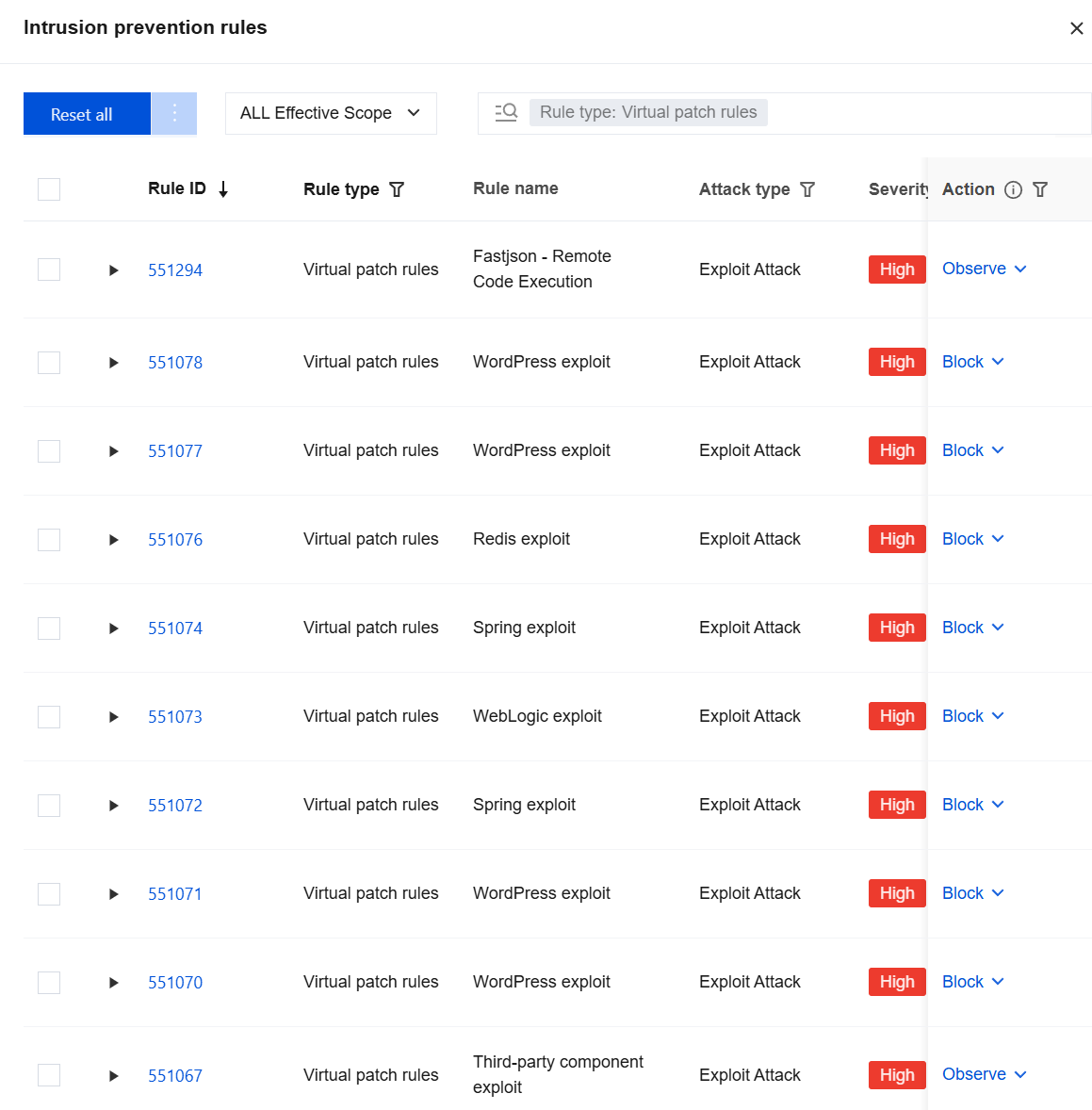
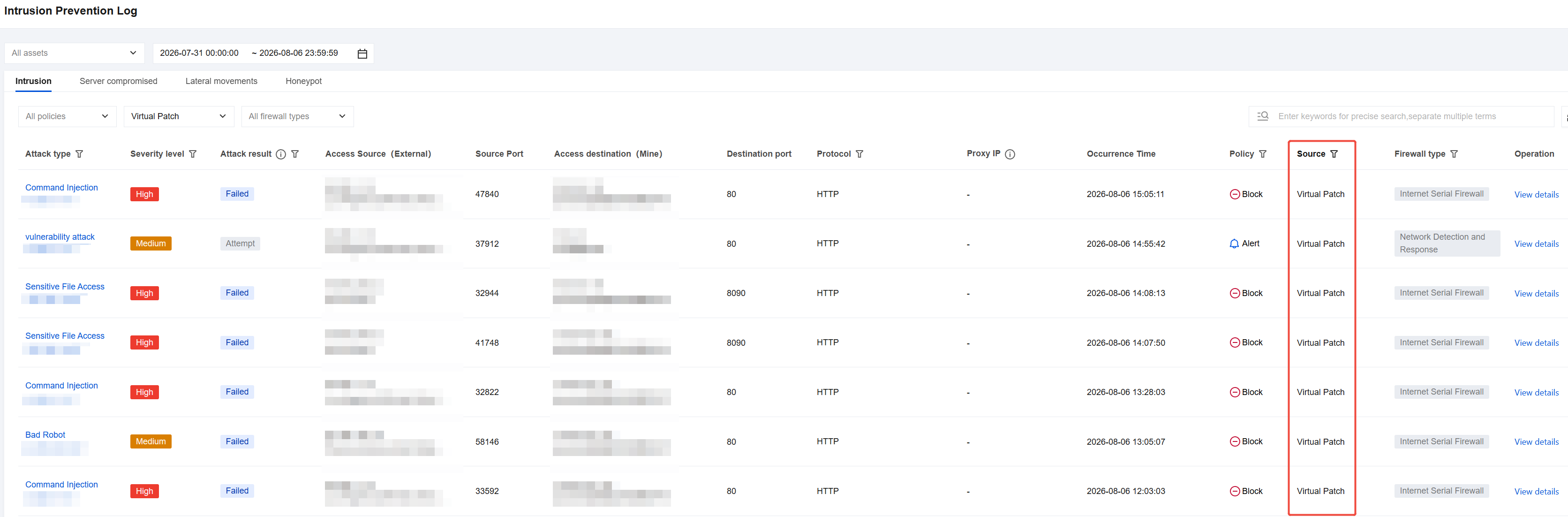
Some popular 0-DAY and N-DAY vulnerabilities are not patched in a timely manner, posing a high risk of being exploited by crypto-mining worms. CFW obtains vulnerability intelligence in real time from the Tencent Cloud Intelligence Center, enabling timely discovery of 0-DAY and N-DAY vulnerabilities. It can also obtain vulnerability POCs at the earliest opportunity and convert them into a virtual patch rule library, gaining a time advantage in the attack and defense confrontation against hackers. The details are as follows:
Enable the Virtual Patch switch to defend against crypto-mining worm attacks that exploit 0-DAY/N-DAY vulnerabilities. The specific steps are as follows:
1. Log in to the CFW console. In the left-side navigation, click Intrusion Defense.
2. On the Intrusion Defense page, click
to enable the Virtual Patch switch, and select the protection mode as Block Mode or Strict Mode.
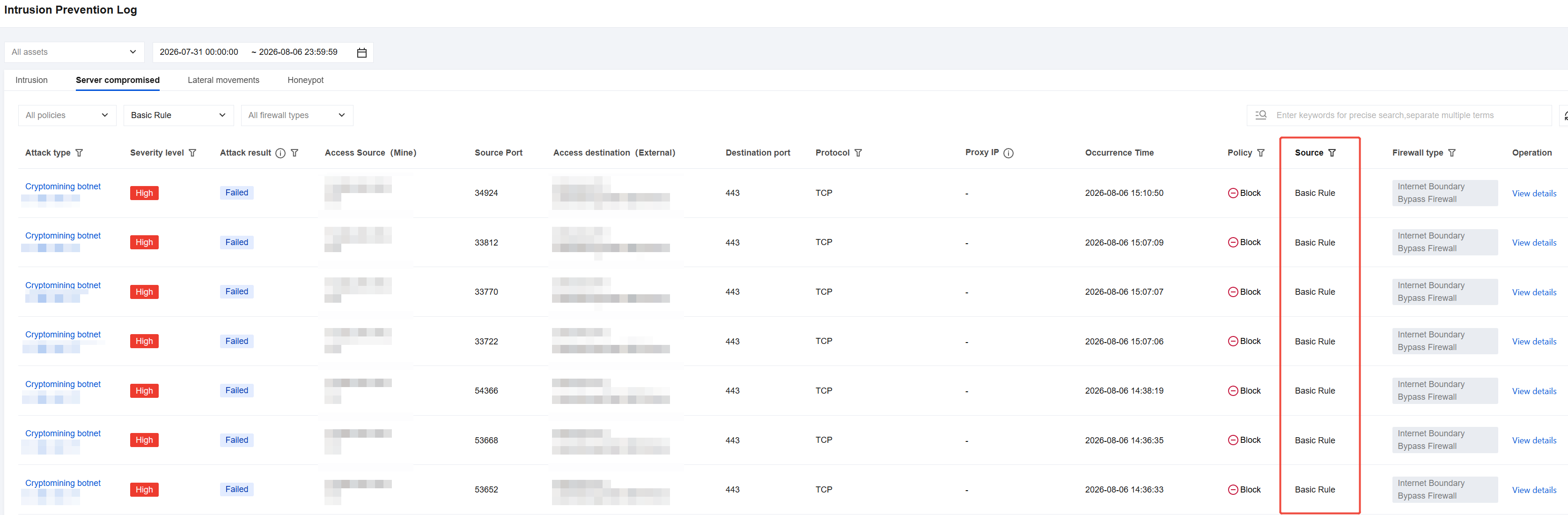
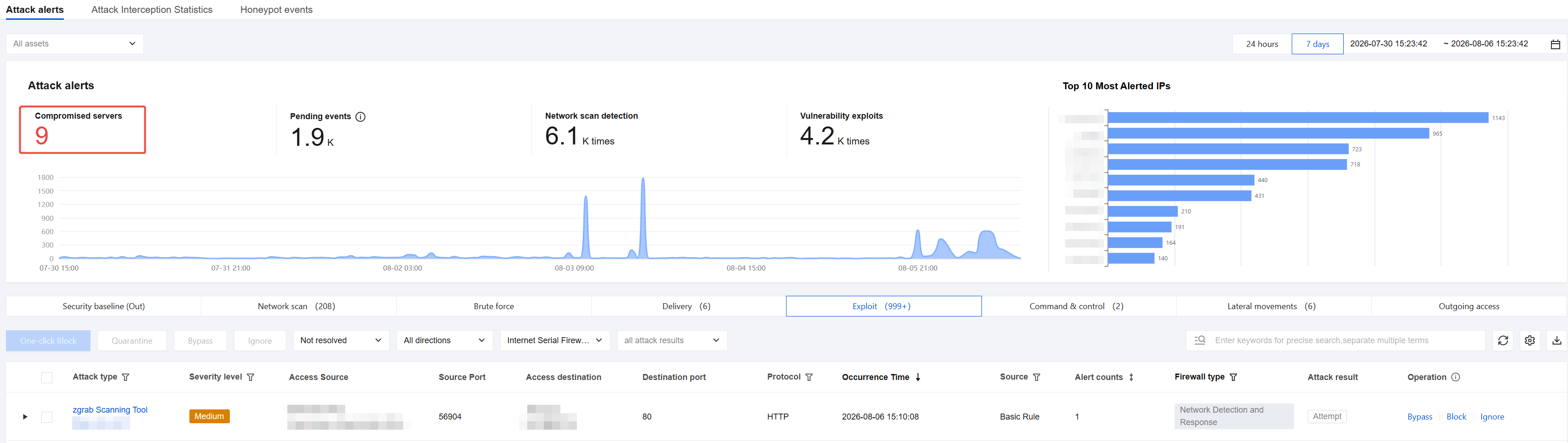
Tencent Cloud Threat Intelligence can detect malicious outbound traffic in real time. It has built-in Tencent Security global threat intelligence detection to accurately identify traffic from malicious source IPs and dangerous domains, with automatic updates within seconds. Whether the asset is on a public or private network, traffic passing through CFW is inspected. If crypto-mining worm attack traffic is detected, the host is marked as compromised and displayed in the Alarm Center.
How to Use CFW for Rapid Containment After a Breach
If a server has been successfully compromised by a crypto-mining worm, you can use CFW to quickly locate the at-risk host, and then use CWPP to scan and remove the worm from the infected host, thereby preventing risks such as malicious file uploads by hackers and information leakage.
For public network assets, the Internet Boundary of CFW can identify them. If a public network asset is infected by a crypto-mining worm, Threat Intelligence can immediately locate the compromised asset, and automatically block the threat.
For private network assets, which require address translation to access the Internet, CFW can only locate the translated public IP address. Therefore, if a private network asset is infected by a crypto-mining worm, you need to add the private network asset to the NAT Firewall. The Alarm Center will then alert you that the translated public IP address has accessed a mining pool's IP address or domain. You can then use that IP address or domain to search the traffic logs of the NAT Firewall to identify which specific private network asset is exhibiting the crypto-mining worm behavior, thereby achieving the goal of locating the source host.
Proactively configure Access Control rules to block the traffic. After Intrusion Defense detects which specific host has initiated crypto-mining activity toward the Internet, if the asset is on a public network, you can configure a blocking rule in Access Control > Internet Border Rule > Outbound Rule.
If it is a VPC asset, you can configure a blocking rule in Access Control > NAT Border Rule > Outbound Rule.