Server Migration
Download
Modo Foco
Tamanho da Fonte
Prerequisites
Supported Range
Currently, cloud migration supports batch migration of servers from AWS and IDC.
Operation Steps
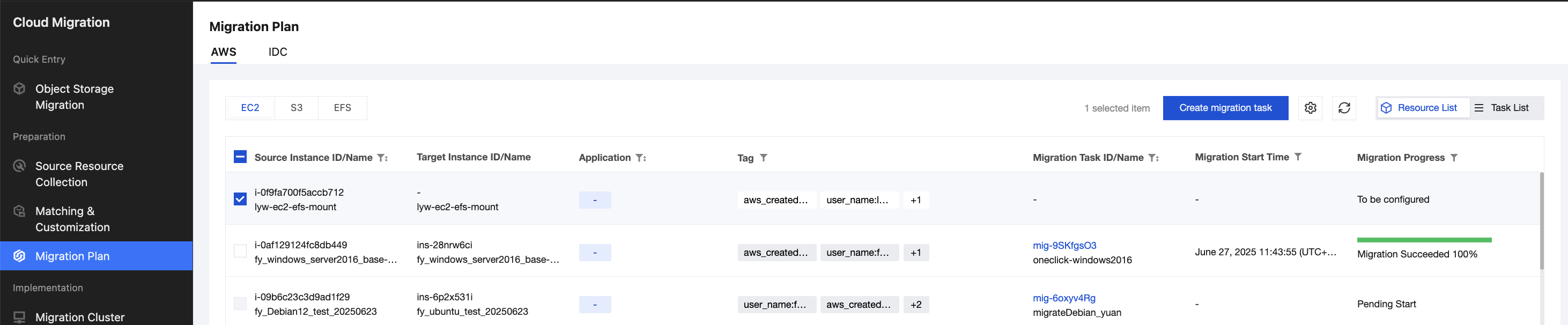
1. Enter Cloud Migration > Preparation > Migration Plan > AWS or IDC tab on the server, select the CVM to migrate, and click Create migration task.
2. Step one is check before migration, manually input the migration task name, fill in the AWS and Tencent Cloud key information, then click Verify and Save Key.
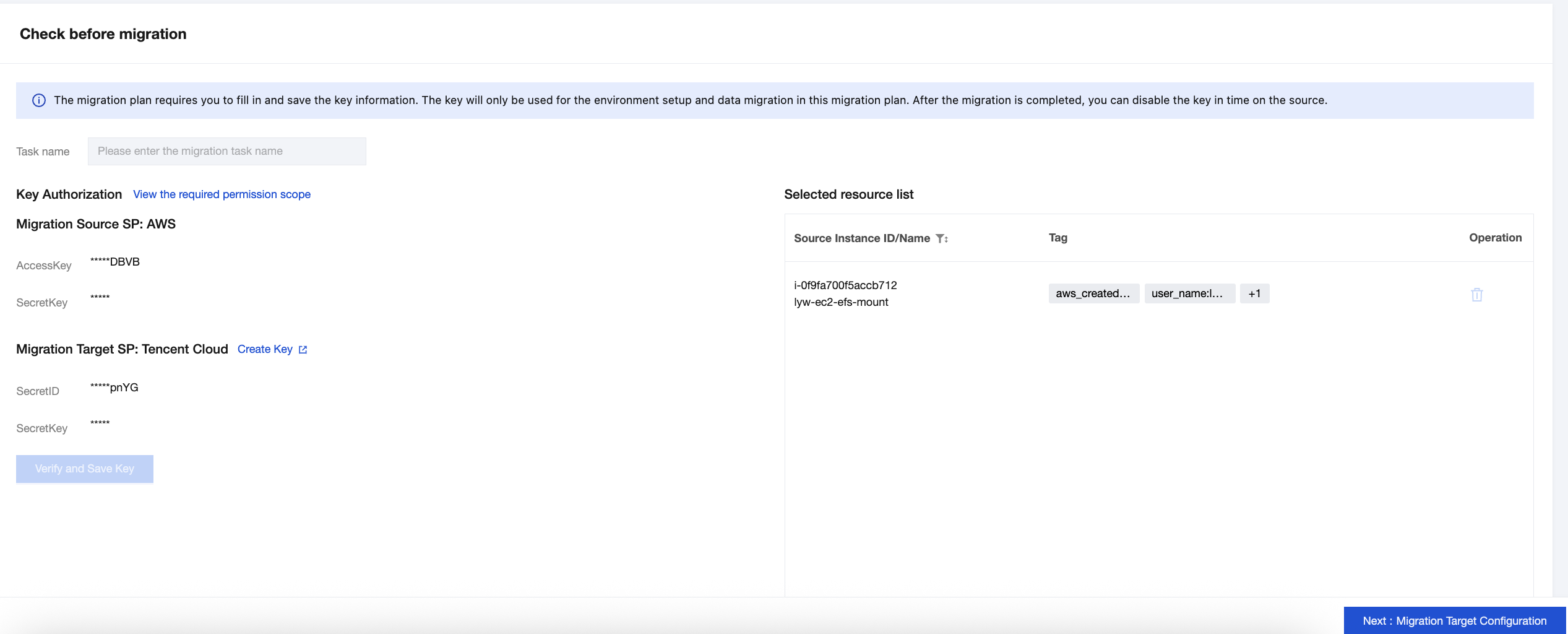
3. After the key verification passes, click Next: Migration Target Configuration.
4. In the operation list of the resources to be migrated, click Custom Configuration. In the custom configuration, choose Created by recommended resources or select existing resources to migrate to, then click Submit.

5. Select the resources to migrate, click Create/associate destination-side resources, then click Confirm in the pop-up to complete the target instance creation or association, and click Next:Configure to initiate migration task.

6. Select the servers to migrate, click Batch Edit, choose appropriate migration mode.
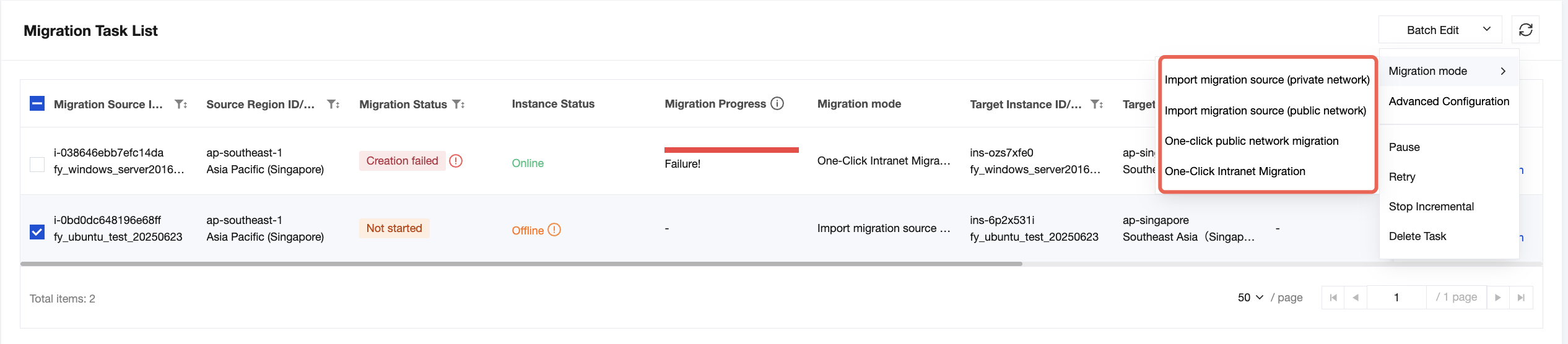
One-click public network migration: This mode is applicable to migration sources where the source server does not require migration agent installation and the migration network is a public network. AWS sources recommend this mode, while IDC cannot use it.
One-click Intranet Migration: This mode is applicable to migration sources where the source server does not require migration agent installation and the migration network is a private network. AWS sources recommend this mode, while IDC cannot use it.
Import migration source (public network): Applies to migration sources where the source server needs migration agent installation and the migration network is a public network. IDC uses this mode.
Import migration source (private network): Applies to migration sources where the source server needs migration agent installation and the migration network is a private network. IDC uses this mode.
7. Select the servers to migrate, click Start Migration Task to launch server migration tasks individually or in batch.
Ajuda e Suporte
Esta página foi útil?
Você também pode entrar em contato com a Equipe de vendas ou Enviar um tíquete em caso de ajuda.
comentários