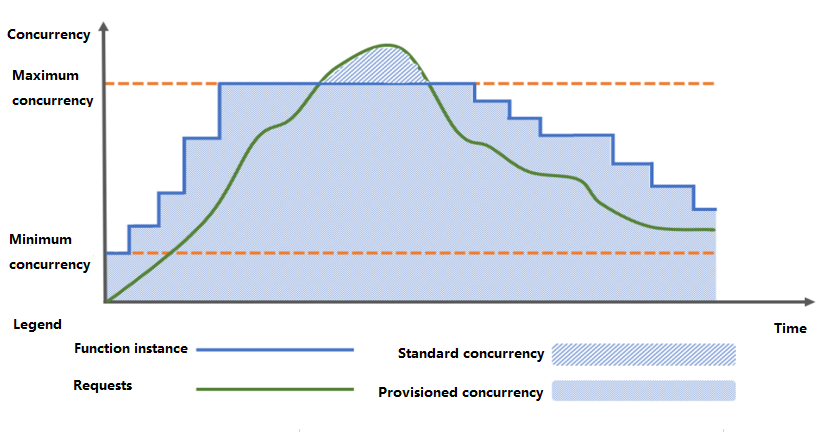
Dynamic provisioned concurrency metric is an elastic policy for provisioned concurrency. SCF will periodically collect information about actual concurrent function executions and control the dynamic scaling of the provisioned concurrency feature based on the configured metrics of maximum concurrency, minimum concurrency, and target concurrency usage. This makes the number of provisioned concurrent function instances closer to the actual resource usage, improves the usage of provisioned concurrent instances, and reduces the fees incurred by idle resources. If the number of concurrent instances actually required by a function exceeds that configured dynamic provisioned concurrency metric, auto scaling will be performed as needed.
Application Scenarios
Businesses that are sensitive to idle provisioned concurrency fees.
Functions that are sensitive to cold start with unpredictable business traffic peaks.
How It Works
When the dynamic provisioned concurrency metric is configured, scaling will be performed according to the configured dynamic policy. If the metrics of minimum concurrency, maximum concurrency, and concurrency usage are set, the system will guarantee the minimum concurrency of provisioned resources, and the provisioned concurrency will be dynamically scaled between the minimum and maximum values.
Scaling policy
Concurrency expansion: The system will expand the concurrency when the actual number of business requests increases and triggers the threshold for concurrency expansion until the maximum concurrency is reached. For excessive requests, the concurrency will be expanded as needed.
Concurrency expansion frequency: Concurrency expansion will be performed once every ten seconds, without a time window.
Concurrency reduction: The system will reduce the concurrency when the actual number of business requests drops and triggers the threshold for concurrency reduction until the minimum concurrency is reached.
Concurrency reduction frequency: A time window of ten minutes is provided to implement a relatively conservative concurrency reduction process; that is, concurrency reduction operations will not be performed repeatedly within the time window, which can be understood as the cooling time for releasing a skill in a game. If not performed previously, a concurrency reduction operation can be performed in ten seconds.
Target provisioned concurrency value
The target provisioned concurrency value is jointly determined by the metrics of current concurrency and the target concurrency usage.
Target provisioned concurrency value = Current total number of function instances * current concurrency usage / target concurrency usage = Current total number of function instances * (current concurrency / current total number of function instances) / target concurrency usage = Current concurrency/target concurrency usage.
Calculation example of the target provisioned concurrency value: If the current concurrency is 100 and the target concurrency usage is 80%, then the target provisioned concurrency value will be 100 / 80% = 125.
Concurrency usage
The concurrency usage of a function refers to the ratio of the number of concurrent requests being responded to by the current function instances to the current total number of function instances. Its value range is [0,1).
Minimum concurrency
The minimum concurrency refers to the minimum required number of provisioned concurrent instances of a function, i.e., the lower limit for concurrency reduction.
Maximum concurrency
The maximum concurrency refers to the maximum number of provisioned concurrent instances of a function, i.e., the upper limit for concurrency expansion.
Directions
Adding dynamic provisioned concurrency metric
1. Log in to the SCF console and select Function Service on the left sidebar.
2. On the Function Service list page, select the name of the target function to enter the Function Management page.
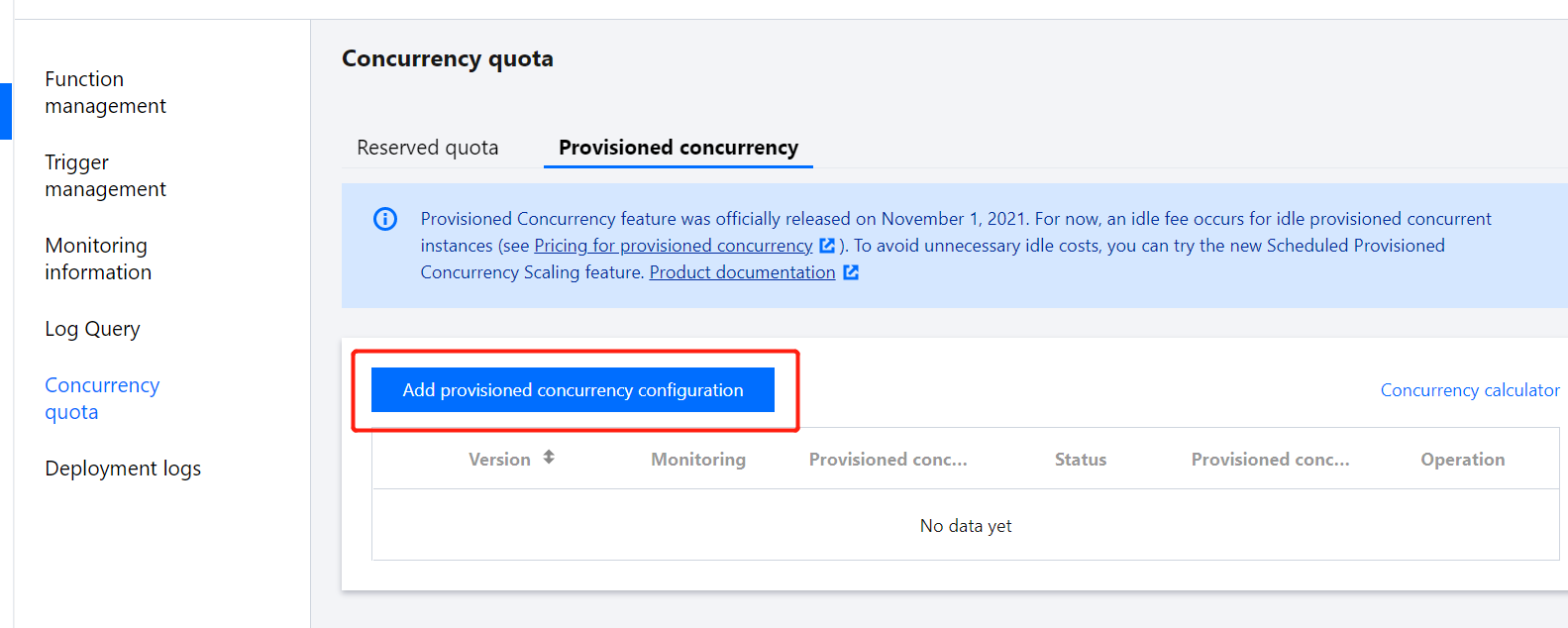
3. On the left, select Concurrency quota > Provisioned concurrency to enter the Provisioned concurrency tab.
4. On the Provisioned concurrency tab, click Add provisioned concurrency configuration as shown below:
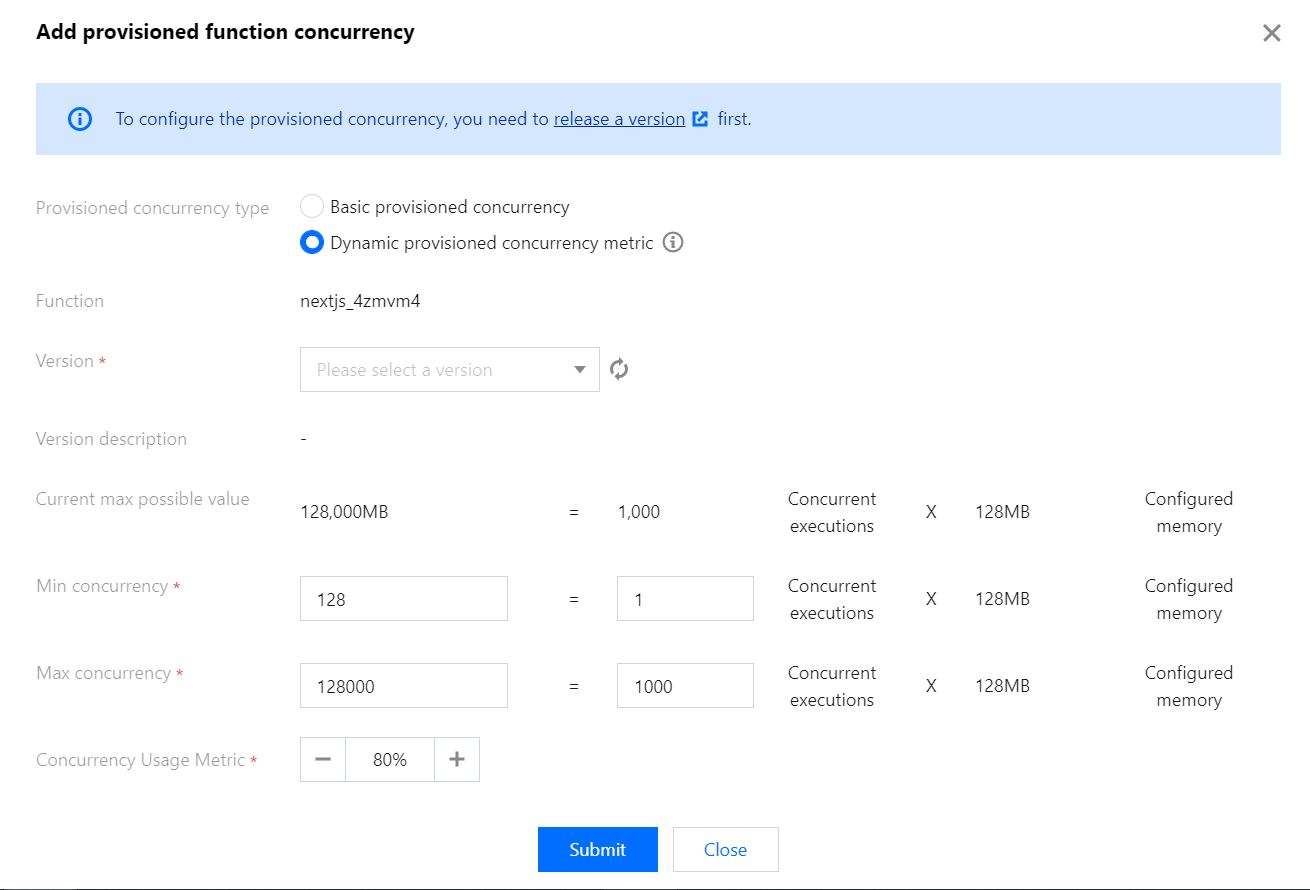
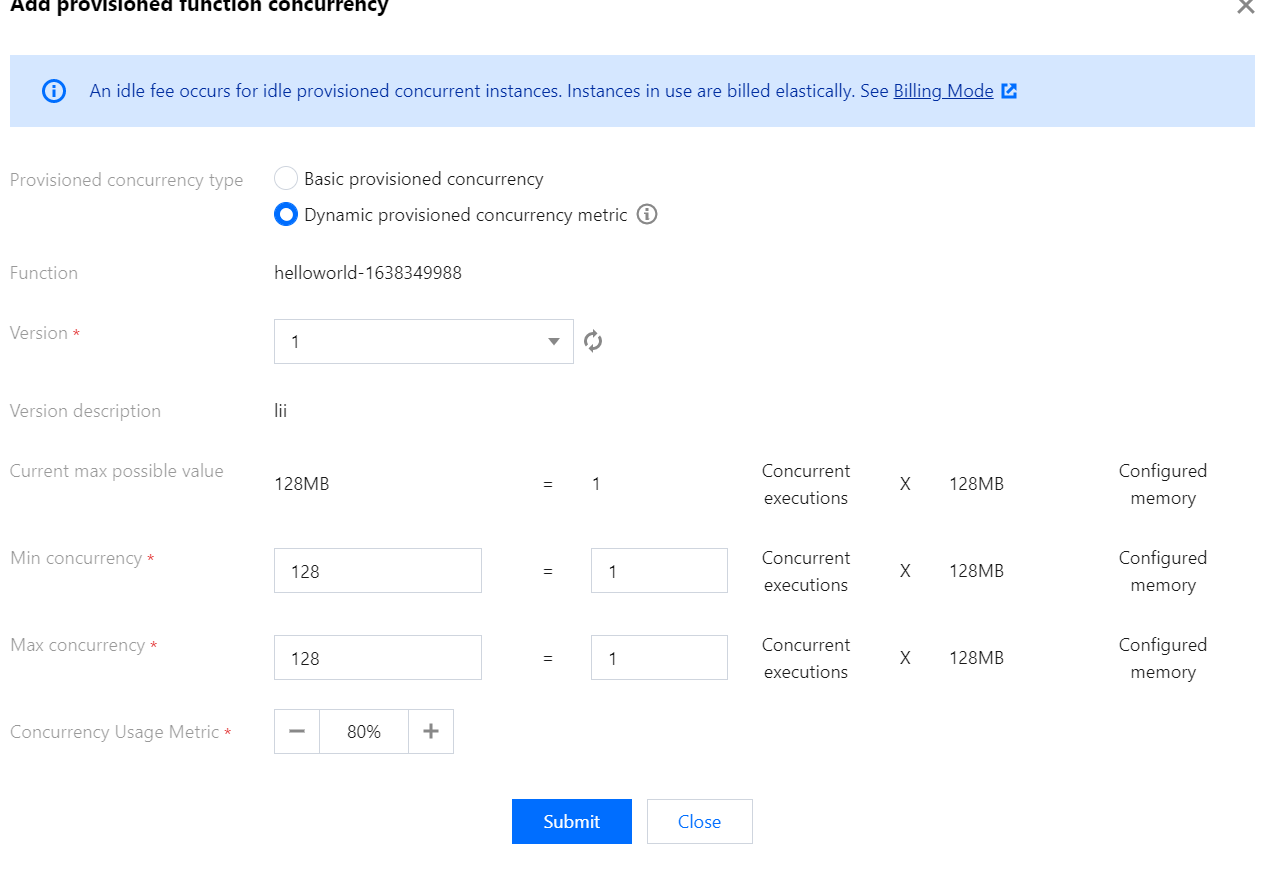
5. In the Add provisioned function concurrency pop-up window, select Dynamic provisioned concurrency metric for Provisioned concurrency type, select the function version, set Min concurrency, Max concurrency, and Concurrency usage metric based on the business scenario, and click Submit as shown below:
After completing the settings, you can view the configuration status in Provisioned Concurrency. It will take some time for the SCF backend to add the instances and display the number of ready-to-start concurrent instances and completion status in the list.
Updating dynamic provisioned concurrency metric
When updating the dynamic provisioned concurrency metric, you can modify Provisioned concurrency type, Min concurrency, Max concurrency, and Concurrency usage metric.
1. Log in to the SCF console and select Function Service on the left sidebar.
2. On the Function Service list page, select the function for which to update the provisioned concurrency to enter the Function Management page.
3. On the left, select Concurrency quota > Provisioned concurrency to enter the Provisioned concurrency tab.
4. On the Provisioned concurrency tab, select Settings on the right of the target version.
5. In the Set provisioned function concurrency pop-up window, update the set value and click Submit as shown below:
Note:
Basic provisioned concurrency and dynamic provisioned concurrency metric are supported for the provisioned concurrency type. After the provisioned concurrency type is updated, the previously set type will become invalid.
Deleting dynamic provisioned concurrency metric
1. Log in to the SCF console and select Function Service on the left sidebar.
2. On the Function Service list page, select the function for which to delete the provisioned concurrency to enter the Function Management page.
3. On the left, select Concurrency quota > Provisioned concurrency to enter the Provisioned concurrency tab.
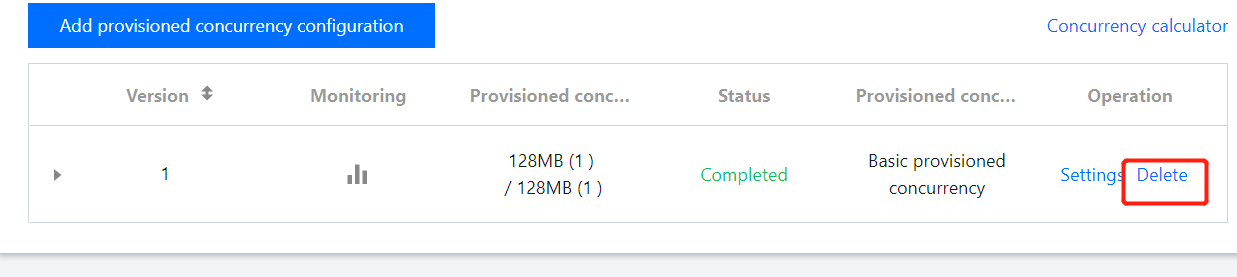
4. On the Provisioned concurrency tab, select Delete on the right of the target version as shown below:
5. In the Delete provisioned function concurrency quota pop-up window, click OK.