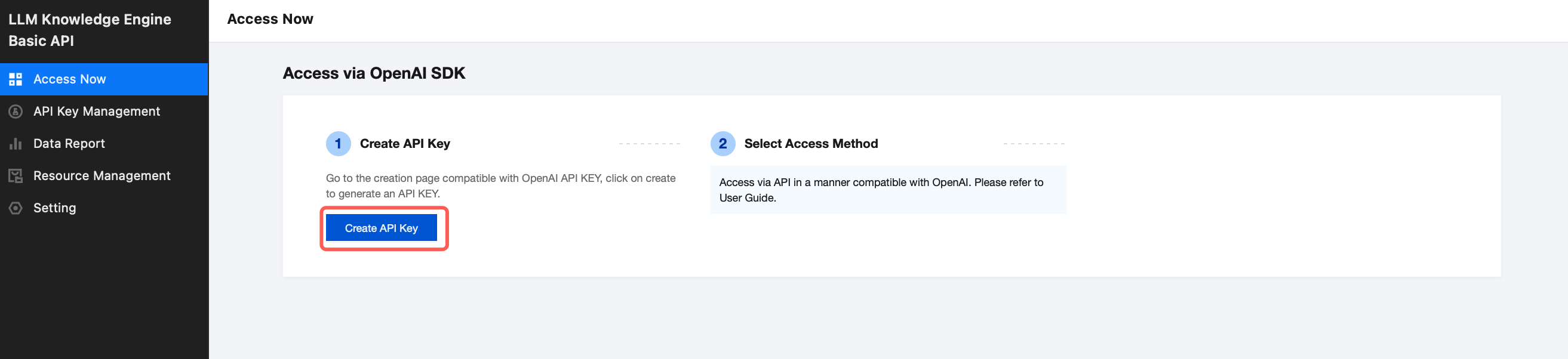
LLM Knowledge Engine Basic API is now open to the public. You can go to the Console to activate the service.
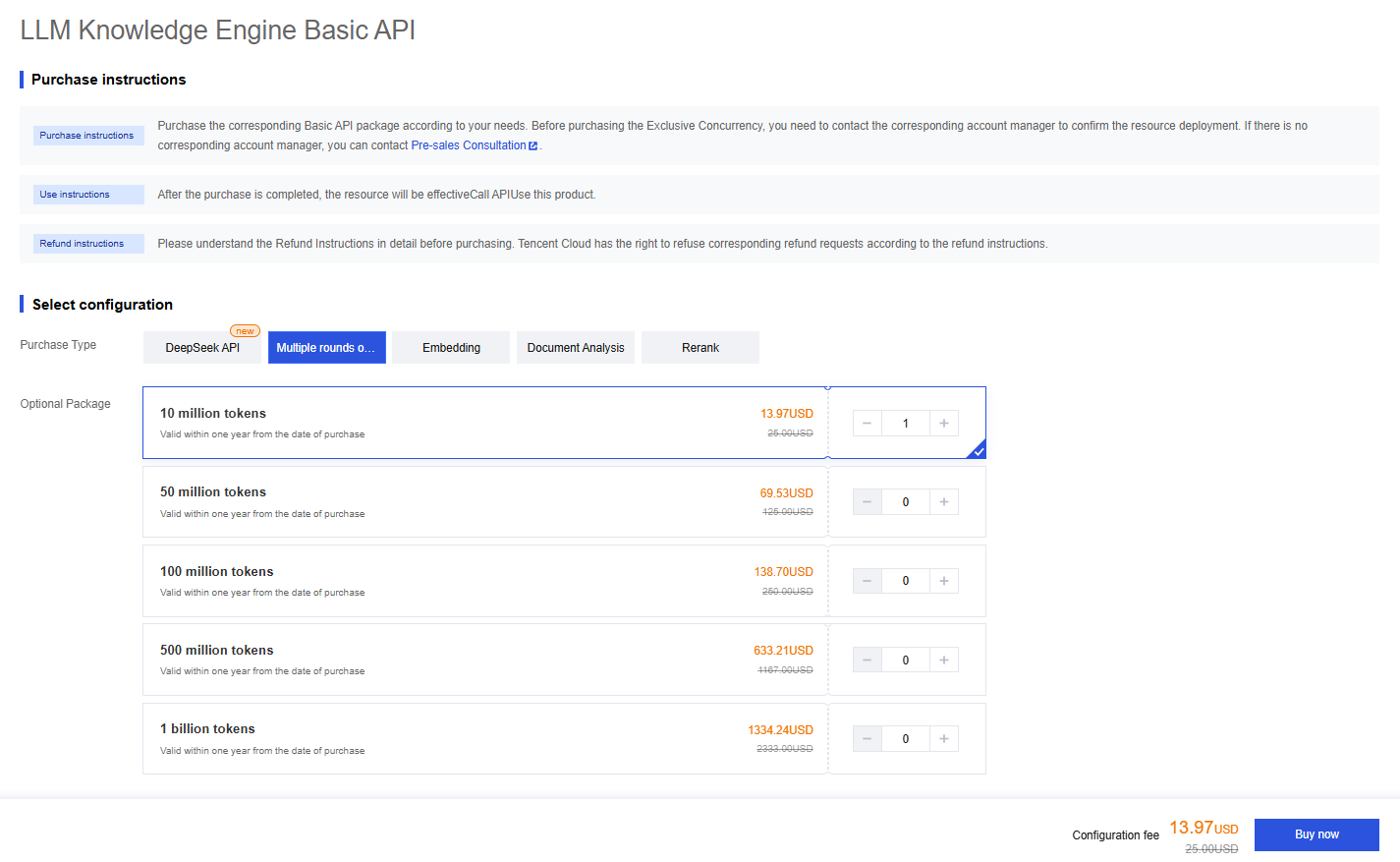
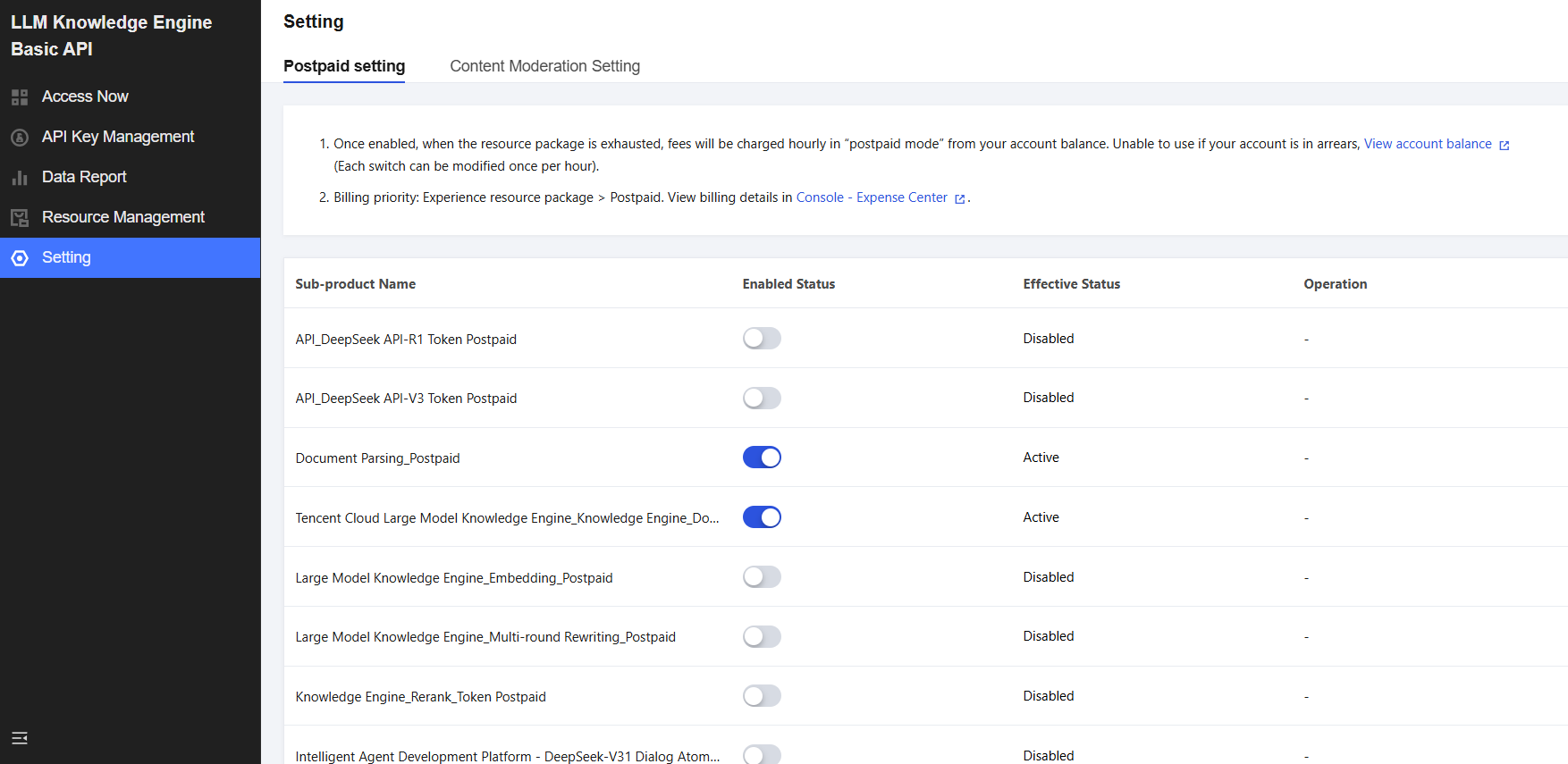
After enabling the service, you need to purchase the corresponding resource package or enable postpaid billing to use it. For specific billing rules of resource packages and postpaid, please refer to Billing Overview.
Please go to the Purchase Page to purchase resource packages.
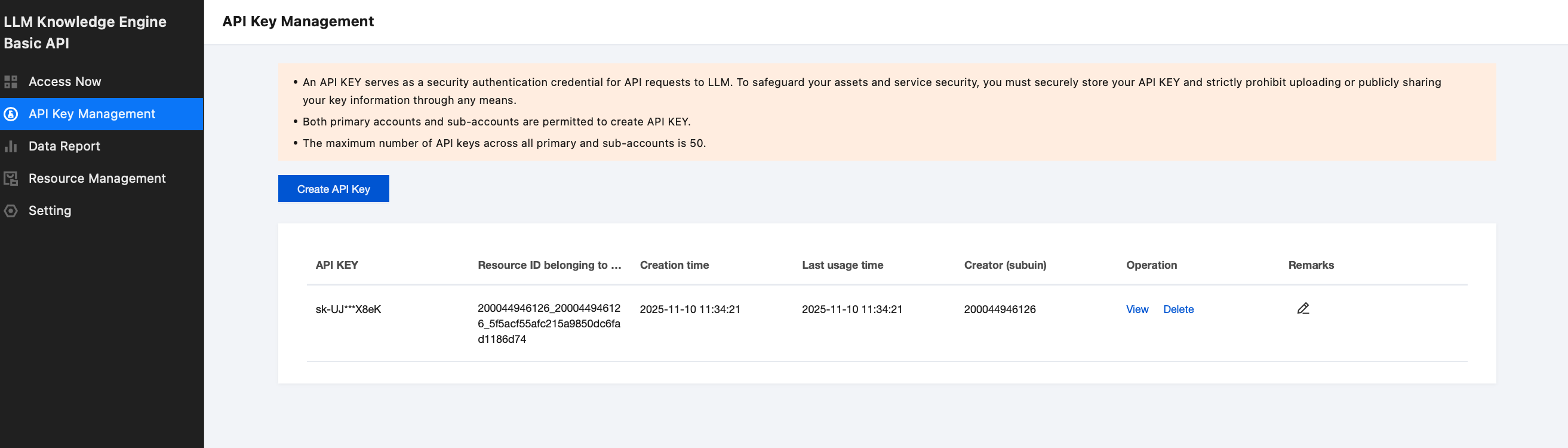
2. After creation, enter API Key Management, where you can perform operations such as adding new, viewing, deleting, and remarking API Keys.
Note:
An API KEY serves as a security authentication credential for API requests to LLM. To safeguard your assets and service security, you must securely store your API KEY and strictly prohibit uploading or publicly sharing your key information through any means.
Both primary accounts and sub-accounts are permitted to create API KEY.
The maximum number of API keys across all primary and sub-accounts is 50.
3. To begin using the API, please consult the Operation Guide for procedures and refer to API Documentation to call the appropriate endpoints based on your specific business scenario.
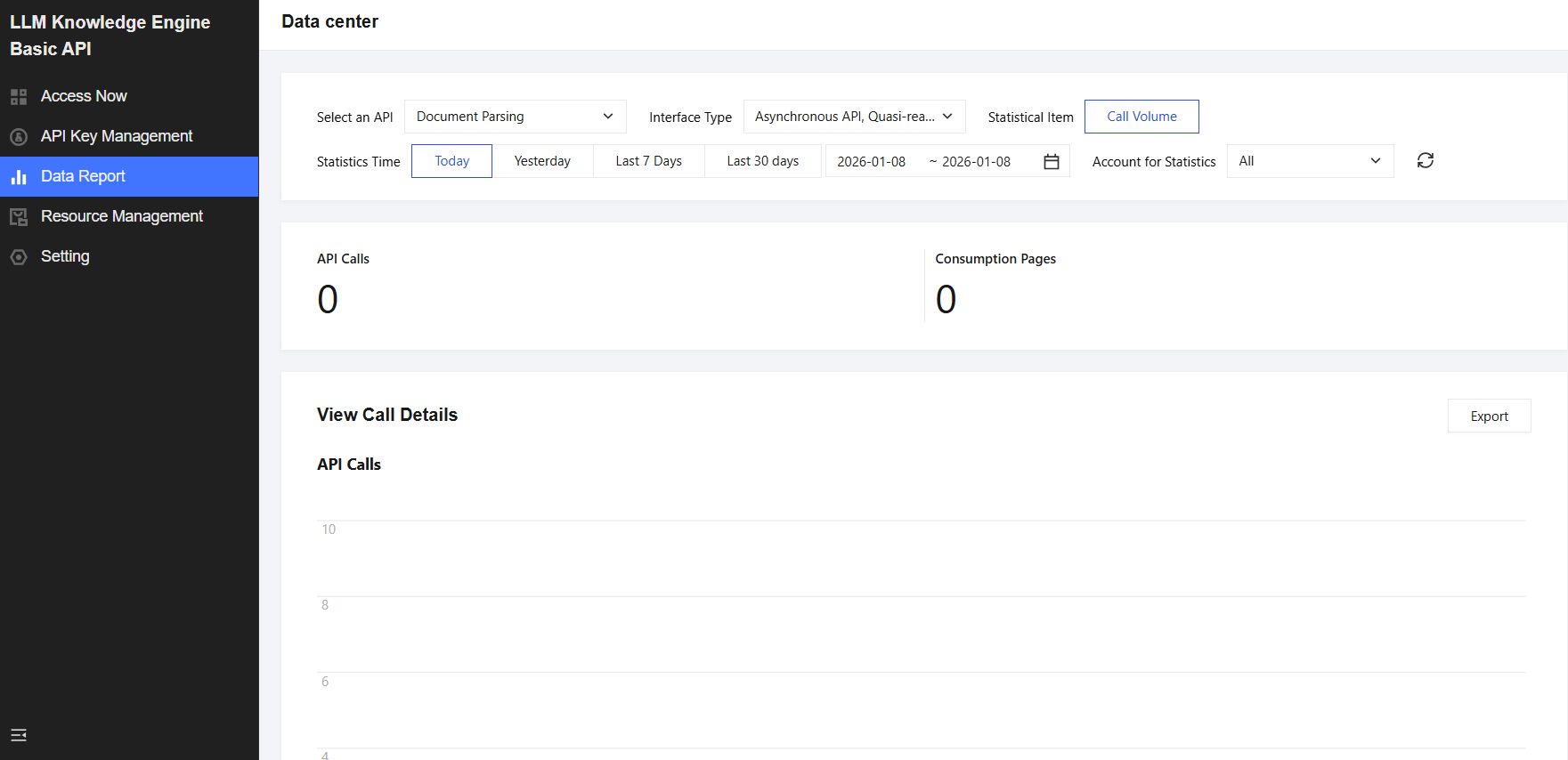
Step 4: Querying Usage Data
After the API is integrated and in use, you can navigate to Console > Data Report, select an interface and model to view usage details, and filter the data by dimensions such as Account and API Key.