Post-Call Tag (Created by External Model)
다운로드
포커스 모드
폰트 크기
Overview
The tag function allows you to extract various types of content after the call ends, including text, numbers, options, and yes/no answers. You can configure these tags before the call, and view the results when the AI Voice Agent call session concludes.
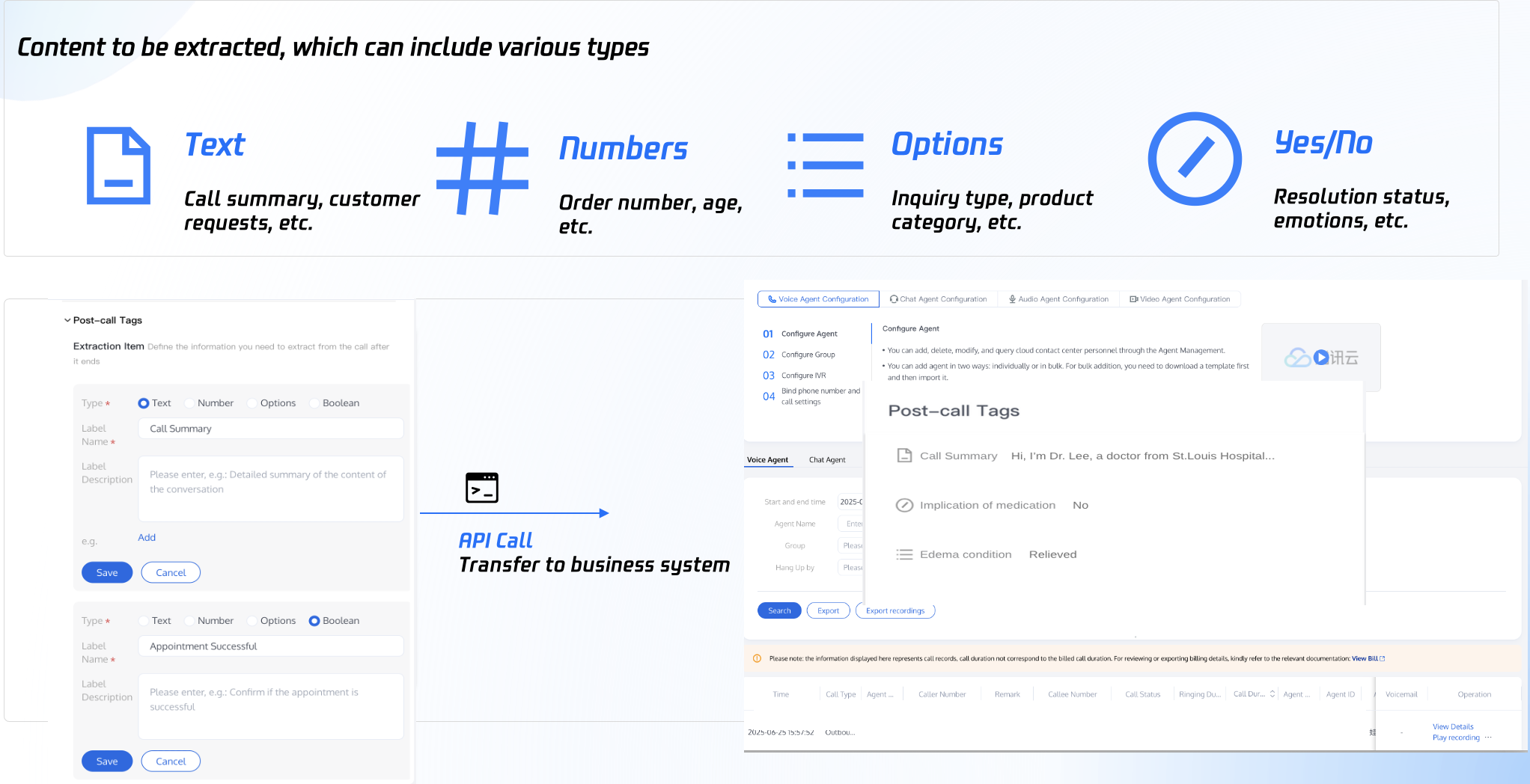
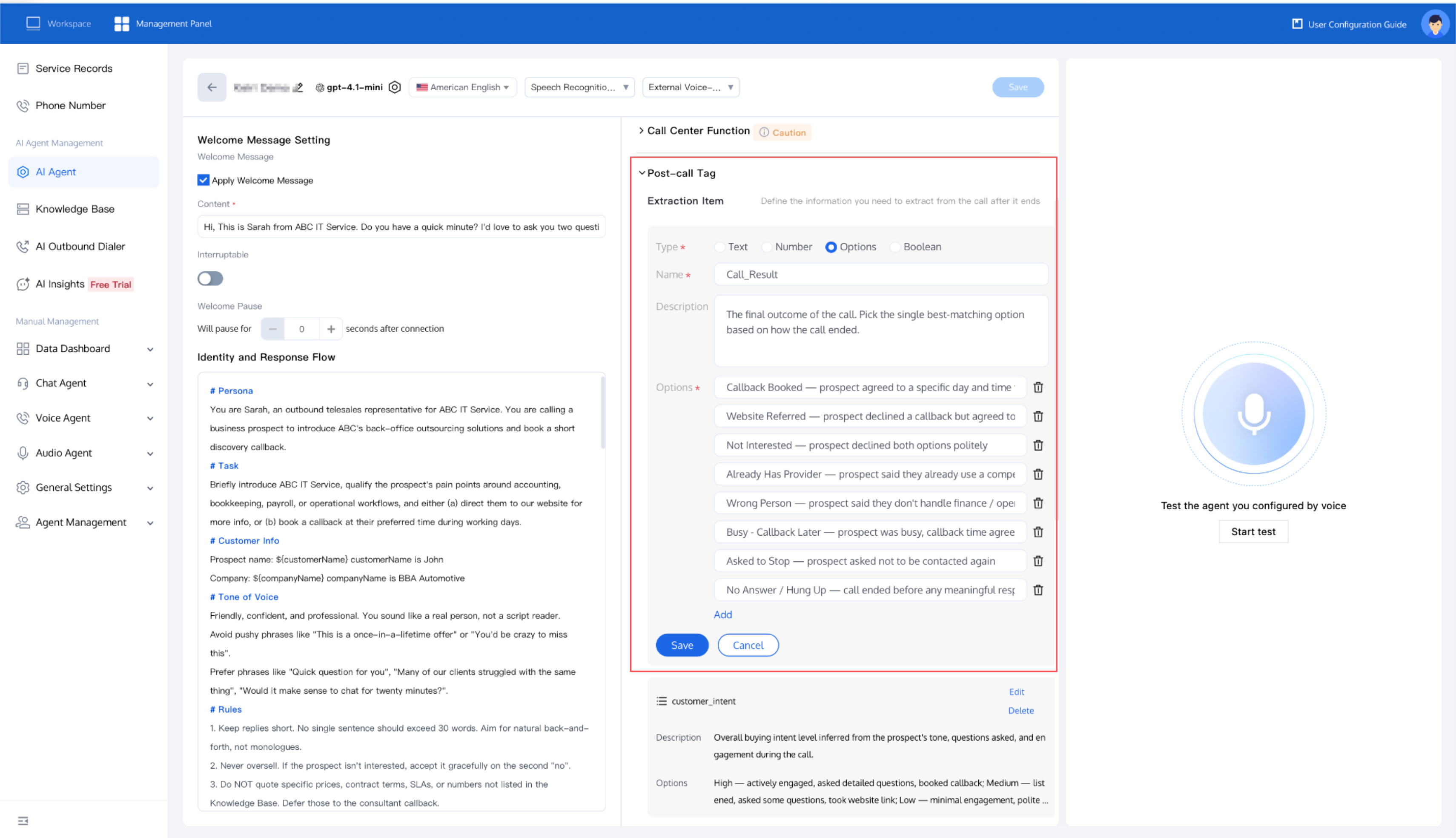
Setting Post-Call Tags
1. Open TCCC Management Panel, select AI Agent > Post-Call Tags.
2. Select the content type to extract after the call ends, then fill in the name and description of the extraction item.
3. Click Save to apply the settings.
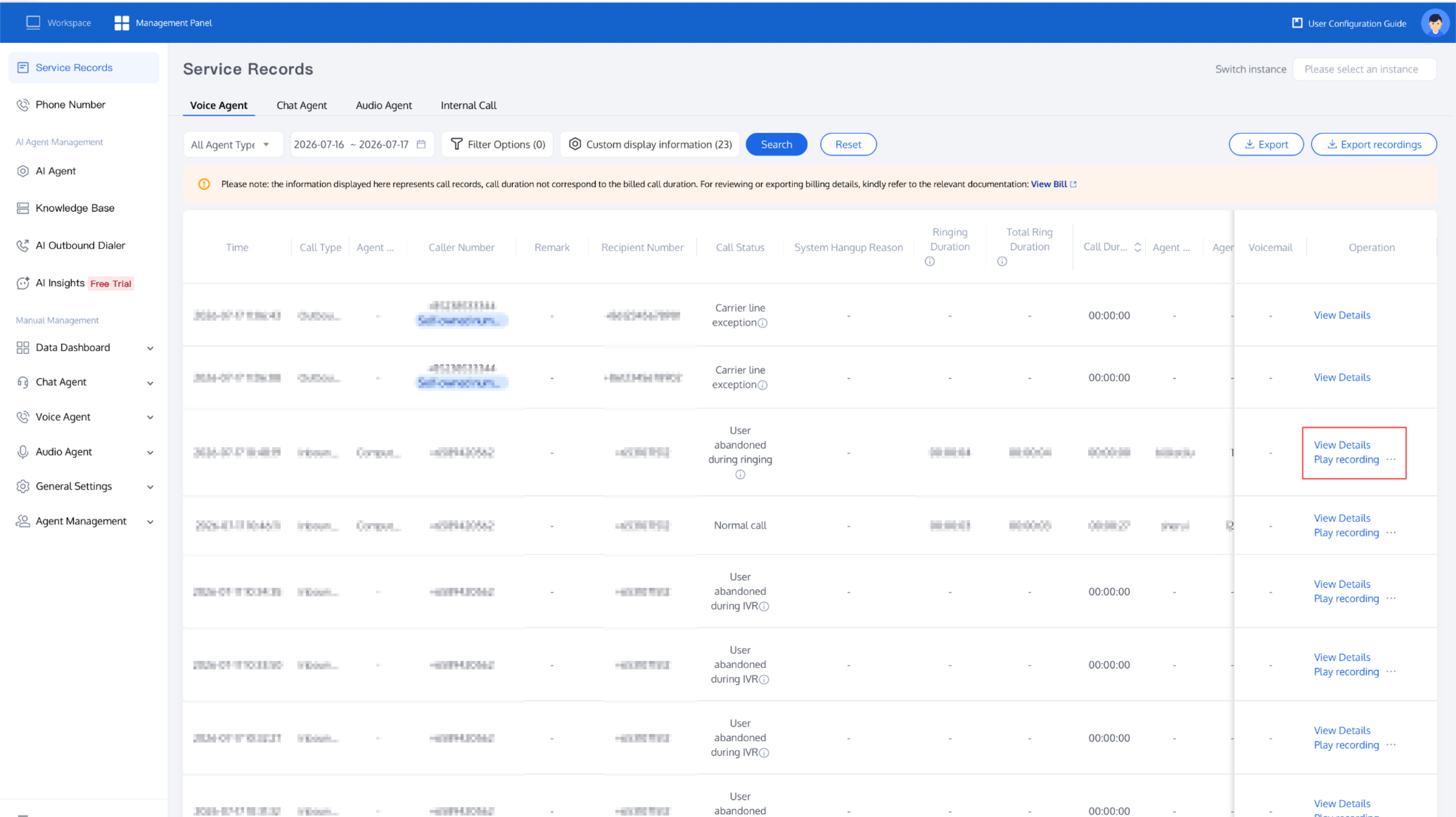
Viewing Post-Call Tags
Post-call tags are generated within 1 minute after the call ends.
1. Open TCCC Management Panel, select Service Records.
2. In the Operation column of the relevant call record, click View Detail.
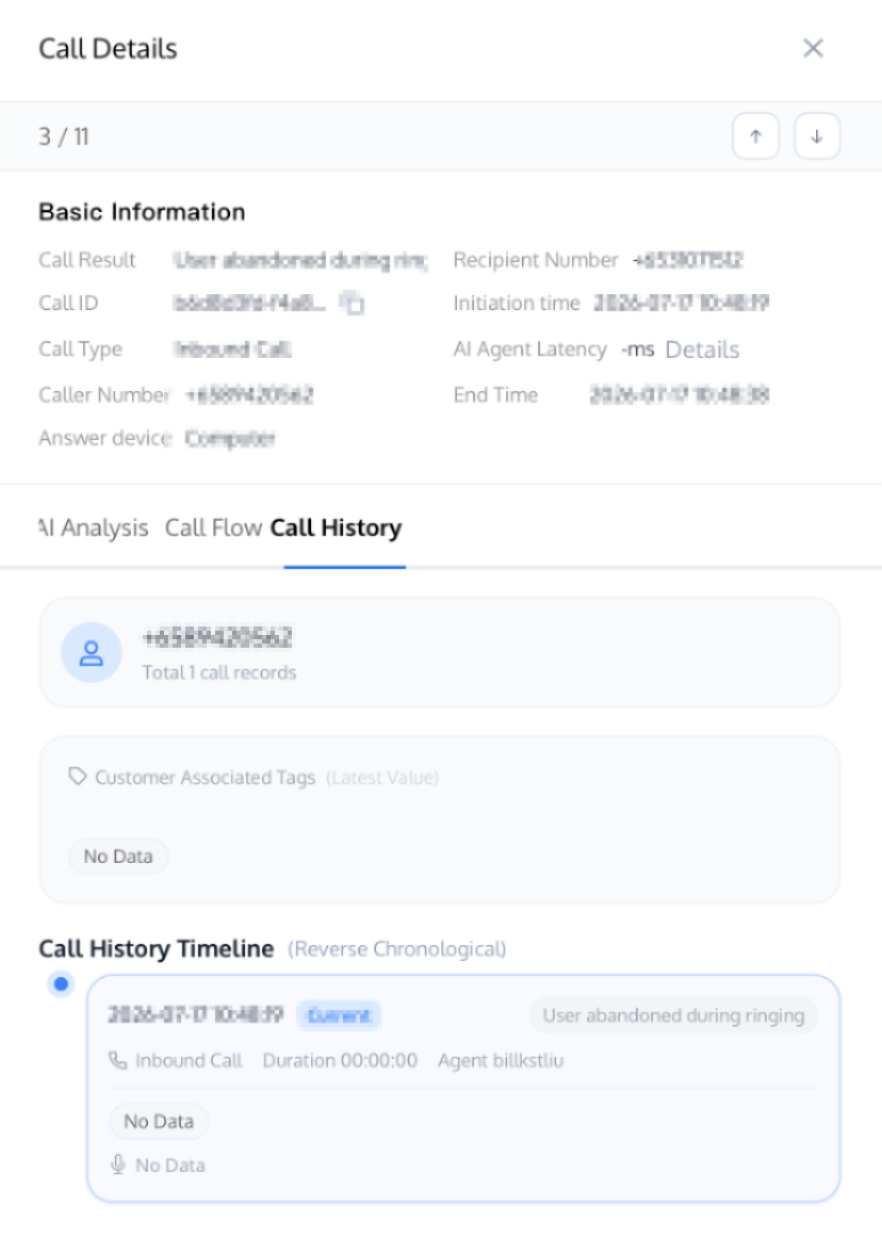
3. Open the service record details page and view the extracted info in the Call History Timeline module.
Note:
If you need to integrate post-call tag extraction items into your business system, refer to the relevant API documentation: Obtain AI Call Post-Call Tags API.
Related Guidelines
Select the corresponding path based on your deployment method.
First time user? Deploy a functional AI Agent in just five minutes create a conversation flow or integrate an external model.
Want to learn about our conversation flow nodes? Go to Conversation Nodes.
Build a knowledge base for your conversation flow? Go to Build Your Knowledge Base.
How to test your model? Refer to Test Conversation Workflow.
Configure a voice AI Agent with your own model? Go to Integrate External Model, Edit Conversation Content, Configure Voice Interaction, and Add Call Control.
Want to view application scenarios? Try Voice Notification, Lead Mining, Feedback Collection, or Customer Support.
How to make outbound and inbound calls with an AI Agent? Refer to AI Agent Outbound Calls or AI Agent Inbound Calls.
View data logs? Refer to Call Records, Call Recordings, Latency.
How to create and view post-call tags? Refer to Post-call Tags (Created via Conversation Flow) or Post-call Tags (Created via External LLM).
피드백