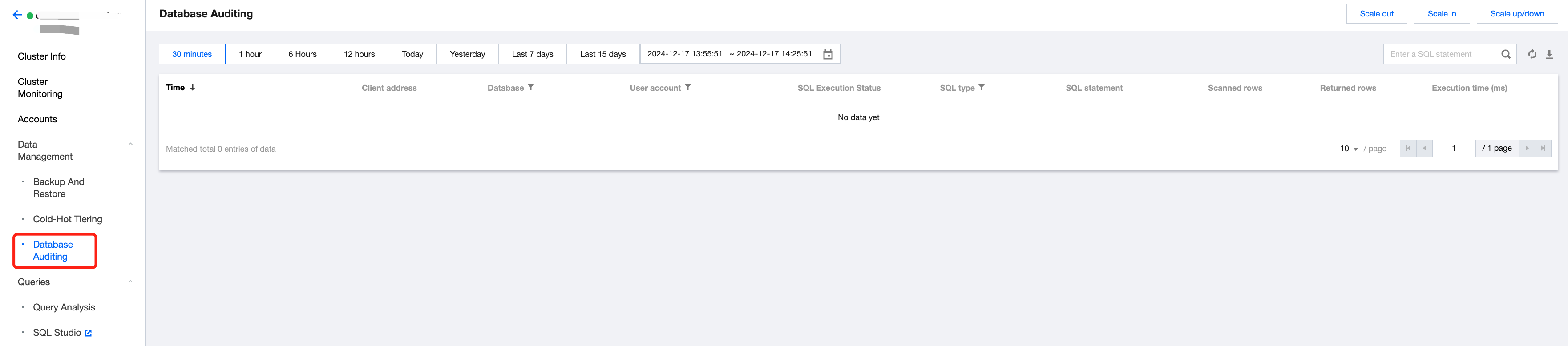
The Database Auditing feature displays the historical information of all SQL operations within the cluster and supports search, filtering, and download.
Information displayed includes: time, client address, database name, user account, SQL type, SQL statement, returned rows, scanned rows, and execution time.
Note:
To ensure data security, Tencent Cloud Warehouse-D currently does not support collecting audit logs via ES/CLS. If needed, you can query the audit tables doris_audit_tbl__ in the default library doris_audit_db__ for analysis.
Operation Guide
Log in to Tencent Cloud TCHouse-D Console, and select Data Management > Database Auditing from the left side list to enter the audit page.
Select a time range: Supports customizing the time range to seek any time frame's audit log.
Search and filter: To precisely locate query records, you can filter the audit logs by the SQL statement. You can also filter by database name, user account, SQL type, and more.
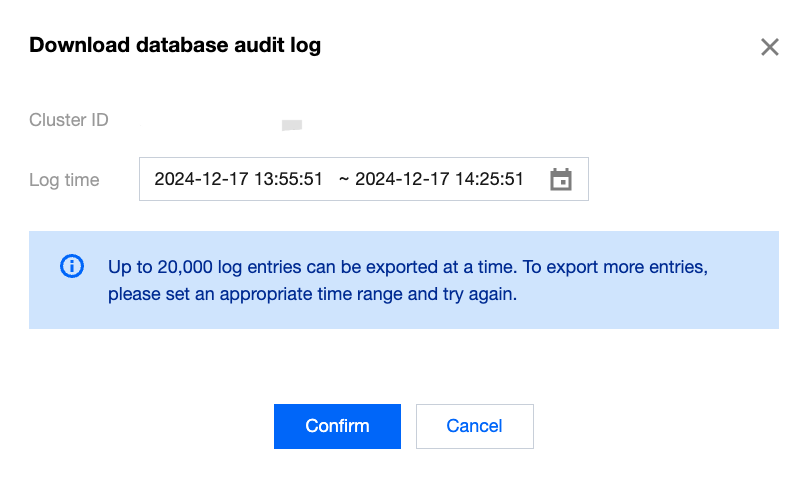
Download data: Support exporting audit logs within a certain time range, with a single export limit of 20,000 records. If this limit is exceeded, adjust the time range.
Note:
During download, the conditions set by the user for search and the filters for database name, user account, and SQL type columns on the page will be retained.