Storage Encryption
다운로드
포커스 모드
폰트 크기
TDMQ for Apache Pulsar pro clusters with fixed storage support data encryption for underlying storage disks. Static data is encrypted using industry-standard security algorithms to ensure the security and privacy compliance of your message data stored in the cloud.
Use Limits
Configuration timing: Storage encryption can only be enabled when creating a cluster, and cannot be disabled or enabled after the cluster is created.
Applicable clusters: Currently, this feature is available only for Pro Edition fixed storage clusters.
Supported regions: Hong Kong (China), Bangkok, Jakarta, Silicon Valley, Frankfurt, Seoul, Tokyo, Virginia, and Sao Paulo.
Note:
Storage encryption can only be enabled when a cluster is created. After a storage-encrypted cluster is created, this configuration is irreversible and cannot be disabled.
For clusters that have already been created without storage encryption enabled, you cannot enable storage encryption afterward in the console or via the API.
Operation Steps
1. Log in to the TDMQ for Apache Pulsar console and go to the cluster creation and purchase page.
2. In the Other Configurations section, enable Storage Encryption as needed.

3. Before enabling storage encryption, you need to authorize the Pulsar service-related role. Click Authorize and Enable to open the CAM authorization window. After authorization is completed, storage encryption will be enabled automatically.
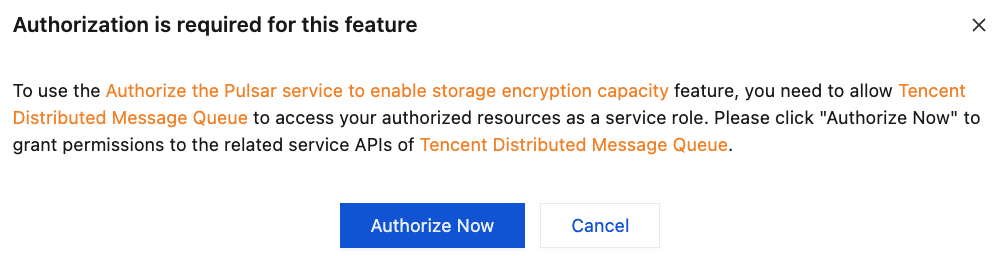
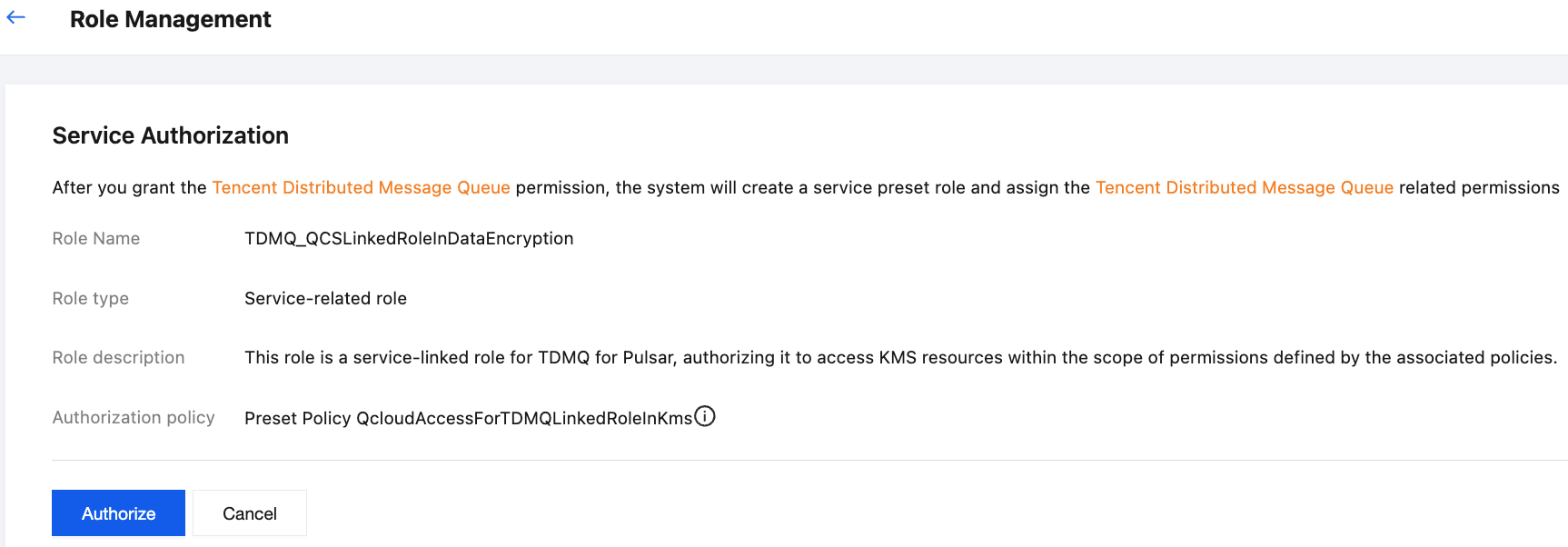
4. Complete the other information configurations, select I have read and agree to the TDMQ Service Terms, and then click Buy Now.
5. Complete the payment on the order payment page. After waiting for about 3-5 minutes, you can view the Pulsar cluster that has been created and has storage encryption enabled on the Cluster Management list page.
피드백