You can add domain resolution for Lighthouse instances. By adding domain resolution, you can point a domain (for example, cloud.tencent.com) to an IP address (a public IP address), making it easier to access your website through the domain.
Must-Knows
The Lighthouse console currently supports adding only A records.
When the host record of the added domain resolution is @, you can directly access the deployed website through the domain. For example, if the hostname is @.example.com, you can access the website through example.com.
If the domain is locked or in another abnormal state, you cannot add domain resolution.
If you have not purchased the Professional edition or a higher edition of the DNS plan, you can add up to 10 load balancing records for each hostname. A hostname supports up to 5 levels. For more limits, see DNS Pricing Overview.
Note:
Load balancing refers to the maximum number of instances that can be resolved for a single hostname. For detailed instructions on the load balancing quota, see DNS Plan Service.
Operation Steps
You can add domain resolution through the Lighthouse purchase page, the domain page, or the instance details page.
Adding Domain Resolution on the Lighthouse Purchase Page
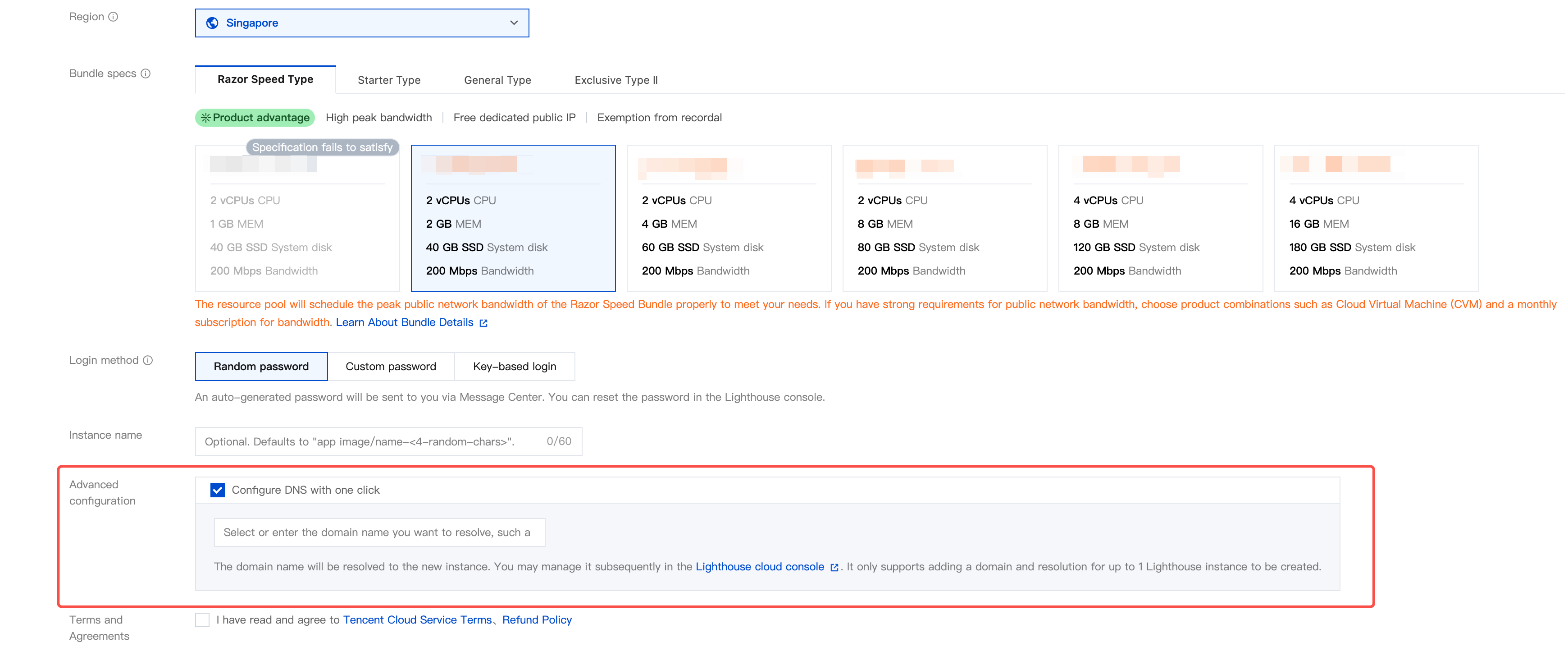
2. Click Create to go to the Lighthouse purchase page, and then find Configuer DNS with one click, as shown in the following figure:
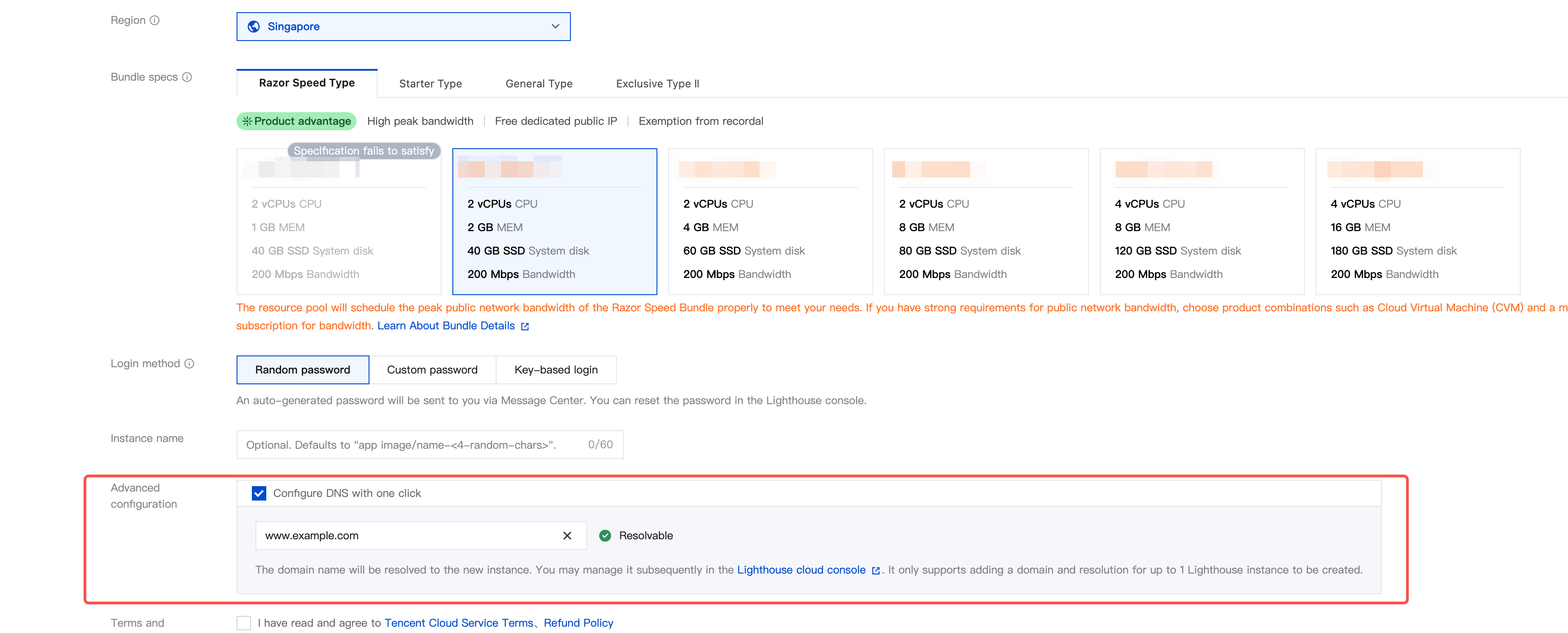
3. Select one-click domain resolution configuration and enter the domain you want to resolve. When the verification passes and Resolvable is displayed, the domain will be resolved when the instance is created.
Note:
If the domain you entered is not successfully resolved to the newly created server, you can go to the Tencent Cloud DNS console to check whether the domain has resolution record conflicts.
If your domain does not use Tencent Cloud DNS as its DNS service provider, its status will be displayed as "Inactive" after the domain resolution succeeds.
If the domain you entered meets any of the following conditions, you cannot add resolution directly. You need to follow the instructions on the page to resolve the issue:
The domain format is incorrect. In this case, you need to check and correct the domain format (for example, www.example.com).
The domain has not been registered. In this case, you can choose to register the domain, and after the instance is created, go to the Lighthouse console to add and manage the domain.
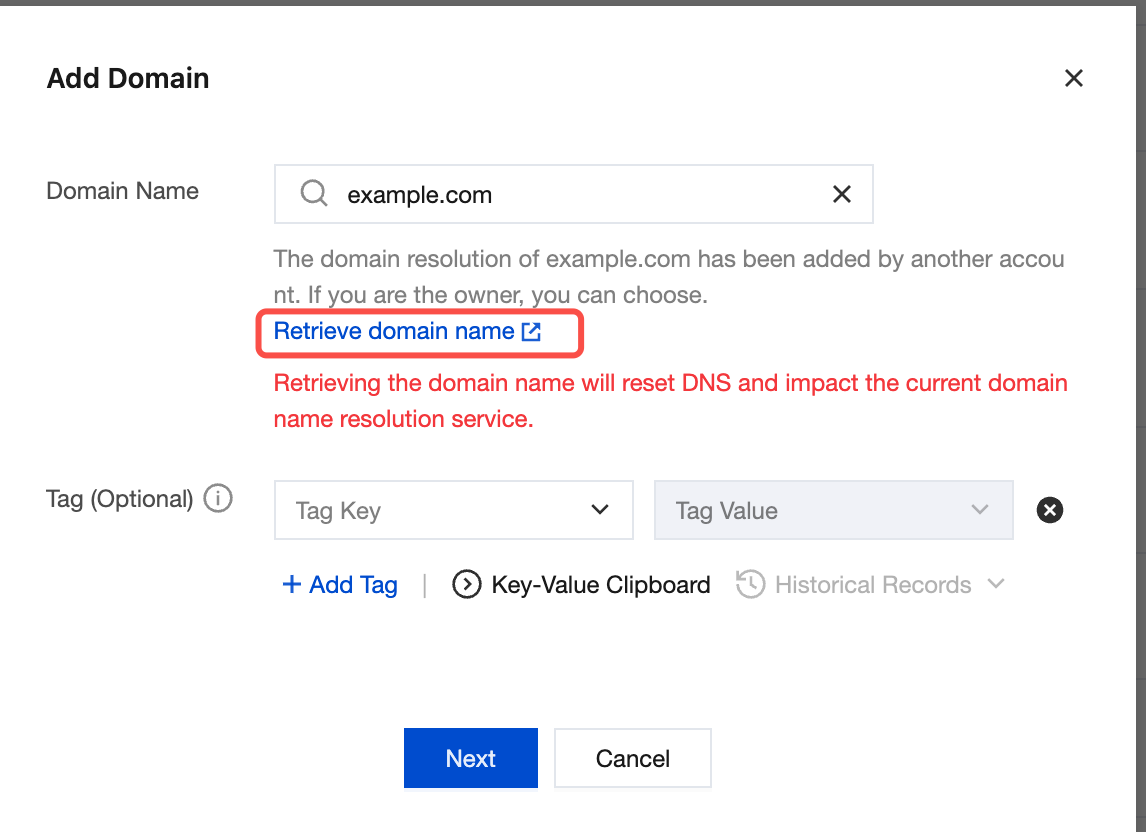
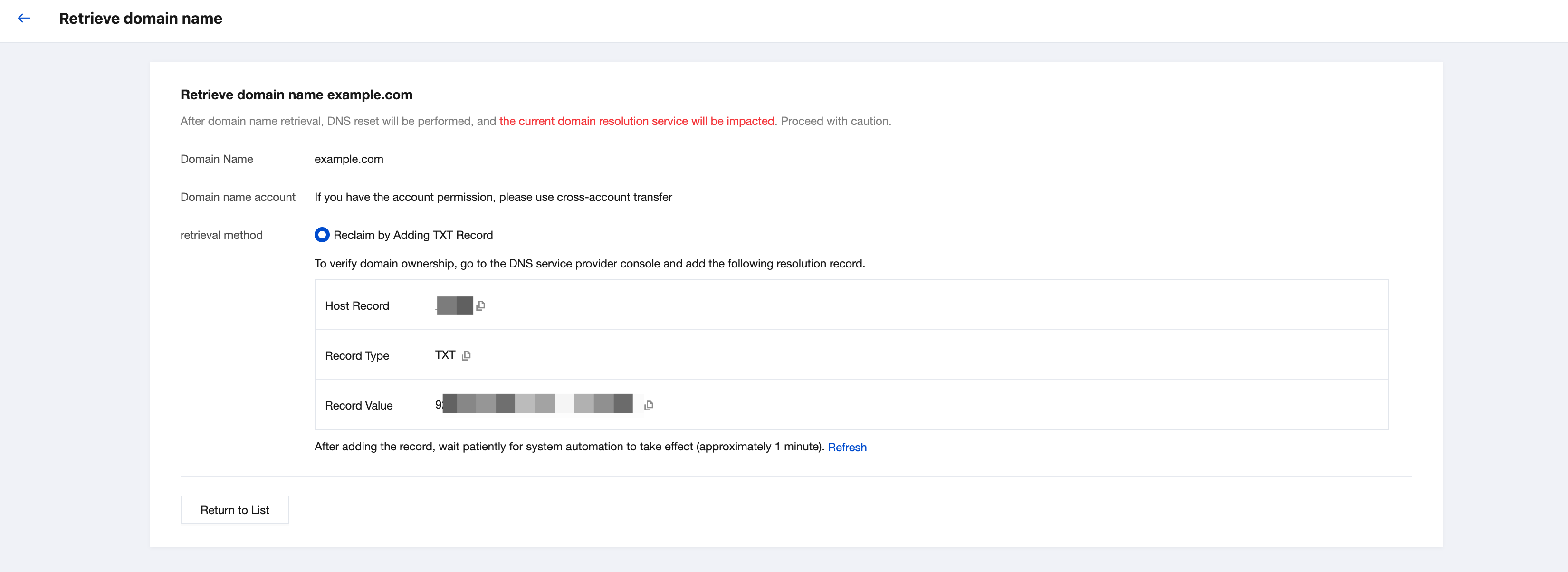
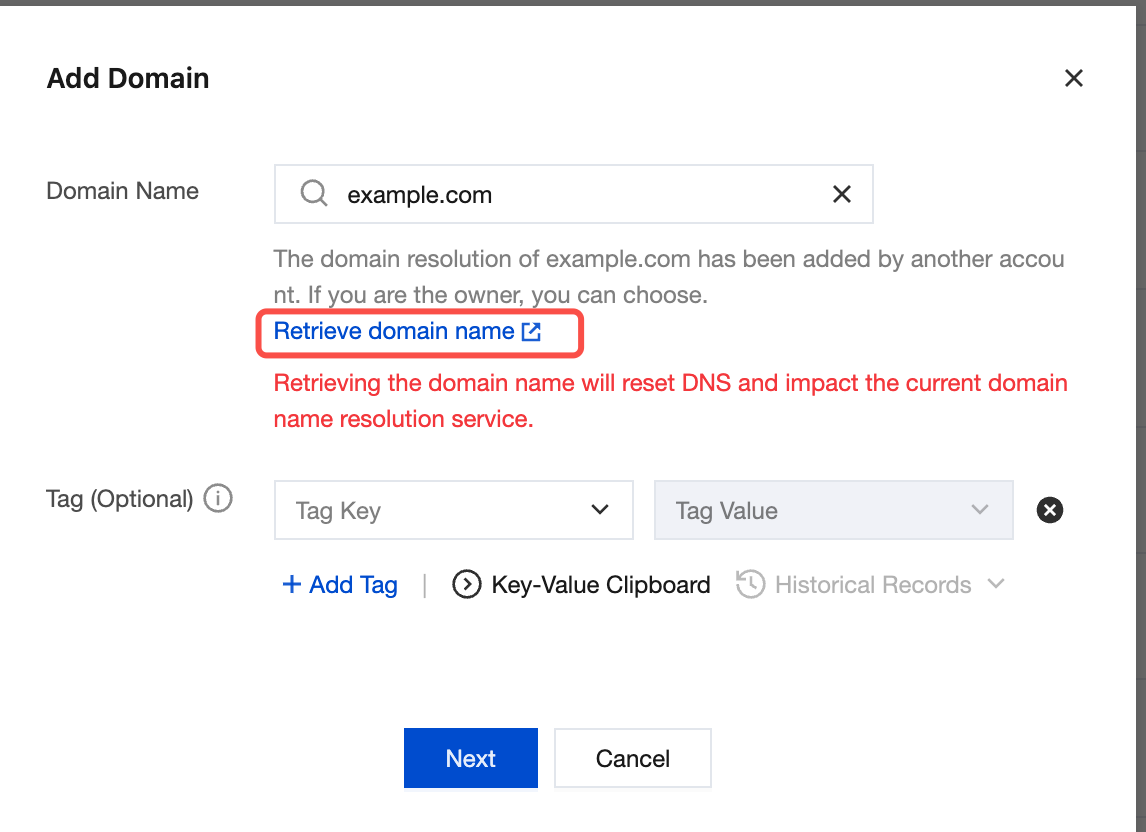
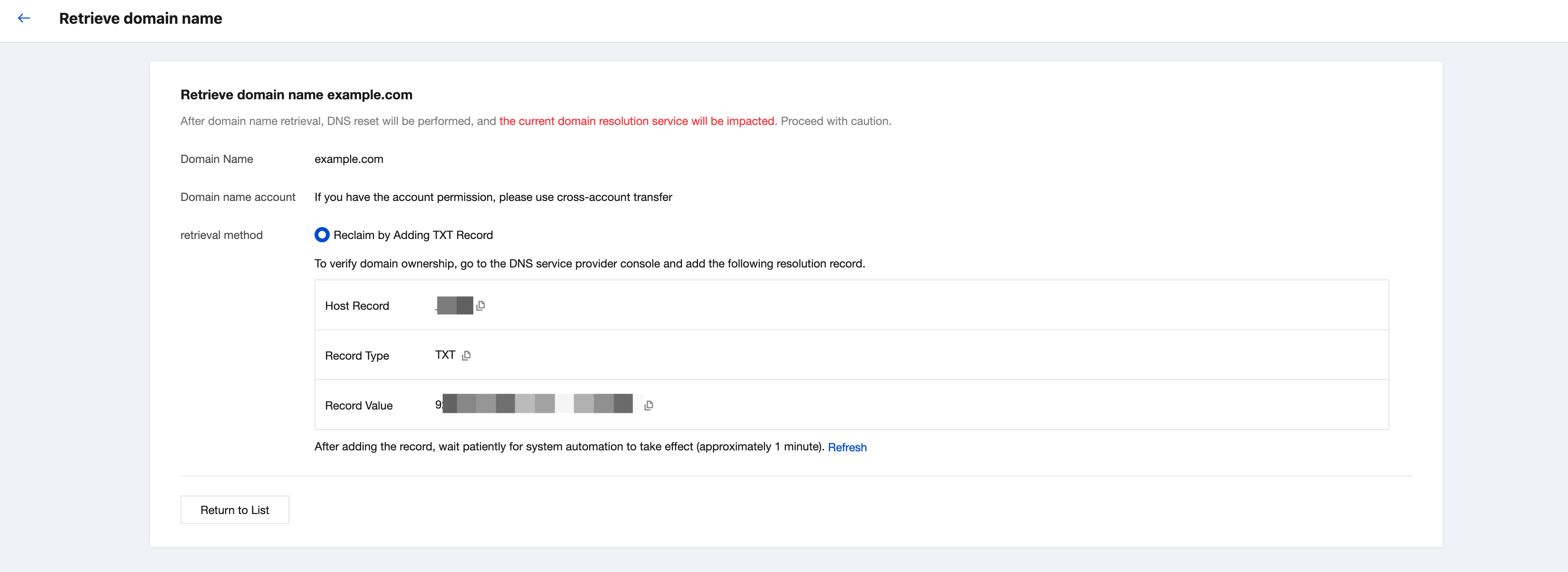
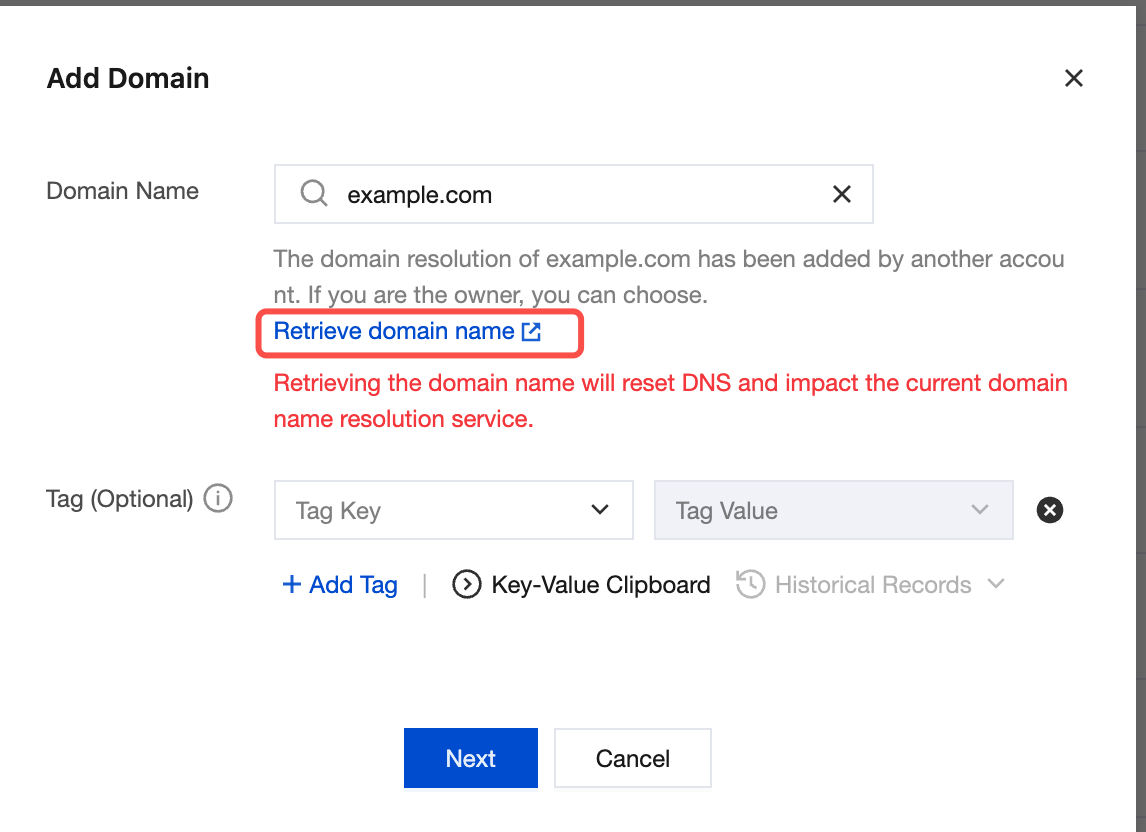
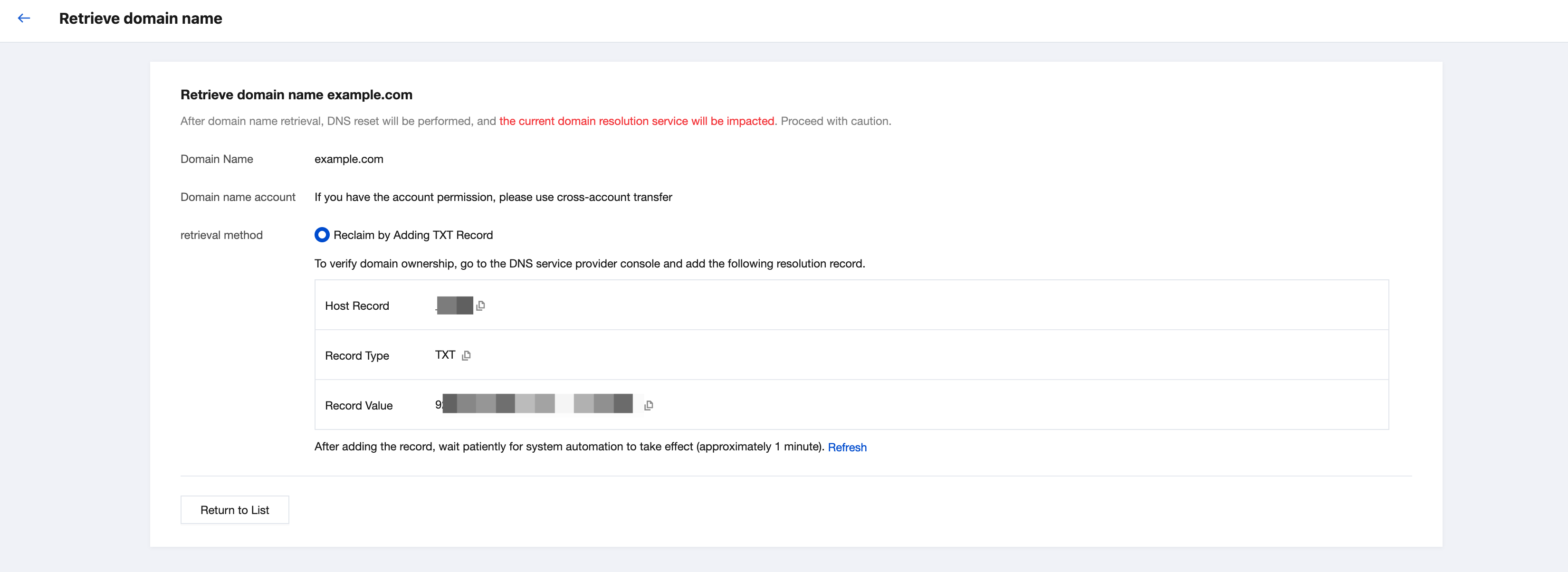
The domain has been added by another Tencent Cloud account. If you are the owner, click Retrieve Domain as prompted on the page when adding the domain.
4. After the instance is created, you can go to the Lighthouse domain page or the Domain Resolution tab on the instance details page to view the added domain resolution.
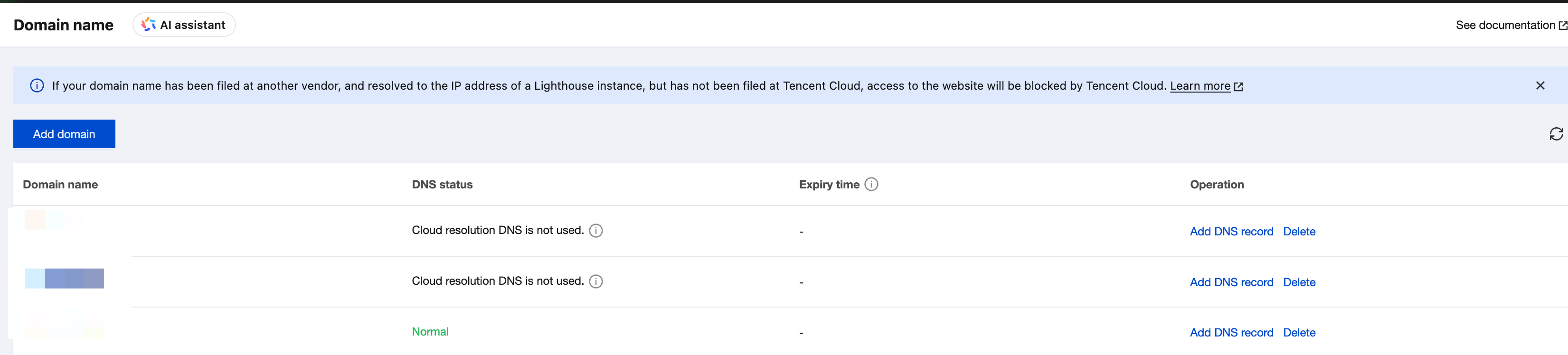
1. Log in to the Lighthouse console and select Domain in the left sidebar.
2. Choose any method to open the dialog for adding domain resolution.
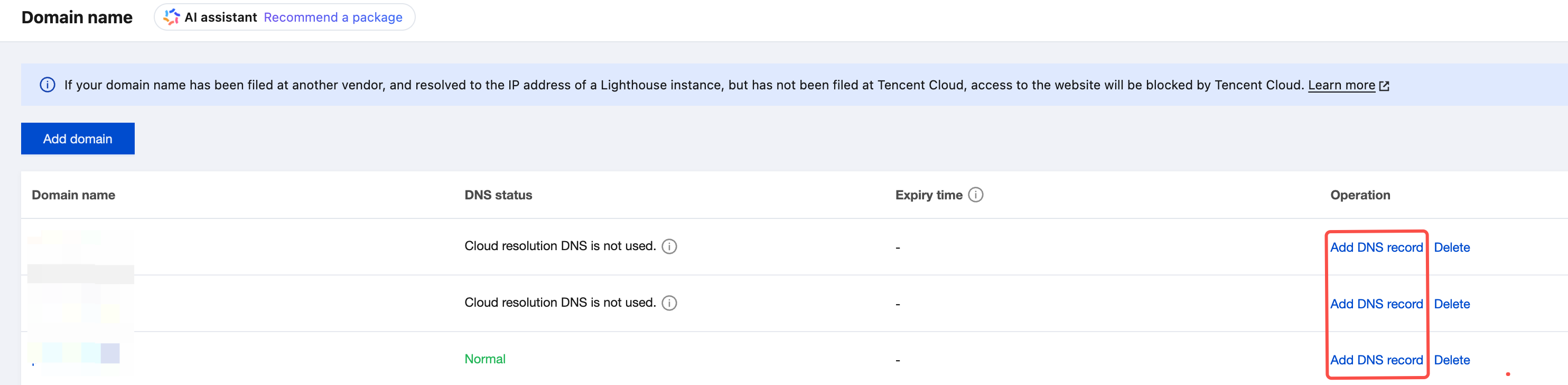
Method 1: Adding Domain Resolution in the Domain List
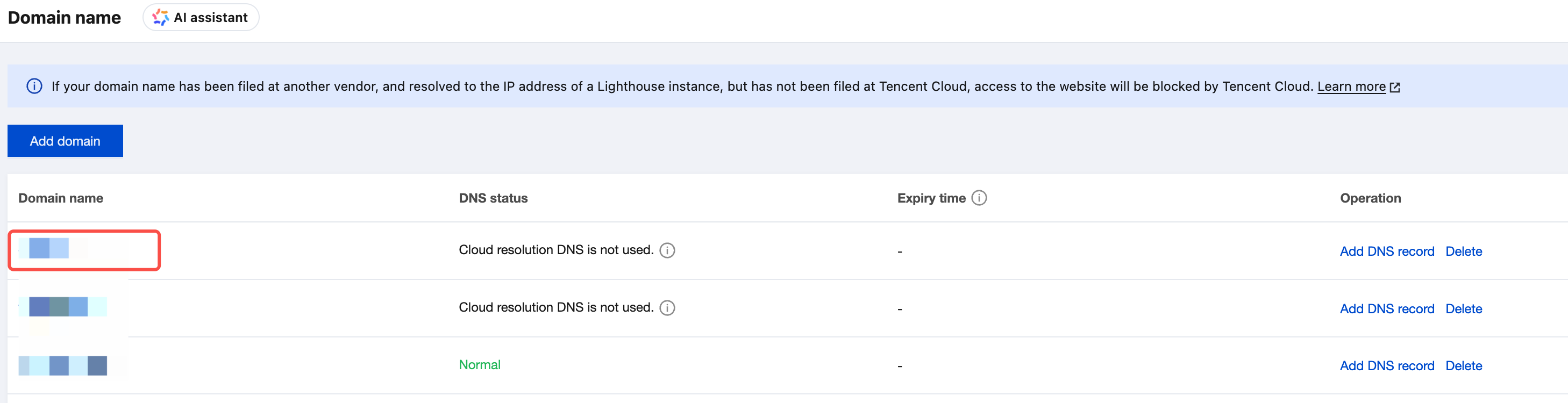
Method 2: Adding Domain Resolution on the Domain Details Page
On the Domain page, locate the target domain and click Add DNS record in the operation column.
1. On the Domain name page, click the target domain name to go to the domain details page.
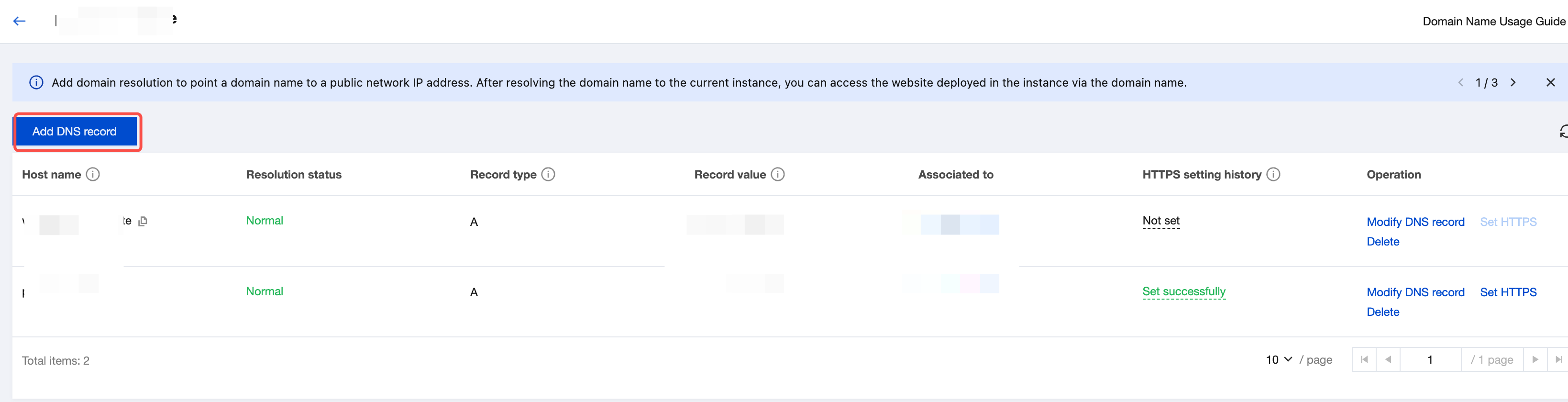
2. On the domain details page, click Add DNS record.
If the domain you entered meets any of the following conditions, you cannot add resolution directly. You need to follow the instructions on the page to resolve the issue:
The domain format is incorrect. In this case, you need to check and correct the domain format (for example, www.example.com).
The domain has not been registered. In this case, you can choose to register the domain, and after the instance is created, go to the Lighthouse console to add and manage the domain.
The domain has been added by another Tencent Cloud account. If you are the owner, click Retrieve Domain as prompted on the page when adding the domain.
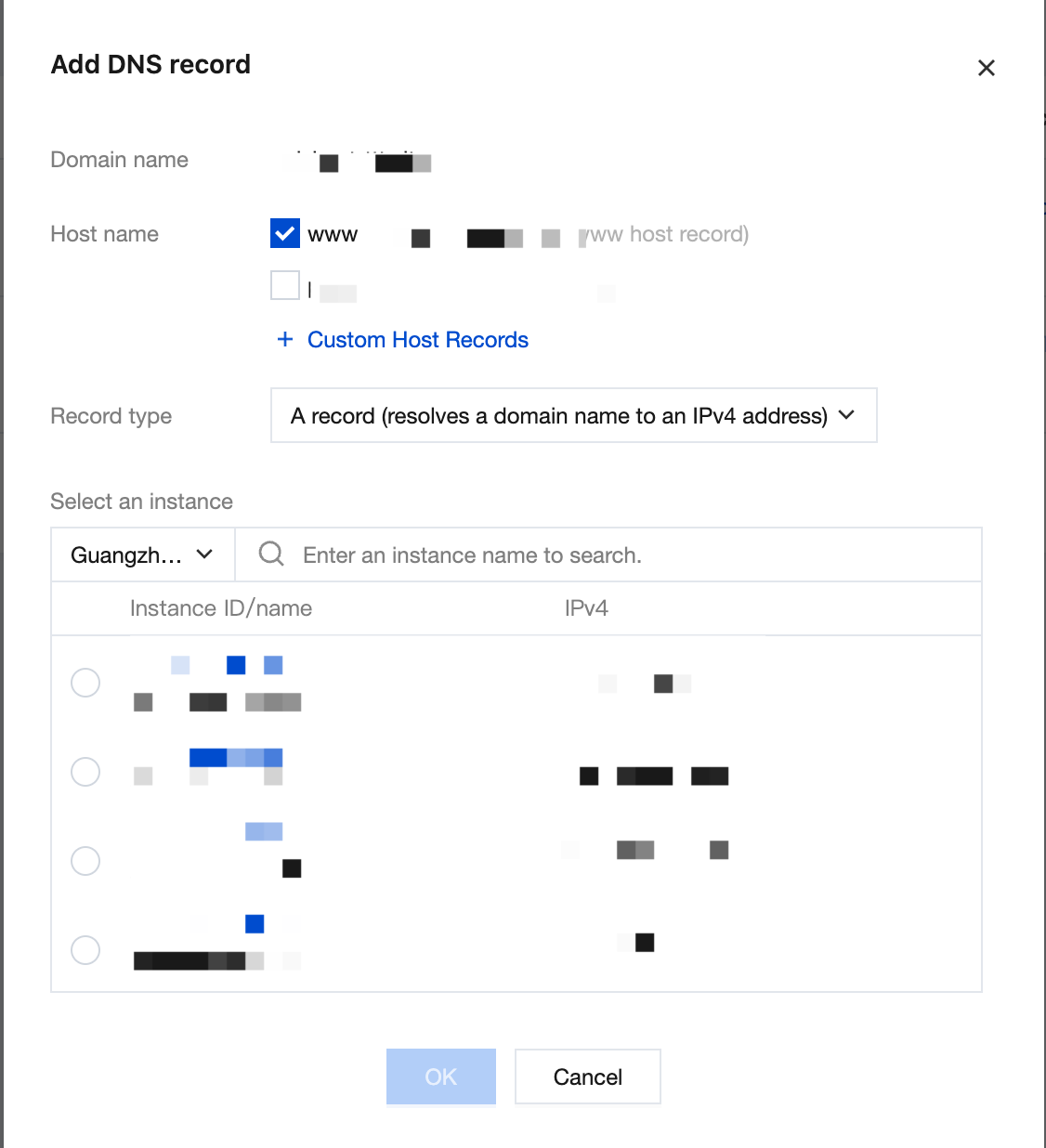
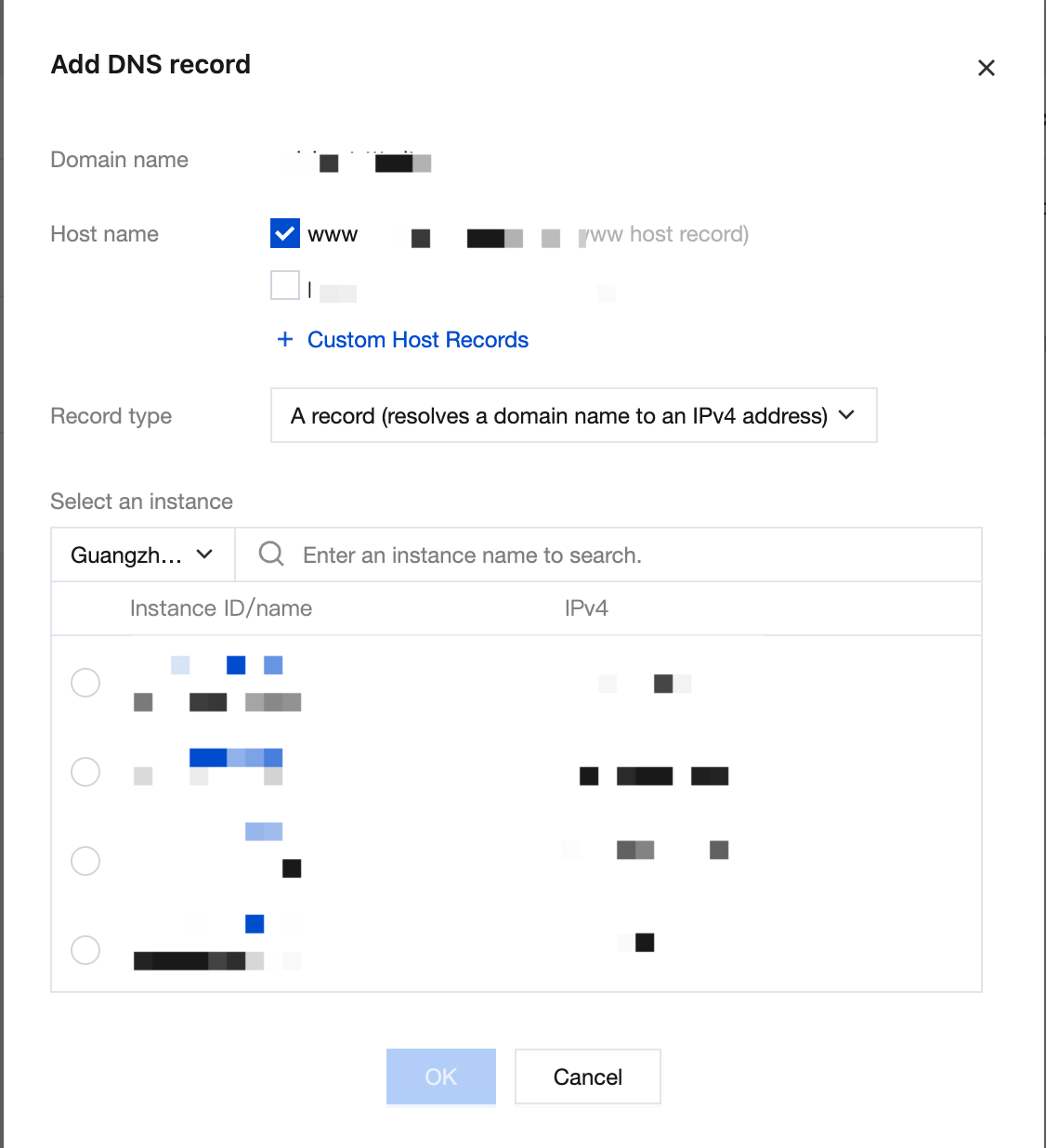
3. In the dialog, enter the hostname you want to add and select a Lighthouse instance under the current account.
4. Click OK.
Adding Domain Resolution on the Instance Details Page
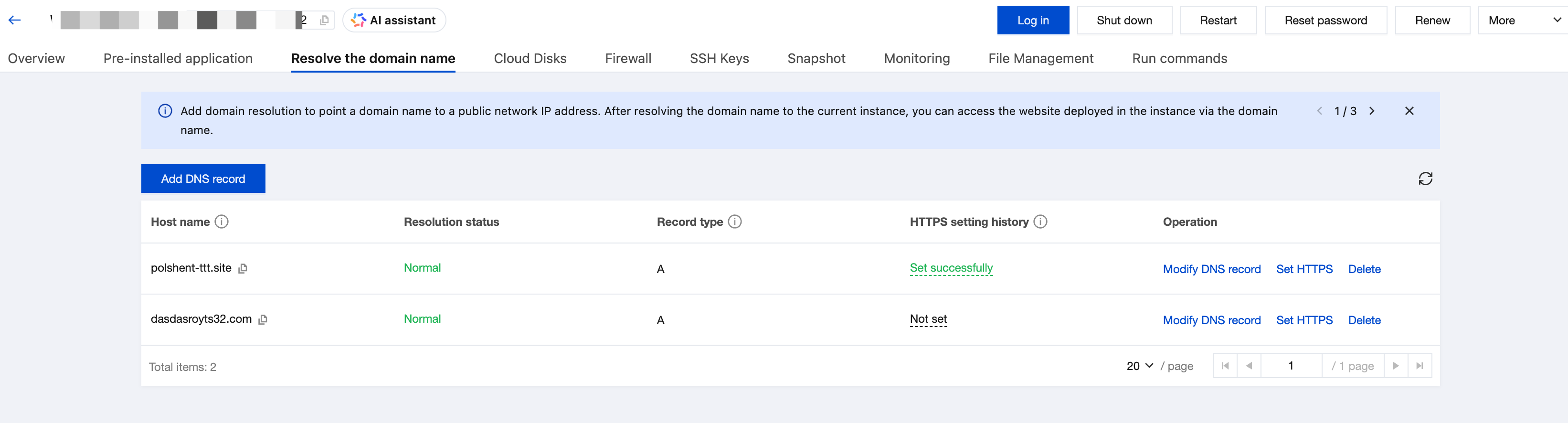
1. Log in to the Lighthouse console and select Instances in the left sidebar.
2. In the instance list, select the target instance and go to the instance details page.
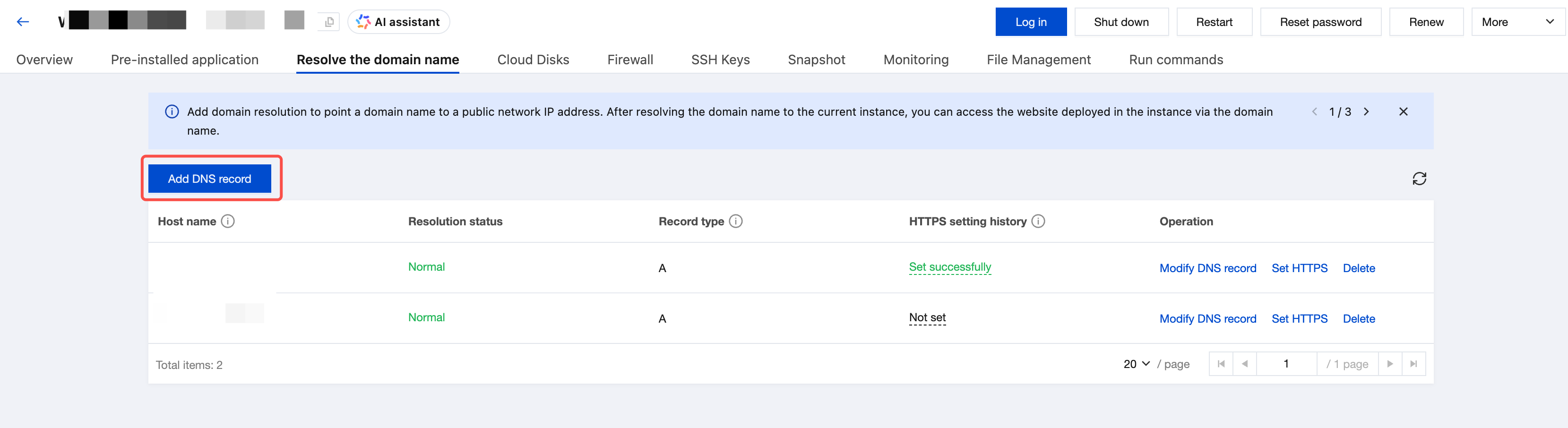
3. Select the Resolve the domain name tab and click Add DNS record.
4. In the Add DNS record dialog, select a domain and enter a hostname.
5. Click OK.
If the domain you entered meets any of the following conditions, you cannot add resolution directly. You need to follow the instructions on the page to resolve the issue:
The domain format is incorrect. In this case, you need to check and correct the domain format (for example, www.example.com).
The domain has not been registered. In this case, you can choose to register the domain, and after the instance is created, go to the Lighthouse console to add and manage the domain.
The domain has been added by another Tencent Cloud account. If you are the owner, click Retrieve Domain as prompted on the page when adding the domain.