Obtaining Access Permission
다운로드
포커스 모드
폰트 크기
Scenarios
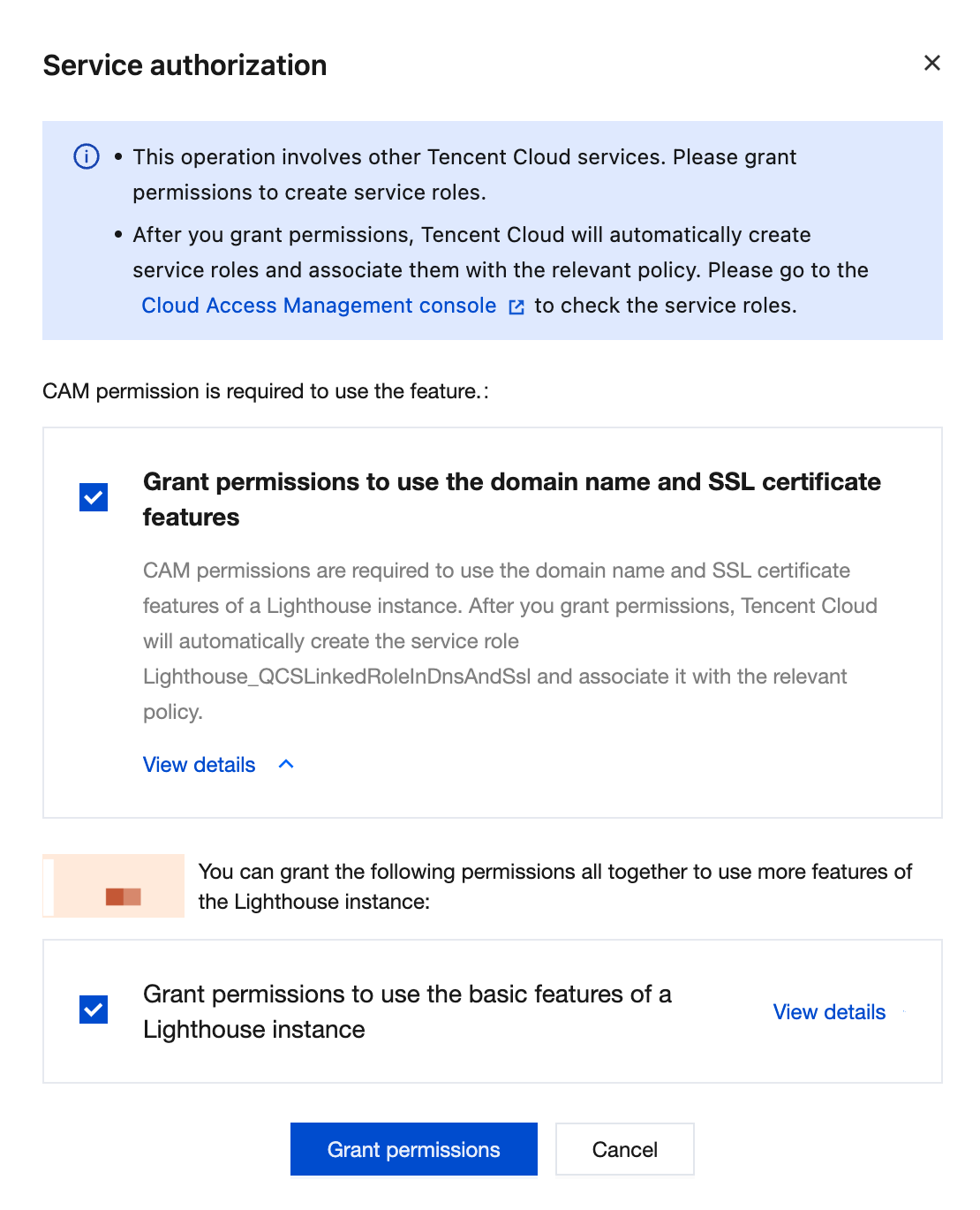
Because the domain feature of Lighthouse needs to access APIs of other cloud services (such as Domains and Private DNS), you need to authorize Lighthouse to create a service role.
Operation Steps
You can grant authorization on the Domains page or the instance page.
Authorizing via the Domain Page
1. Log in to the Lighthouse console and select Domain in the left sidebar.
2. In the authorization pop-up, click Grant permissions to grant Lighthouse the service role permission to access your other cloud resources.
Authorizing via the Instance Page
1. Log in to the Lighthouse console and select Instances in the left sidebar.
2. In the Instances list, select the target instance and go to the instance details page.
3. Select the Resolve the domain name tab.
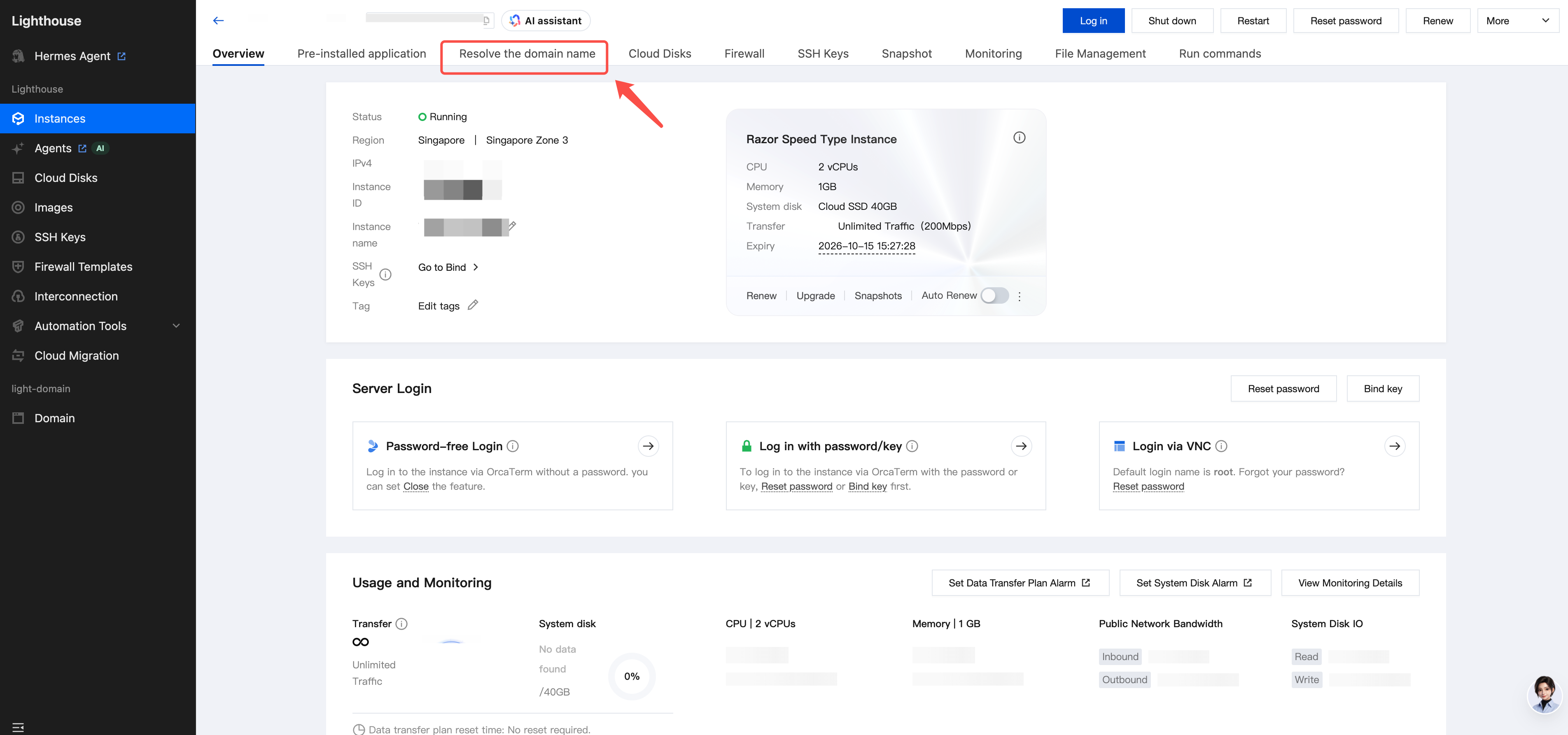
4. Click Authorize on the pop-up page to go to the authorization page in the CAM console.
5. Click OK to grant Lighthouse the service role permission to access your other cloud resources.
피드백