Starting/Stopping Services
Download
포커스 모드
폰트 크기
Overview
The Start/Stop Services feature can stop or start all services on a node. This document describes how to use Start/Stop Services in the EMR console.
Directions
1. Log in to the EMR console and click the Cluster ID/Name of the target cluster in the Cluster list to enter the cluster details page.
2. Select Cluster Resource and click Resource Management. Then, select the target node and click More > Start/Stop Services.
3. Check the service information in the Start/Stop Services window.
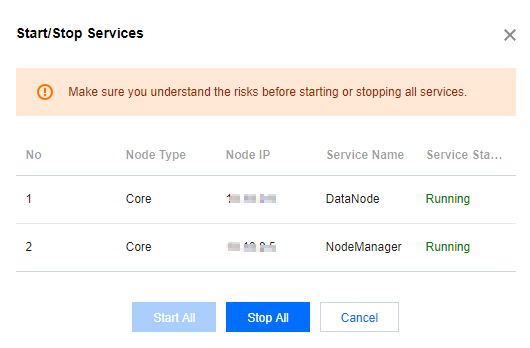
4. After confirming that the information is correct, click Start All or Stop All.
피드백