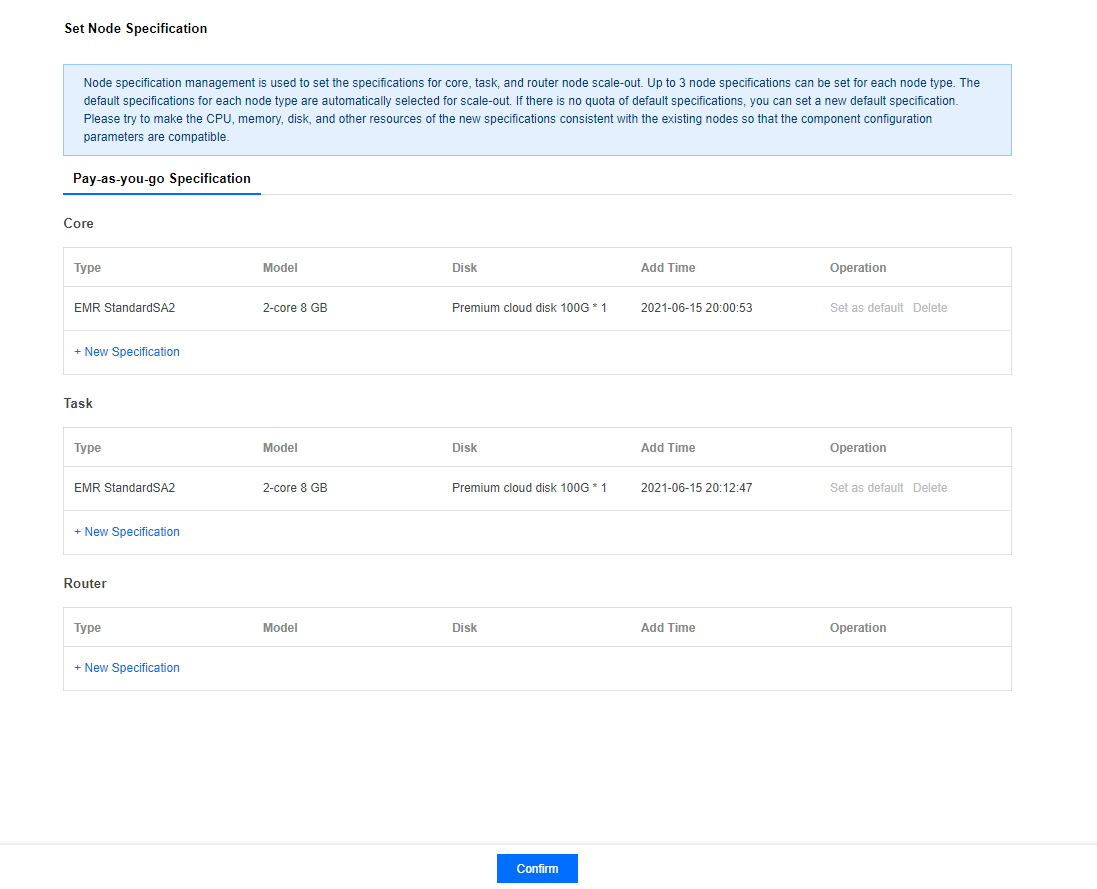
Node specification management is used to set hardware specifications when adding more core, task, or router nodes. Each node type can have up to 3 specifications and will automatically select the current default specification during scaling. If the current default specification is sold out or unavailable, you can set a new default specification. You are recommended to keep the configuration of resources such as CPU cores, memory size, and disk capacity in the new specification the same as that of the existing nodes for optimal compatibility with current component parameters.
Directions
1. Log in to the EMR Console, select Cluster List, and click the ID/Name of the target cluster to enter the cluster details page.
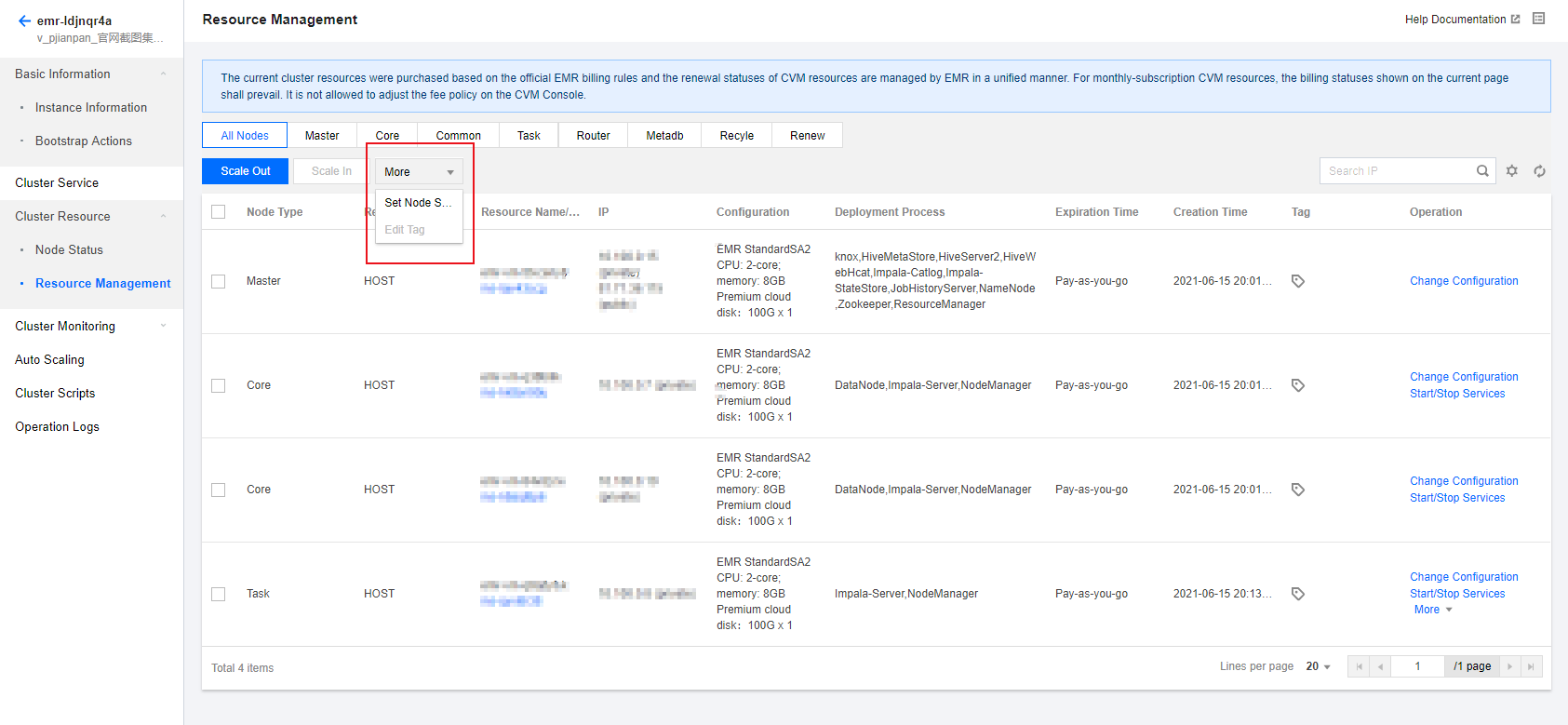
2. Select Cluster Resource > Resource Management > More > Set Node Specification on the cluster details page
3. The default initial specification of the core nodes is the specification selected when the cluster is created. You can set or delete the default one for normal scaling.
4. The task and router nodes have no default specification. Please add the specification as prompted.