Apache Phoenix is a massively parallel relational database engine supporting OLTP for Hadoop with Apache HBase as its backing store. Phoenix compiles simple queries in just milliseconds and queries millions of rows of data in seconds. By default, the Phoenix client is integrated in HBase-enabled EMR clusters.
1. Start the client.
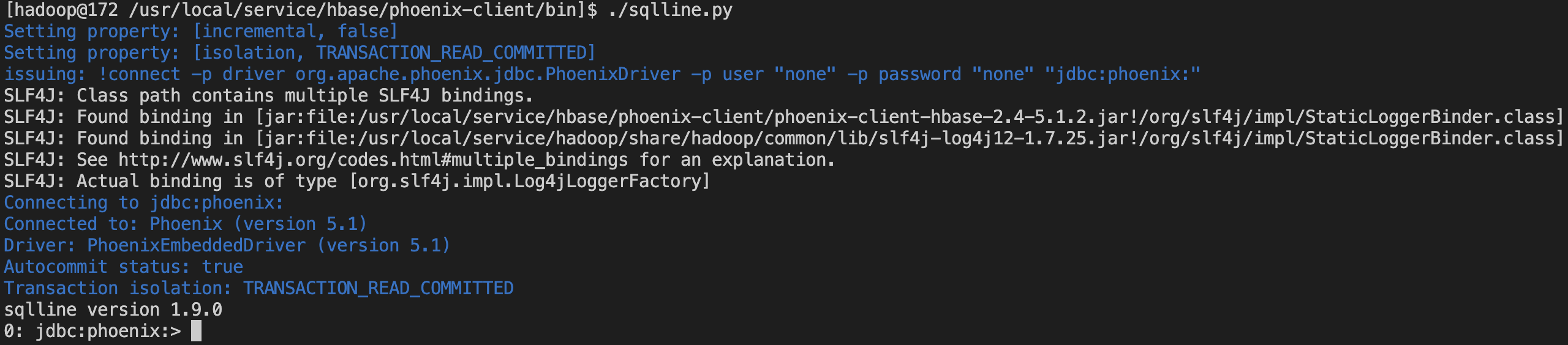
Switch to the hadoop user, go to the /usr/local/service/hbase/phoenix-client/bin directory, and use Phoenix's Python command line tool:
./sqlline.py
If the execution succeeds, the following result will be displayed:
2. Phoenix supports SQL queries. The following are some common operations:
Create a table
0: jdbc:phoenix:>CREATETABLEIFNOTEXISTS TEST (
host char(50)notnull,
txn_count bigint
CONSTRAINT pk PRIMARYKEY(host)
);
Insert data
0: jdbc:phoenix:>UPSERT INTO TEST(host,txn_count)VALUES('192.168.1.1',1);
0: jdbc:phoenix:>UPSERT INTO TEST(host,txn_count)VALUES('192.168.1.2',2);
Query data
0: jdbc:phoenix:>SELECT*FROM TEST;
Delete a data table
0: jdbc:phoenix:>DROPTABLEIFEXISTS TEST;
For more operations and instructions, see Grammar.