Permissions
ダウンロード
フォーカスモード
フォントサイズ
How to Handle Sub-account Permission Errors After the Log Shipping Service is Enabled?
If a permission error occurs, you can create a custom policy in CAM > Policy to fix it. See the example below:
Note
For more details, see Creating Custom Policy and Sub-account Authorization Guide.
Use the root account to authorize.
1. Log in to the CAM Console, and choose Policies in the left sidebar.
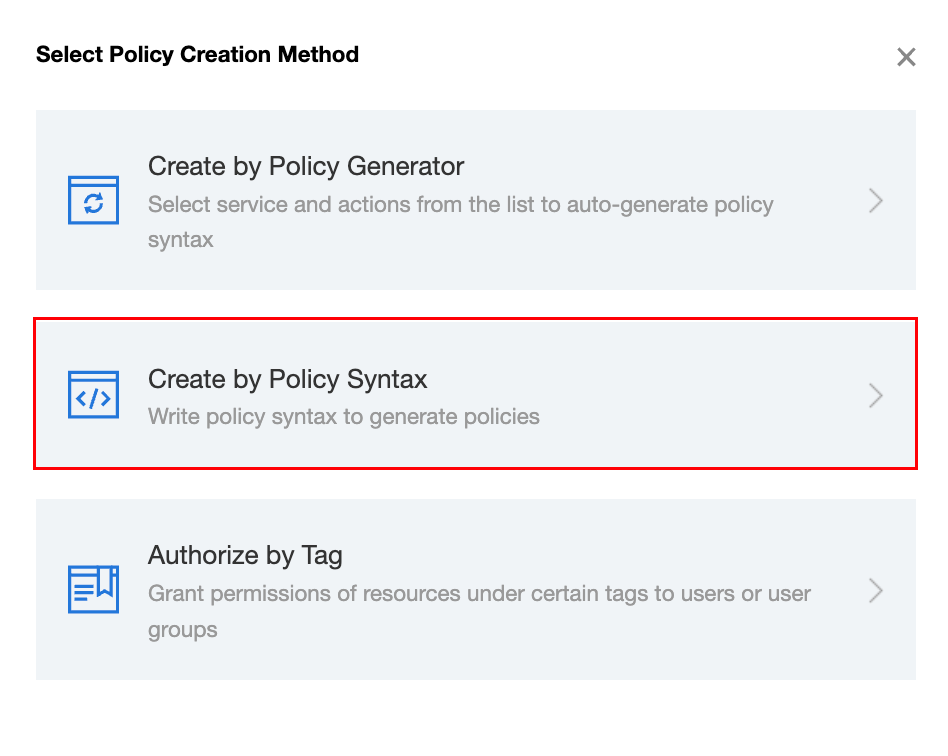
2. On the policy page, click Create Custom Policy and select Create by Policy Syntax.
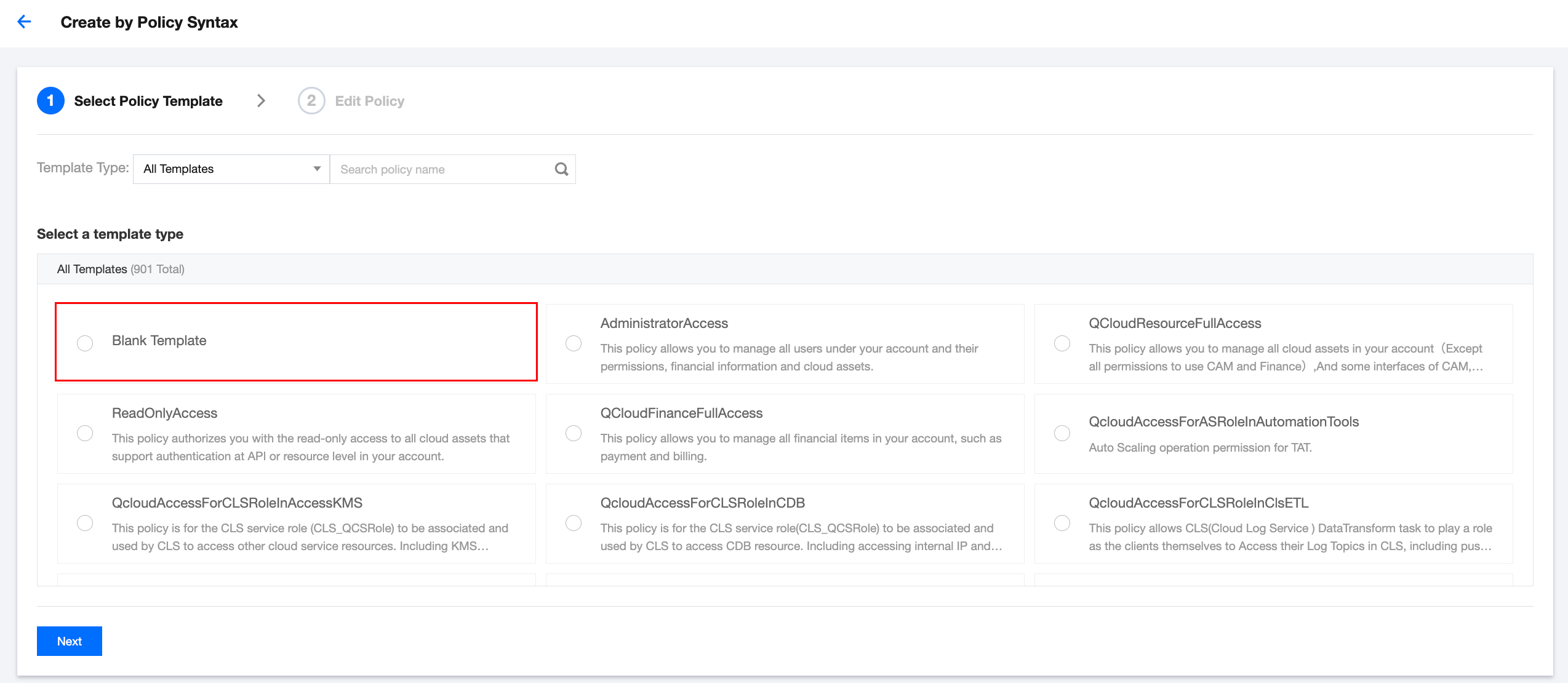
3. On the policy selection template page, select Blank Template and click Next.
4. On the policy editing page, enter the policy name and description, and input the following code in the policy content:
{"version": "2.0","statement": [{"action": ["cls:DescribeTopics","ckafka:DescribeInstanceAttributes","ckafka:DescribeTopic","ckafka:DescribeRoute","ckafka:DescribeInstances","ckafka:DescribeInstancesDetail"],"resource": "*","effect": "allow"}]}
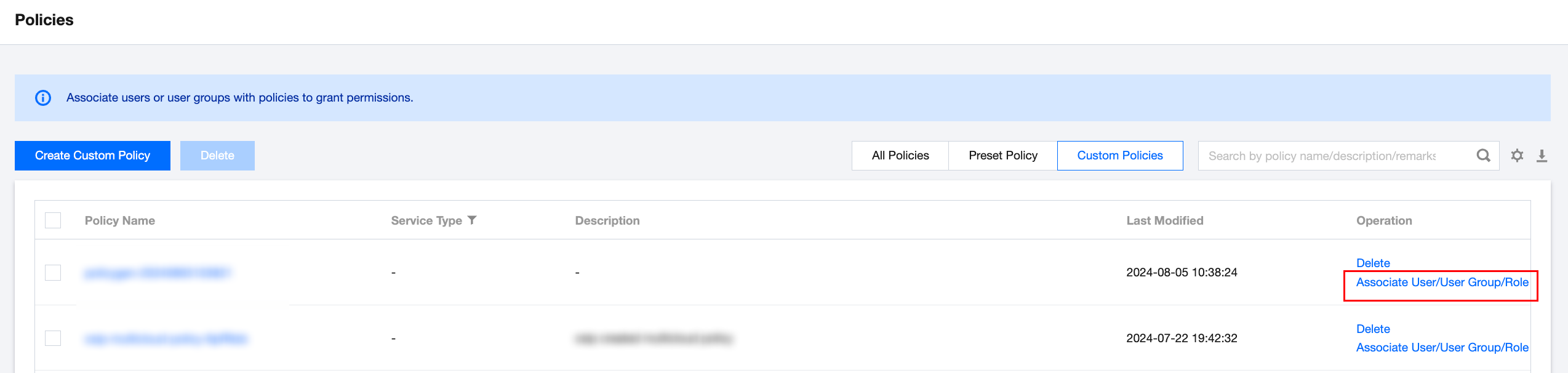
5. Click Complete to return to the policies page, select the created policy, and click Associate User/User Group/Role in the Operation column.
6. In the associate user/user group/role pop-up window, select the required users/groups/roles and click OK.
フィードバック