Banner Library
ダウンロード
フォーカスモード
フォントサイズ
1. Log in to the Tencent iOA Zero Trust Security Management System console and choose Personalized Settings > Client Homepage in the left sidebar.
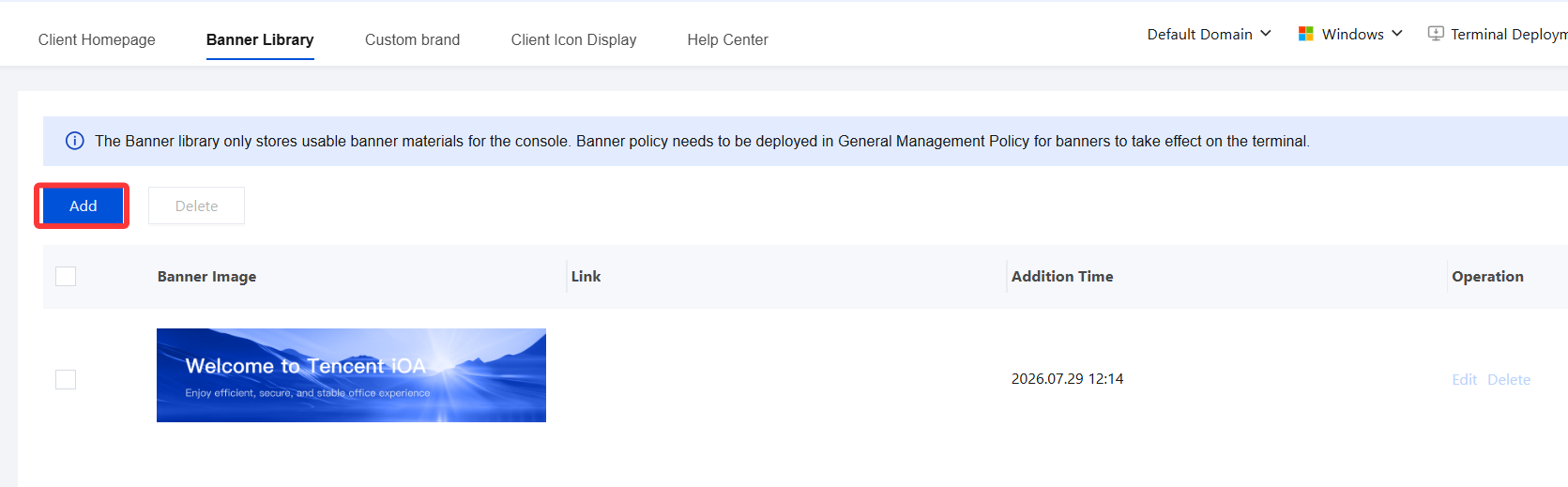
2. On the client home page, select Banner Library and click Add.
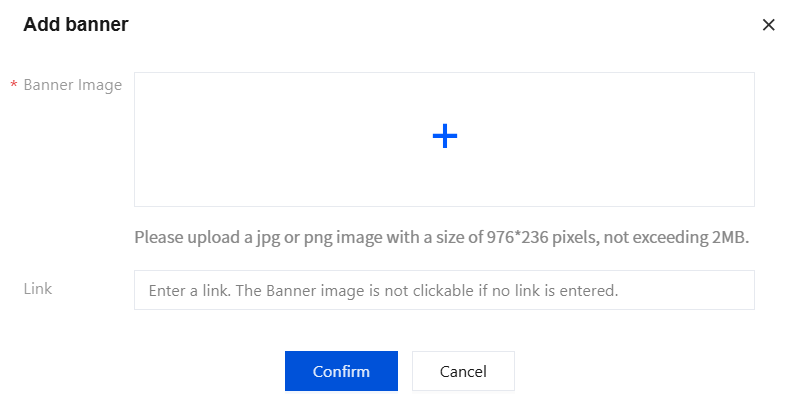
3. Upload a JPG or PNG image with a size of 976×236 pixels and no more than 2 MB. If you need to add a webpage link, enter the complete link URL. After configuration, click Confirm to save the settings.
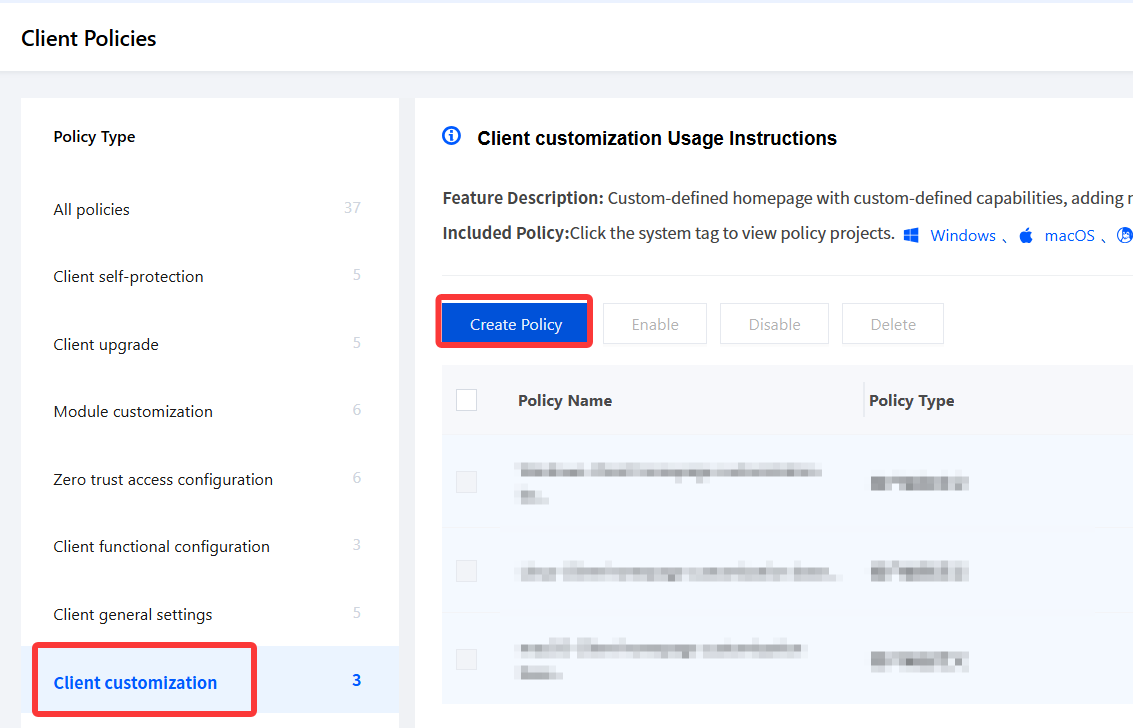
4. Go to General Management Policy > Client Policies > Client Customization, click Create Policy, see the configuration documents, and deliver the Banner to the client.
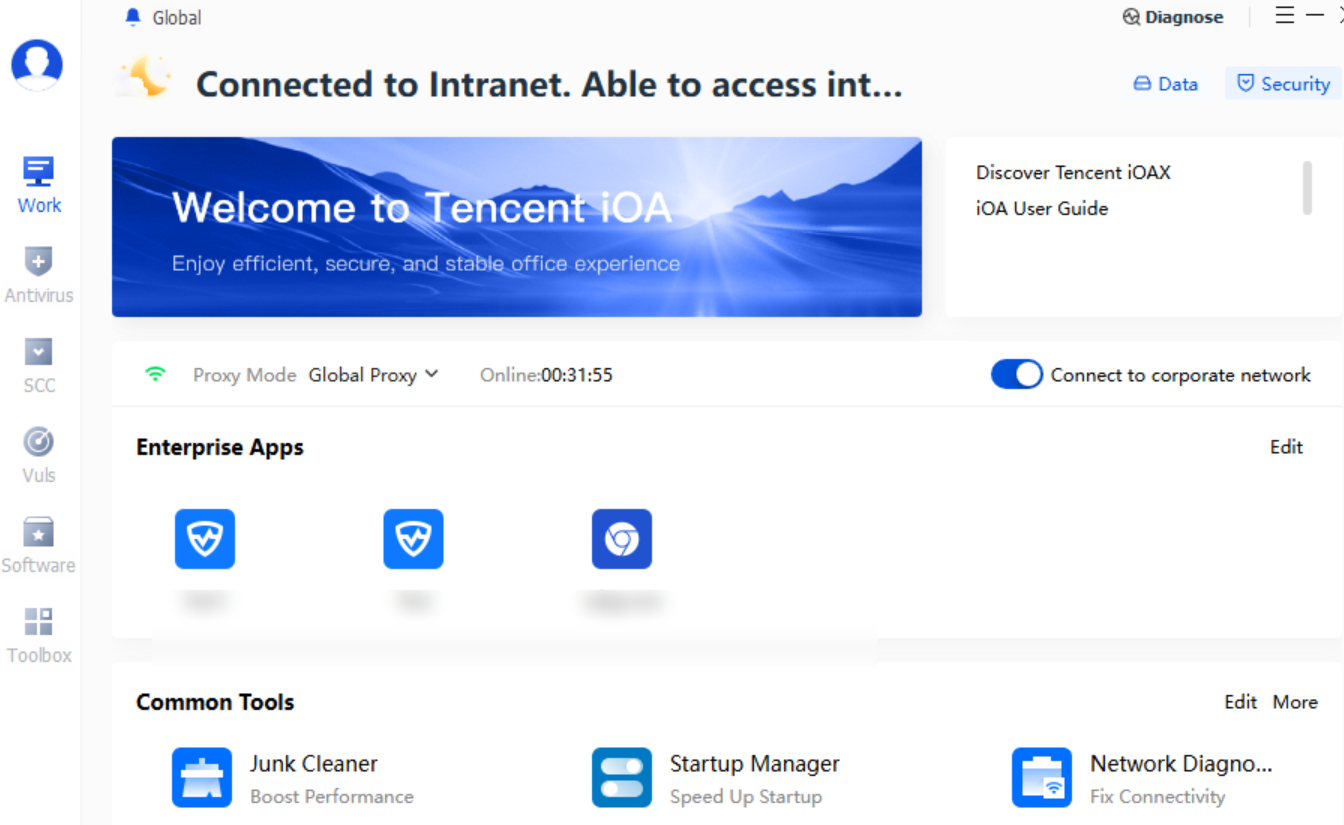
5. After configuration, the client Banner example is as follows:
フィードバック