Online Course
ダウンロード
フォーカスモード
フォントサイズ
Tencent Cloud Training provides supportive online courses for certification. As one of the methods for certification exam preparation, it is advisable that you register for the corresponding certification subject's online course before participating in the certification examination.
Note:
If you purchase and use the online course services by selecting, clicking to confirm, or in any other manner, you are deemed to have read and understood the Tencent Cloud Terms of Service and agreed to be bound by the Tencent Cloud Terms of Service, which will take legal effect between you and Tencent Cloud.
The intellectual property rights of all content in the online courses are owned by Tencent Cloud or its legal right holders. Unless expressly consented to by Tencent Cloud or the legal right holders, you are not authorized to copy, distribute, transfer, license, or provide the aforementioned intellectual property to others for use. This statement serves as a supplement to the Tencent Cloud Terms of Service and has the same legal effect as the Tencent Cloud Terms of Service. In the event of any conflict or inconsistency, this statement shall prevail.
Learning Guide
Prerequisites
Online courses are available for free for a limited time.
To learn the course, you need to log in to your Tencent Cloud account. If you are not logged in, click Start Learning and the system will guide you through the login process.
The course language is consistent with the exam language you selected on the certification card.
How to Access Online Courses
1. Go to the Tencent Cloud Certification overview page and select the certification subject you want to learn.
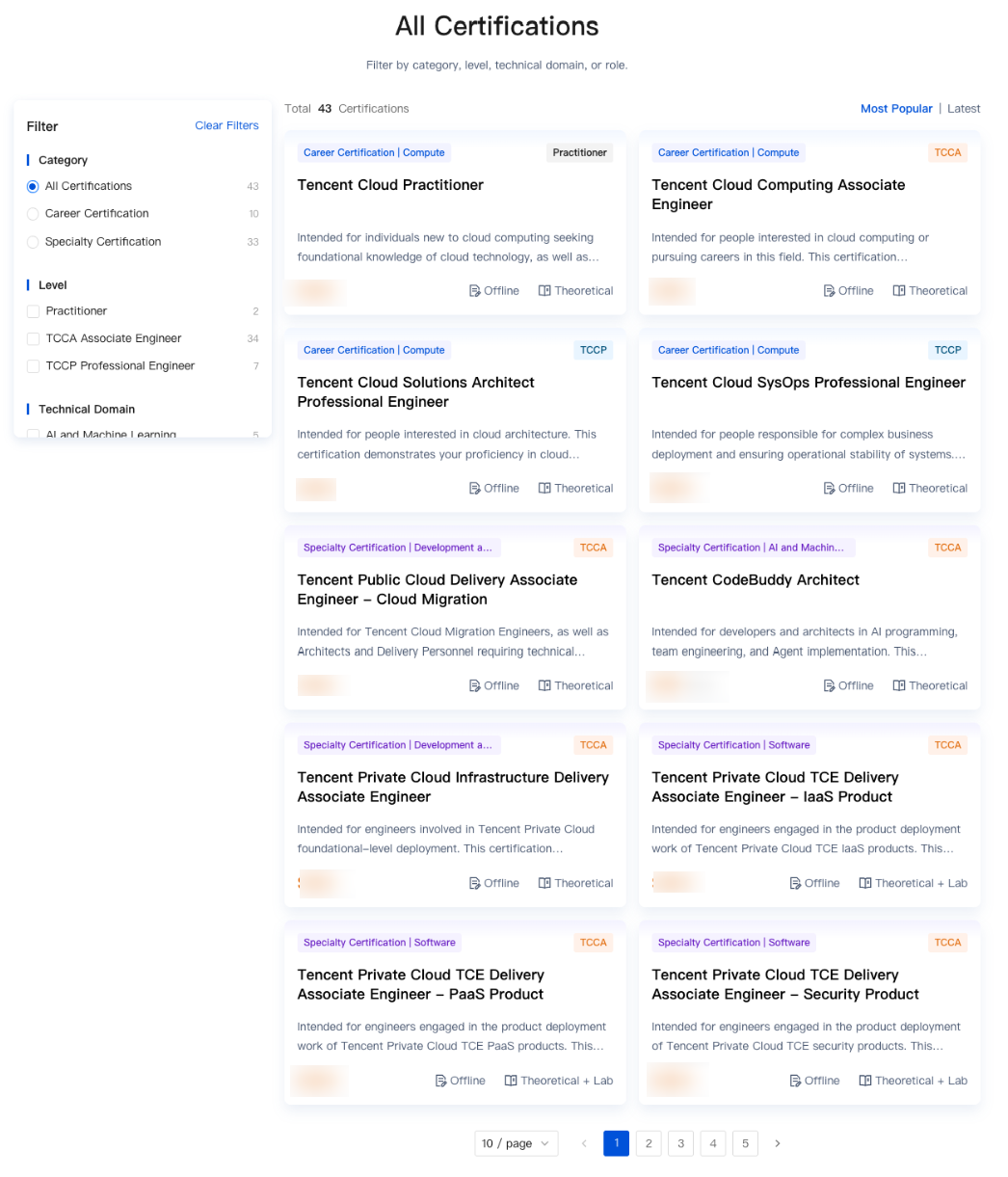
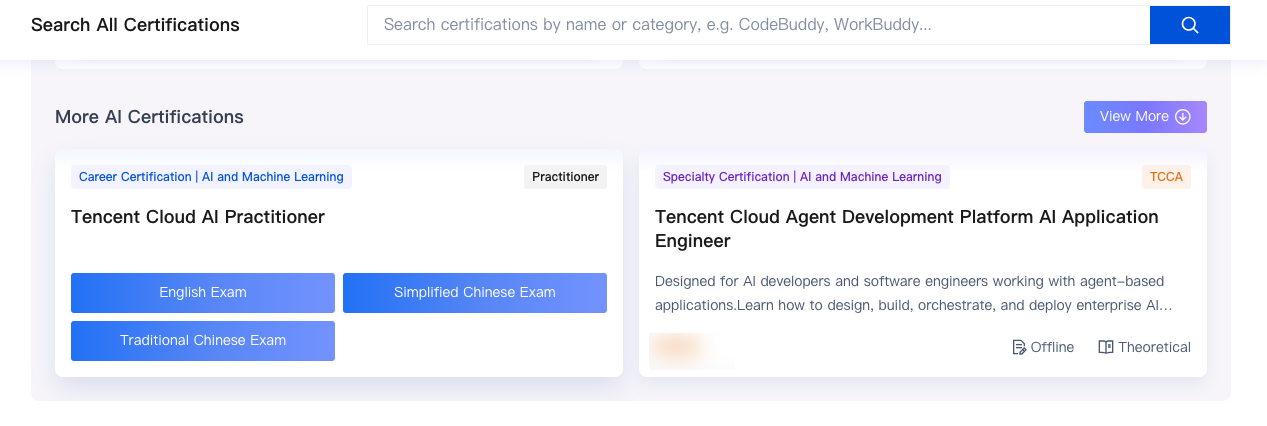
2. Hover over (or click) the target certification card and select the exam language from the pop-up options (such as English Exam, Simplified Chinese Exam, or Traditional Chinese Exam). The system will automatically go to the certification details page in the corresponding language.
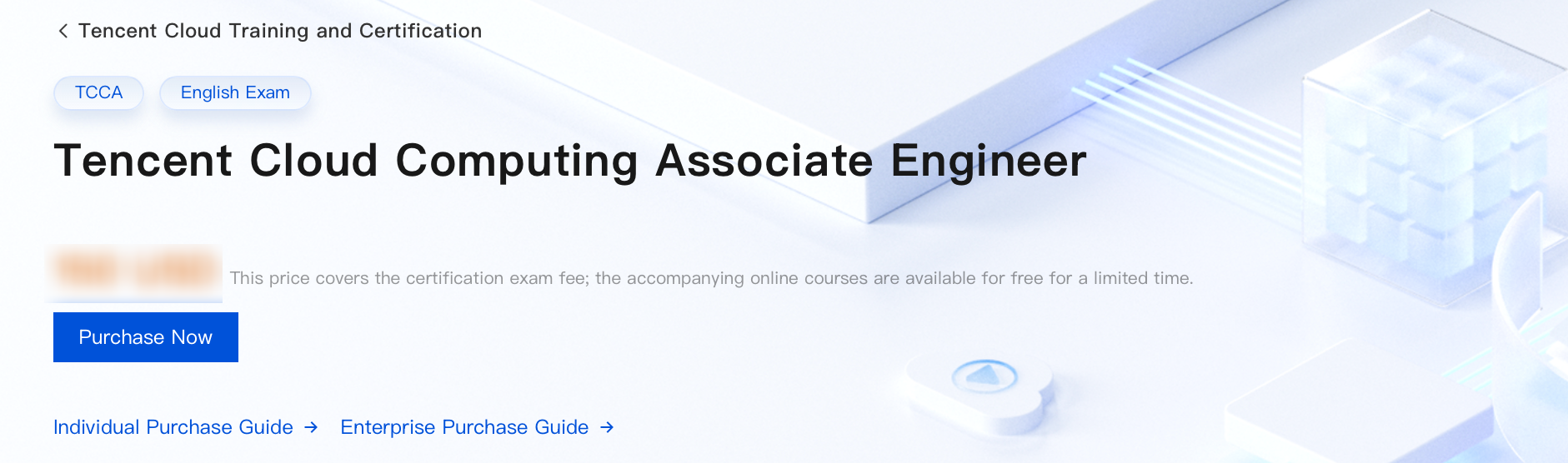
3. You can confirm the certification level and exam language label at the top of the certification details page.
4. Scroll down to the Online Learning section on the certification details page to view the list of courses included with this certification:
The course language is consistent with the exam language you selected.
Online Courses: Displays illustrated lesson materials by section, with the page count indicated for each lesson.
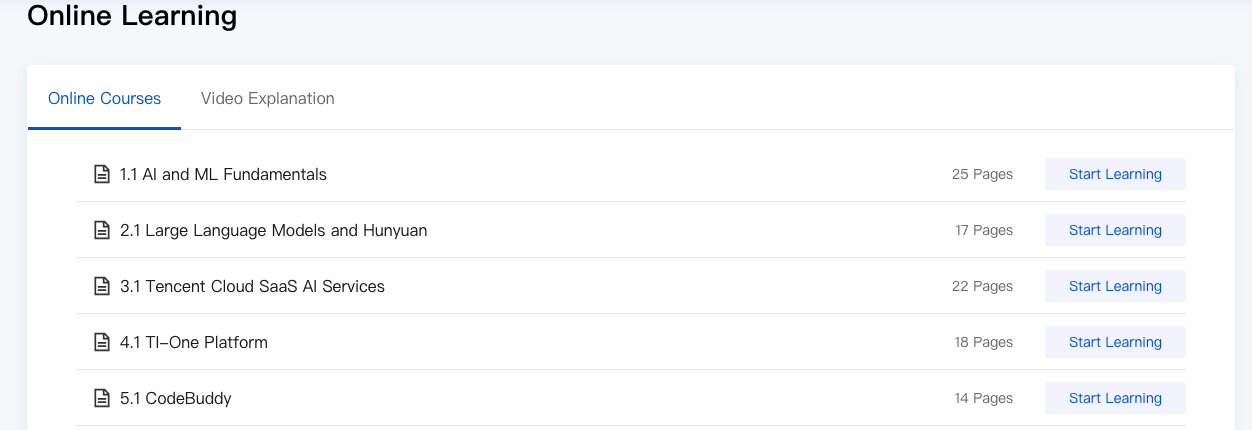
Video Explanation: Displays instructional videos by section, with the duration indicated for each lesson.
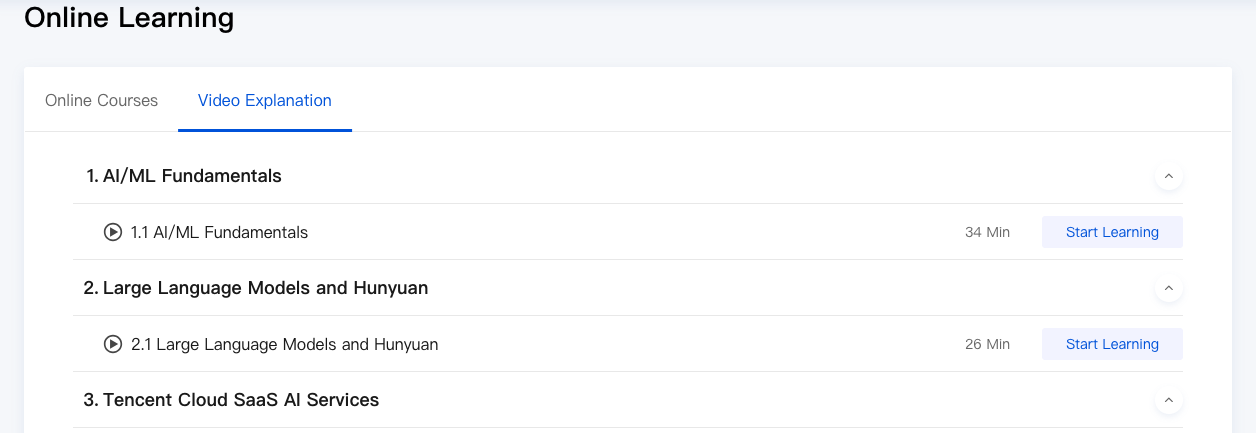
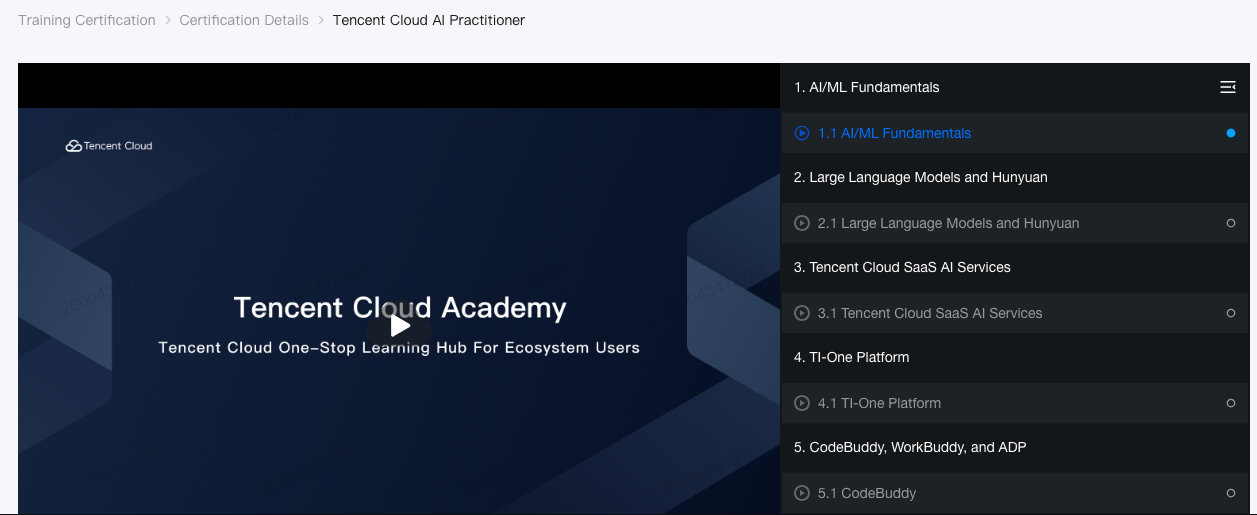
5. Click Start Learning on the right side of the target section to go to the course learning page. The left side is the course playback area, and the right side is the section directory. You can learn in section order or click any course in the directory to jump to it.
フィードバック