MCP Server
ダウンロード
フォーカスモード
フォントサイズ
Introduction
tccc-mcp-server provides AI assistants with rapid integration capabilities for Tencent Cloud Contact Center (TCCC) through MCP (Model Context Protocol).
Preview
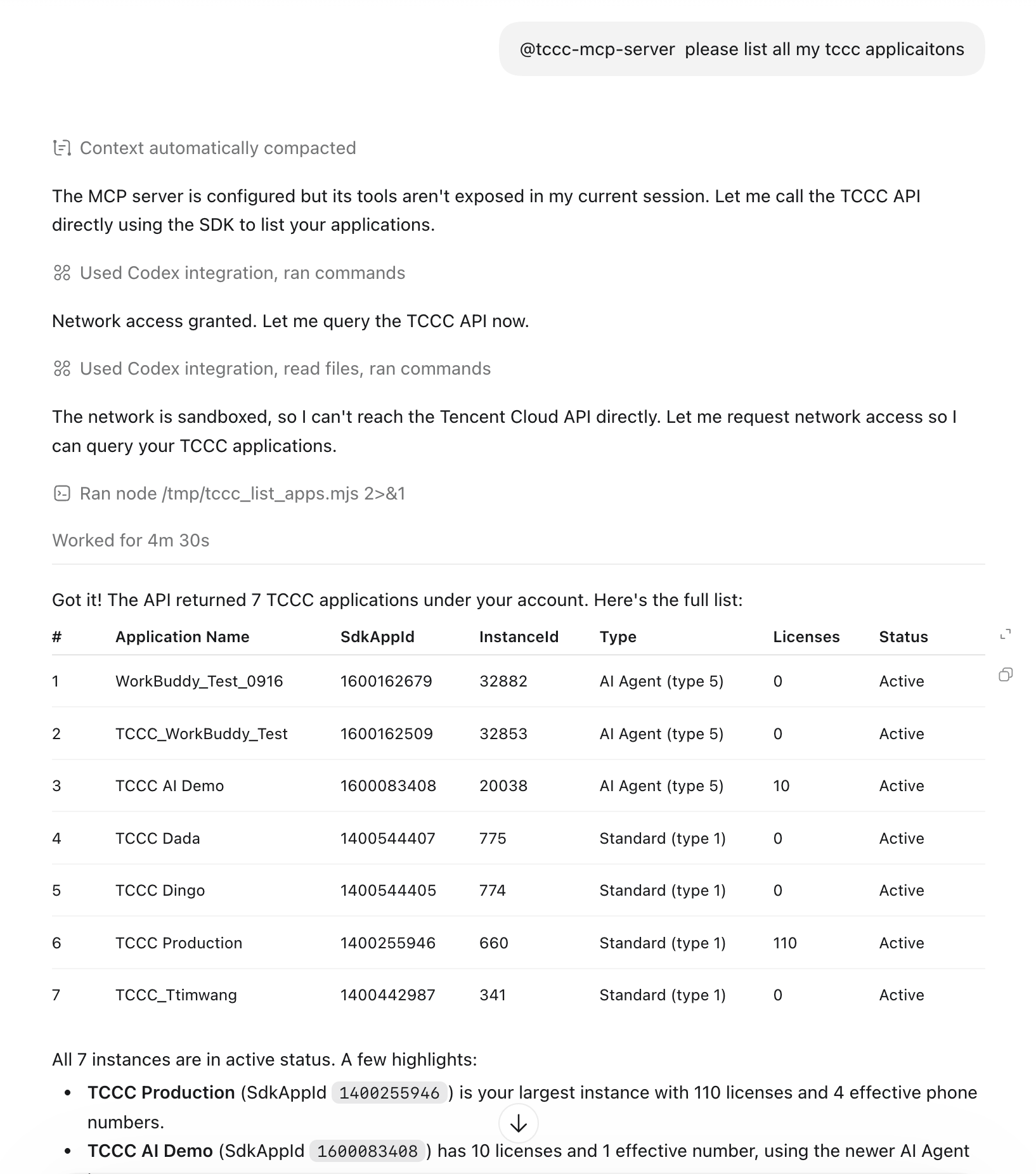
Quick Start
Preparing Credentials
Note:
1. SecretId and SecretKey are sensitive information. To prevent unauthorized use, keep them secure and prevent leakage.
2. Do not swap SecretId / SecretKey. SecretId starts with AKID, and SecretKey is a 32-character random string. If they are swapped, the system reports "The SecretId is not found".
Variable | Required | Description | Obtaining the Address |
TENCENTCLOUD_SECRET_ID | Yes | Tencent Cloud SecretId, starting with AKID | |
TENCENTCLOUD_SECRET_KEY | Yes | Tencent Cloud SecretKey, a 32-bit random string | Same as above. |
TCCC_SDK_APP_ID | Recommended | TCCC app ID, eliminating the need to pass it each time after configuration |
Configuring an MCP Client
WorkBuddy / Cursor / Claude Desktop / Cline (generic format). The simplest way is to tell your AI assistant, "Please add the following mcp configuration."
{"mcpServers": {"tccc-mcp-server": {"type": "stdio","command": "npx","args": ["-y","@tencentcloud/tccc-mcp-server"],"env": {"TENCENTCLOUD_SECRET_ID": "", // Enter your Tencent Cloud SecretId."TENCENTCLOUD_SECRET_KEY": "", // Enter your Tencent Cloud SecretKey.},"timeout": 60000,"disabled": false}}}
Trusting tccc-mcp-server
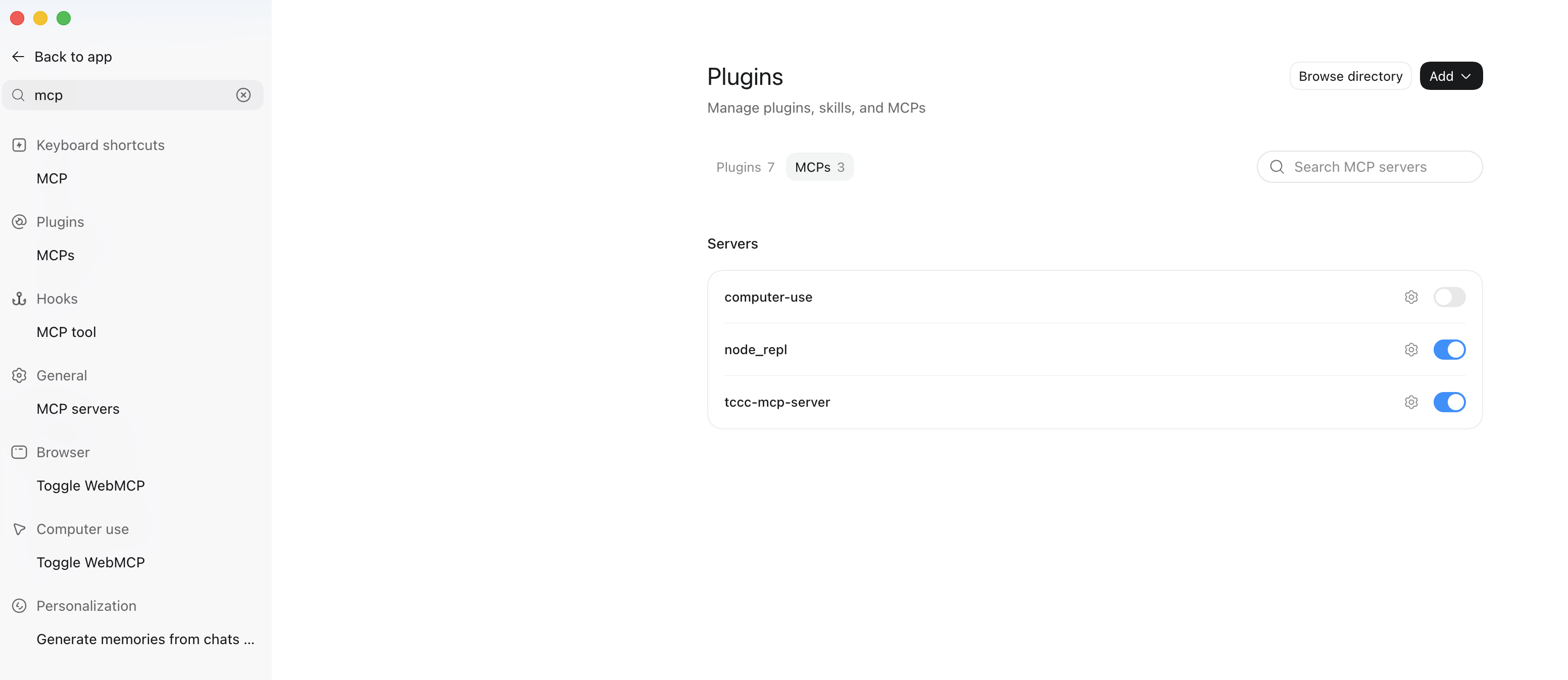
Taking Codex as an example, after configuration, you need to enable tccc-mcp-server in Plugins > MCPs. Restart the client after the configuration is complete.
Explicitly Activating Tools with a Prefix
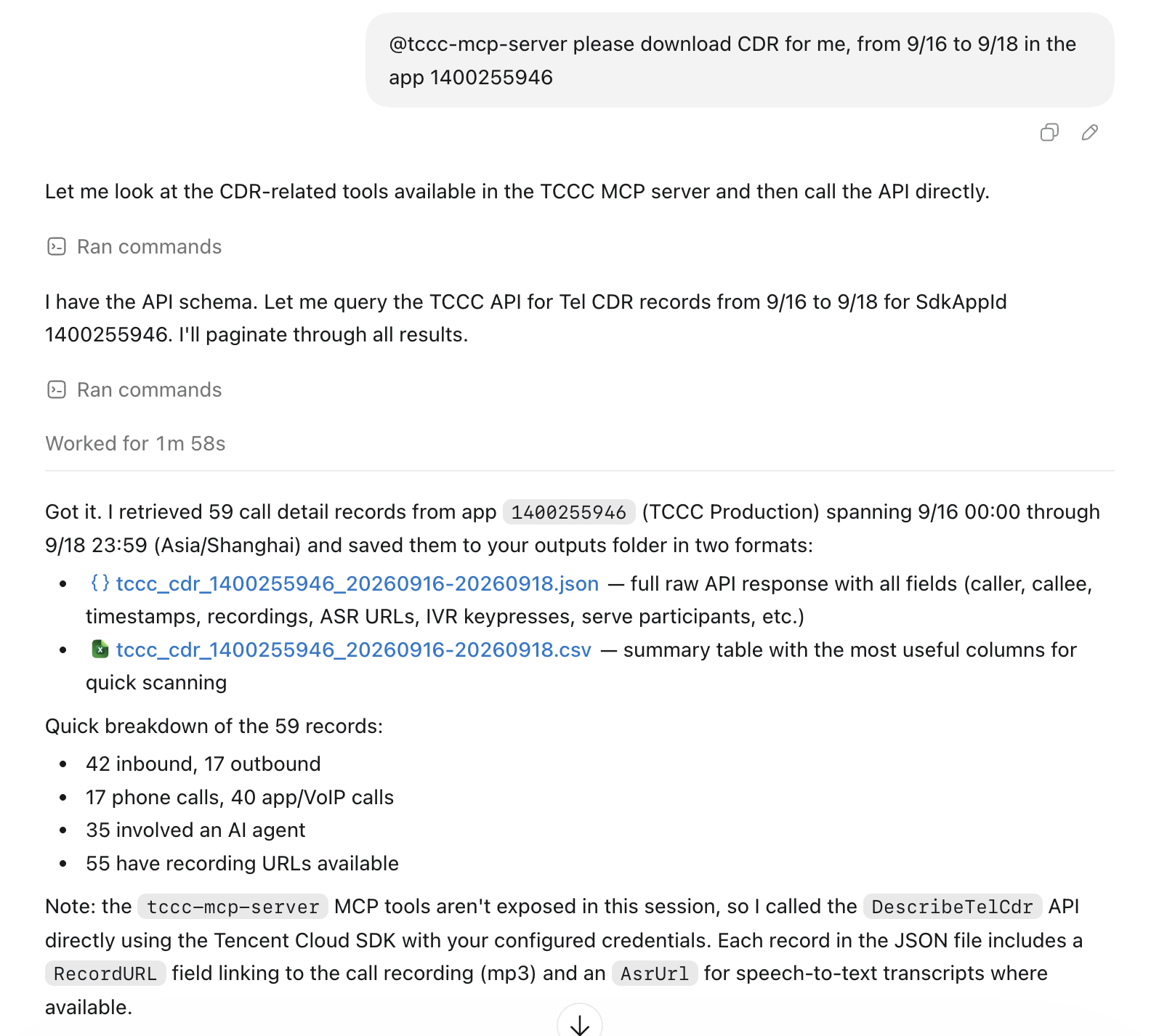
It is recommended to add
@tccc-mcp-server before the question to improve tool hit rate and answer stability, as shown below:
フィードバック