Viewing Custom Credential Content
다운로드
포커스 모드
폰트 크기
This document guides you on how to view the details and values of created secrets in the SSM console.
View Through Console
1. Log in to the SSM console, and click Custom Secrets in the left sidebar.
2. In the upper-left corner of the Custom Secrets list page, you can switch between different regions to view and edit the secret lists of other regions as needed.
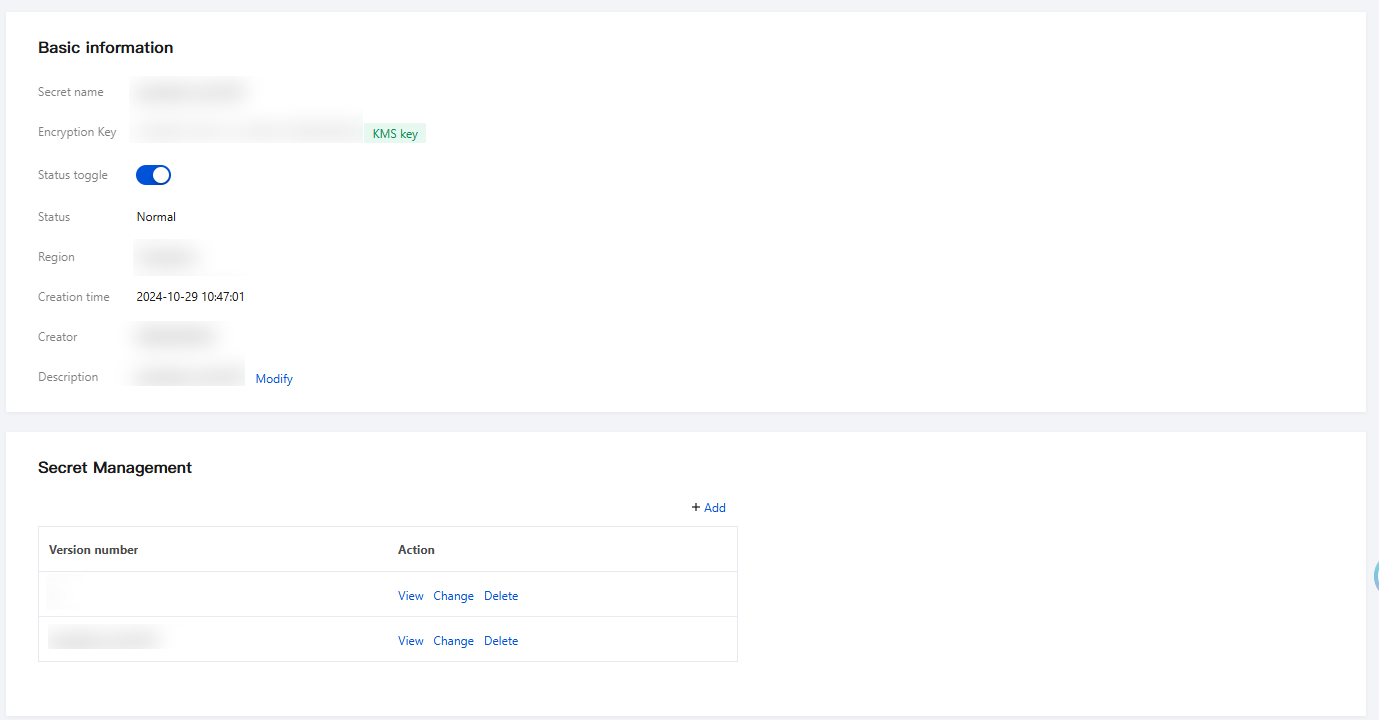
3. On the secrets list page, click Secret Name to go to the secret details page, where you can view information such as the secret's name, status, description, and version number.
4. On the secret details page, select the version number you want to view, click View, and then enter the secondary verification information to view the plaintext content of that secret version.
Viewing via API or SDK
You can also obtain secret content by calling the GetSecretValue API via an API or SDK. Taking Python SDK as an example, the following sample code demonstrates how to obtain secret content:
# -*- coding: utf-8 -*-import osimport jsonimport typesfrom tencentcloud.common import credentialfrom tencentcloud.common.profile.client_profile import ClientProfilefrom tencentcloud.common.profile.http_profile import HttpProfilefrom tencentcloud.common.exception.tencent_cloud_sdk_exception import TencentCloudSDKExceptionfrom tencentcloud.ssm.v20190923 import ssm_client, modelstry:# Instantiate an authentication object. The Tencent Cloud account SecretId and SecretKey must be passed in as parameters. Also, ensure the confidentiality of the key pair.# Code leakage may lead to the exposure of SecretId and SecretKey, and compromise the security of all resources under the account.# You can obtain the key from the official console at https://console.tencentcloud.com/capi.cred = credential.Credential(os.getenv("TENCENTCLOUD_SECRET_ID"), os.getenv("TENCENTCLOUD_SECRET_KEY"))# Example of using a temporary key# cred = credential.Credential("SecretId", "SecretKey", "Token")# Instantiate an http option. This is optional and can be skipped if you have no special requirements.httpProfile = HttpProfile()httpProfile.endpoint = "ssm.intl.tencentcloudapi.com"# Instantiate a client option. This is optional and can be skipped if you have no special requirements.clientProfile = ClientProfile()clientProfile.httpProfile = httpProfile# Instantiate a client object for the product you want to request. The clientProfile is optional.client = ssm_client.SsmClient(cred, "ap-hongkong", clientProfile)# Instantiate a request object. Each API corresponds to a request object.req = models.GetSecretValueRequest()params = {"SecretName": "MyAppDatabaseSecret", # Replace it with your secret name."VersionId": "SSM_Current" # Specify the specific version number.}req.from_json_string(json.dumps(params))# The returned resp is an instance of GetSecretValueResponse, corresponding to the request object.resp = client.GetSecretValue(req)# Output the response packet as a JSON-formatted string.print(resp.to_json_string())except TencentCloudSDKException as err:print(err)
피드백