Custom Credential Version Management
다운로드
포커스 모드
폰트 크기
SSM supports multi-version management for secrets. You can store multiple versions of sensitive information under a single secret, which is suitable for scenarios such as canary releases, batch updates, or historical version tracking. This document guides you on how to create, view, and delete secret versions.
Creating a Credential Version
1. Log in to the SSM console, and click Custom Secrets in the left sidebar.
2. On the Custom Secrets list page, click Secret Name to go to the secret details page.
3. In the Secrets Management area, click Add to go to the Add Secret Information page.
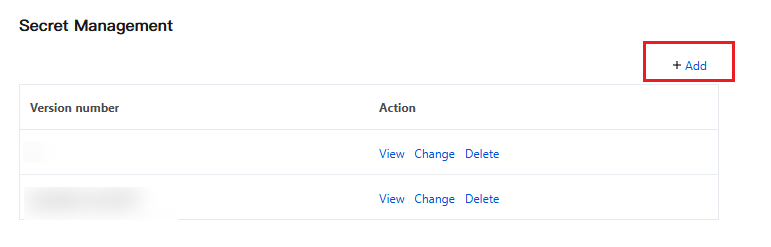
4. On the Add Secret Information page, after completing all configurations, click Add to add a secret version.
Configuration Item | Description |
Secret Version | The version number you customize for a secret cannot be duplicated within the same secret. Rule: This field is required. The value must be 1 to 64 bytes in length, consist of letters, digits, hyphens (-), underscores (_), or periods (.), and start with a letter or digit. |
Secret Content | Enter the plaintext sensitive information for this version, such as database account passwords, API Keys, Tokens, SSH keys, and so on. Filling Rule: Required. The maximum supported size is 64 KB. |
Note:
The same credential can have multiple versions coexisting, with a maximum of 10 versions per credential at any given time.
Viewing Credential Version Information
1. In the Secrets Management area, all version information for the current secret is displayed.
2. Applications can also obtain the version list information for a specified secret by calling ListSecretVersionIds.
Delete the secret version
Attention:
The deletion operation is irreversible.
Before deletion, confirm that the application has been switched to another version or is no longer using the version to be deleted.
1. In the Secrets Management area, click Delete to the right of the target version.
2. In the deletion confirmation window that pops up, click Delete to delete the version.
피드백