Android(Compose)
ダウンロード
フォーカスモード
フォントサイズ
Component Overview
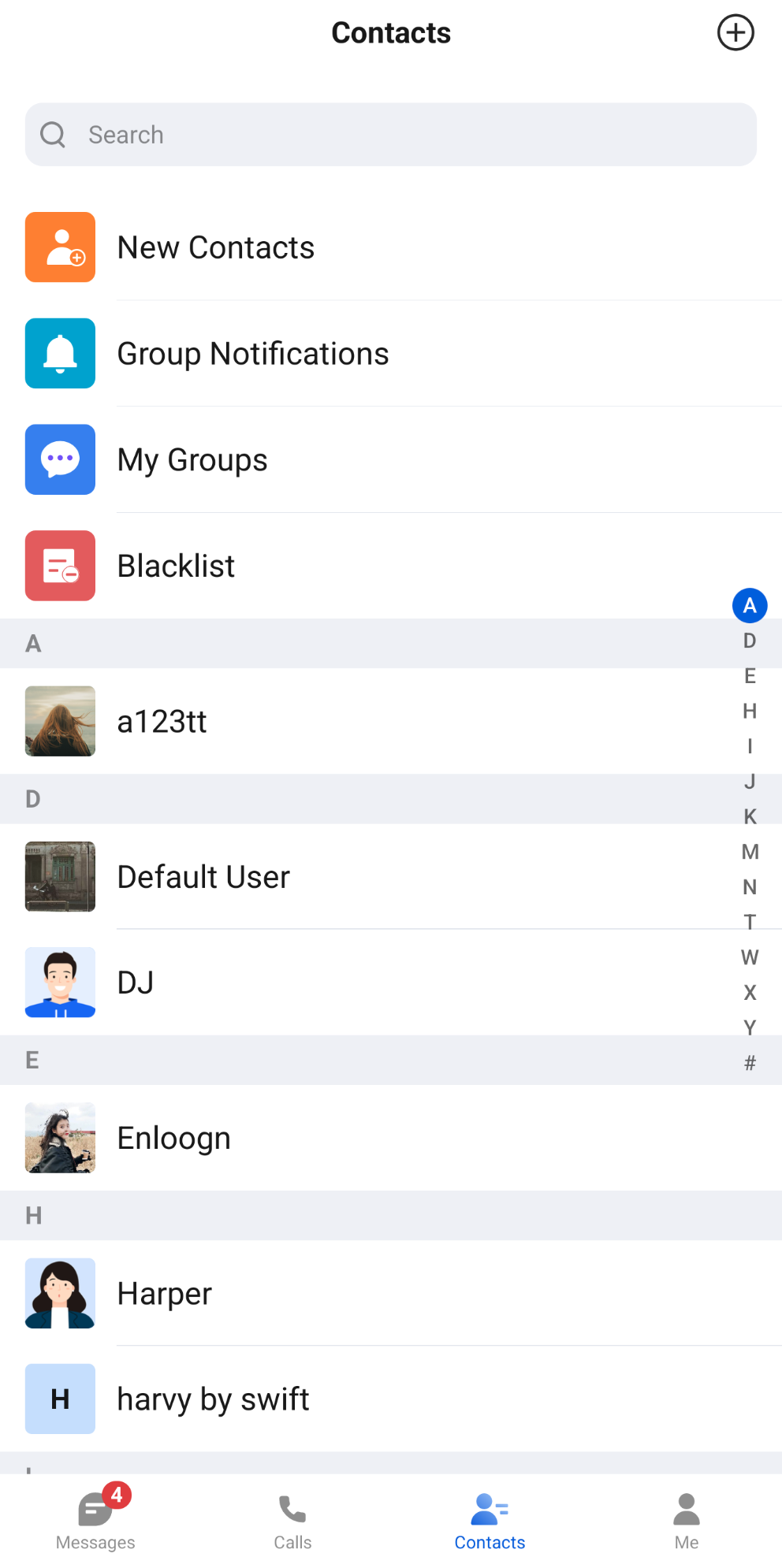
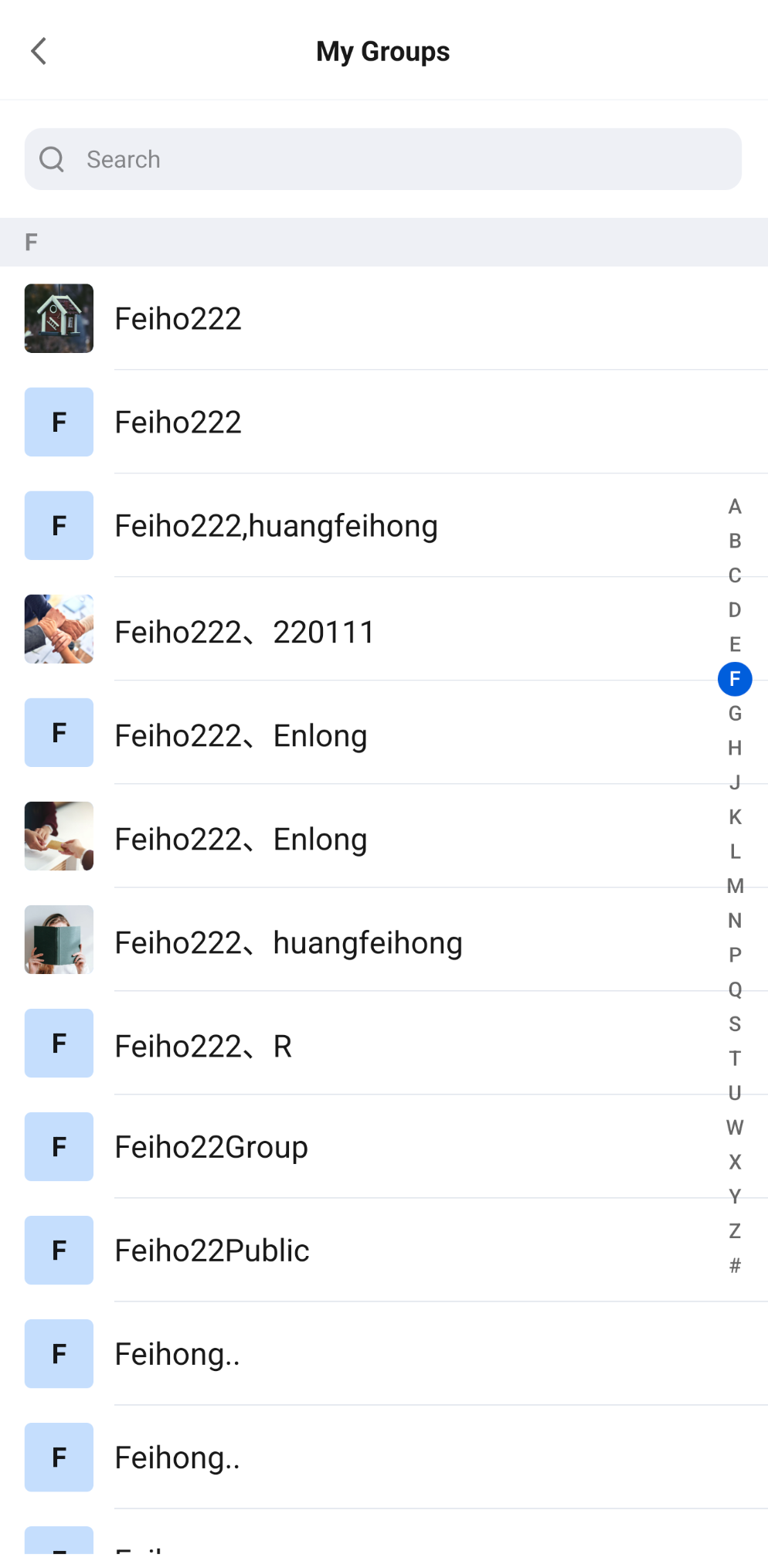
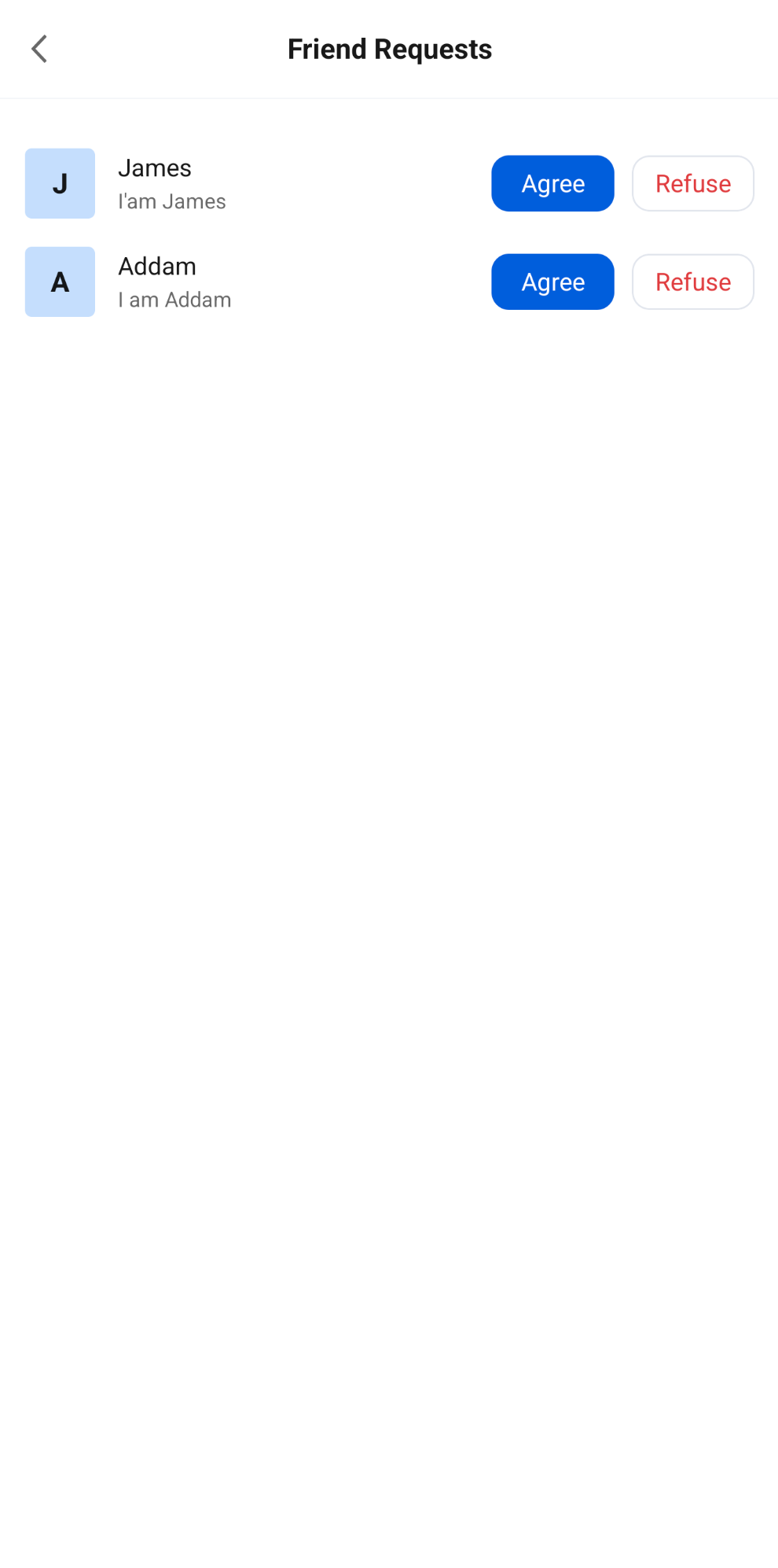
ContactList is a contact list component built with Jetpack Compose that provides users with complete contact management. It supports displaying and searching the friend list, handling friend requests, handling group join requests, the group list, and blacklist management, as well as flows such as adding a friend, joining a group, starting a one-to-one chat, and creating a group chat. It also supports customizing the entries at the top of the list.
Contact List | Group List | Friend Request List |
 |  |  |
Component Integration
The ContactList is a component of TUIKit Compose. Integrate TUIKit Compose to get and use ConversationList. For detailed integration steps, see the TUIKit Compose documentation.
Component Structure
ContactList is the primary component in the contact list and corresponds to the structure of the entire contact list page:
Method | Parameter | Description |
ContactList | modifier: Modifier | Used in Jetpack Compose to set the component's style, layout, behavior, and appearance. |
| config: ContactListConfigProtocol | Contact list configuration that controls the display of the top entries and the search bar, and supports editing the top entries. The default value is ChatContactListConfig(). |
| onGroupClick: (ContactInfo) -> Unit | Callback invoked when you click a group in "My Groups". The userID of ContactInfo is the group ID. This parameter is optional. |
| onContactClick: (ContactInfo) -> Unit | Callback invoked when you click a user in the friend list or blacklist. This parameter is optional. |
| contactListViewModelFactory: ContactListViewModelFactory | Factory class for creating the component's internal ContactListViewModel. In most cases, you do not need to create it manually, because the component already provides a default implementation. |
| onCreateChat: (String) -> Unit | Callback invoked when starting a one-to-one chat or creating a group chat through flowController completes. The parameter is the conversation ID of the corresponding conversation. This parameter is optional. |
| flowController: ContactListFlowController | Flow controller that can open pages for adding a friend, joining a group, starting a one-to-one chat, and creating a group chat from outside the component. See "Flow Control" below for details. Created internally by the component by default. |
The top of ContactList contains the search bar and entries to each subpage. By default, in order, they are "New Contacts" (friend requests), "Group Notifications" (group join requests), "My Groups", and "Blacklist". The first two entries show the number of unread requests as a badge. Below is the friend list sorted by initial letter. Entering a keyword in the search bar filters friends, and the top entries are hidden.
Basic Usage
When you click the "New Contacts", "Group Notifications", "My Groups", or "Blacklist" entries in
ContactList, the component automatically opens the corresponding page and no extra handling is required; when you click a group in "My Groups", or a user in the friend list or blacklist, the corresponding callback (onGroupClick / onContactClick) is triggered. You need to listen for the callback and implement custom navigation.Initialize ContactList to display the contact list directly. The sample code is as follows:
import androidx.compose.foundation.layout.Boximport androidx.compose.foundation.layout.fillMaxSizeimport androidx.compose.foundation.layout.systemBarsPaddingimport androidx.compose.runtime.Composableimport androidx.compose.ui.Modifierimport io.trtc.tuikit.chat.uikit.components.contactlist.ui.ContactList@Composablefun ContactListScreen(onOpenChat: (conversationID: String) -> Unit,onOpenUserProfile: (userID: String) -> Unit) {Box(modifier = Modifier.fillMaxSize().systemBarsPadding()) {ContactList(onGroupClick = { group ->// Click a group in "My Groups". group.userID is the group IDonOpenChat("group_${group.userID}")},onContactClick = { contact ->// Click a user in the friend list or blacklistonOpenUserProfile(contact.userID)})}}
Customization
You can hide or edit the entries at the top of the contact list, and you can also open flows such as adding a friend and starting a chat from outside the component. The methods are as follows.
Hide Entries and the Search Bar
Use the properties in
ChatContactListConfig to control whether the top entries and the search bar are displayed. The default value of all properties is true. You can also implement the ContactListConfigProtocol interface yourself to provide the configuration.Property | Entry ID | Description |
showNewContacts | ContactListItemIDs.NEW_CONTACTS | The "New Contacts" entry. You can handle friend requests after opening it. |
showGroupApplications | ContactListItemIDs.GROUP_APPLICATIONS | The "Group Notifications" entry. You can handle group join requests after opening it. |
showMyGroups | ContactListItemIDs.MY_GROUPS | The "My Groups" entry. |
showBlacklist | ContactListItemIDs.BLACKLIST | The "Blacklist" entry. |
showSearchBar | None | The friend search bar at the top. |
The sample code is as follows:
import io.trtc.tuikit.chat.uikit.components.contactlist.config.ChatContactListConfigimport io.trtc.tuikit.chat.uikit.components.contactlist.ui.ContactListContactList(config = ChatContactListConfig(showGroupApplications = false, // Hide "Group Notifications"showBlacklist = false, // Hide "Blacklist"showSearchBar = false // Hide the search bar),onContactClick = { contact ->// Click a contact})
Edit Entries
To replace, move, or add top entries, you can edit the entries through
customizeItems of ChatContactListConfig. In customizeItems, you can obtain the Android Context from editorContext.androidContext and call the following methods to edit the entries:Method | Description |
add(item) | Adds an entry at the end. Throws IllegalArgumentException if the item's ID is blank or duplicates an existing entry. |
remove(ID) | Removes the entry with the specified ID. Returns false if it does not exist. |
replace(ID) { item -> ... } | Replaces the entry with the specified ID. Returns false if it does not exist. The replaced entry must keep the same ID; otherwise, an exception is thrown. |
insertBefore(anchorID, item) / insertAfter(anchorID, item) | Inserts an entry before or after the anchor entry. Returns false and does not insert the entry if the anchor does not exist. The ID rules for item are the same as for add. |
moveBefore(ID, anchorID) / moveAfter(ID, anchorID) | Moves the entry before or after the anchor entry. Returns false if either ID does not exist. |
clear() | Removes all entries. |
items | Read-only snapshot of the current entry list. |
The fields of the
ContactCustomItem entry are as follows:Field | Type | Description |
ID | String | Unique identifier of the entry. Required. |
title | String | Entry title. Takes precedence when it is not empty. |
titleResID | Int | String resource ID of the entry title. Used when title is empty. |
iconResID | Int | Drawable resource ID of the entry icon. Displayed at 40dp and not tinted. No icon is displayed when the value is 0. |
badgeCount | StateFlow<Int> | Badge count. Shown when greater than 0, and shown as 99+ when it exceeds 99. The default is 0. |
onClick | () -> Unit | Callback invoked when the entry is clicked. |
The sample code is as follows:
import io.trtc.tuikit.chat.uikit.components.contactlist.config.ChatContactListConfigimport io.trtc.tuikit.chat.uikit.components.contactlist.model.ContactCustomItemimport io.trtc.tuikit.chat.uikit.components.contactlist.model.ContactListItemIDsimport io.trtc.tuikit.chat.uikit.components.contactlist.ui.ContactListimport kotlinx.coroutines.flow.MutableStateFlow// Badge count of the "Tags" entry. After your business logic updates value, the badge refreshes automaticallyval tagBadgeCount = MutableStateFlow(0)val contactListConfig = ChatContactListConfig().customizeItems {// Change the title of "New Contacts"replace(ContactListItemIDs.NEW_CONTACTS) { item ->item.copy(title = "Friend Requests")}// Insert a "Tags" entry after "My Groups"insertAfter(ContactListItemIDs.MY_GROUPS,ContactCustomItem(ID = "custom.contactList.tags",title = "Tags",iconResID = android.R.drawable.ic_menu_agenda,badgeCount = tagBadgeCount,onClick = {// Navigate to the tags page}))}ContactList(config = contactListConfig)
Note:
The top entry list is cached based on the configuration and is regenerated only when the configuration changes. Therefore, update the badge dynamically through the StateFlow of badgeCount. It is recommended to define the configuration object as a constant or save it with remember to avoid creating a new configuration on every recomposition.
Flow Control
After you create a ContactListFlowController with
rememberContactListFlowController() and pass it to the flowController parameter of ContactList, you can open the following pages from outside the component, for example from the "+" menu in the upper-right corner of the page:Method/Property | Description |
showAddFriendPage() | Opens the add friend page. |
showAddGroupPage() | Opens the join group page. |
showStartSingleChatPage() | Opens the page for starting a one-to-one chat. After a friend is selected, onCreateChat is called. |
showCreateGroupChatPage() | Opens the page for creating a group chat. After the group chat is created successfully, onCreateChat is called. |
showAddFriendForContact(contactInfo) | Opens the add friend page and directly displays the specified user's profile. |
dismiss() | Closes the currently open page. |
currentFlow: ContactListFlow? | The type of the currently open page. It is null when no page is open. |
The sample code is as follows:
import androidx.compose.foundation.clickableimport androidx.compose.foundation.layout.Arrangementimport androidx.compose.foundation.layout.Columnimport androidx.compose.foundation.layout.Rowimport androidx.compose.foundation.layout.fillMaxSizeimport androidx.compose.foundation.layout.fillMaxWidthimport androidx.compose.foundation.layout.paddingimport androidx.compose.material3.Textimport androidx.compose.runtime.Composableimport androidx.compose.ui.Modifierimport androidx.compose.ui.unit.dpimport io.trtc.tuikit.chat.uikit.components.contactlist.ui.ContactListimport io.trtc.tuikit.chat.uikit.components.contactlist.ui.rememberContactListFlowController@Composablefun ContactsScreen(onOpenChat: (conversationID: String) -> Unit) {val flowController = rememberContactListFlowController()Column(modifier = Modifier.fillMaxSize()) {Row(modifier = Modifier.fillMaxWidth().padding(horizontal = 16.dp, vertical = 12.dp),horizontalArrangement = Arrangement.spacedBy(16.dp)) {Text(text = "Add Friend", modifier = Modifier.clickable { flowController.showAddFriendPage() })Text(text = "Add Group Chat", modifier = Modifier.clickable { flowController.showAddGroupPage() })Text(text = "Start One-to-One Chat", modifier = Modifier.clickable { flowController.showStartSingleChatPage() })Text(text = "Create Group Chat", modifier = Modifier.clickable { flowController.showCreateGroupChatPage() })}ContactList(modifier = Modifier.weight(1f),flowController = flowController,onCreateChat = { conversationID ->// After a one-to-one chat is started or a group chat is created, navigate to the corresponding chat pageonOpenChat(conversationID)})}}
If the page does not use ContactList, you can also host these pages separately through
ContactListFlowHost(controller = flowController, onCreateChat = { ... }).
フィードバック