IDC File Import Research
ダウンロード
フォーカスモード
フォントサイズ
This article introduces how to pass the IDC file template to perform resource import, providing necessary source information for follow-up benchmarking.
Step 1: Download a File Template
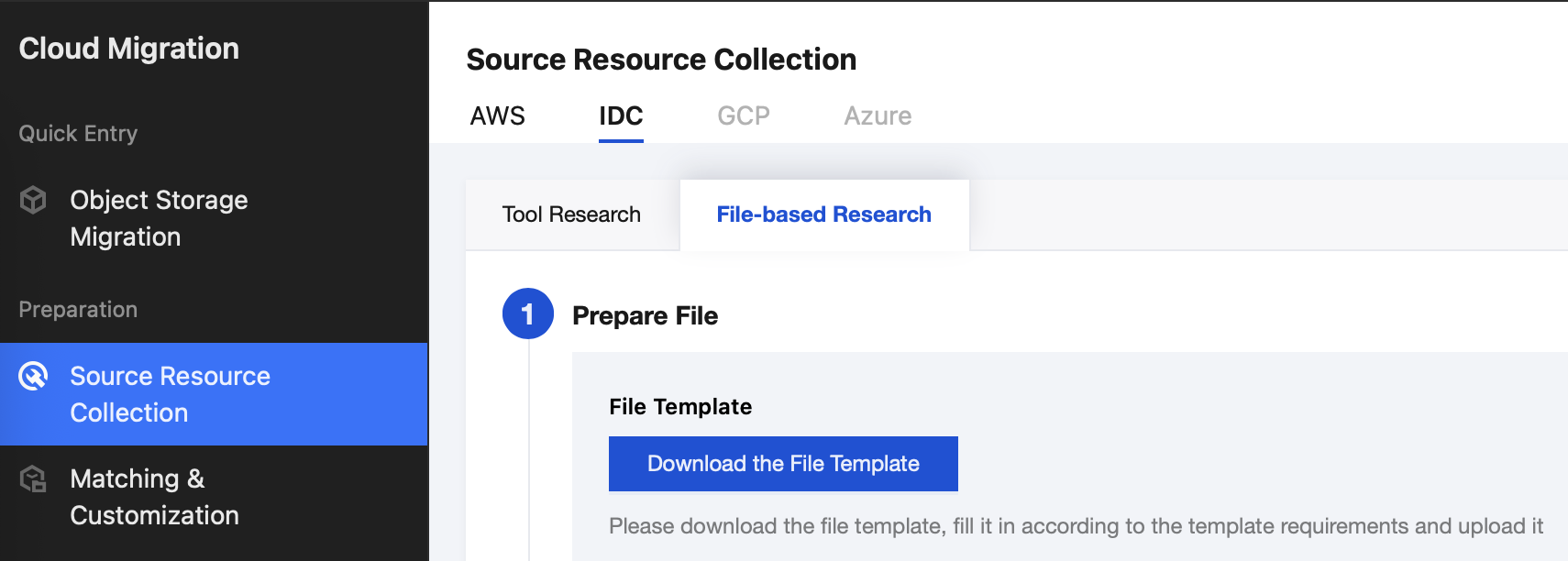
Log in to the Cloud Migration console, select Source Resource Collection > IDC > File-based Research, and click Download the File Template.
Step 2: Fill in Source Resource Information
The IDC file template currently supports research on four types of resources: servers, MySQL, Redis and file storage.
Fill in the file template according to the resource specification. The red columns are required items. Hover over cells with red indicators to view the corresponding filling instructions.

Note:
Do not add or delete columns. Altering the table structure may result in data parsing failed.
Step 3: Upload Files Execute Research
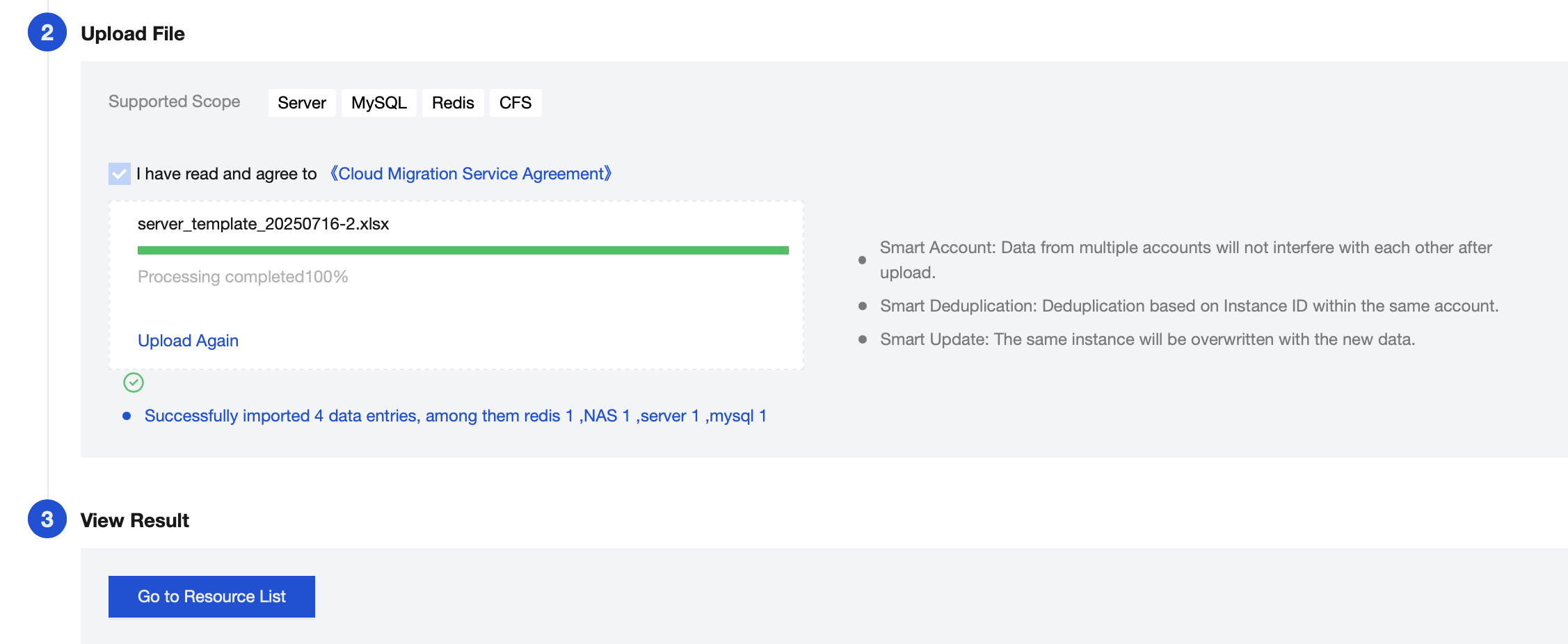
After completing, upload the file and complete parsing. Click Go to Resource List to view the imported data this time.
Note:
CMG uses the last modification time of the file as the origin server collection time for import. You can view file details to obtain the time information.
フィードバック