Time Shifting Details
Unduh
Mode fokus
Ukuran font
Tencent Cloud Live Broadcast supports time-shift management through index information, including functions such as viewing time-shift details, configuring time-shift playback, and live broadcast editing.
Prerequisites
You have logged in to the CSS console.
You have created a time shifting template, bound it to a push domain, and successfully pushed a stream.
To use the live video editing and solidification capability, please make sure that you have activated the Tencent Cloud MPS. The solidified content will be stored in the COS service, and activating the MPS service will automatically activate the COS service.
Index Information Operation Guide
Directions
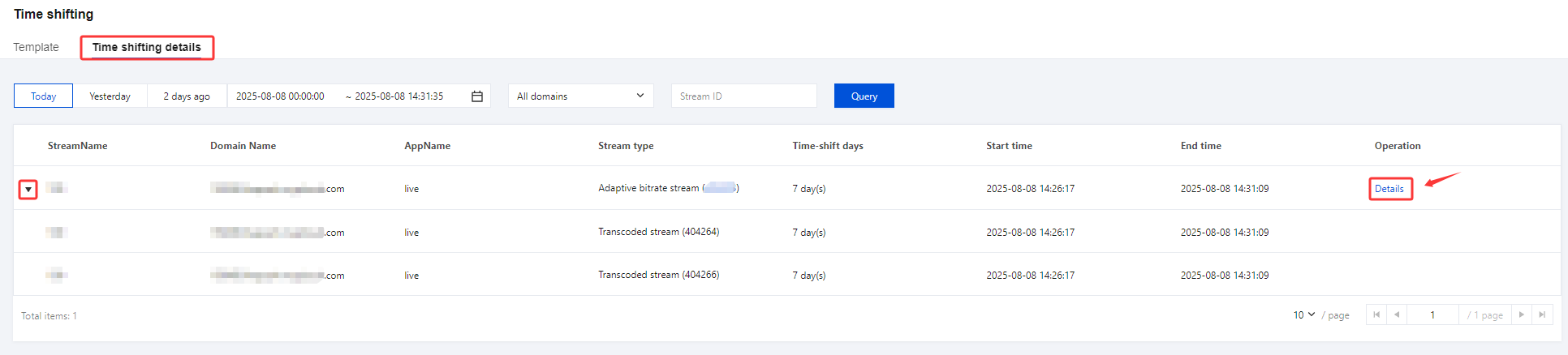
1. Click Feature Configuration > Time Shifting on the left sidebar and select the Time shifting details tab.
2. Select a domain or enter a stream ID, specify the time period (cannot be longer than 24 hours), and click Query.
3. Click Details to enter the details page.
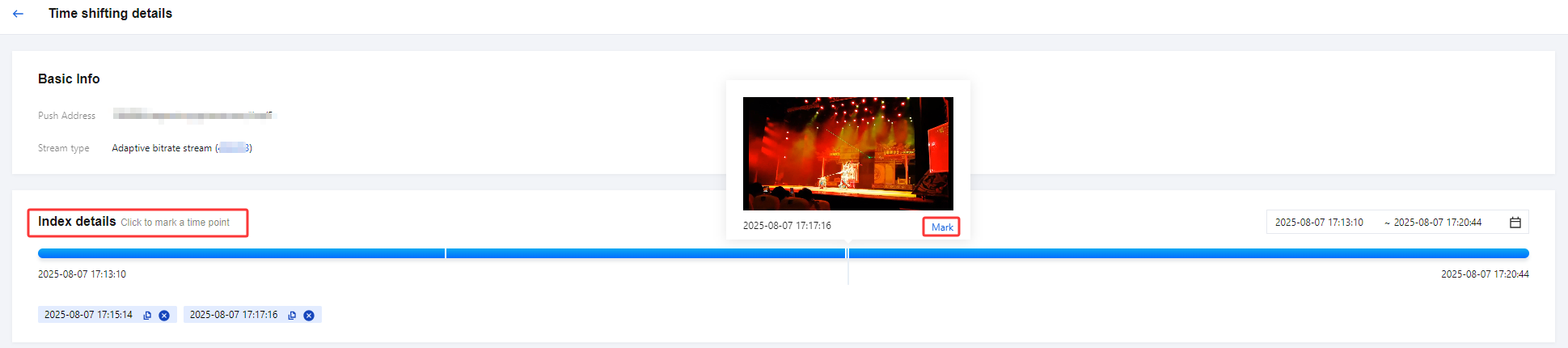
4. View the push URL and stream type in the Basic Info area.
5. You can move the mouse over the timeline in the Index Details page to view the position and time. By clicking on the timeline, you can mark the time.
6. Click the timeline to preview the video at a specific time point and mark that point.
Note:
To preview time-shifted content, the domain used for playback must have an HTTPS certificate. If your playback domain does not have an HTTPS certificate yet, add one in Domain Management> Certificate Management. Using the time shifting feature will incur playback traffic/bandwidth fees.
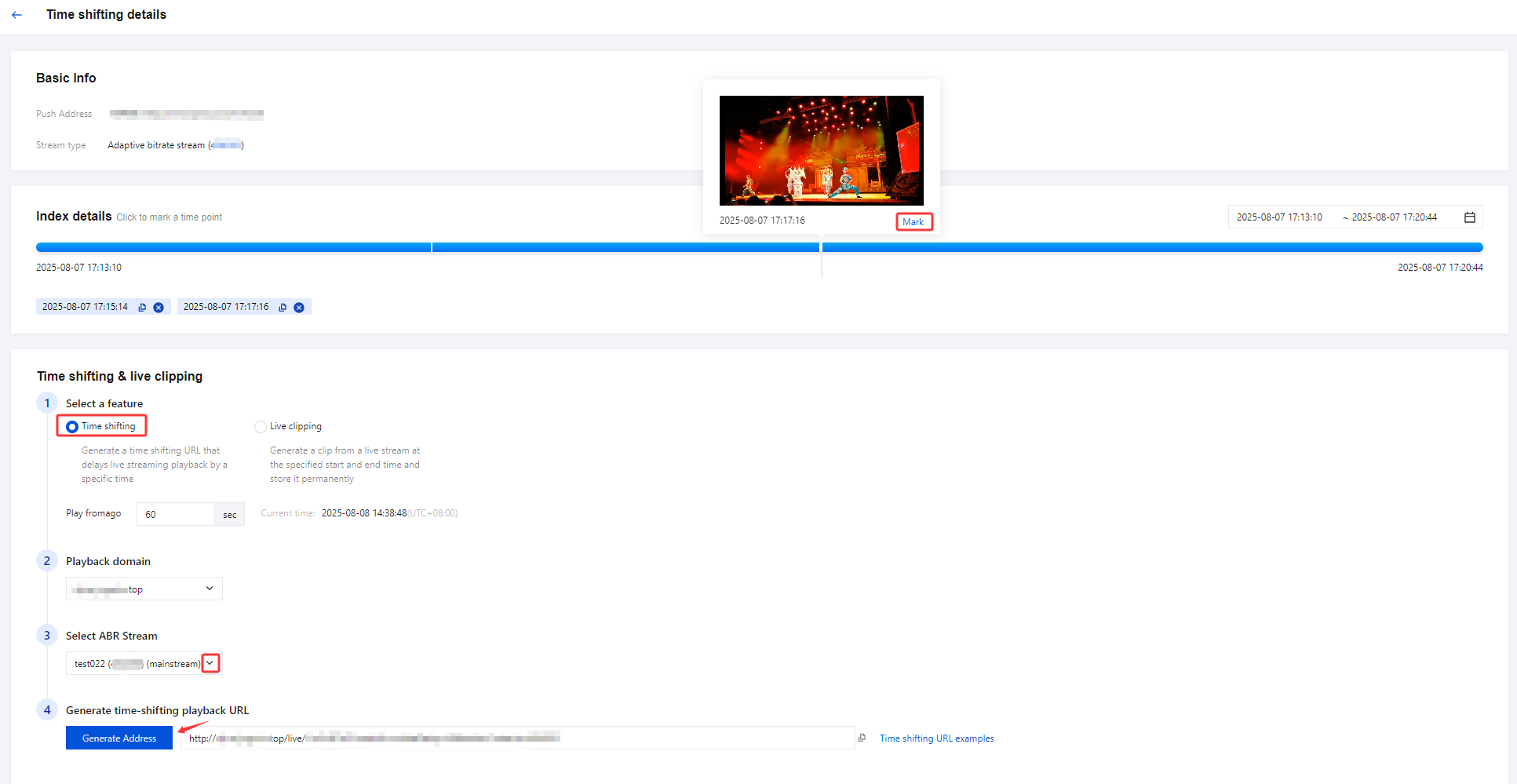
7. Time Shifting and Live Clipping can be configured as follows:
Item | | Description |
Select a feature | Time shifting | Generate a time shifting URL that delays live streaming playback by a specific time |
| Live clipping | Generate a clip from a live stream at the specified start and end time and store it permanently |
Playback domain | | Select a playback domain you added to CSS. |
Select ABR Stream: (Adaptive Bitrate Streaming) | | Mainstream is selected by default, and substream can be selected through the drop-down menu. |
Generate time-shifting playback URL | | Click Generate Address to generate a time-shifting playback URL and copy it. If you select the ABR stream as the main stream, the address will be generated based on the main stream. If you select the substream, the address will be generated based on the substream. |
Navigate to the MPSfor fixed time-shifting content | | The encapsulation format can be selected as either MP4 type or HLS type. When Live clipping is selected as the function mode, the mainstream encapsulation format is set to HLS type by default, and the substream encapsulation format is set to MP4 type by default. |
Generate a time shifting URL that delays live streaming playback by a specific time
Generate a clip from a live stream at the specified start and end time and store it permanently
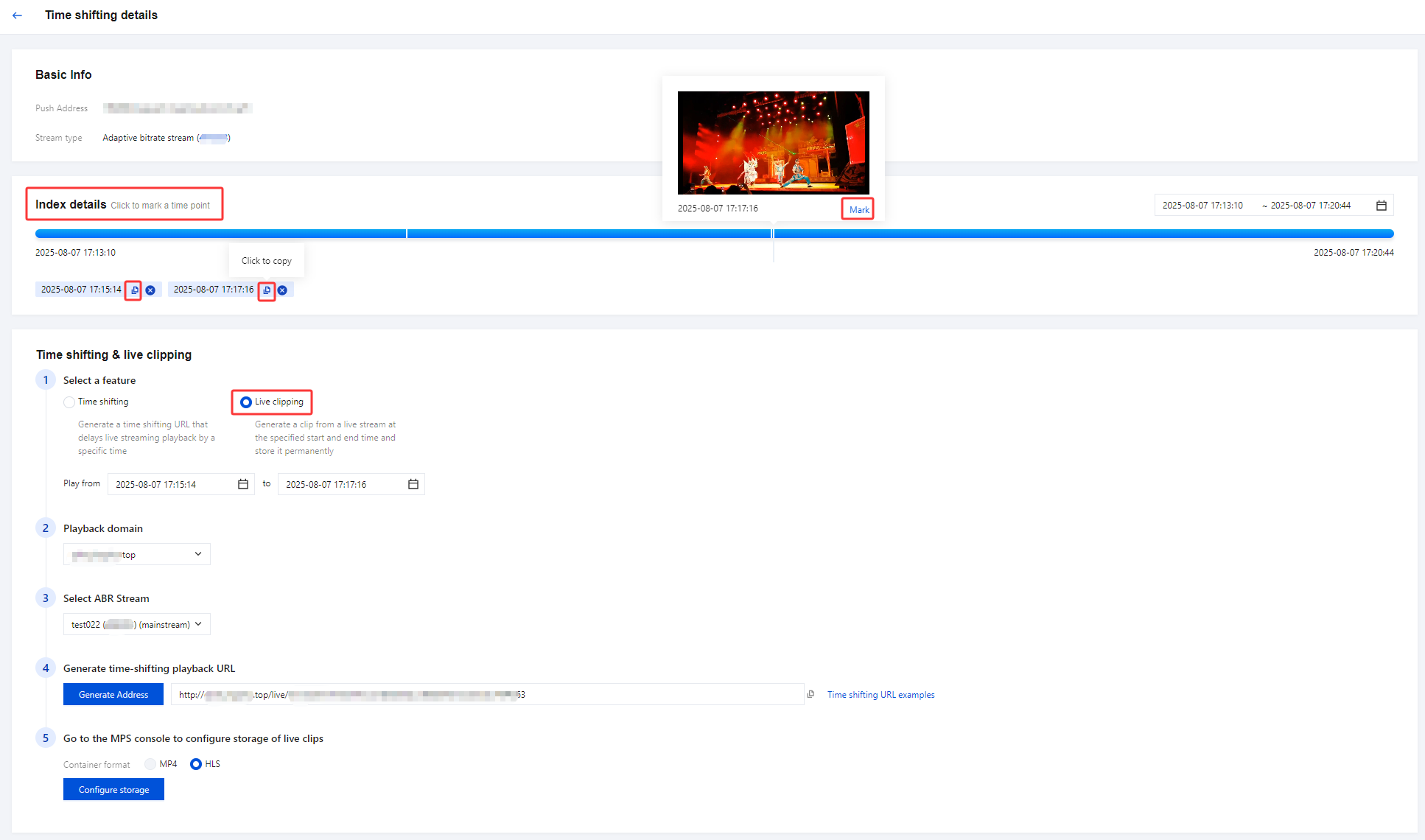
8. Select the function mode as Live Clipping. When you have chosen to navigate to the MPS for fixed time-shifting content, click Configure storage to enter MPS > Tasks > VOD. For more details, please refer to the Live Streaming Highlights Clipping document > Create Clip Persistence Task.
Bantuan dan Dukungan
Apakah halaman ini membantu?
Anda juga dapat Menghubungi Penjualan atau Mengirimkan Tiket untuk meminta bantuan.
masukan