Troubleshooting Excessive Connections
Unduh
Mode fokus
Ukuran font
Problem Description
If the number of connections exceeds the upper limit, you can use the connection management and restart features in the console and optimize the service for troubleshooting.
Possible Causes
There are connection leaks, improper client coding, unreasonable connection pool configuration, or many unreleased connections.
There is a large number of concurrent application requests, and the configured upper limit of connections is insufficient, so the current database specification cannot sustain such requests.
Troubleshooting
Option 1. Increase the connections
1. Log in to the TencentDB for MongoDB console and click an instance ID to enter the instance management page.
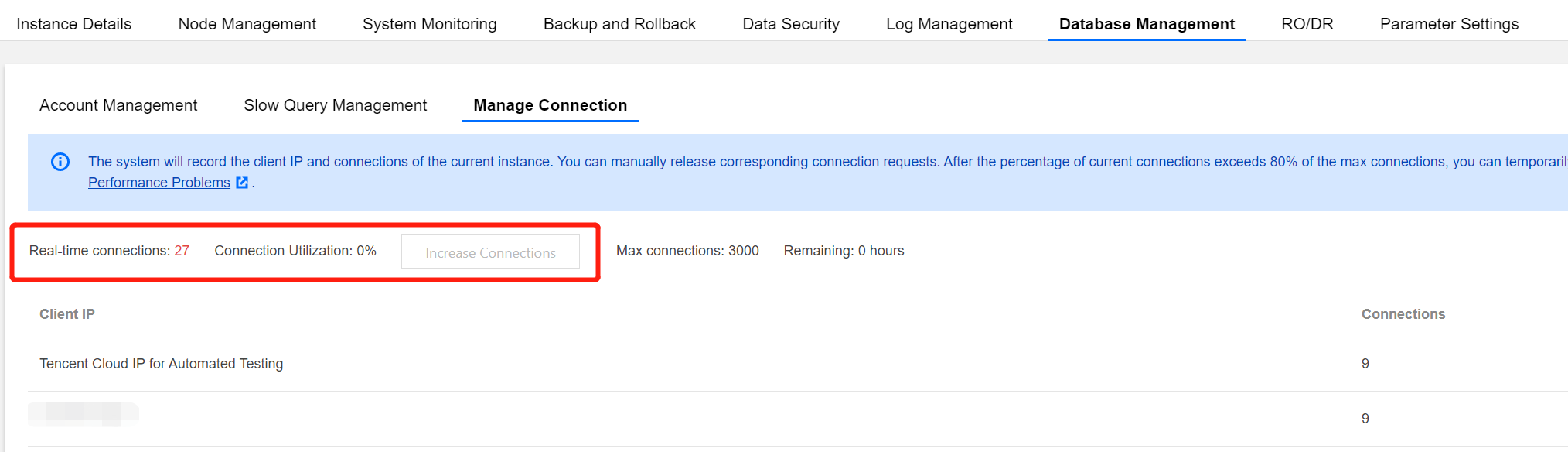
2. Select Database Management > Manage Connection and view the source IPs and number of connections for service troubleshooting.
Note:
If your connections reach 80% or above, which affects the establishment of new connections, you can use the Increase Connection Limit feature in the console to increase the upper limit to 150% within 6 hours.
If the problem persists, contact the aftersales service or submit a ticket for assistance.
Option 2. Restart the instance
1. Log in to the TencentDB for MongoDB console and click an instance ID to enter the instance management page.
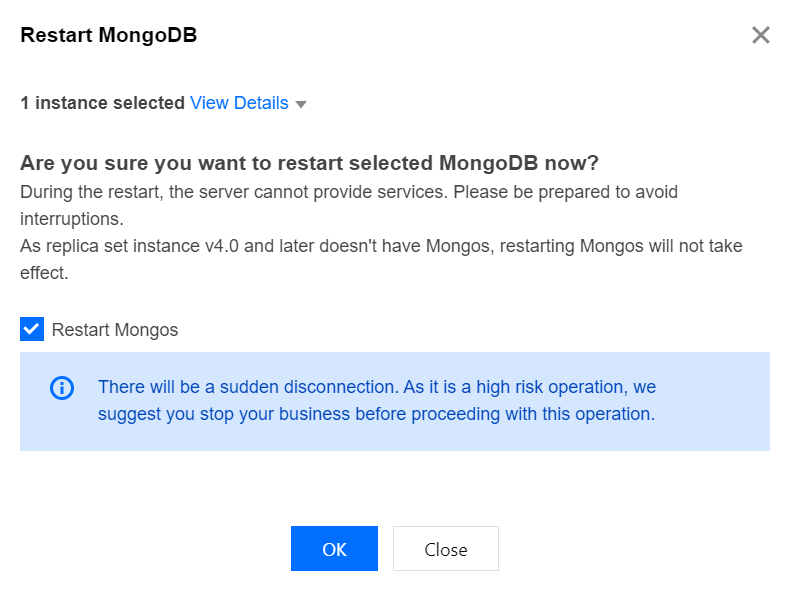
2. Choose Database Management > Manage Connection. If necessary, click Restart on the right to restart the Mongos and resolve the issue of connection limit exceeded.
Note:
Replica sets on v4.0 don't have mongos.
Restarting the mongod is highly risky and will cause a momentary disconnection, during which if data is written, rollback may be triggered, leading to data loss. Therefore, the restart feature is not enabled by default. If you need to enable it, contact the aftersales service or submit a ticket for assistance.
Option 3. Optimize the business
Optimize the service. For detailed troubleshooting methods, see Analysis and Solutions for High Connection Utilization.
Bantuan dan Dukungan
Apakah halaman ini membantu?
Anda juga dapat Menghubungi Penjualan atau Mengirimkan Tiket untuk meminta bantuan.
masukan