Node Function
Variable Transform Node belongs to variable processing function. It is used to handle and convert different types of variables, supporting JSON string serialization and deserialization, list data value extraction and sorting, as well as string concatenation and splitting operations. The node is commonly used for scenarios requiring dynamic processing and conversion of input data.
Directions
Transform Method
Support format conversion for JSON, lists, and strings. The conversion methods for different types are as follows:
|
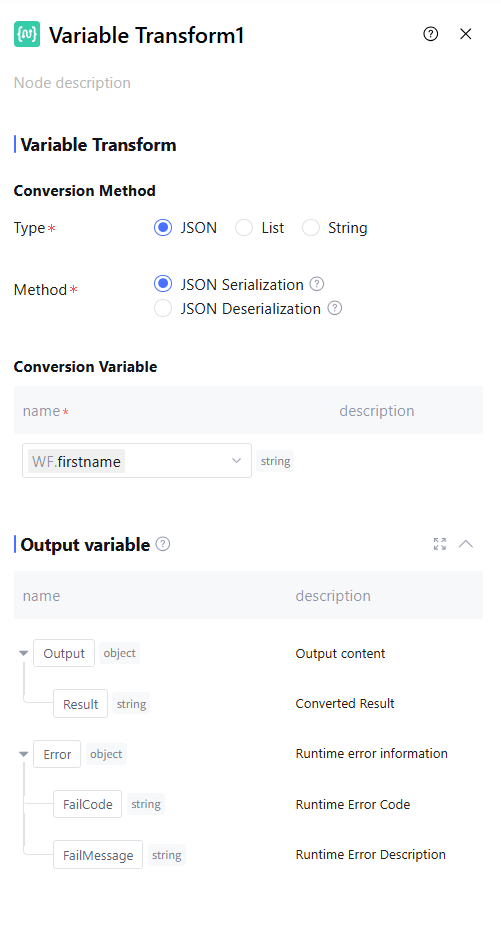
JSON | JSON serialization | Convert data structures or objects in a program into JSON format. Supports variables of any type, but only one variable can be selected. |
| JSON deserialization | Convert strings in JSON format back into data structures or objects in a program. Supports only string type and selecting one variable. |
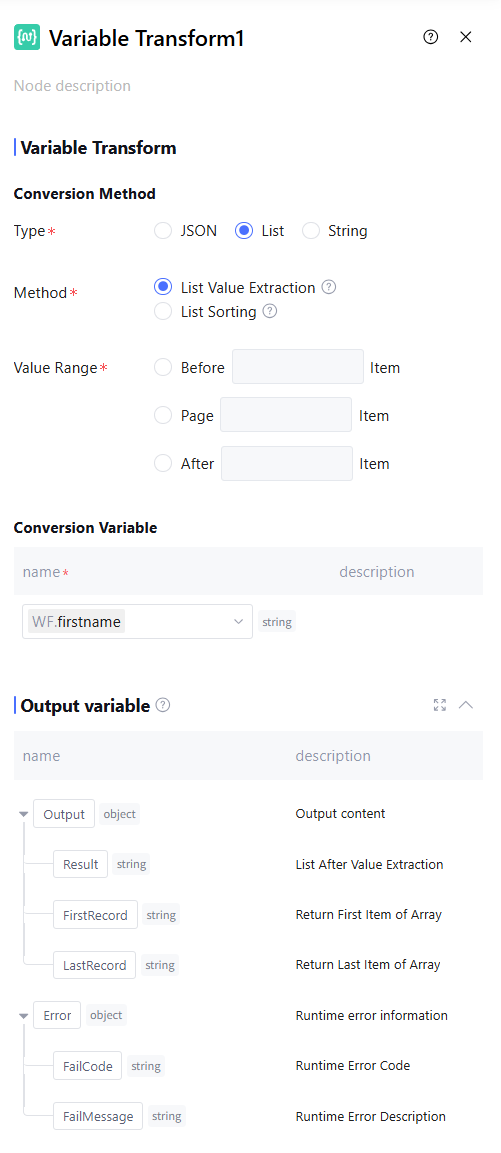
List | Take value | Supports truncating values from list data, with value ranges covering the first N items, the Nth item, and the last N items. It only supports obtaining values from an array type variable (excluding array<array>). |
| List sort | Supports sorting list data, with sorting rules including descending order and ascending order. It only supports sorting an array type variable (excluding array<array>). |
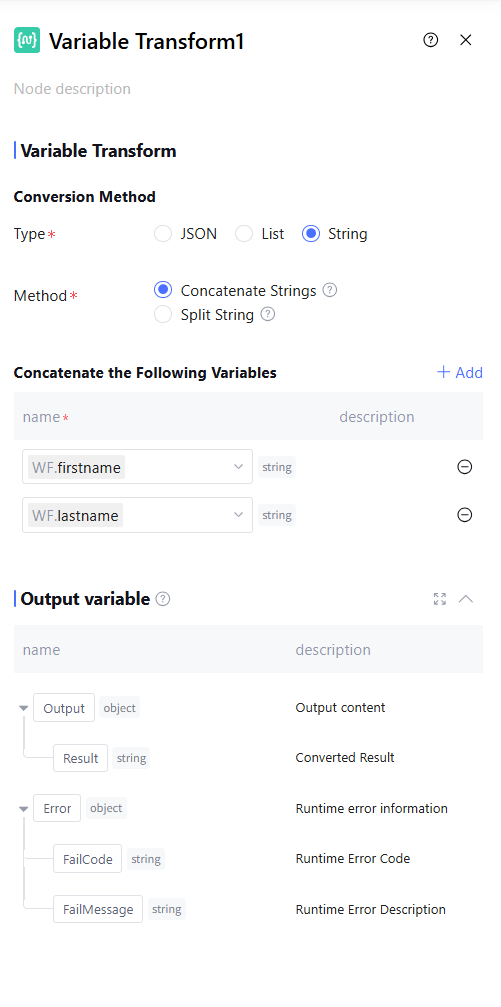
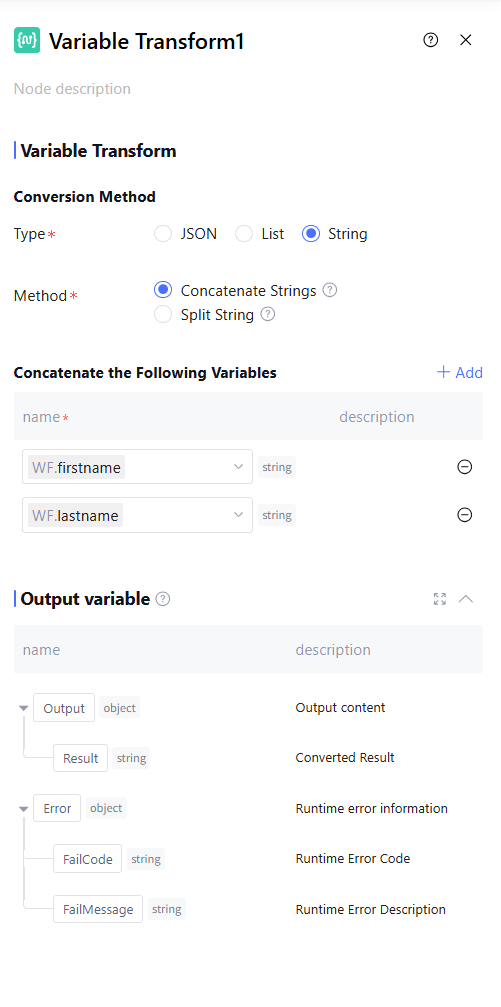
String | concatenated strings | Concatenates multiple variables into a string. Supports selecting any type of variable. Supports selecting multiple variables. |
| Separate strings | Split variables by a specific separator, including newline (\\n), tab character (\\t), Chinese comma (,), comma (,), Chinese period (。), period (.), Chinese semicolon (;), semicolon (;), and space ( ). Also supports custom separators. Only supports string variables and selecting a single variable. |
Switching Variables
Variables for format conversion. Among them, the "concatenated strings" conversion method supports users to add multiple conversion variables, while other methods only support one conversion variable and do not allow addition.
Output Variable
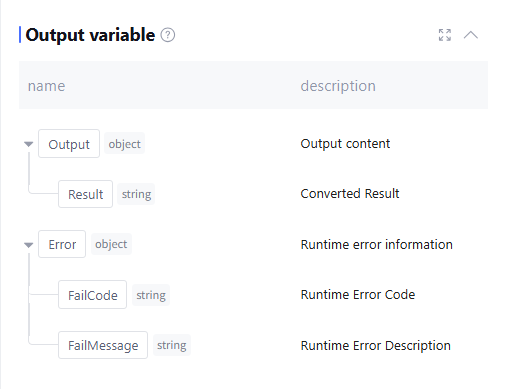
The output variable processed by this node. When the conversion type is JSON or string, the default output format is the converted result, as well as runtime Error information (data type is object, this field is empty during normal operation). Manually adding is not supported.
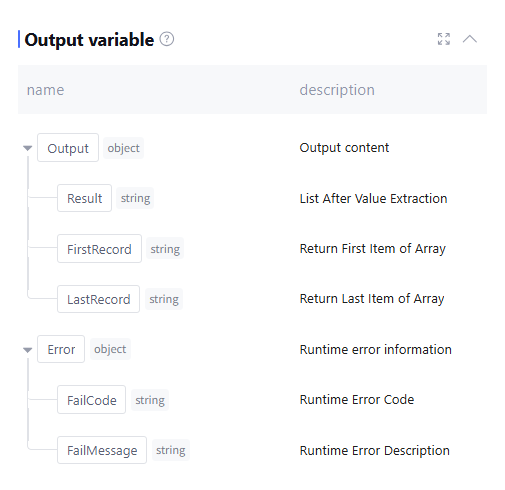
When the conversion type is list, the default output includes the list of values, the first and last items of the array, as well as runtime Error information (data type is object, this field is empty during normal operation). Manually adding is not supported.
Application Example
JSON Serialization Scenario
Convert the string to a JSON sequence, the transformation node configuration is as follows:
List Value Scenario
Take only the first item in the list, and the transformation node configuration is as follows:
String Concatenation Scenario
Concatenate the user-provided first and last name for output, the transformation node configuration is as follows: