Node Function
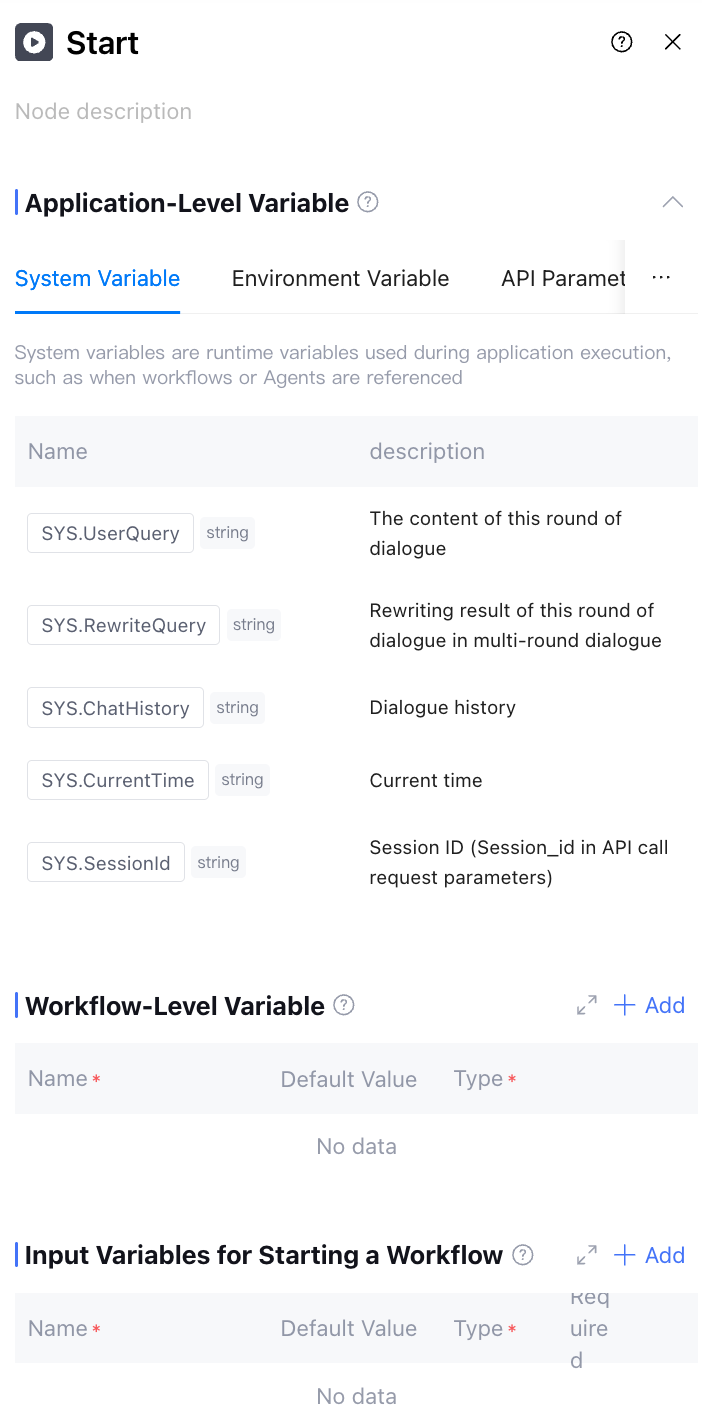
Start Node belongs to Basic Node, used to identify the startup of a workflow and serves as the entry of the entire workflow. The node shows multiple Application Level Variables that can be referred in workflow nodes, and simultaneously supports adding the following two categories of variables based on your actual requirements:
1. Workflow Level Variable: A variable used to assign value within the current workflow.
2. Input Variables for Starting a Workflow: Primarily used for transmission between workflows.
Directions
Application Level Variable
Including system variables, environment variables, API parameters, and application variables. For more information, see Variables. 1. System Variable: Variables provided by default on Tencent Cloud Intelligence development platform, readable across all modules within the application scope but not supporting user edit (named in SYS.XXX format).
2. Environment Variable: Used to store sensitive data such as API key and database password, provide special data storage type, readable across all modules within the application scope, only supports edit in "Variable and Memory" (named in ENV.XXX format).
3. API Parameter: Variables imported into the system through the custom_variables field when users call Tencent Cloud Intelligence development platform API, readable across all modules within the application scope, only supports edit in "Variable and Memory" (named in API.XXX format).
4. Application Variable: Variables for mutual transmission across various modules within the application, readable and writable across all modules within the application scope, only supports edit in "Variable and Memory" (named in APP.XXX format).
Workflow Level Variable
Variables globally available in the current workflow support users to add custom additions as required. This type of variable is mainly used to assign value or call during execution of the entire workflow, so that data can be flexibly transmitted and used in any procedure (named in WF.XXX format).
Use Case
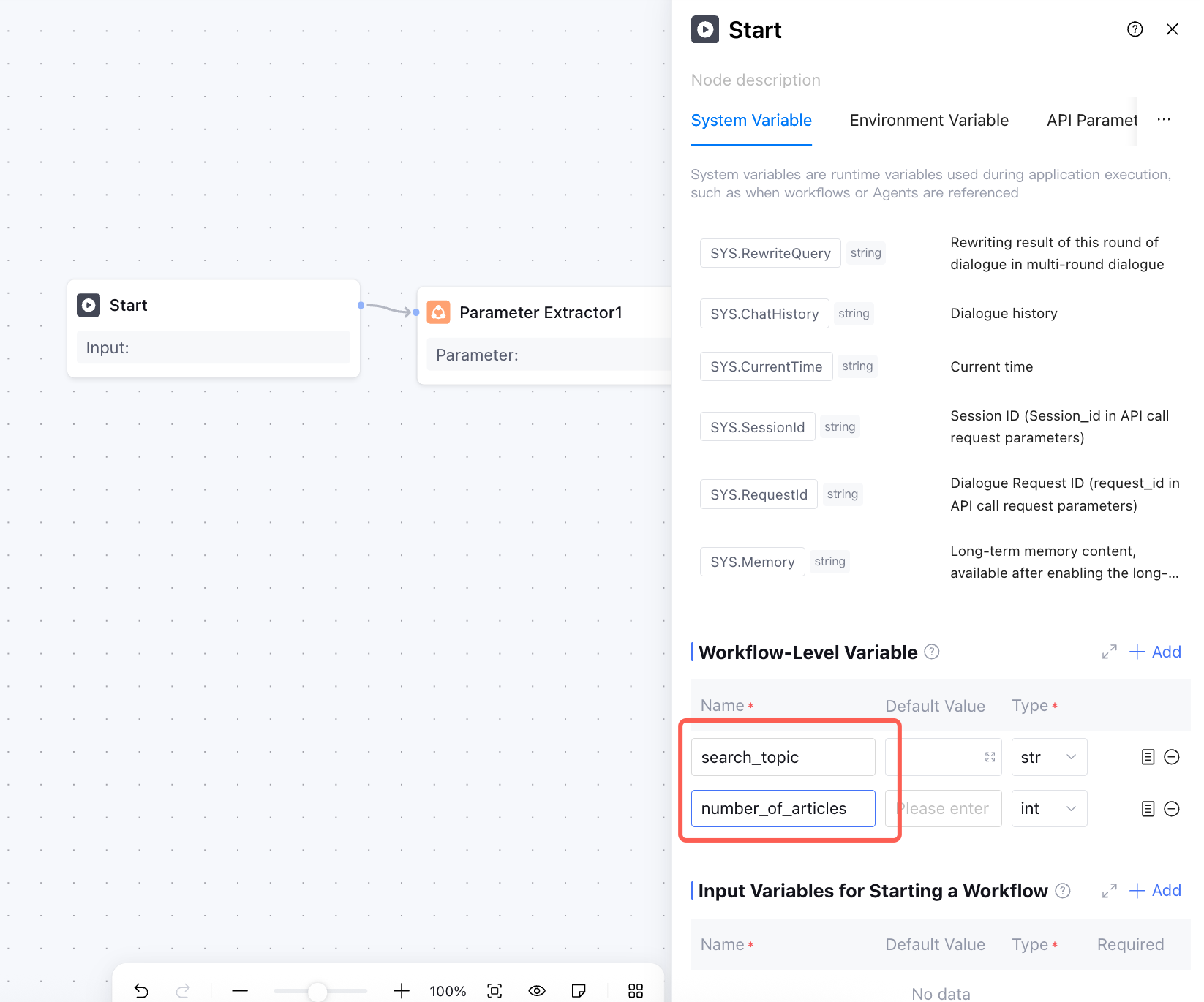
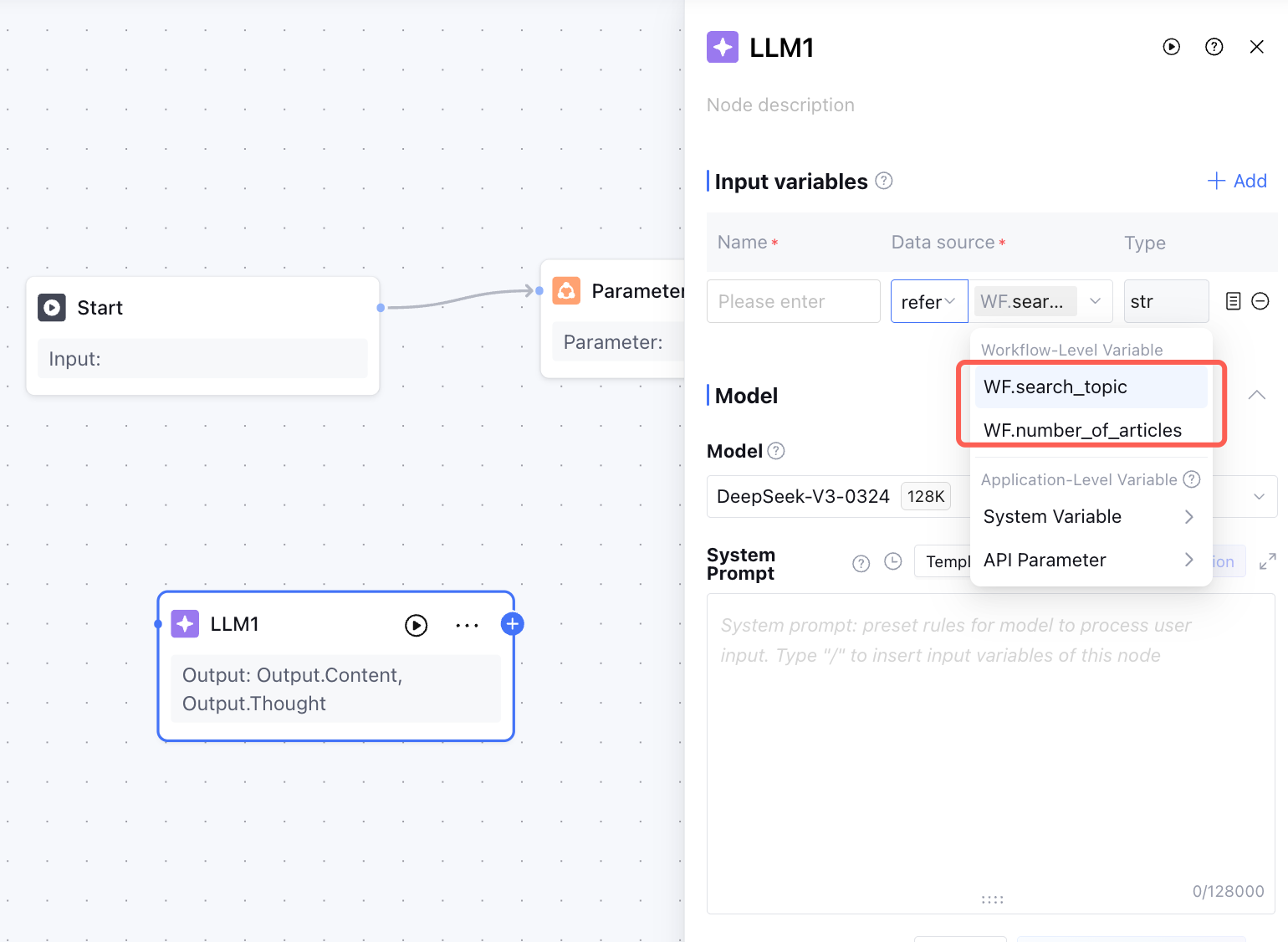
In the "Literature Research and Drafting Main Workflow", the search_topic and num_of_article variables must be assigned value and called in any node of the current workflow at any time. At this point, you can add the corresponding workflow level variables in the start node.
After completing the above configuration, the search_topic and num_of_articles variables can be used globally in each node of the "Literature Research and Drafting Main Workflow" (even if there is no direct connection between nodes).
Input Variables for Workflow Startup
The variables required when running this workflow support users to add custom addition as needed. This variable is mainly used for data flow between different workflows (for example: when variables in the main workflow need to be transmitted to the sub-workflow, this variable must receive by adding input variables for workflow startup in the start node of the sub-workflow).
Workflow Level Variable and Input Variables for Workflow Startup configuration instructions.
|
Variable Name | Variable name |
Default value | Default initial value of the variable |
Description | Variable description to help the model understand its meaning. |
Type | The data type of the variable supports string, int, float, bool, object, and array types including array<string>, array<int>, array<float>, array<bool>, array<object>, array<file>, array<document>, array<image>, array<audio>, and array<video>. The document format supports common formats like file, text format document, image format image, audio format audio, and video format video. Among them, the document format variable only supports document links, not the source file. |
Required | Whether the variable is required or not, this variable must be input when starting the process. |
Input Common Issues
What is the difference between API parameters and workflow-level variables?
API parameters are variables imported from the external system into the Tencent Cloud Intelligence development platform, while workflow-level variables are those that internally circulate within the Tencent Cloud Intelligence development platform.