Intelligent Structured Parsing uses structured table rewrite models to automatically determine whether user-imported table files are in structured format. If your uploaded source file is not structured, the model will still automatically assess and possibly rewrite it into a structured table to enhance spreadsheet QA accuracy.
Features of Structured Tables and Unstructured Tables
1. Structured Spreadsheet
Core feature: have a strict two-dimensional relational model and directly correspond to the structure of relational databases.
Data features:
Rows and columns are strictly aligned, and each cell corresponds to a unique row and column coordinate.
Single-level header (single row without merged cells), column names have uniqueness and clear semantics.
No data is nested, each cell stores atomic data.
Support database import and export, support SQL queries.
2. Unstructured Table
Core feature: The human-read-prioritized visual rendering method damages machine readability.
Feature interference in structure:
merge cells (cross-line/cross-column/multi-level merge)
Dynamic column structure (for example: the number of columns changes with row position)
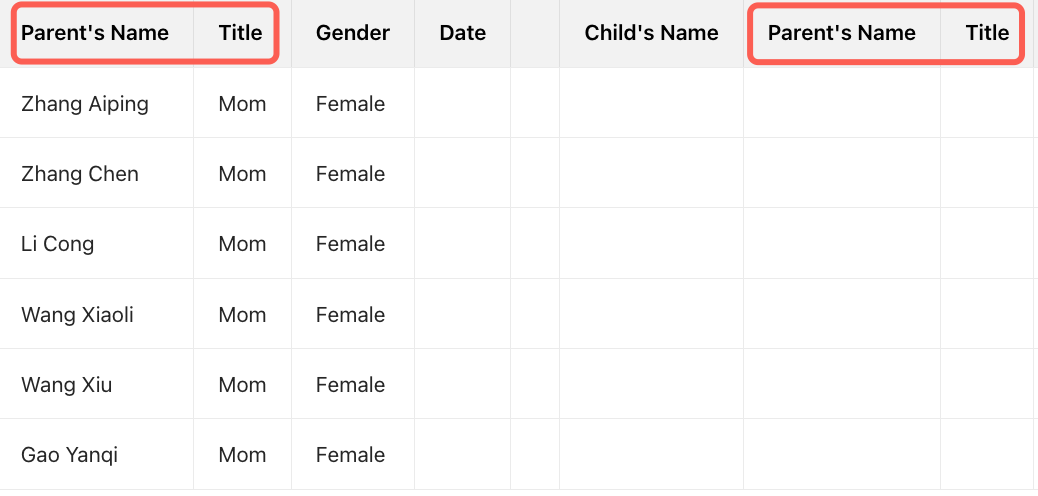
Paginate with repeated headers (repeat column names per page)
How to Rewrite an Unstructured Table Into a Structured Table
Note:
After the user uploads documents, the system automatically determines whether the imported table file is in a structured format by calling the structured table rewrite model. No need to do any additional configuration.
The structured table rewrite model has the following key capabilities:
1. Row list header identification: Identify whether the table is a list header or row header.
2. Table name rewrite: Generate a new table name by combining the file name, sheet name, and content.
3. Information extraction: Extract descriptions and supplementary information from non-trunk tables and place them in the description field.
4. Merge cells deconstruct: Deconstruct merged cells and restore row column alignment.
5. Single header rewrite: Convert multi-row/multi-column headers into a single header format.
After intelligent rewriting by the model, unstructured tables can be intelligently converted to structured tables (but not supported in certain scenarios).
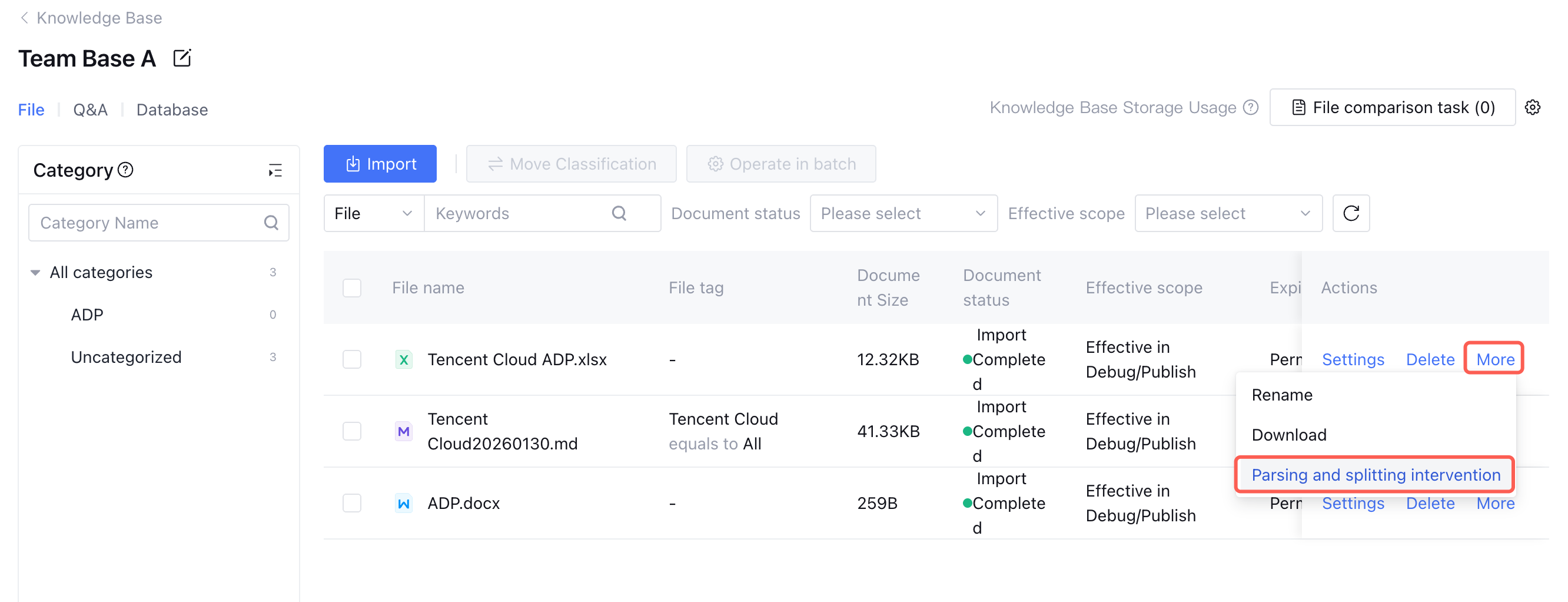
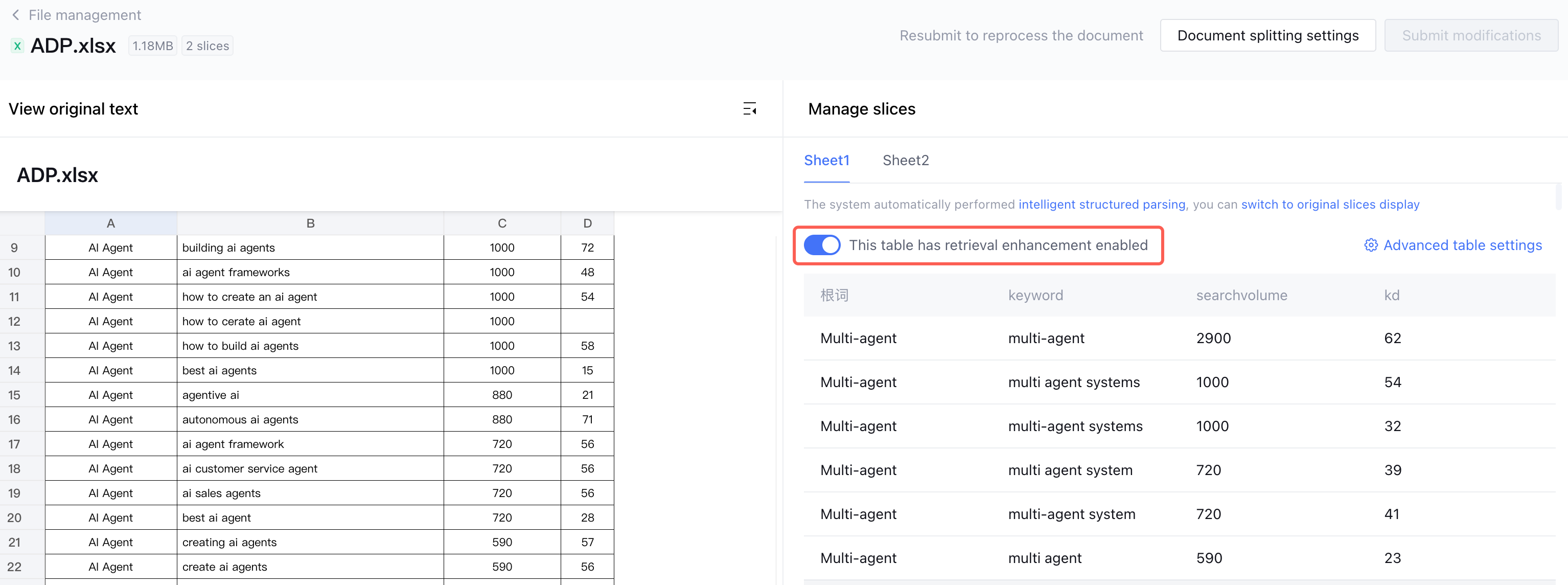
After uploading a structured table file, you can click More > Parsing and splitting intervention on the right side of the corresponding file in the document list. Upon entering the secondary page, view the structured display.
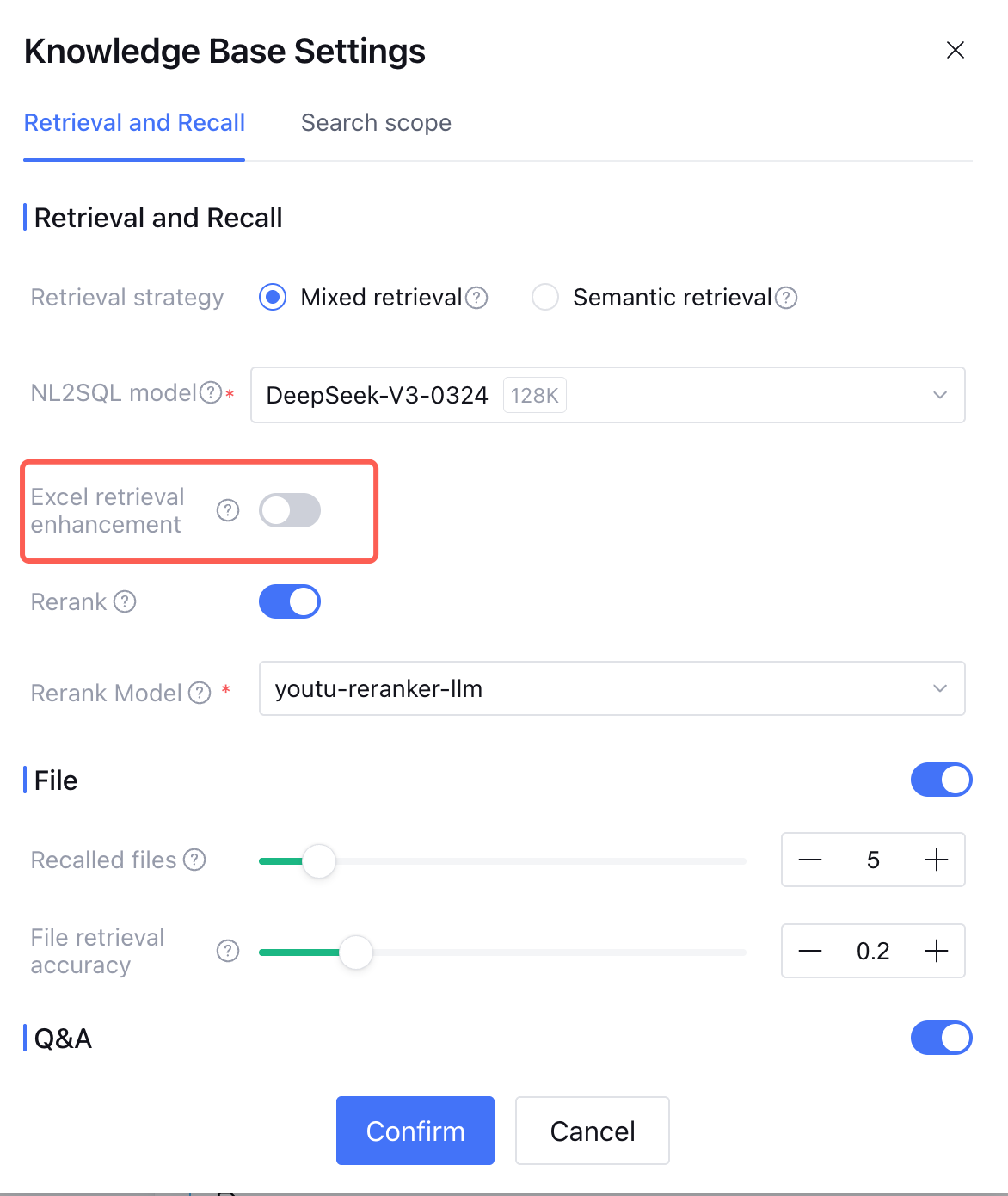
If you consider the structured display of the current model transcript has an error, you can re-edit the original spreadsheet and upload it; or target the spreadsheet to turn off the "retrieval enhancement" switch, then the spreadsheet will not be used for SQL query, but it will not impact the recall of semantic slices.
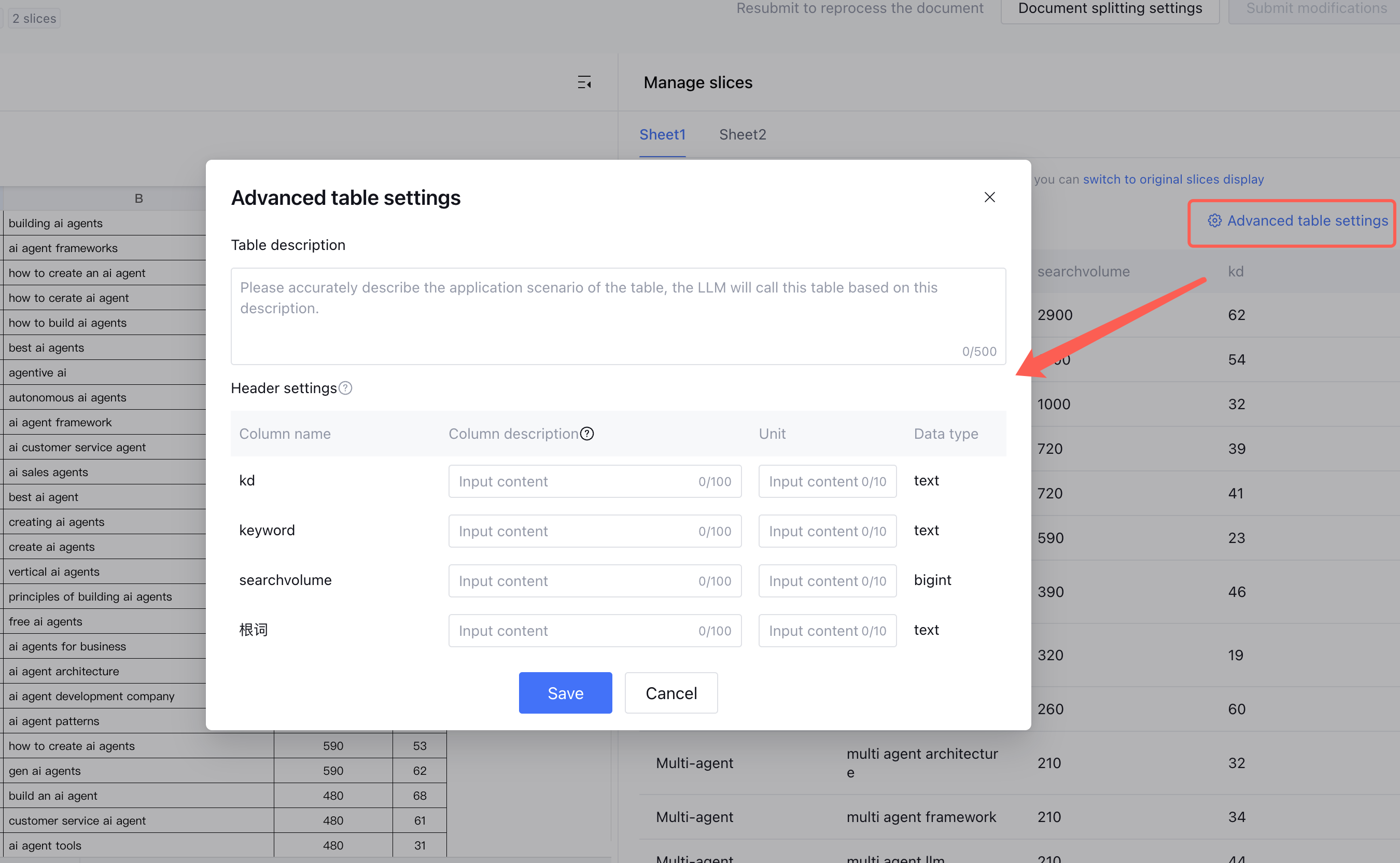
For structured table files, you can click "Advanced table settings" to add description or customize table header definition, enhancing table retrieval and QA accuracy.
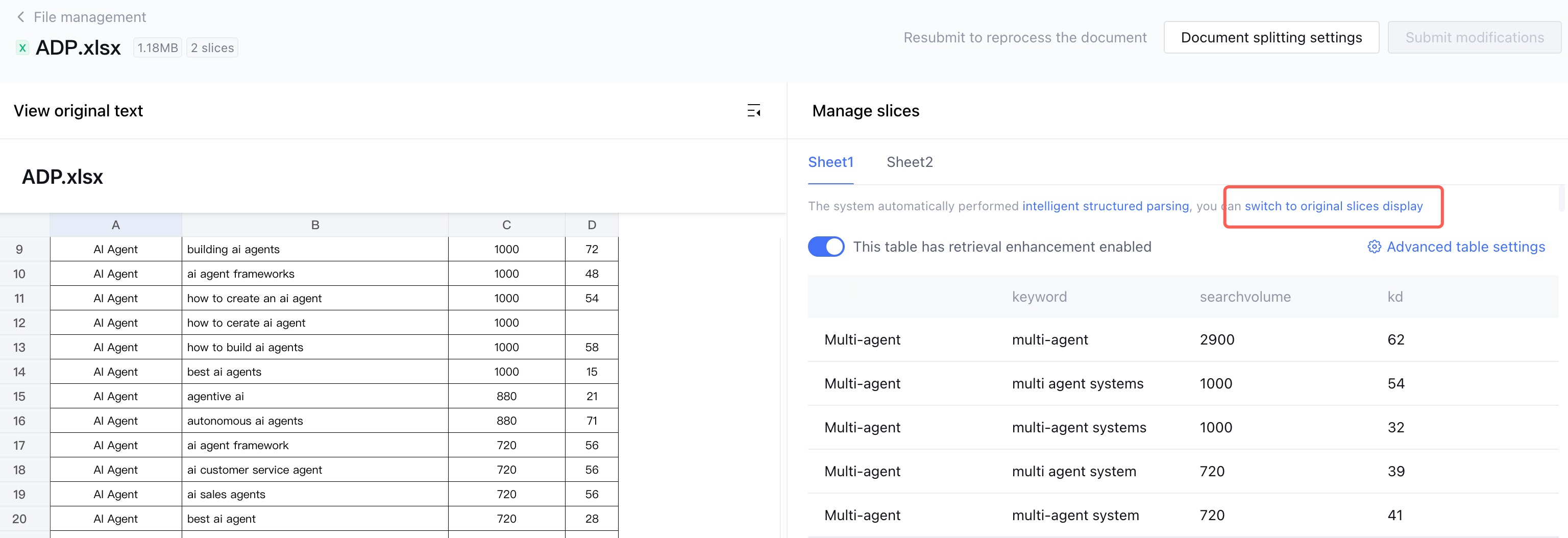
If you want to return to edit the markdown result after table parsing and splitting, click switch to original slices display.
Will the Retrieval Method for Structured Tables Be Different?
When you enable the "Excel search enhancement" option in the advanced settings of the application configuration knowledge base, SQL method will be supported to query structured tables, enhancing user accuracy in natural language-based query and calculation for this class file.
Which Unstructured Tables Cannot Be Written As Structured Tables?
Clarify multiple duplicate headers cannot be converted to database tables.
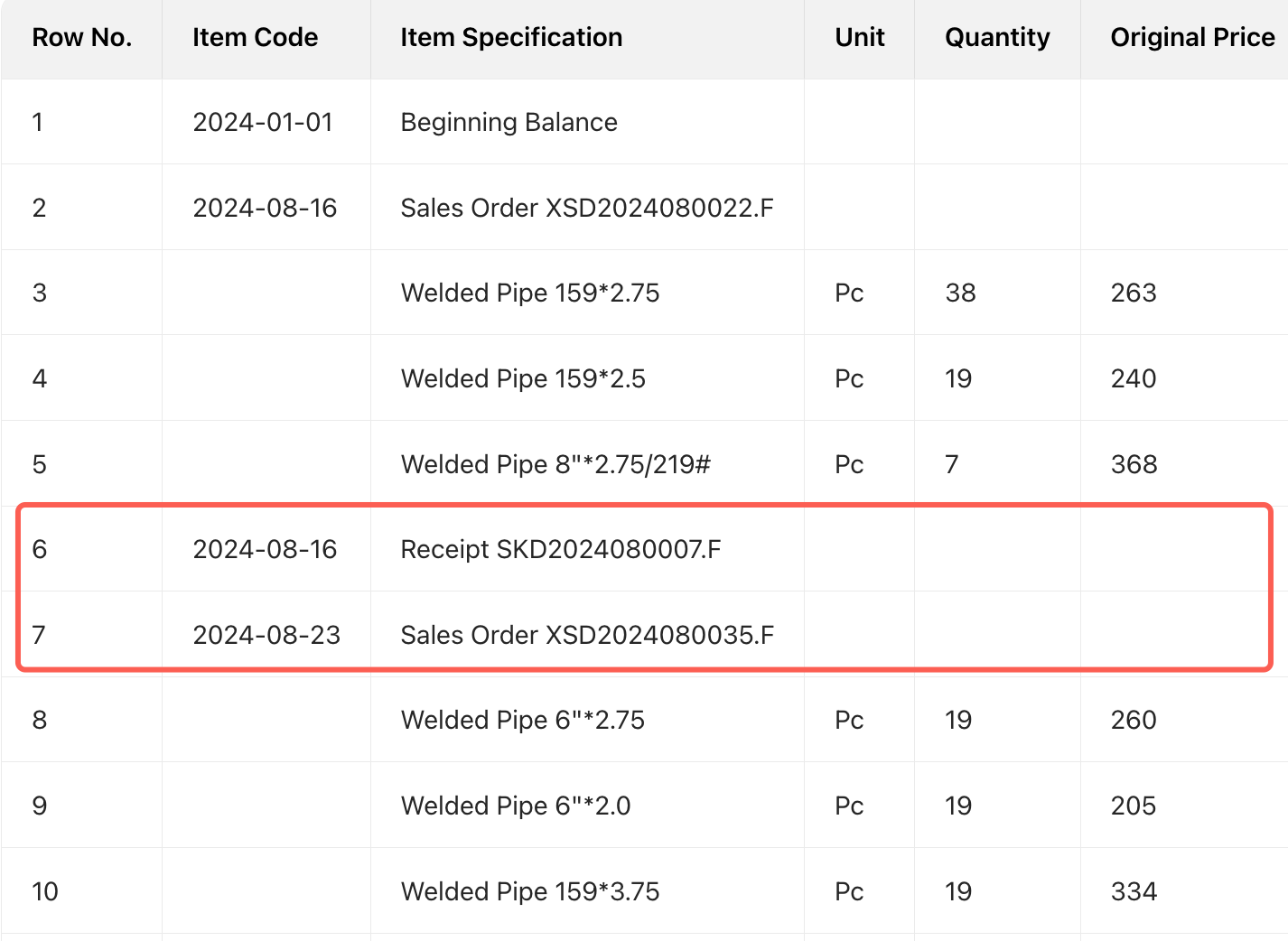
Row values have multi-row statistical information tables and cannot be rewritten.
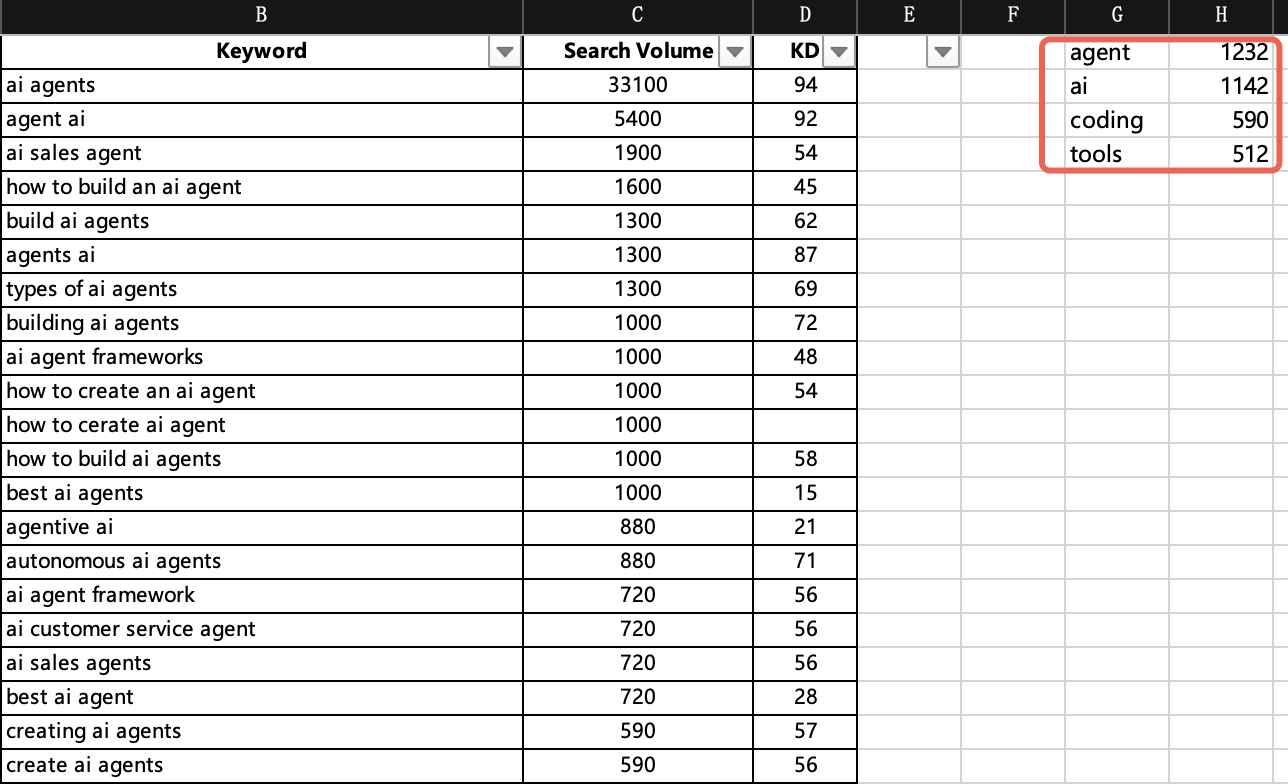
Tables with additional columns and rows containing redundant information are non-rewritable.