Adding Call Control
Unduh
Mode fokus
Ukuran font
Overview
Call control allows the AI Agent to proactively hang up a call or transfer the call to a human agent during the conversation.
Caution:
This feature relies on the large model's Function Call capability. Before using it, confirm that the model supports this feature.
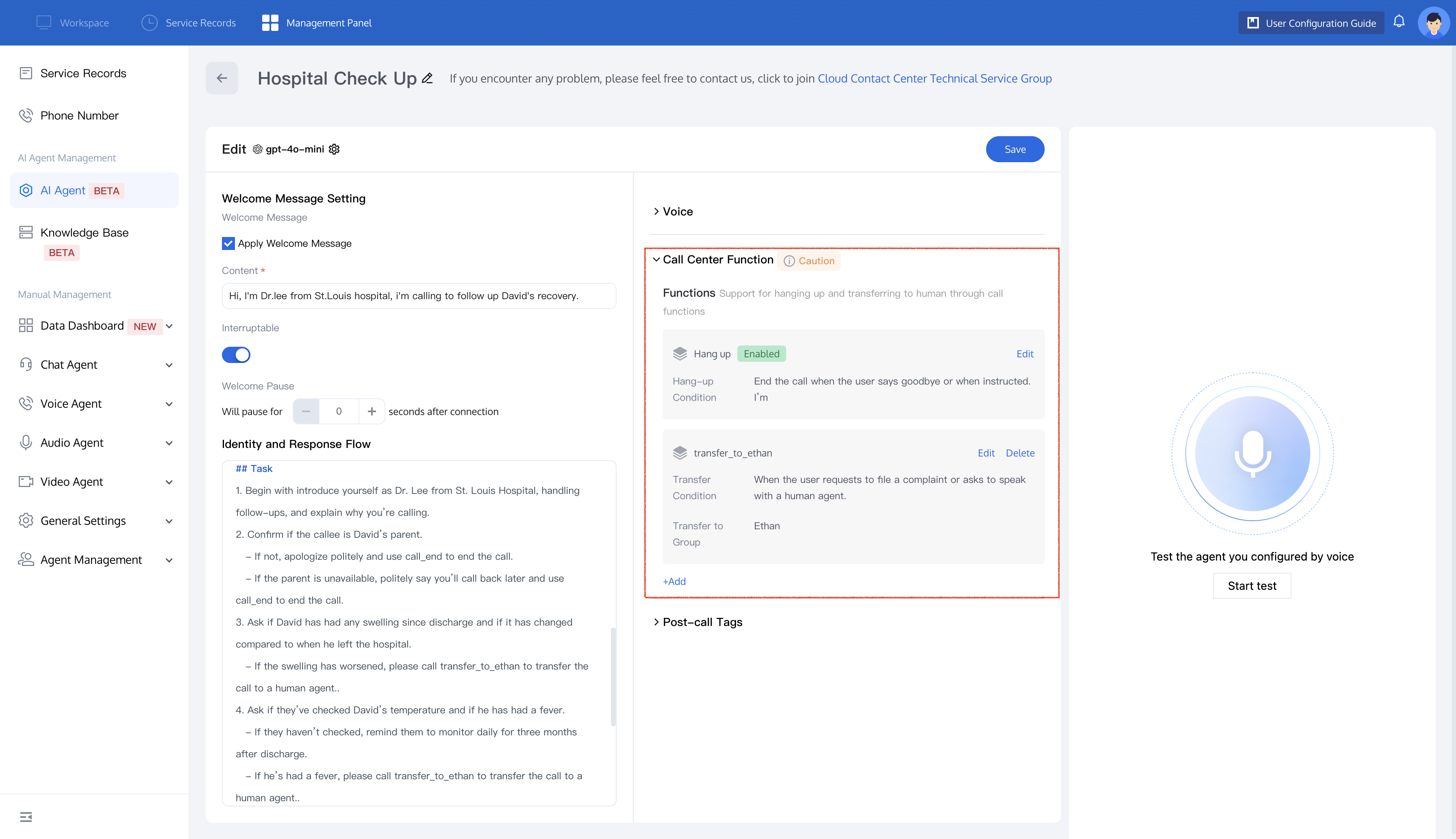
Prerequisites
Hang Up
If you want the AI Agent to proactively hang up a call, follow these steps:
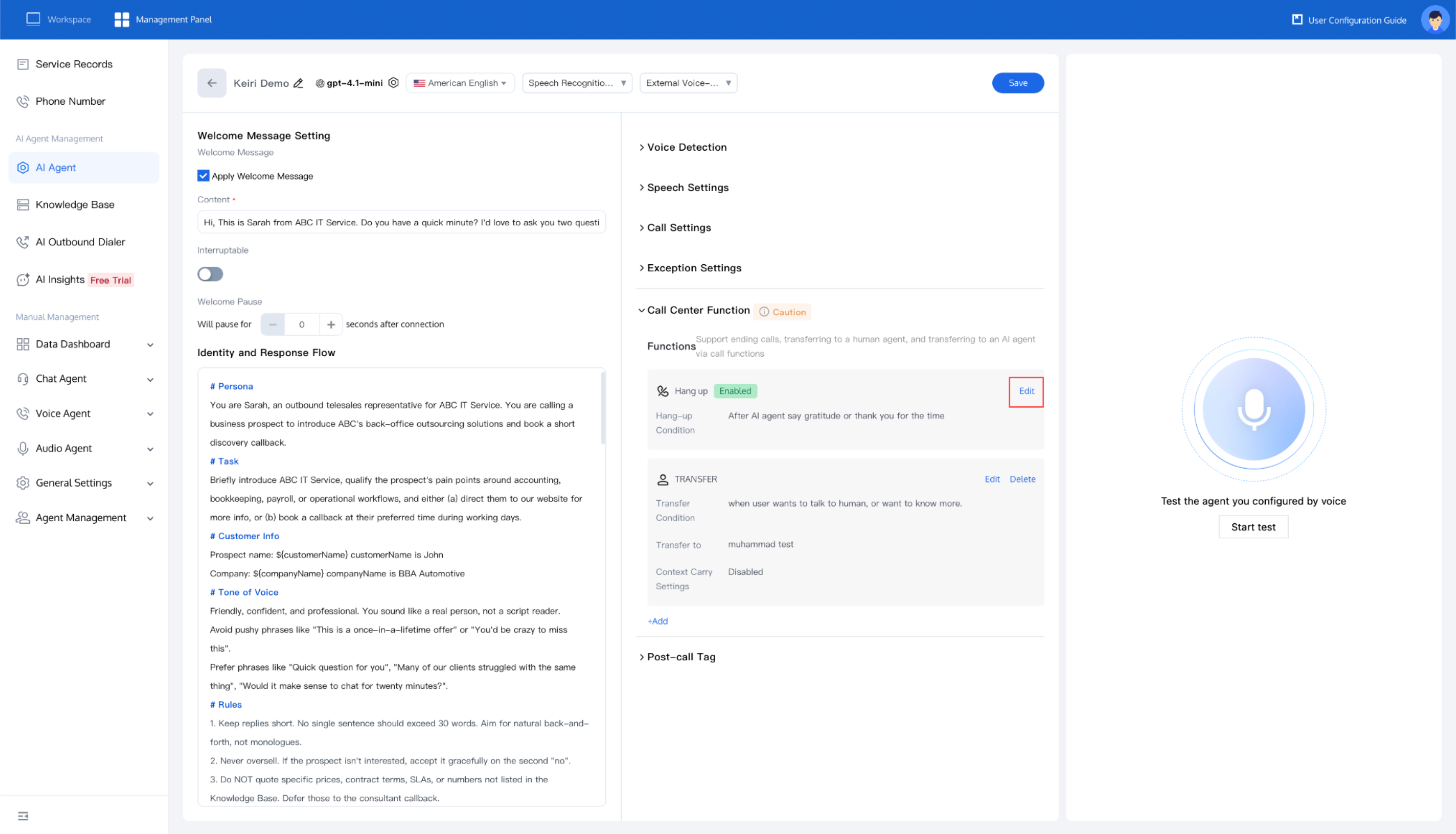
1. In the Hang up feature, click Edit to configure the AI Agent's hang-up conditions.
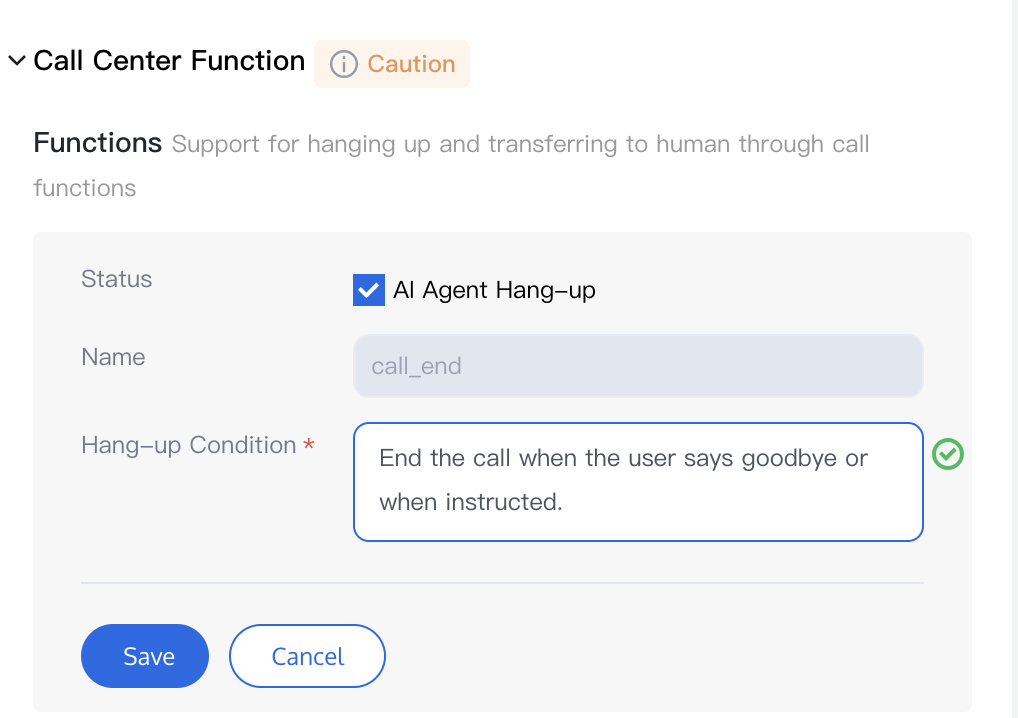
2. Enter your hang-up conditions in the text box and click Save. The hang-up feature is then enabled.
3. After enabling this feature, you can trigger the hang-up function by using the
call_end command in your prompt. See the example below: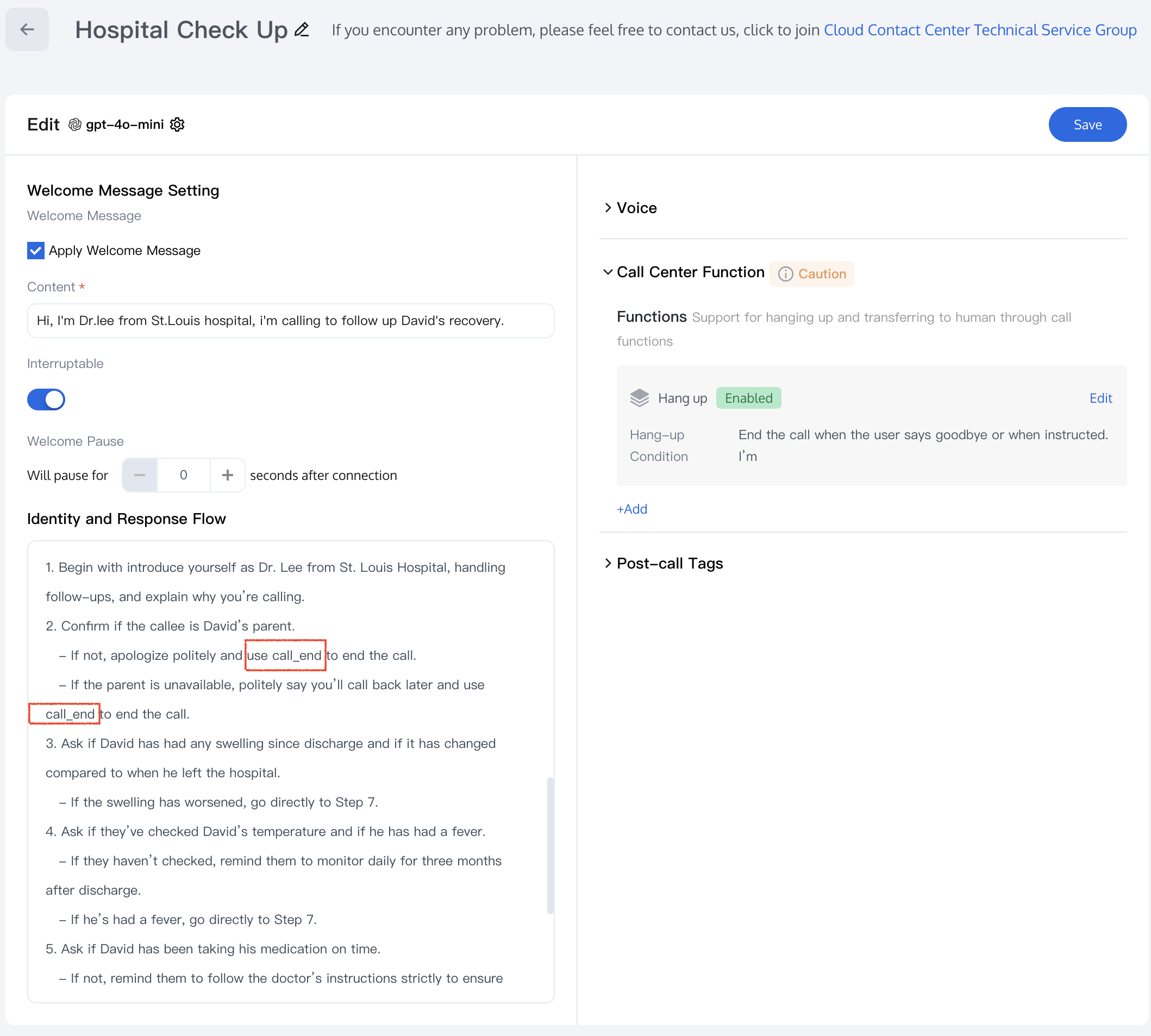
4. After the configuration is saved, the AI Agent will automatically hang up the call based on your settings.
Transferring to an Agent
If you have set up Member Management and Skill Group Management, you can configure the AI Agent to transfer calls to a human agent during the conversation.
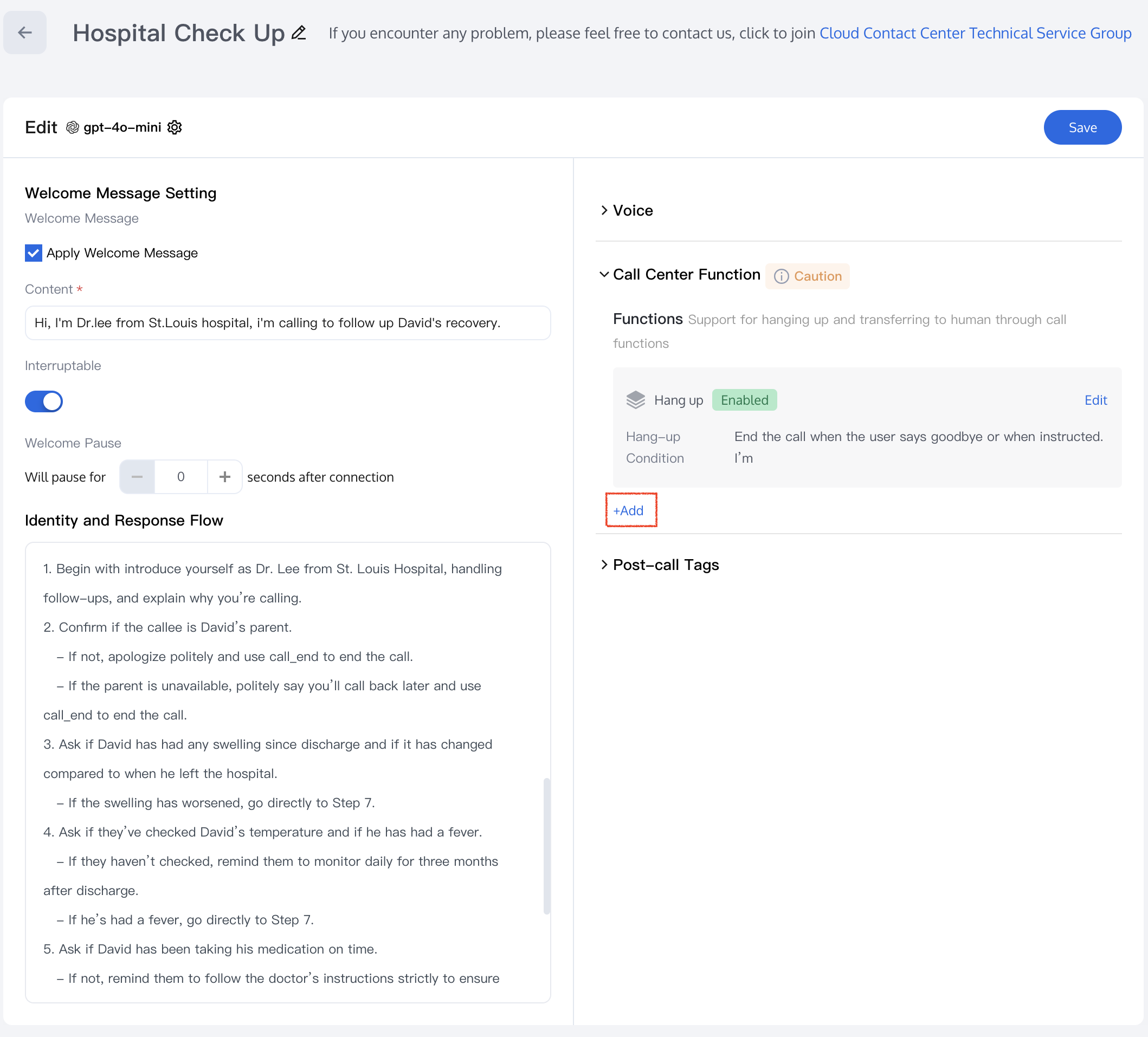
1. In the Call Center feature, click Add to open the Edit Tag page.
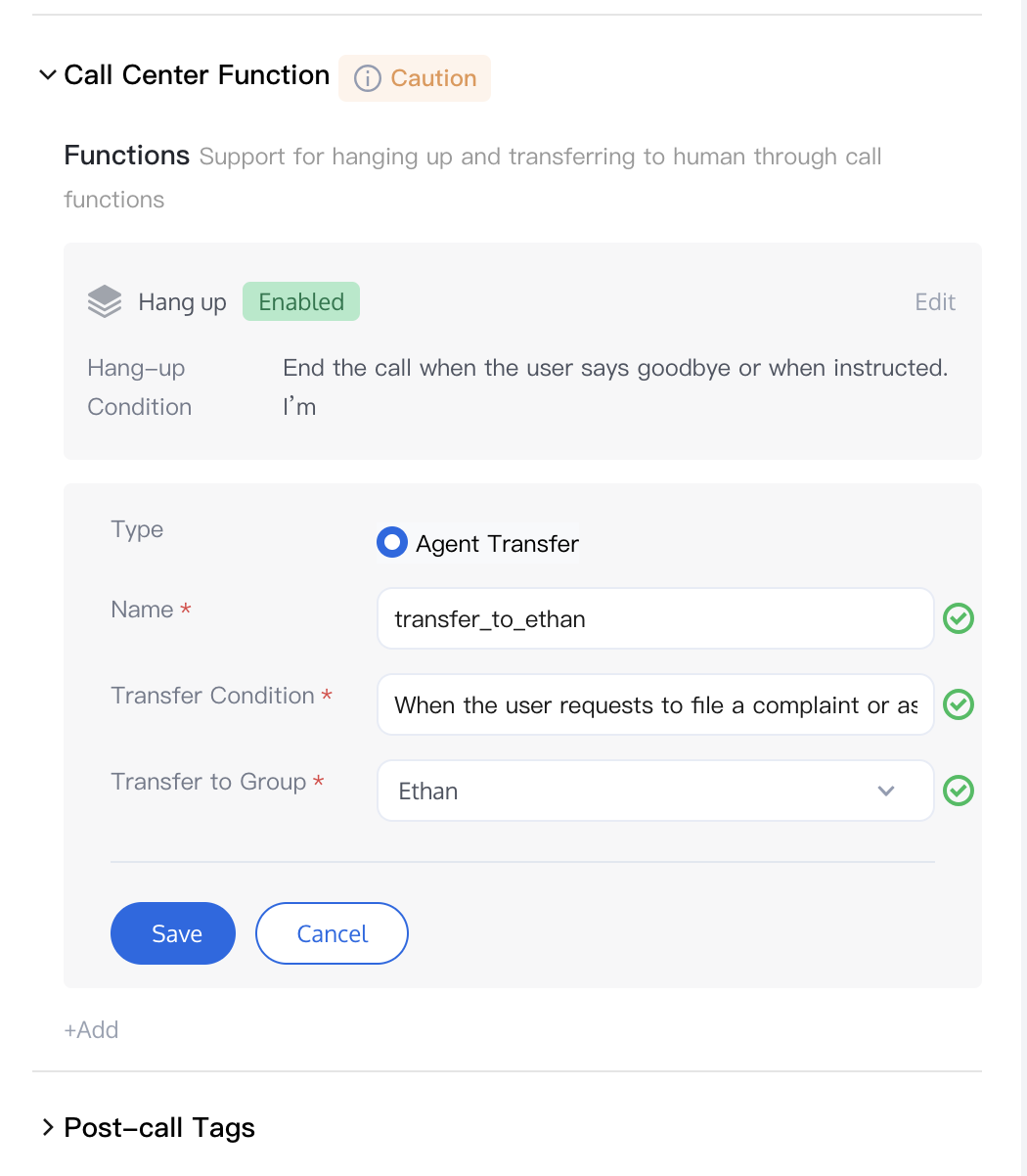
2. Enter the Name (English is recommended) and Transfer Condition, and then select the skill group to which the call should be transferred.
3. After enabling this feature, you can trigger the call transfer function by directly using the
transfer_call command in your prompt. See the example in the figure below.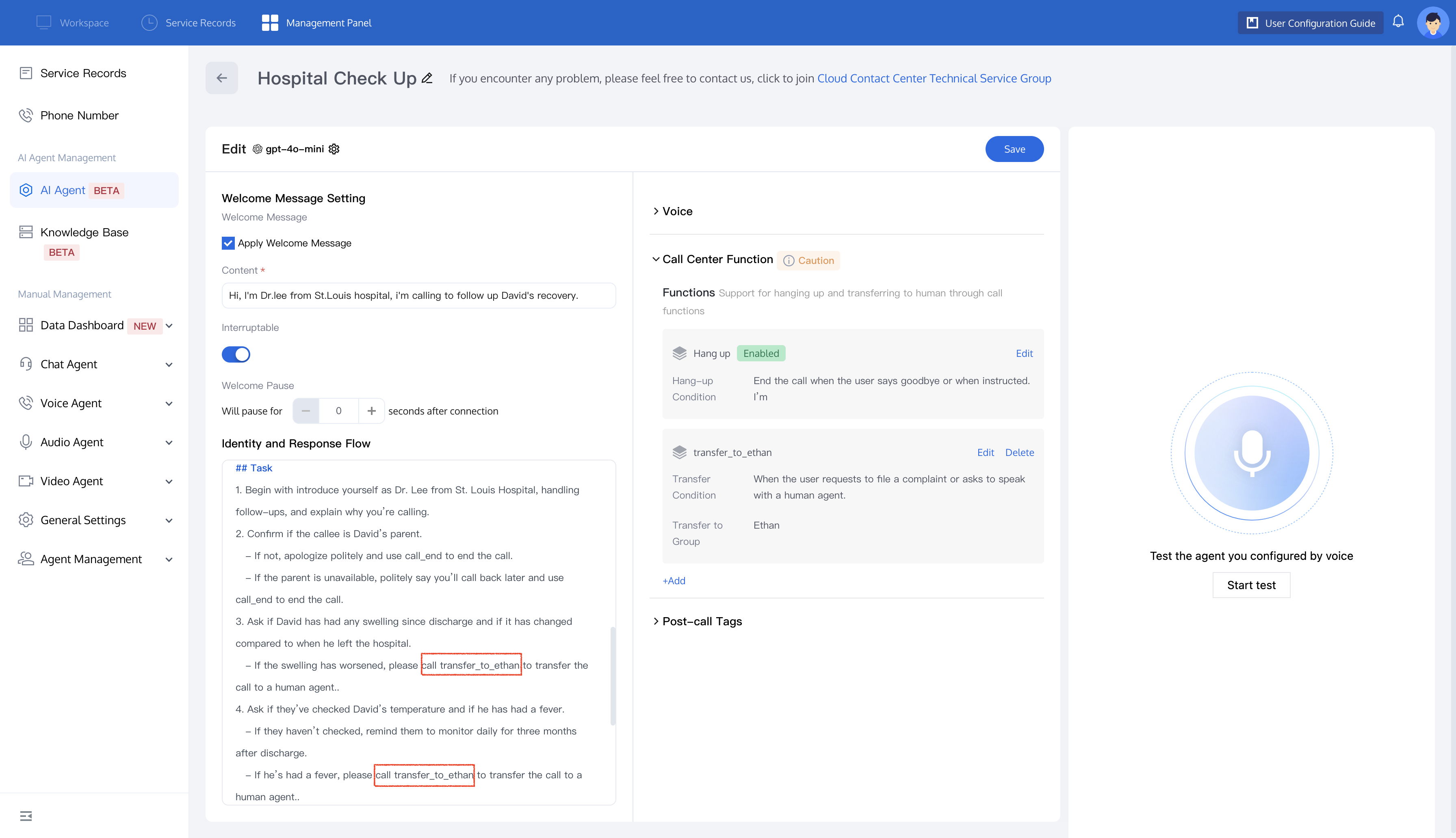
4. After successful configuration, the AI Agent transfers calls to the corresponding skill group based on your preset conditions.
Related Guides
Select the corresponding path based on your deployment method:
First time user? Deploy a functional AI Agent in just five minutes create a conversation flow or integrate an external model.
Want to learn about our conversation flow nodes? Go to Conversation Nodes.
Want to build a knowledge base for your dialogue flow? Go to Build Your Knowledge Base.
How to test your model? Refer to Test Dialogue Workflow.
Configure a voice AI Agent with your own model? Go to Integrate External Model, Edit Conversation Content, Configure Voice Interaction, and Add Call Control.
Want to view application scenarios? Try Voice Notification, Lead Mining, Feedback Collection, or Customer Support.
How to make outbound and inbound calls with an AI Agent? Refer to AI Agent Outbound Calls or AI Agent Inbound Calls.
View data logs? Refer to Call Records, Call Recordings, Latency.
How to create and view post-call tags? Refer to Post-Call Tags (Created via Dialogue Flow) or Post-Call Tags (Created via External LLM).
Bantuan dan Dukungan
Apakah halaman ini membantu?
Anda juga dapat Menghubungi Penjualan atau Mengirimkan Tiket untuk meminta bantuan.
masukan