Encrypting Data
Unduh
Mode fokus
Ukuran font
Encrypting Data with KMS
KMS encryption refers to server-side encryption that uses keys managed by KMS. KMS is a security management service launched by Tencent Cloud. It uses third-party certified Hardware Security Modules (HSMs) to generate and protect keys. This service helps users easily create and manage keys, meeting their multi-application and multi-business key management needs as well as regulatory and compliance requirements.
To encrypt a CLS log topic or metric topic using KMS, you need to activate the KMS service and authorize the CLS service role to access KMS resources.
Data encryption supports applying encryption to stored data and automatically decrypting it upon access. The encryption and decryption processes are performed on the server side, effectively protecting data at rest. In terms of user experience, accessing an encrypted topic is no different from accessing an unencrypted one. For more information, see Cloud Product Integration with KMS Transparent Encryption.
Notes:
To use the topic encryption feature, submit a ticket to apply.
Using KMS encryption will incur an additional cost, which will be charged by KMS. For more information, see KMS Billing Overview.
Once the encryption feature is enabled, it cannot be disabled, and the key cannot be changed.
Operation Steps
1. Log in to the CLS console, and select Log Topic or Metric Topic in the left sidebar.
2. On the Topic Management page, select a region for the topic, and click Create Log Topic or Create Metric Topic.
3. In the pop-up window, open Advanced Settings and select Enable data encryption.
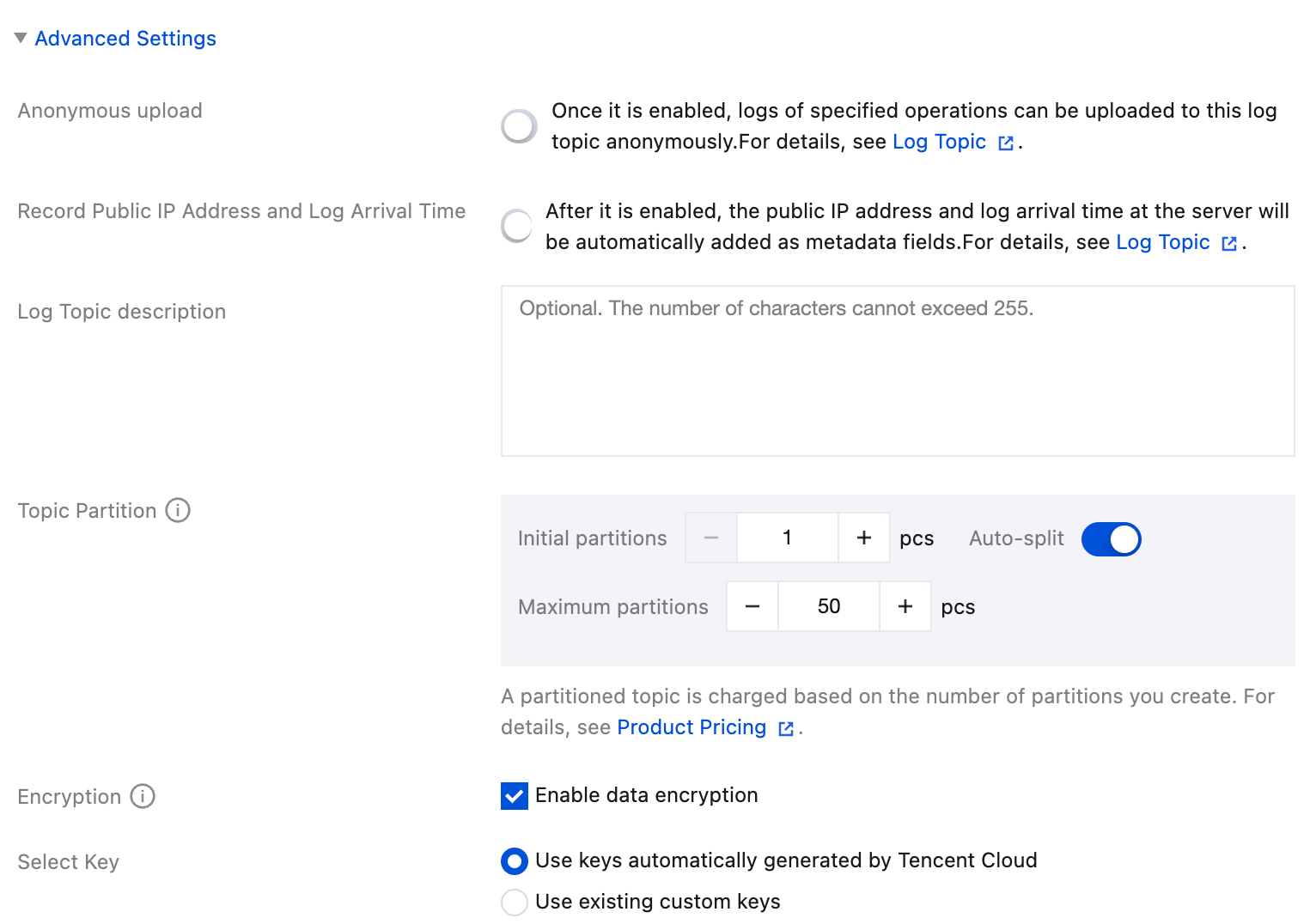
Use keys automatically generated by Tencent Cloud: When the key is used for the first time, CLS automatically creates a cloud product root key in KMS. This key can be queried in the KMS console, but it does not support disablement or scheduled deletion operations.
Use existing custom keys: Use a key that you have created in KMS. This key supports only symmetric encryption/decryption and must be enabled.
Bantuan dan Dukungan
Apakah halaman ini membantu?
Anda juga dapat Menghubungi Penjualan atau Mengirimkan Tiket untuk meminta bantuan.
masukan