Overview
When an Ops account attempts to perform an unauthorized operation, the system triggers an operation interception and automatically generates a permission ticket. Administrators can review the ticket based on the specific operation details to approve or reject the operation permission application.
Directions
Permission Ticket List
2. In the left sidebar, choose Ticket Mgmt > Permission Ticket.
3. On the Permission Ticket page, detailed records include the ticket ID/application description, ticket status, applicant, application time, approver, approval time, and ticket remarks.
Viewing Permission Ticket Details
1. On the Permission Ticket page, select the ticket you want to view and click the Ticket ID in the operation column.
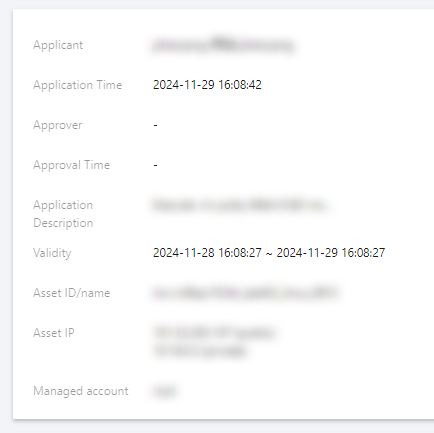
2. On the Ticket Details page, detailed records include the applicant, application time, application description, asset ID/name, and asset account.
Approving Permission Ticket
1. On the Permission Ticket page, select the ticket that requires approval and click Approve in the operation column.
2. In the Approve dialog, enter the ticket remarks and click OK to approve the permission application.
Rejecting Permission Ticket
1. On the Permission Ticket page, select the ticket that requires rejection and click Rejected in the operation column.
2. In the ticket rejected dialog box, enter the ticket remarks and click OK to reject the permission application.