tencent cloud

VPN Connections

Release Notes and Announcements
Release Notes
Announcements
Product Introduction
Overview
Components
Application Scenarios
Use Limits
Related products
Purchase Guide
Billing Overview
Purchase Methods
Expiration Notifications
Getting Started
IPSec VPN
SSL VPN
Operation Guide
VPN Gateway
VPN Tunnel
Customer Gateway
SSL VPN Server
SSL VPN Client
Binding an Anti-DDoS Instance
Alarming and Monitoring
SSL VPN Configuration Guide
IPSec VPN Configuration Guide
Operations Overview
Practical Tutorial
IPsec VPN
SSL VPN
API Documentation
FAQs
Concepts
Scenarios
Generic class
Billing
About IPsec gateways
About SSL
Troubleshooting
VPN Tunnel Unconnected
VPN Tunnel Connected Yet Private Network Unconnected
IPSec VPN Error Description for Negotiation Failure
Service Agreement
Service Level Agreement
Contact Us
Glossary

Setting Alarms

PDF
Focus Mode
Font Size
Last updated: 2024-01-09 14:29:29
You can customize traffic alarms for VPN connections. When a metric value exceeds its threshold, alarm notifications are sent to you automatically via email and SMS. Alarm services are free of charge, helping you quickly locate problems.

Operation Directions

1. Log in to Cloud Monitor Console.
2. On the left sidebar, choose Alarm Configuration > Alarm Policy to go to the alarm policy configuration page, and then click Add.
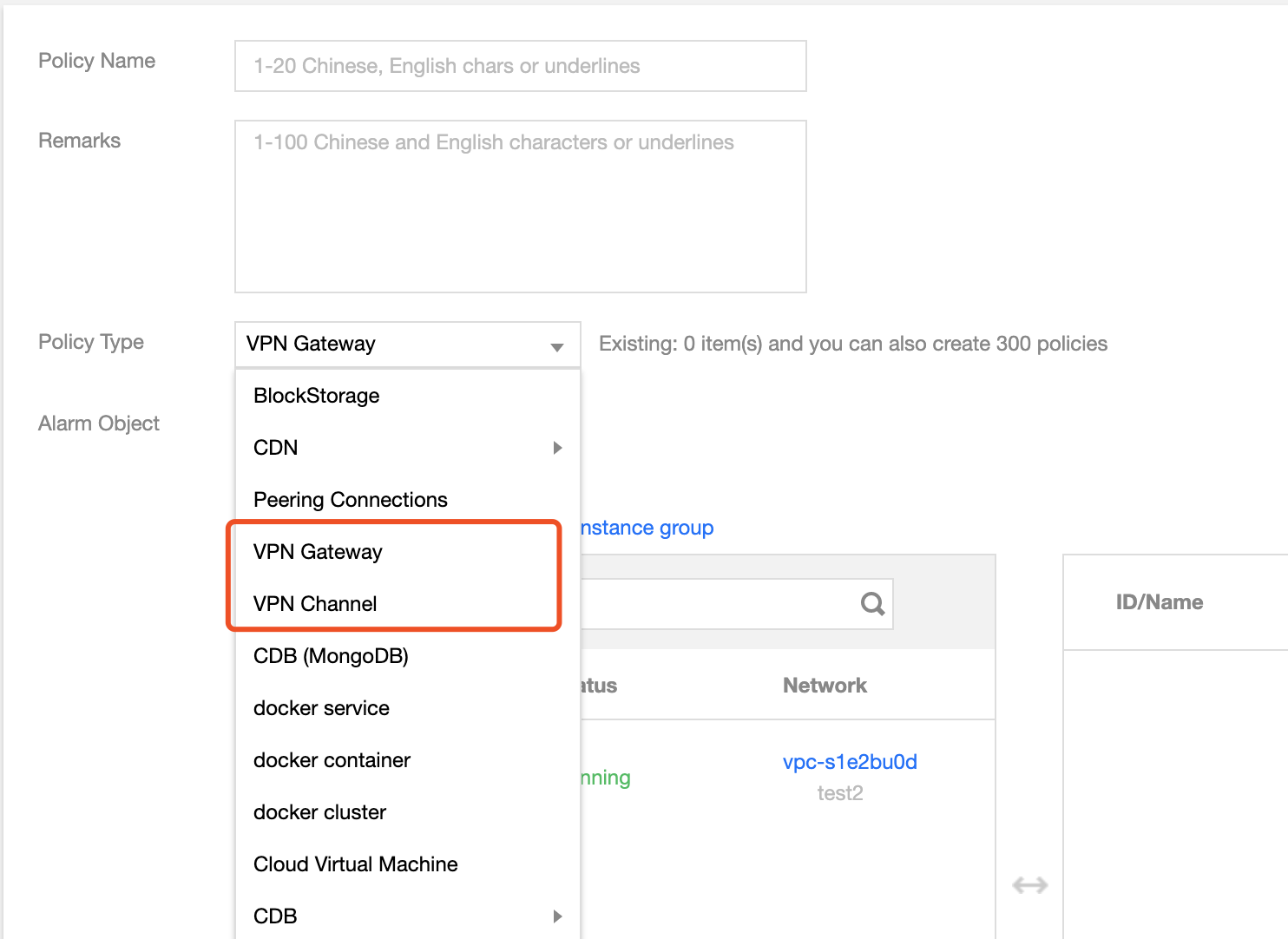
3. Enter the alarm policy name, choose VPC > VPN Tunnel for Policy Type, select an alarm object, set an alarm policy, select a recipient group and an alarm channel, and click Complete. You can view the alarm policy in the alarm policy list.


4. View alarm information When the alarm condition is triggered, you will receive an alarm notification via SMS, email, or WeChat. You can also click Alarm History on the left sidebar to find the alarm. For more information about alarms, see Alarm Configuration.
Help and Support

Was this page helpful?

Help us improve! Rate your documentation experience in 5 mins.

Feedback