This document mainly introduces the high-performance cluster migration feature. The high-performance cluster migration mainly implements the automatic deployment of various migration plug-ins. After the high-performance migration cluster is created, it can be associated and referenced in the corresponding migration task configuration. For example: For the COS semi-managed migration plug-in, you can select this high-performance migration cluster in the COS semi-managed migration configuration.
Prerequisites
Obtained Tencent Cloud AccessKeyand SecretKey. Please see Access Key for retrieval.
Obtained VPC and subnet information. Please see View VPC and View Subnet for retrieval.
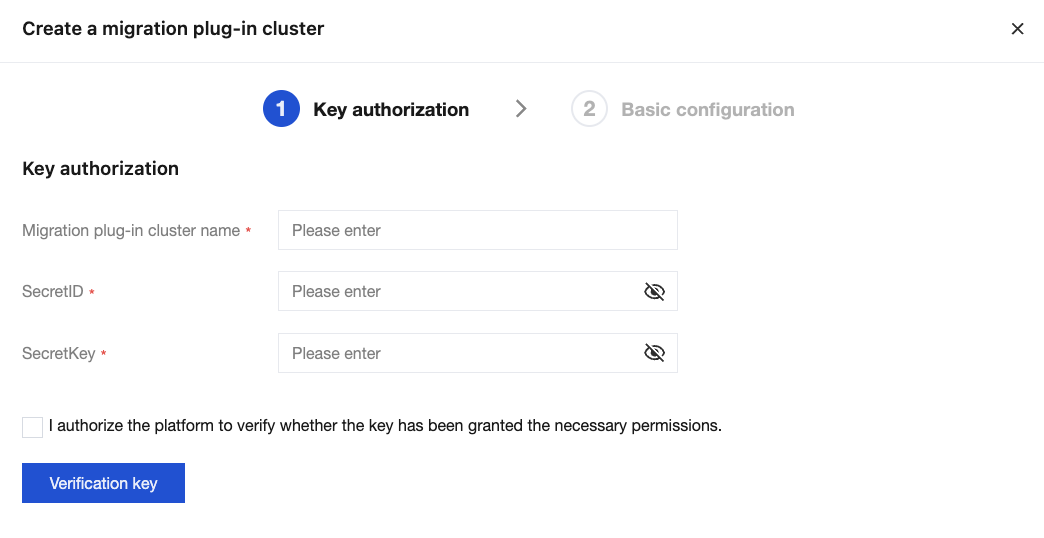
2. Click Create Cluster, input Migration plug-in cluster name, SecretID and SecretKey. Check the license authorization, and then click Verification Key.
After the key passes verification, you can go to next step. If the key verification fails, it will prompt the lack of corresponding permissions. You need to authorize the corresponding user before verification.
Notes:
Obtain an access key in Tencent Cloud: Create and obtain SecretId and SecretKey on the API key management page in the cloud access management console. For detailed operations, see access key.
If you use a sub-account key, you need to log in to the CAM Console with the root account and grant corresponding permissions to the sub-account.
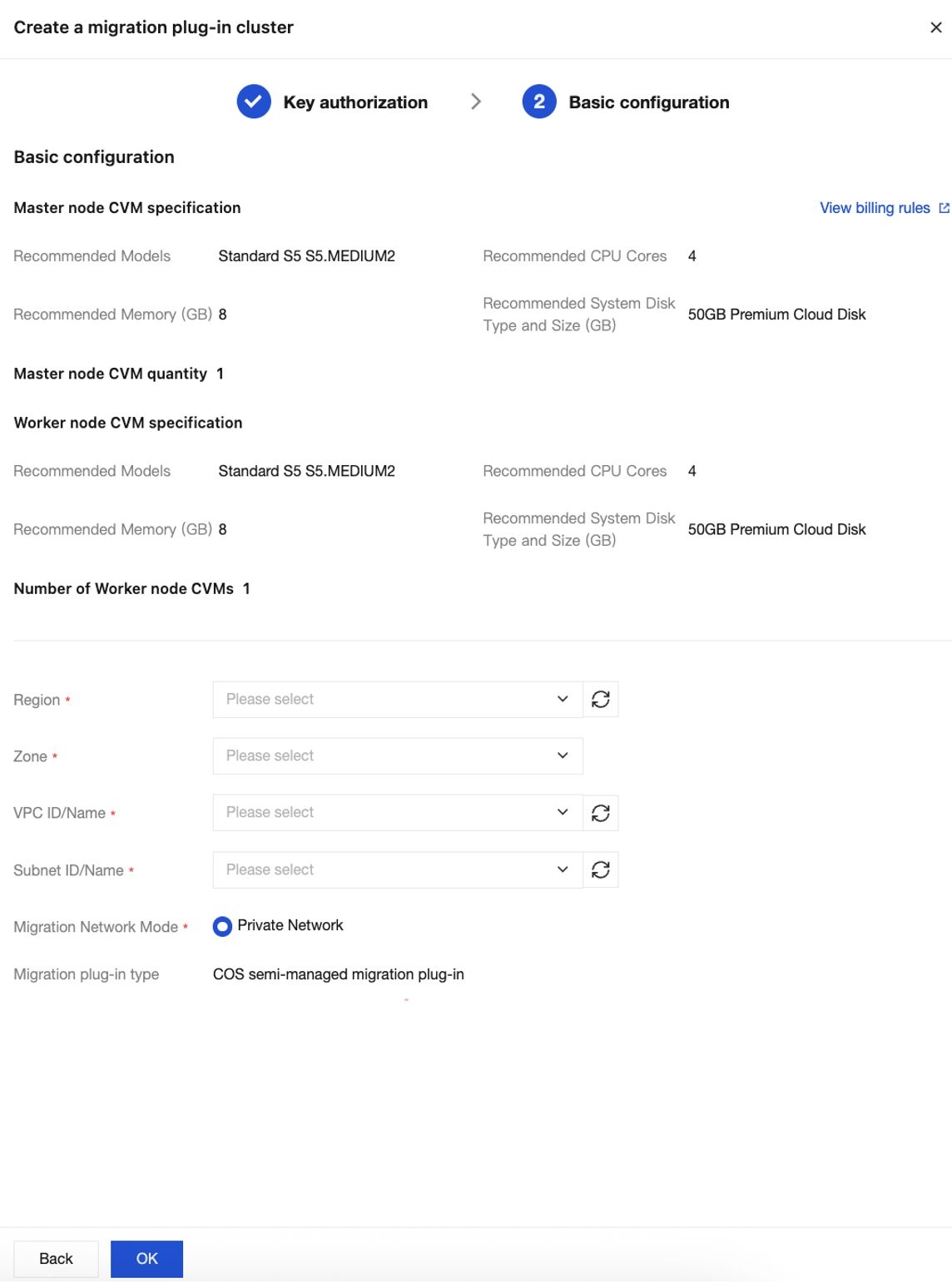
3. Click Next to perform the migration plug-in cluster network configuration.
The CVM of the migration cluster is set to the system default recommended configuration. Configuration changes are not allowed at this stage. Subsequently, after the cluster is successfully created, configuration adjustments can be made in the CVM console. The CVM billing for the migration plug-in cluster can be viewed through CVM pricing.
After selecting the Region and Zone for the migration plug-in cluster deployment, select the corresponding VPC ID/Name and Subnet ID/Name (for the migration network), and click OK to start the automatic deployment and configuration of the migration plug-in cluster (the configuration process is estimated to take about 1 minute).
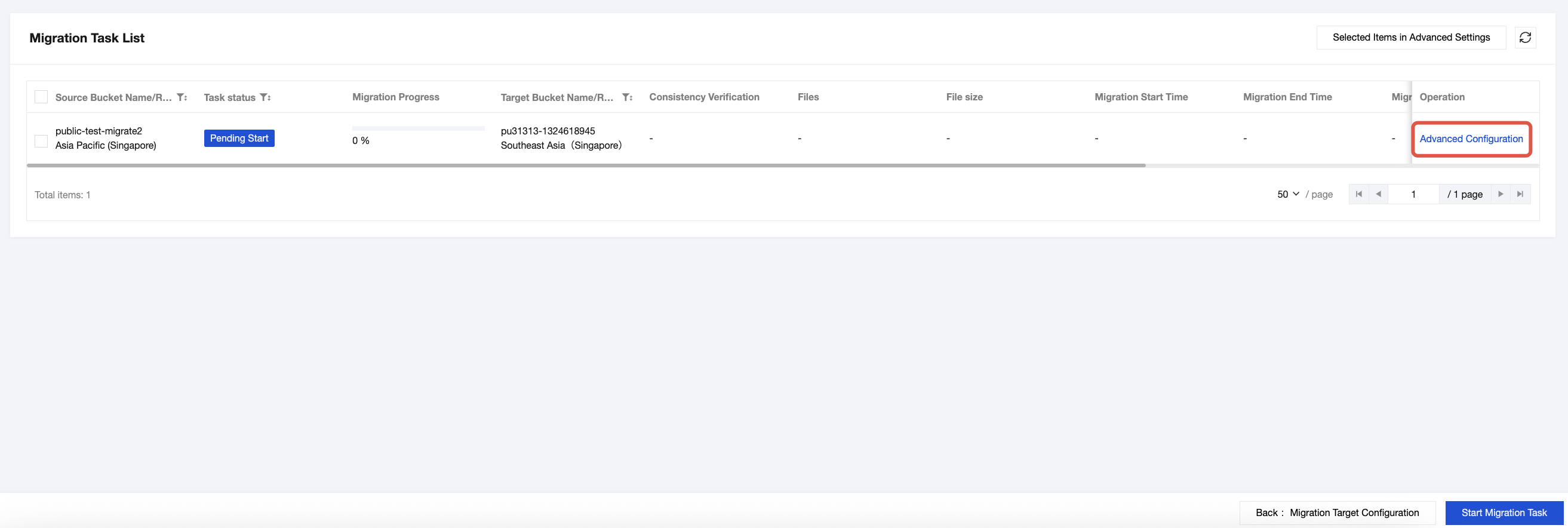
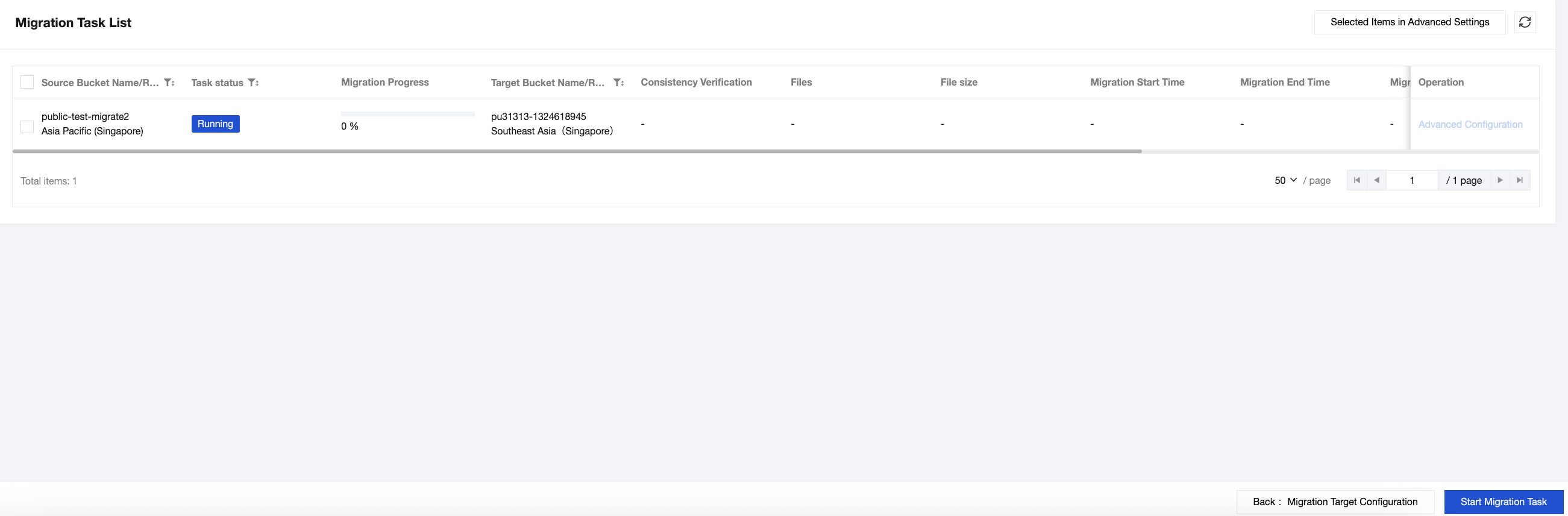
4. The application of the migration plug-in cluster. For Cloud Object Storage batch migration, you can check the operation guide Batch migration of Cloud Object Storage. Select the task to be started in the task list and click Advanced configuration.
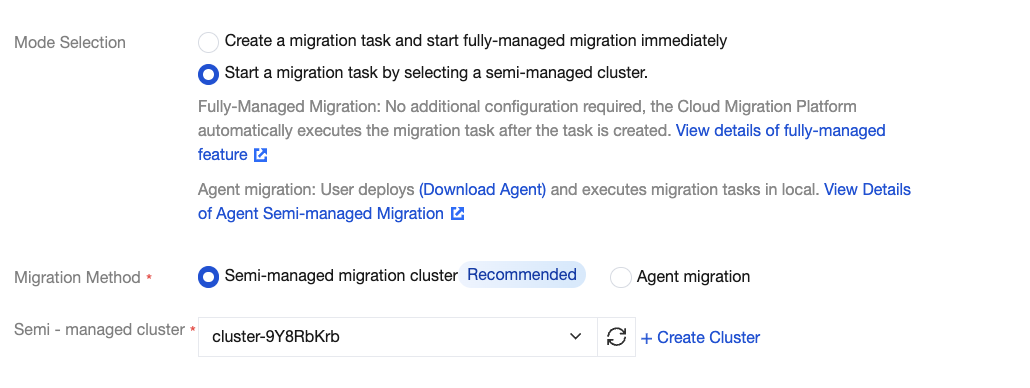
5. Select the migration mode as Initiate migration task by selecting a semi-managed cluster, select Semi-managed migration cluster as the Migration method, select an online migration plug-in cluster from the dropdown list of Semi-managed clusters, and click Confirm.
6. Check the COS buckets to be migrated, and then click Start Migration Task in the bottom-right corner to initiate the "semi-managed COS migration task performed by the migration plug-in cluster".