基于 API 和代码新建
下载
聚焦模式
字号
插件可以为智能体应用添加额外的能力,支持开发者自定义插件功能。您可以参考以下步骤,通过 API 和代码方式创建插件:
1. 填写插件基本信息
单击左侧菜单的插件广场 > 自定义插件 > 新建插件,选择基于 API 或基于代码创建插件。
基于 API:手动填写 API 的基础信息、输入和输出参数。
基于代码:使用 Python 自定义函数代码以实现 API 功能。
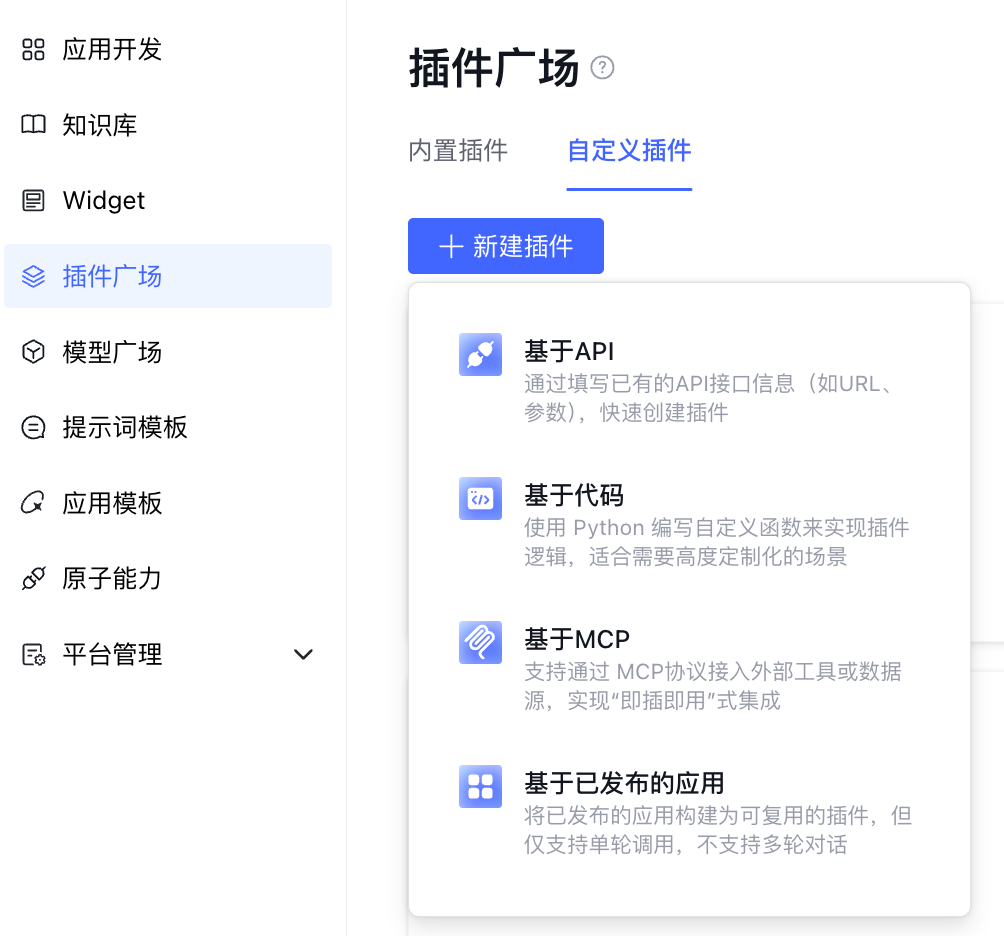
以基于 API 创建为例:
1.1 填写插件基本信息
填写插件基本信息,包括名称、描述、上传插件图标等。
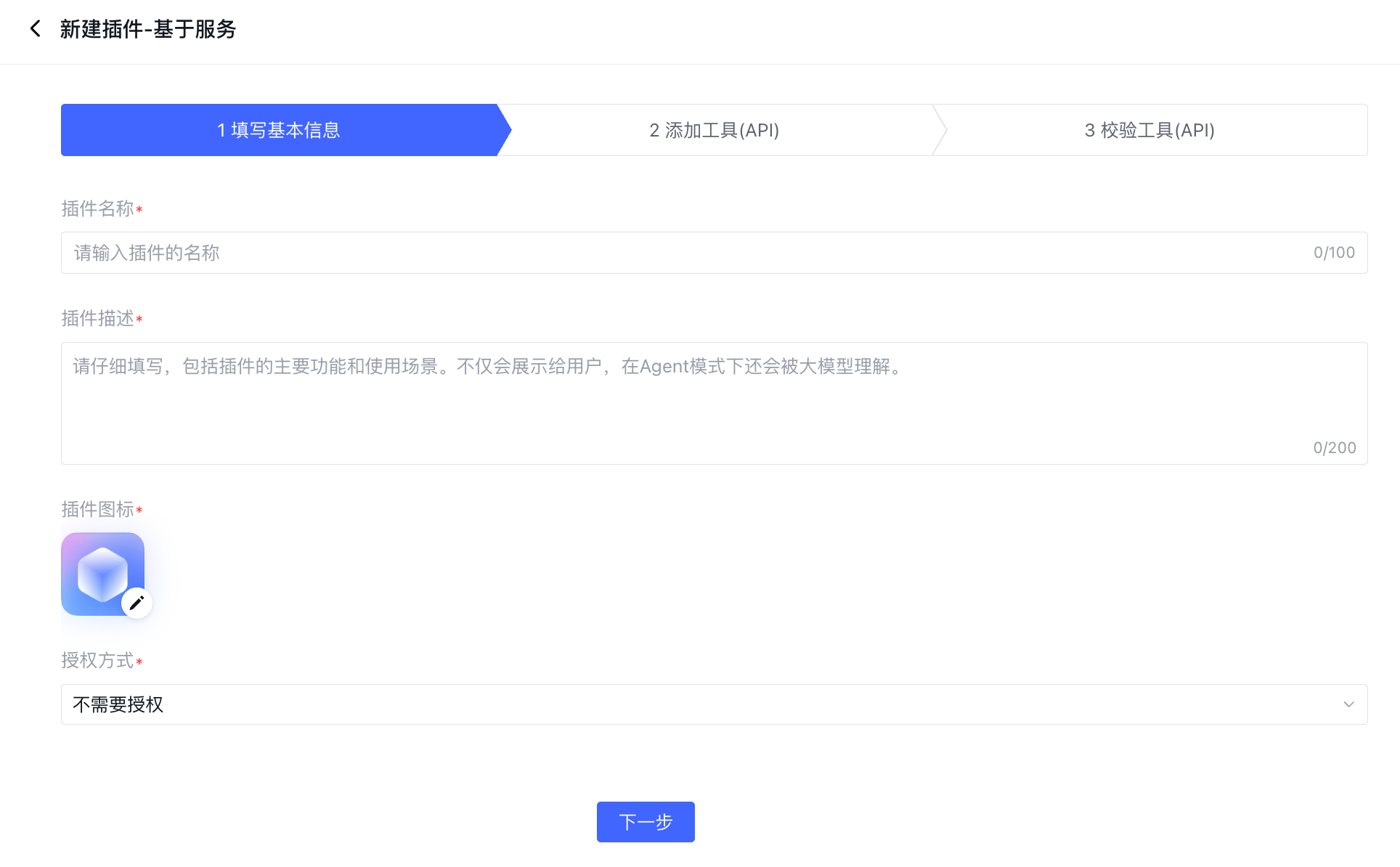
1.2 指定插件授权方式
根据工具 API 的实际鉴权要求,选择 授权方式。

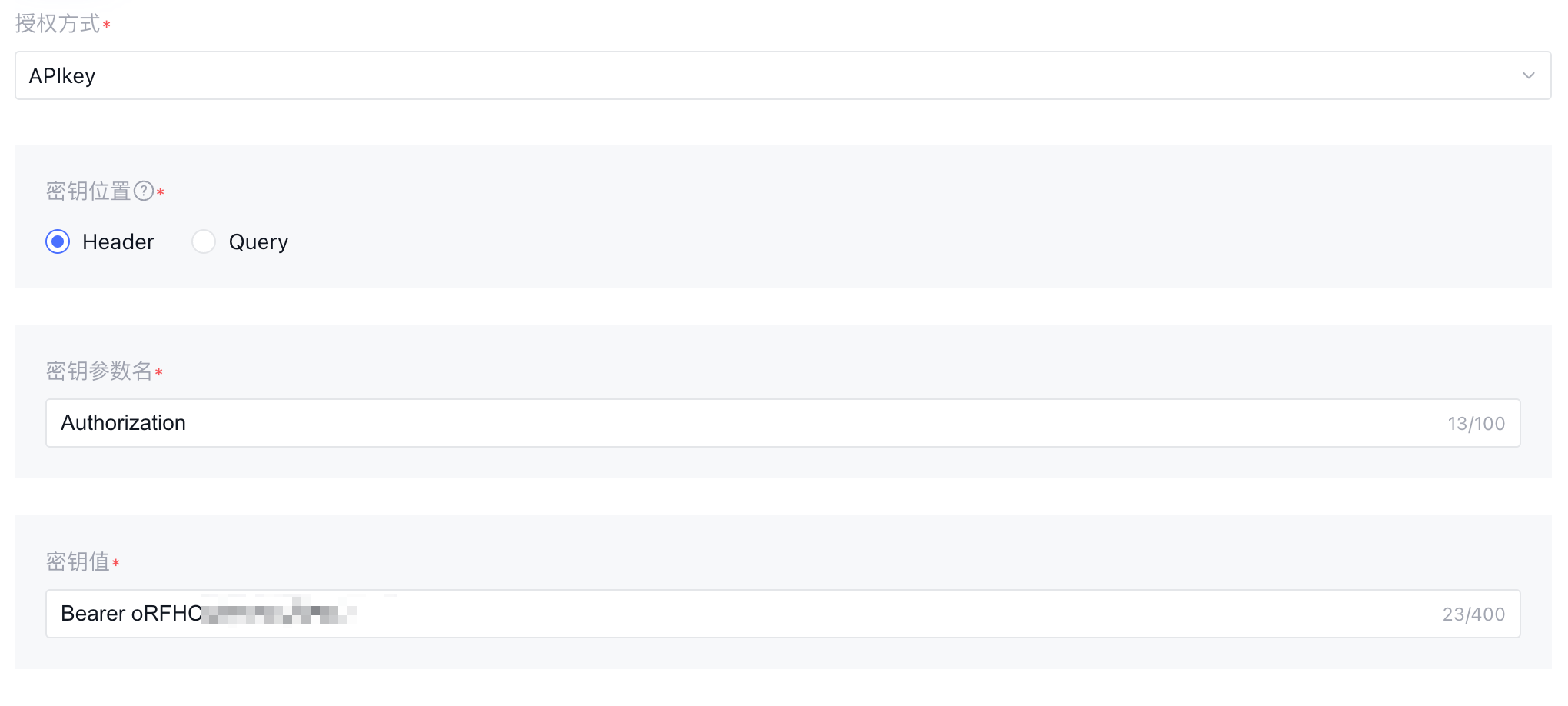
APIKey 授权
APIKey 是通过密钥或令牌对请求方身份进行校验的认证方式。
在授权方式处选择 APIkey 后,在 Header(请求头)或 Query(查询参数)中配置密钥对应参数名称和密钥值:
2. 配置工具
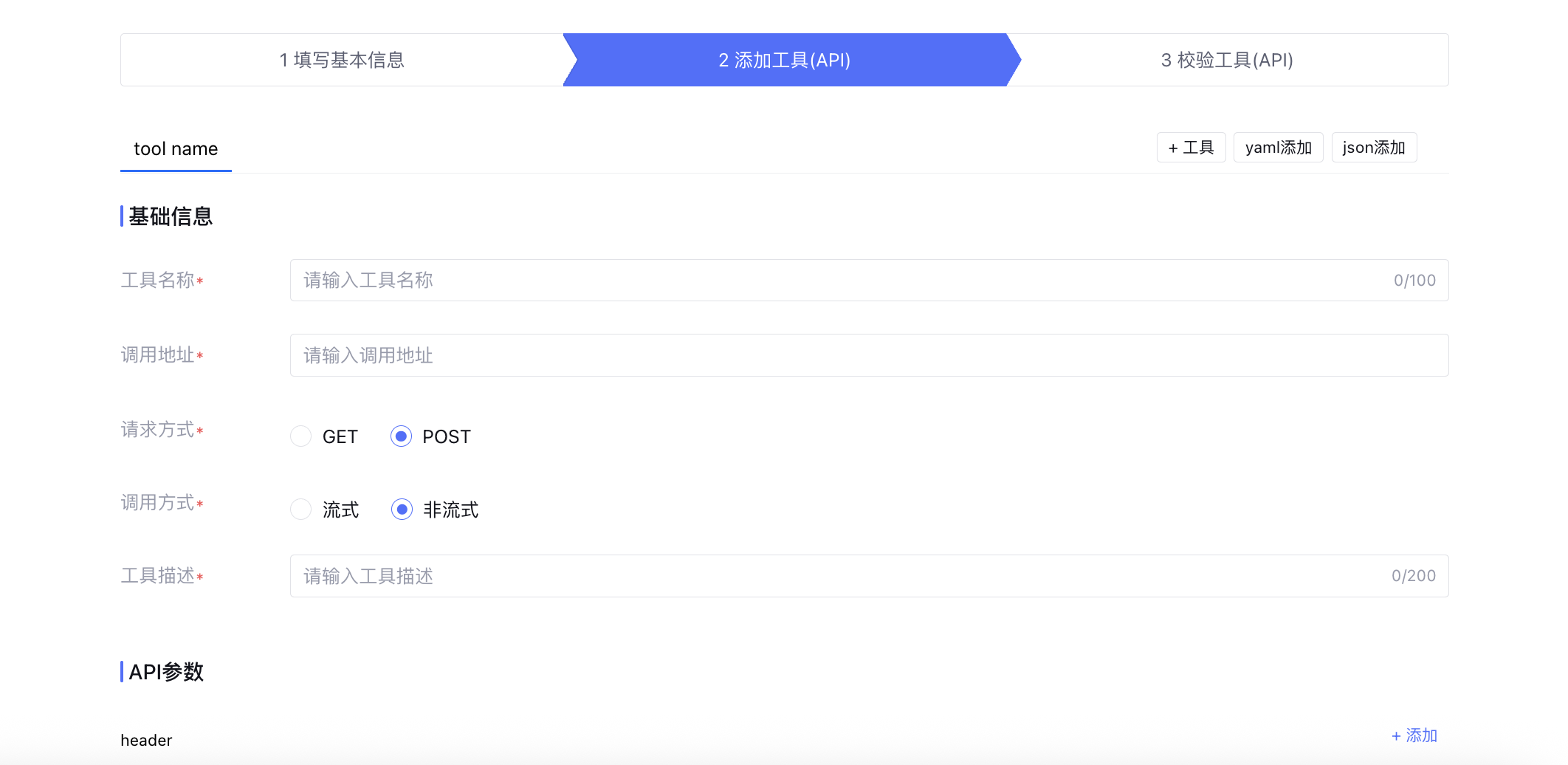
您可以通过手动添加工具或添加 yaml/json 格式代码文件导入 API 工具。以手动添加工具为例,在“添加工具(API)”步骤中填写工具名称、调用地址等信息,配置接口对应的入参和出参后完成配置。
您可以通过不同类型的代码格式导入插件。以下是不同规范的 API 接入说明和示例:
OpenAPI
OpenAPI 是一种开放的规范,用于描述和定义 RESTful API 的接口。它允许开发者以标准化的方式描述 API 的请求、响应、参数、认证等信息。
填写说明
文件格式:支持 YAML 格式和 JSON 格式。
关键字段说明:
字段 | 说明 | 是否必需 |
OpenAPI | 规范版本号,如3.0.0 | 是 |
servers | 定义 API 的基础 URL 列表 | 否,但建议填写以生成有效 URL |
info | API 元数据,包括标题、版本、描述等 | 是 |
paths | 定义所有端点(如 /users)及其 HTTP 方法(GET/POST) | 是 |
components | 存储可复用的模型、参数、响应等,如 schemas 定义数据结构 | 否 |
示例:
openapi: "3.0.0"info:title: "测试API"version: "1.0.0"description: "请在此填入插件描述"servers:- url: "https://example.com/api"description: "请在此填入插件描述"paths:"/weatherInfo":get:summary: "API名称"description: "请在此填入插件下面的API描述"operationId: "getWeatherInfo"parameters:- name: "city"in: "query"description: "参数说明"required: trueschema:type: "string"responses:"200":description: "成功的响应"content:application/json:schema:type: "object"properties:status:type: "integer"description: "返回状态"enum: [0, 1]"400":description: "错误的请求""401":description: "未授权""500":description: "服务器内部错"
{"openapi": "3.0.0","info": {"title": "测试API","version": "1.0.0","description": "请在此填入插件描述"},"servers": [{"url": "https://example.com/api","description": "请在此填入插件描述"}],"paths": {"/weatherInfo": {"get": {"summary": "API名称","description": "请在此填入插件下面的API描述","operationId": "getWeatherInfo","parameters": [{"name": "city","in": "query","description": "参数说明","required": true,"schema": {"type": "string"}}],"responses": {"200": {"description": "成功的响应","content": {"application/json": {"schema": {"type": "object","properties": {"status": {"type": "integer","description": "返回状态","enum": [0,1]}}}}}},"400": {"description": "错误的请求"},"401": {"description": "未授权"},"500": {"description": "服务器内部错误"}}}}}}
Swagger
Swagger 是 OpenAPI 规范的前身和实现工具(Swagger 2.0 是旧版规范),用于描述、文档化和测试 RESTful API,使用与 OpenAPI 相同的文件格式。
填写说明
文件格式:支持 YAML 格式和 JSON 格式。
关键字段说明:
字段 | 说明 | 是否必需 |
swagger | 规范版本号,如2.0 | 是 |
host | 域名 | 否,但建议填写以生成有效 URL |
basePath | 基础路径 | 否,但建议填写以生成有效 URL |
schemes | 支持的协议,如 HTTP 或 HTTPS | 否,但建议填写以生成有效 URL |
info | API 元数据,包括标题、版本、描述等 | 是 |
paths | 定义所有端点(如 /users)及其 HTTP 方法(GET/POST) | 是 |
definition | 数据模型,相当于 OpenAPI 的 components/schemas | 否 |
示例:
swagger: "2.0"info:title: User APIversion: 1.0.0description: 示例 Swagger 2.0 文档host: "example.com"basePath: "/api"schemes:- "https"paths:/users:# GET 请求get:summary: 获取所有用户responses:'200':description: 成功返回用户列表schema:type: objectproperties:users:type: arrayitems:$ref: '#/definitions/User'# POST 请求post:summary: 创建新用户parameters:- in: bodyname: userrequired: trueschema:$ref: '#/definitions/User'responses:'201':description: 用户创建成功definitions:User:type: objectrequired:- nameproperties:id:type: integerreadOnly: trueexample: 1name:type: stringexample: "张三"email:type: stringformat: emailexample: "user@example.com"
{"swagger": "2.0","info": {"title": "User API","version": "1.0.0","description": "示例 Swagger 2.0 文档"},"host": "example.com","basePath": "/api","schemes": ["https"],"paths": {"/users": {"get": {"summary": "获取所有用户","responses": {"200": {"description": "成功返回用户列表","schema": {"type": "object","properties": {"users": {"type": "array","items": {"$ref": "#/definitions/User"}}}}}}},"post": {"summary": "创建新用户","parameters": [{"in": "body","name": "user","required": true,"schema": {"$ref": "#/definitions/User"}}],"responses": {"201": {"description": "用户创建成功"}}}}},"definitions": {"User": {"type": "object","required": ["name"],"properties": {"id": {"type": "integer","readOnly": true,"example": 1},"name": {"type": "string","example": "张三"},"email": {"type": "string","format": "email","example": "user@example.com"}}}}}
Postman
Postman 是一个 API 开发和测试工具,其 Collection 格式用于保存请求、测试脚本和环境变量,适合手动测试和团队协作。
填写说明
文件格式:支持 JSON 格式。
关键字段说明:
字段 | 说明 | 是否必需 |
info | 集合元数据,包括集合名称和集合版本 | 是 |
item | 请求列表,每个请求需指定方法和 URL | 是 |
request | 请求详情,包括 header, body, auth 等 | 是 |
auth | 认证配置,如 API Key | 否 |
event | 预请求脚本或测试脚本 | 否 |
示例:
{"info": {"name": "User API Collection","version": "1.0.0","description": "示例 Postman 集合,包含 GET 和 POST 请求"},"item": [{"name": "GetAllUsers","request": {"method": "GET","description": "GetAllUsers","header": [{"key": "Content-Type","value": "application/json"}],"url": {"raw": "https://api.example.com/users","protocol": "https","host": ["api.example.com"],"path": ["users"]}},"response": []},{"name": "CreateUser","request": {"method": "POST","description": "CreateUser","header": [{"key": "Content-Type","value": "application/json"}],"body": {"mode": "raw","raw": "{\\"name\\": \\"John Doe\\", \\"email\\": \\"john@example.com\\"}"},"url": {"raw": "https://api.example.com/users","protocol": "https","host": ["api.example.com"],"path": ["users"]}},"response": []}]}
3. 校验插件
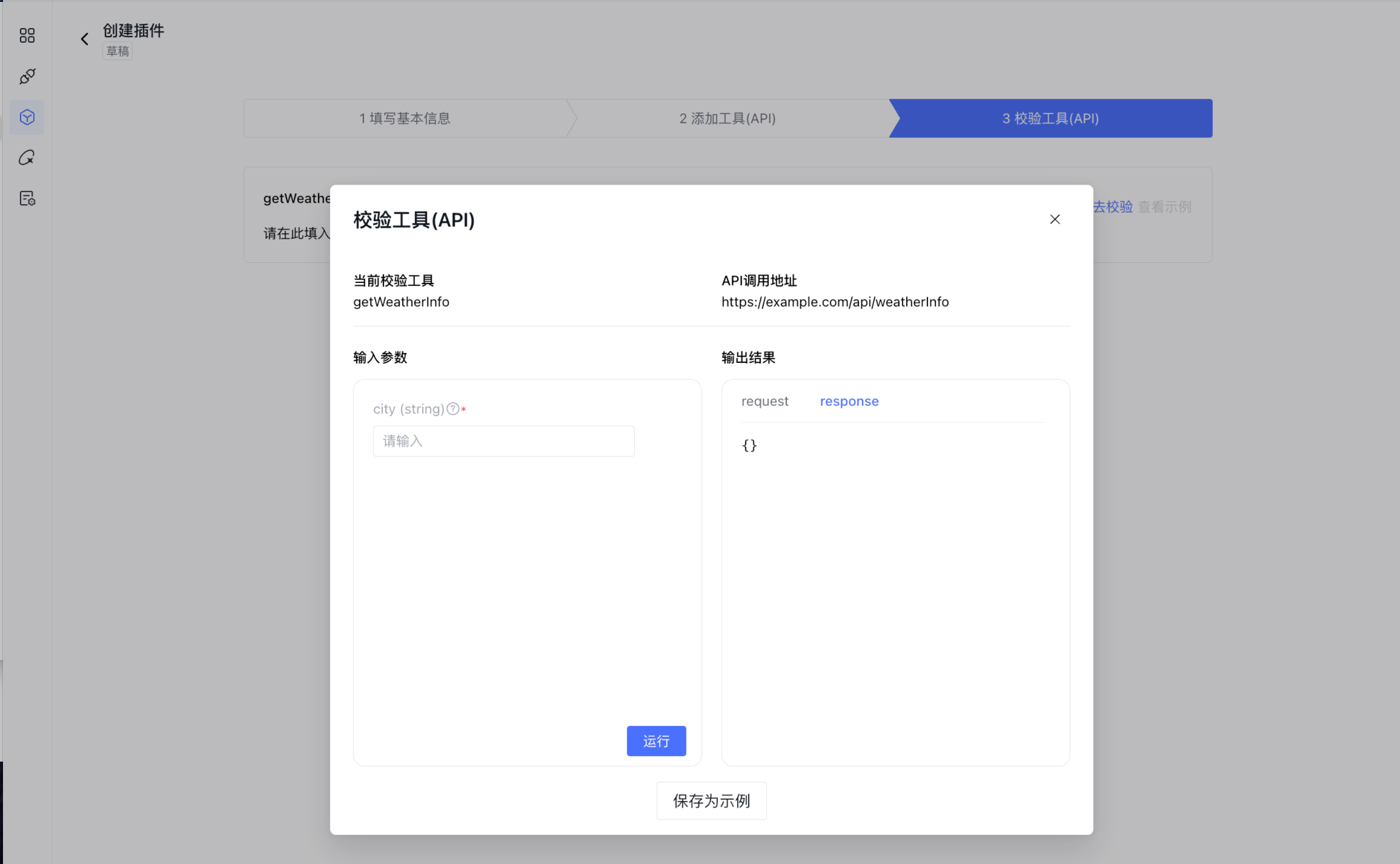
工具配置完后,进入校验环节。在校验窗口中,填写输入参数后试运行,查看调用结果,测试插件是否能够正常调用。支持将当前测试结果保存为示例。
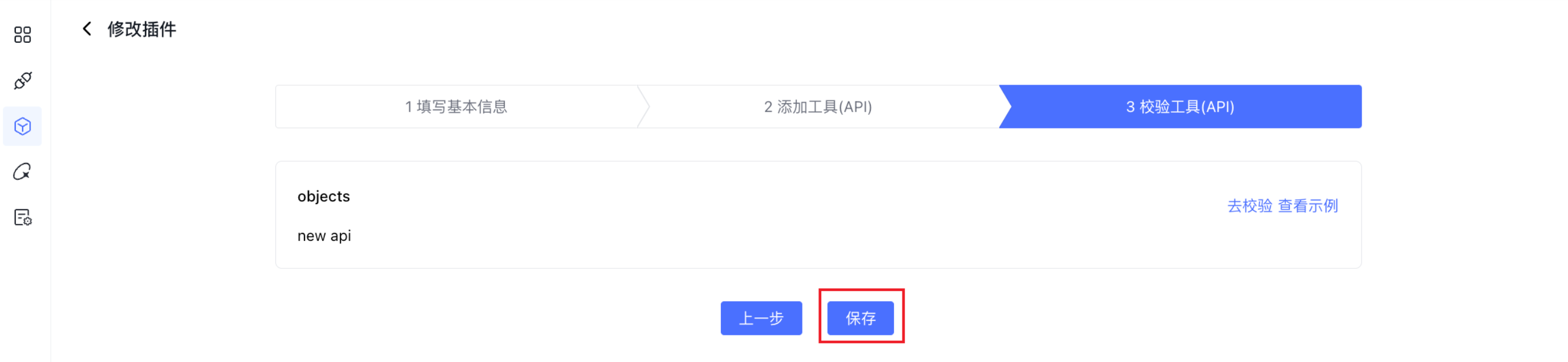
试运行通过之后,保存当前编辑的插件。
注意:
插件需通过校验后才可保存。
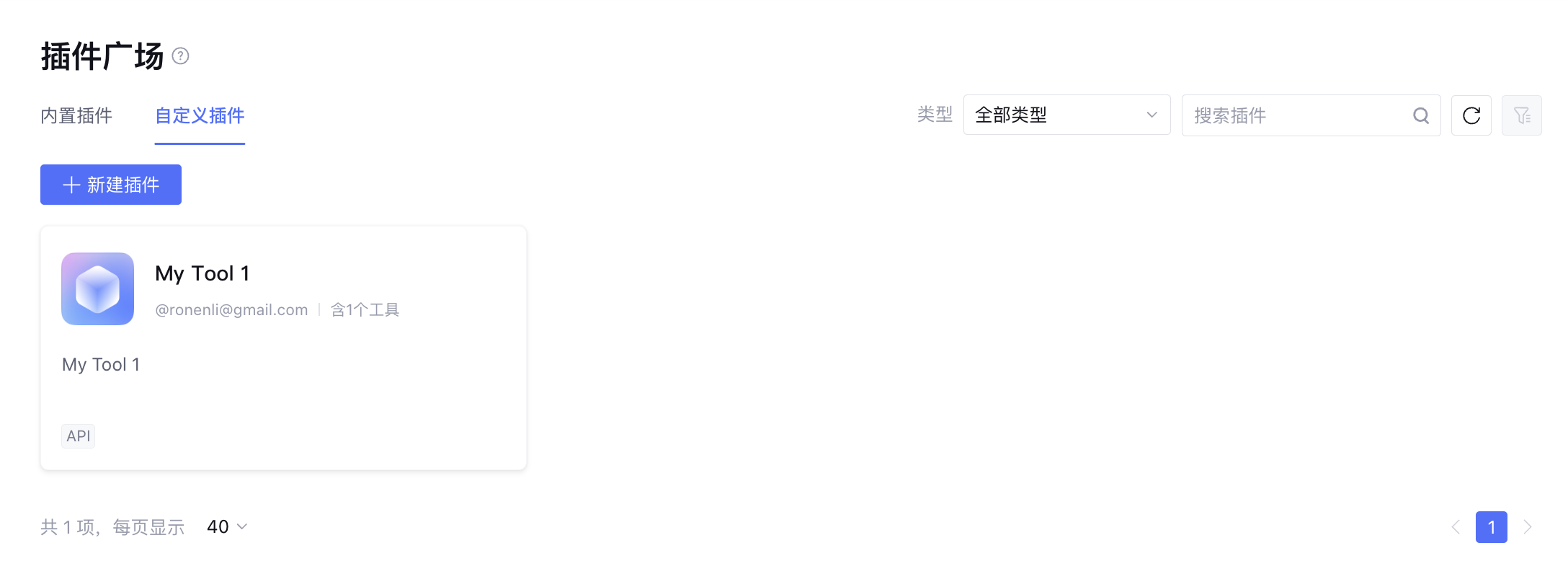
保存后的插件支持在插件广场进行查看、编辑、导出等操作。
4. 使用插件
5. 删除插件
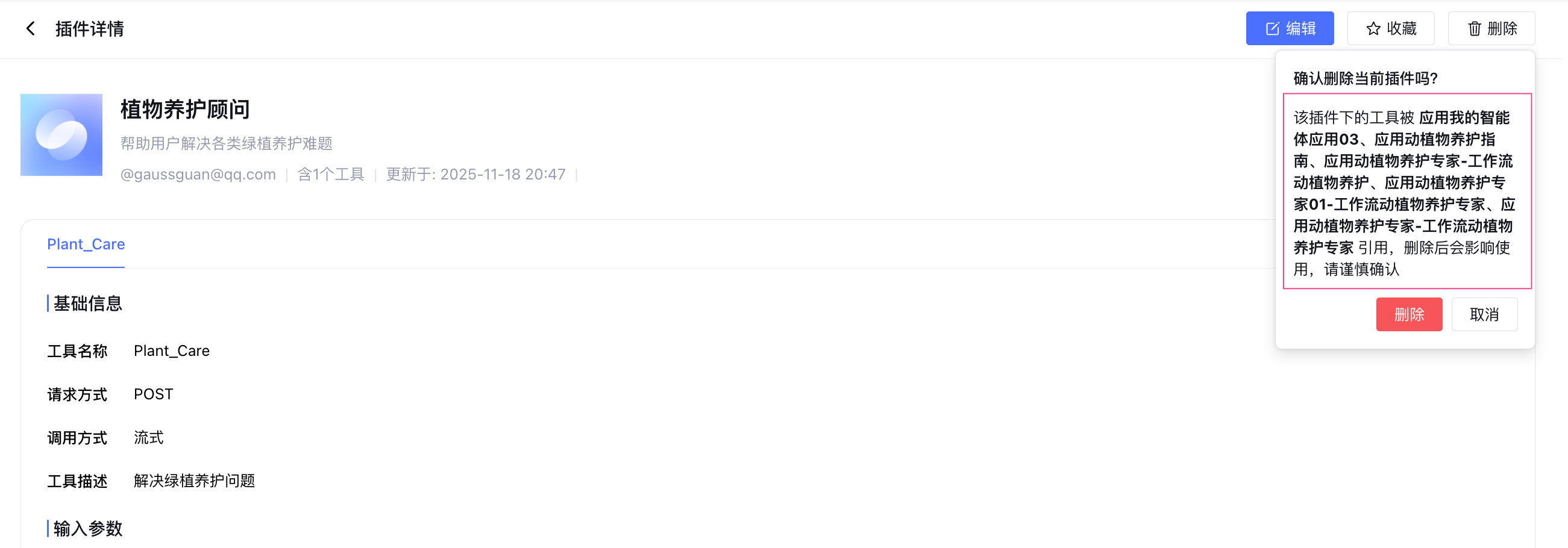
当删除自定义插件时,如果插件已经被引用,会进行删除提示说明。
文档反馈