Python SDK 使用
下载
聚焦模式
字号
操作场景
本文以调用 Python SDK 为例介绍通过开源 SDK 实现 RocketMQ 5.x 消息收发的操作过程,帮助您更好地理解消息收发的完整过程。
前提条件
已参考 SDK 概述,获取相关的客户端连接参数
安装 pip
下载 Demo
操作步骤
步骤1:准备环境
要求 Python 在 3.7 以上,RocketMQ 的 Python SDK 当前建议版本 5.0.6
pip install rocketmq-python-client==5.0.6
Running Environment
Operating System: Ubuntu 24.04.2 LTS / x86_64
Runtime Version: GNU bash, version 5.2.21(1)-release (x86_64-pc-linux-gnu)
步骤2:生产消息
创建并编译运行生产消息程序。
from rocketmq import ClientConfiguration, Credentials, Message, Producerif __name__ == '__main__':endpoints = "rmq-xxxx.rocketmq.gz.qcloud.tencenttdmq.com:8080"credentials = Credentials()# if auth enablecredentials = Credentials("ak", "sk")config = ClientConfiguration(endpoints, credentials)topic = "topic"producer = Producer(config, (topic,))try:producer.startup()try:msg = Message()# topic for the current messagemsg.topic = topicmsg.body = "hello, rocketmq.".encode('utf-8')# secondary classifier of message besides topicmsg.tag = "rocketmq-send-message"# key(s) of the message, another way to mark message besides message idmsg.keys = "send_sync"# user property for the messagemsg.add_property("send", "sync")res = producer.send(msg)print(f"{producer.__str__()} send message success. {res}")producer.shutdown()print(f"{producer.__str__()} shutdown.")except Exception as e:print(f"normal producer example raise exception: {e}")producer.shutdown()except Exception as e:print(f"{producer.__str__()} startup raise exception: {e}")producer.shutdown()
说明:
参数 | 说明 |
endpoints | 集群接入地址,控制台集群基本信息页面的接入信息模块获取。 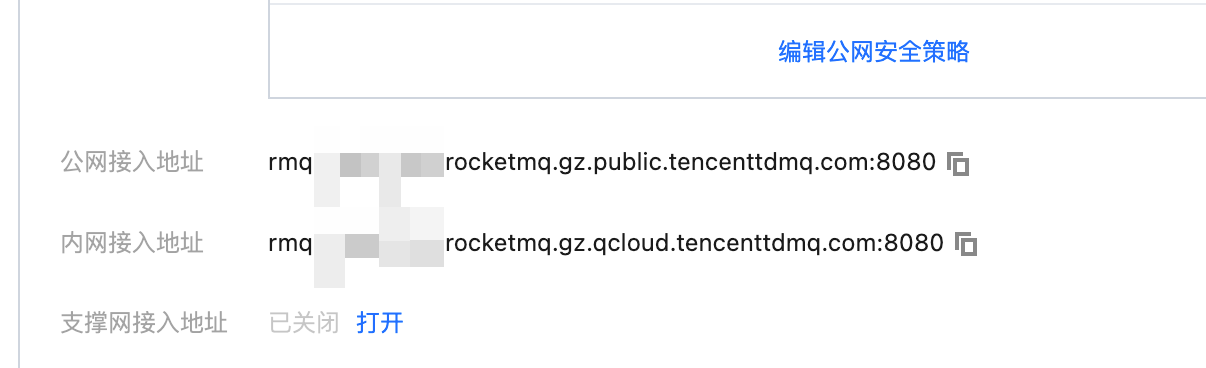 |
secretKey | 角色名称,在控制台的集群权限页面 SecretKey 列复制。 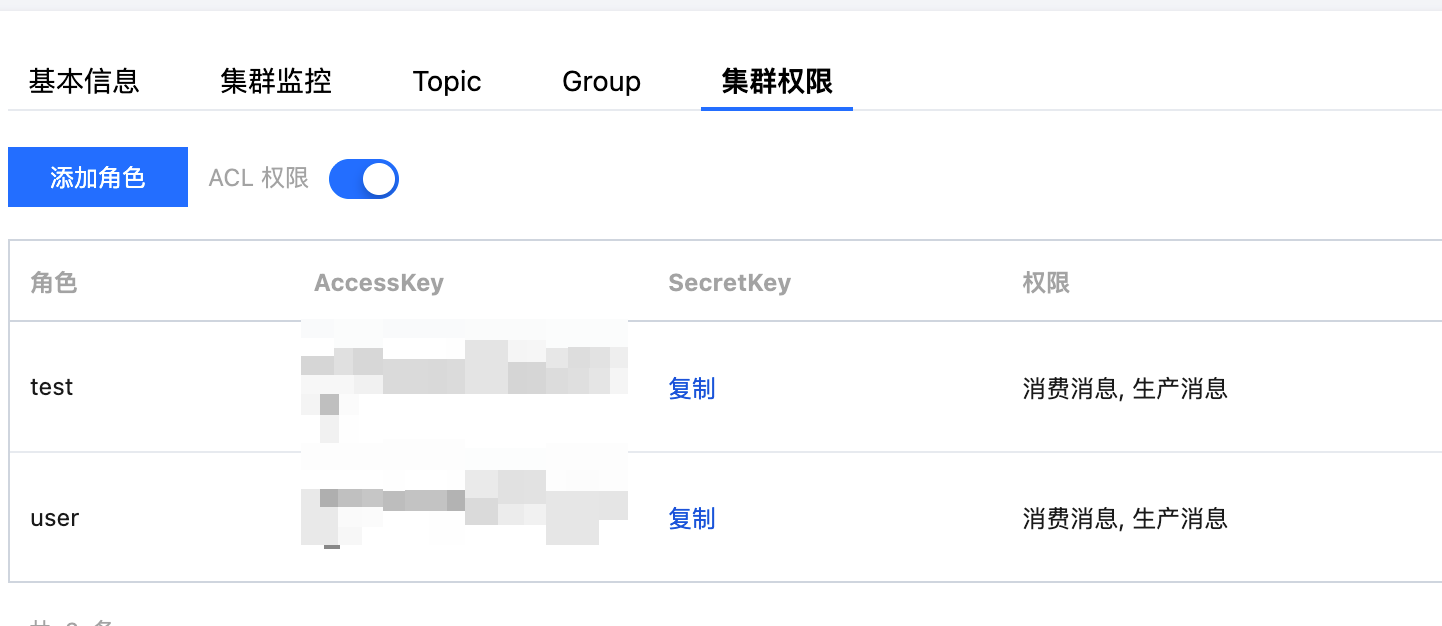 |
accessKey | 角色密钥,在控制台的集群权限页面 AccessKey 列复制。 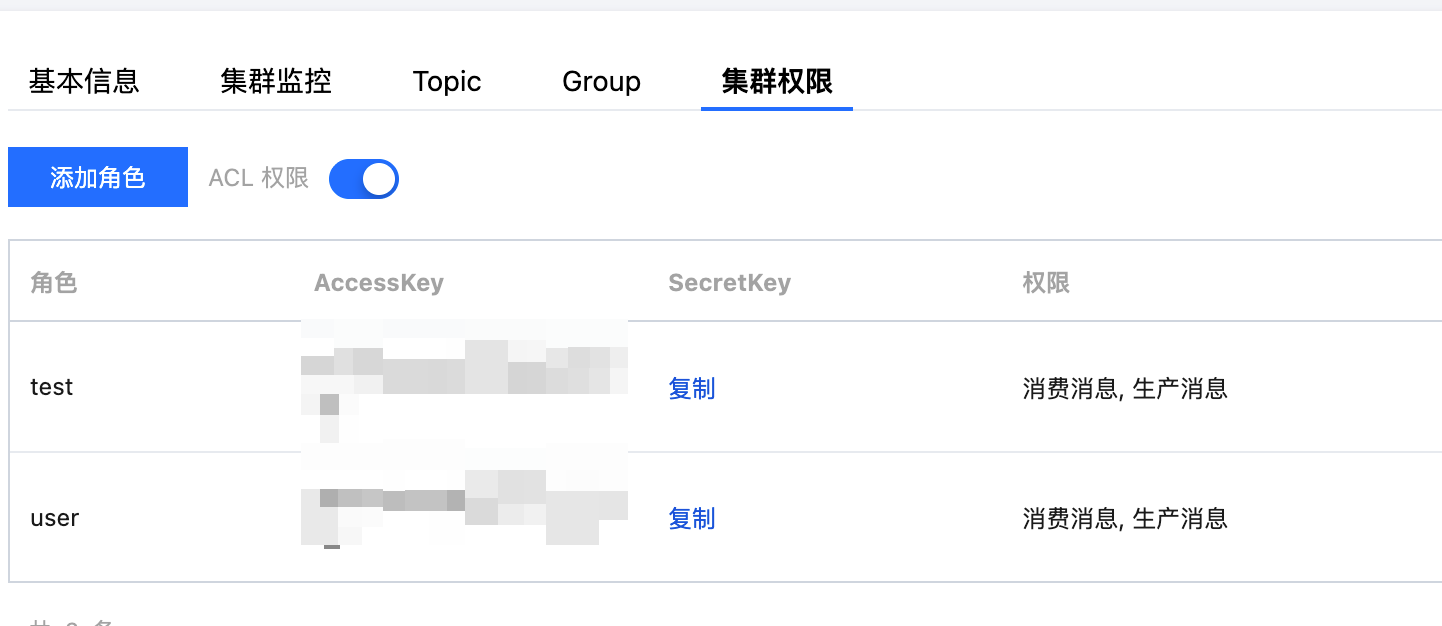 |
topicName | Topic 的名称,在控制台 Topic 管理页面复制。 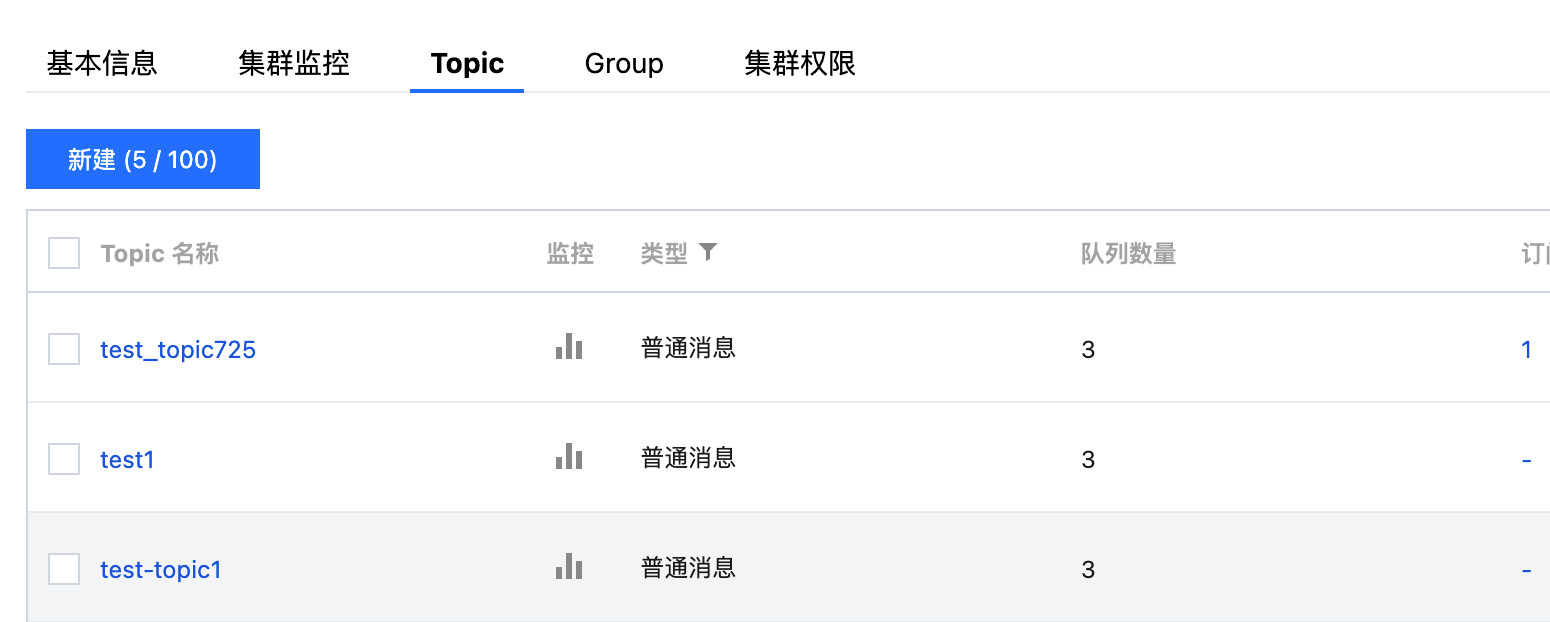 |
步骤3:消费消息
创建并编译运行消费消息程序。
from rocketmq import ClientConfiguration, Credentials, SimpleConsumerif __name__ == '__main__':endpoints = "rmq-xxxx.rocketmq.gz.qcloud.tencenttdmq.com:8080"# if auth enablecredentials = Credentials("ak", "sk")config = ClientConfiguration(endpoints, credentials)# with namespace# config = ClientConfiguration(endpoints, credentials, "namespace")topic = "topic"# in most case, you don't need to create too many consumers, singleton pattern is recommended# close the simple consumer when you don't need it anymoresimple_consumer = SimpleConsumer(config, "consumer-group")try:simple_consumer.startup()try:simple_consumer.subscribe(topic)# use tag filter# simple_consumer.subscribe(topic, FilterExpression("tag"))while True:try:# max message num for each long polling and message invisible duration after it is receivedmessages = simple_consumer.receive(32, 15)if messages is not None:print(f"{simple_consumer.__str__()} receive {len(messages)} messages.")for msg in messages:simple_consumer.ack(msg)print(f"{simple_consumer.__str__()} ack message:[{msg.message_id}].")except Exception as e:print(f"receive or ack message raise exception: {e}")except Exception as e:print(f"{simple_consumer.__str__()} subscribe topic:{topic} raise exception: {e}")simple_consumer.shutdown()except Exception as e:print(f"{simple_consumer.__str__()} startup raise exception: {e}")simple_consumer.shutdown()
说明:
参数 | 说明 |
groupName | 消费组名称,在控制台 Group 管理页面复制。 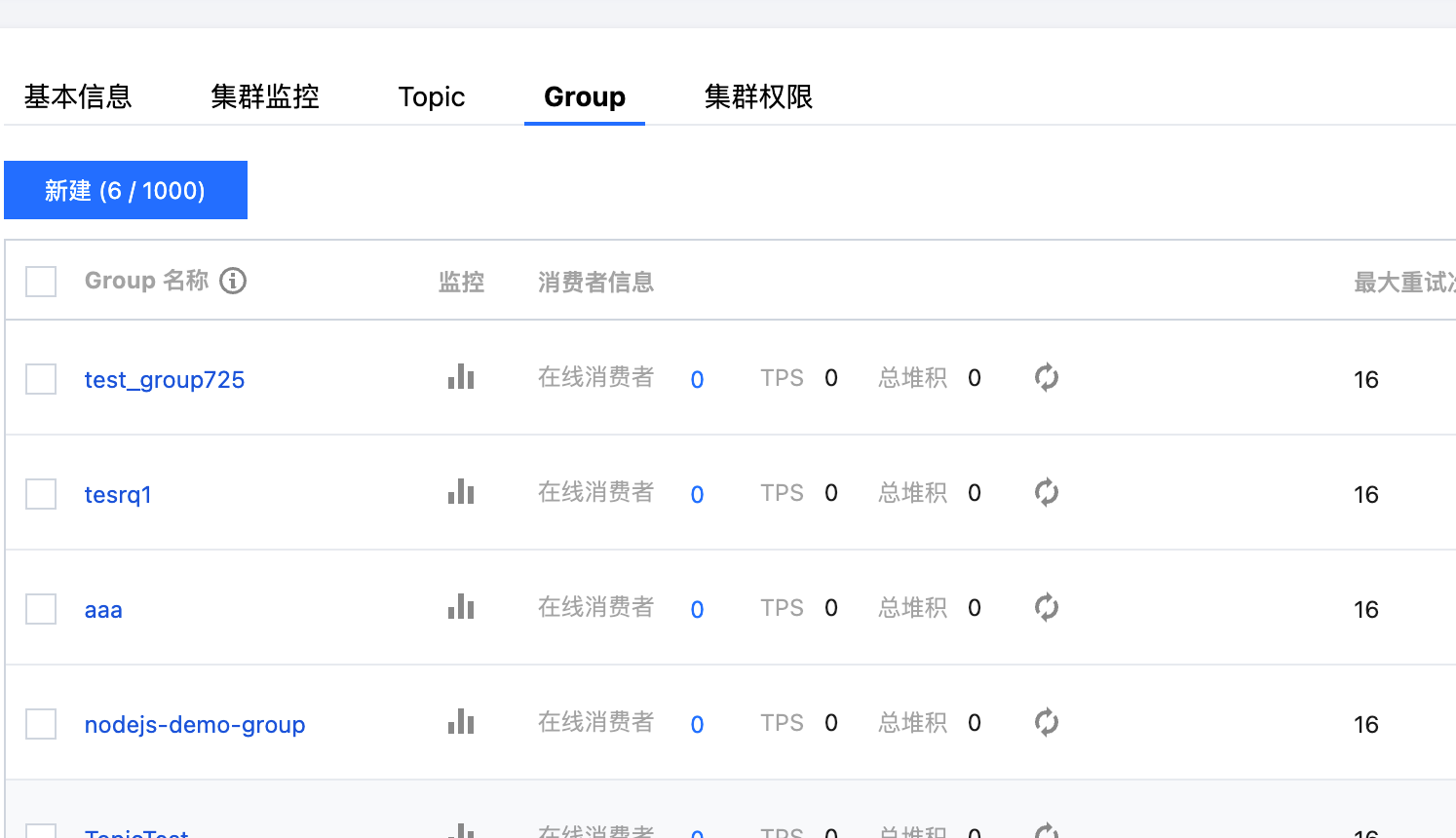 |
endpoints | 集群接入地址,控制台集群基本信息页面的接入信息模块获取。 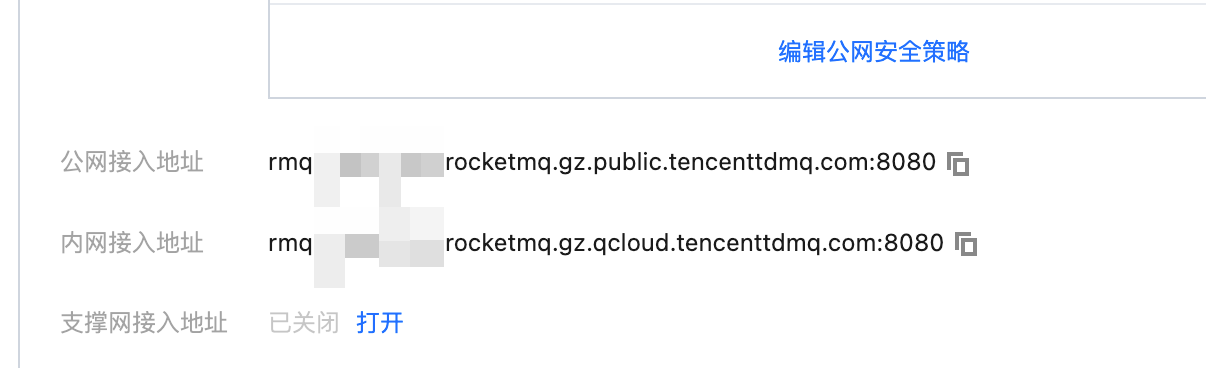 |
secretKey | 角色名称,在控制台的集群权限页面 SecretKey 列复制。 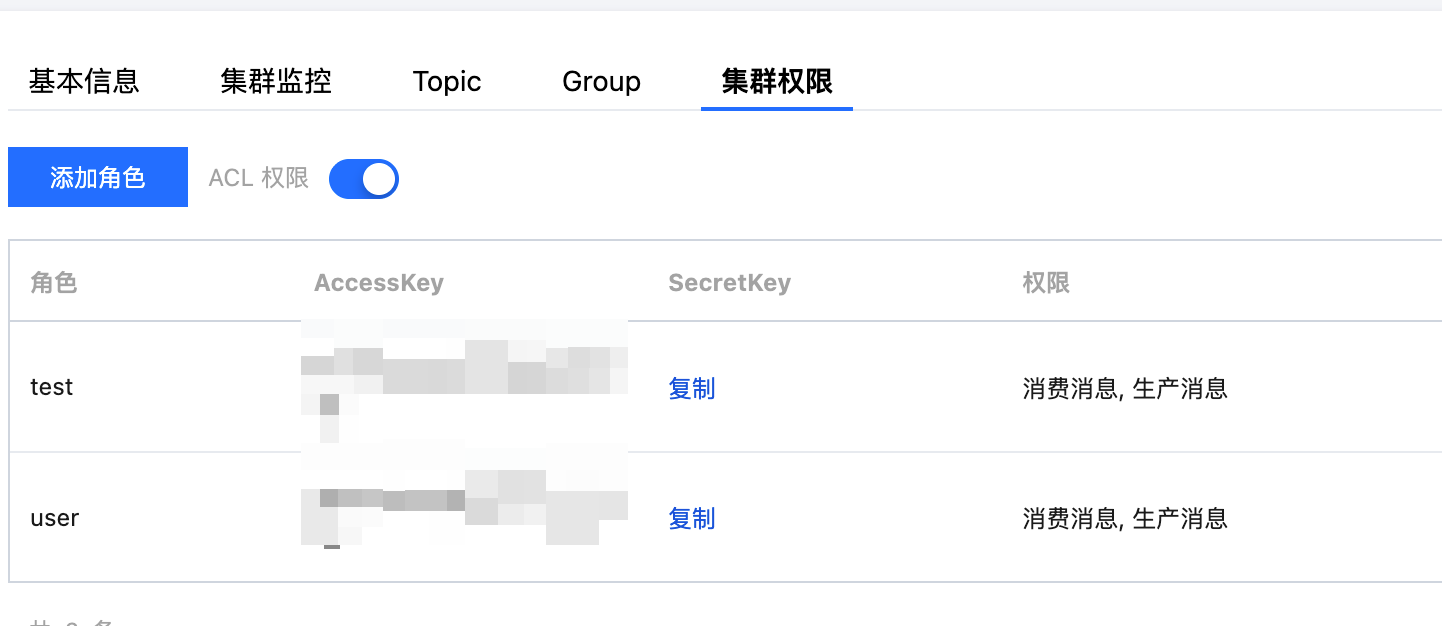 |
accessKey | 角色密钥,在控制台的集群权限页面 AccessKey 列复制。 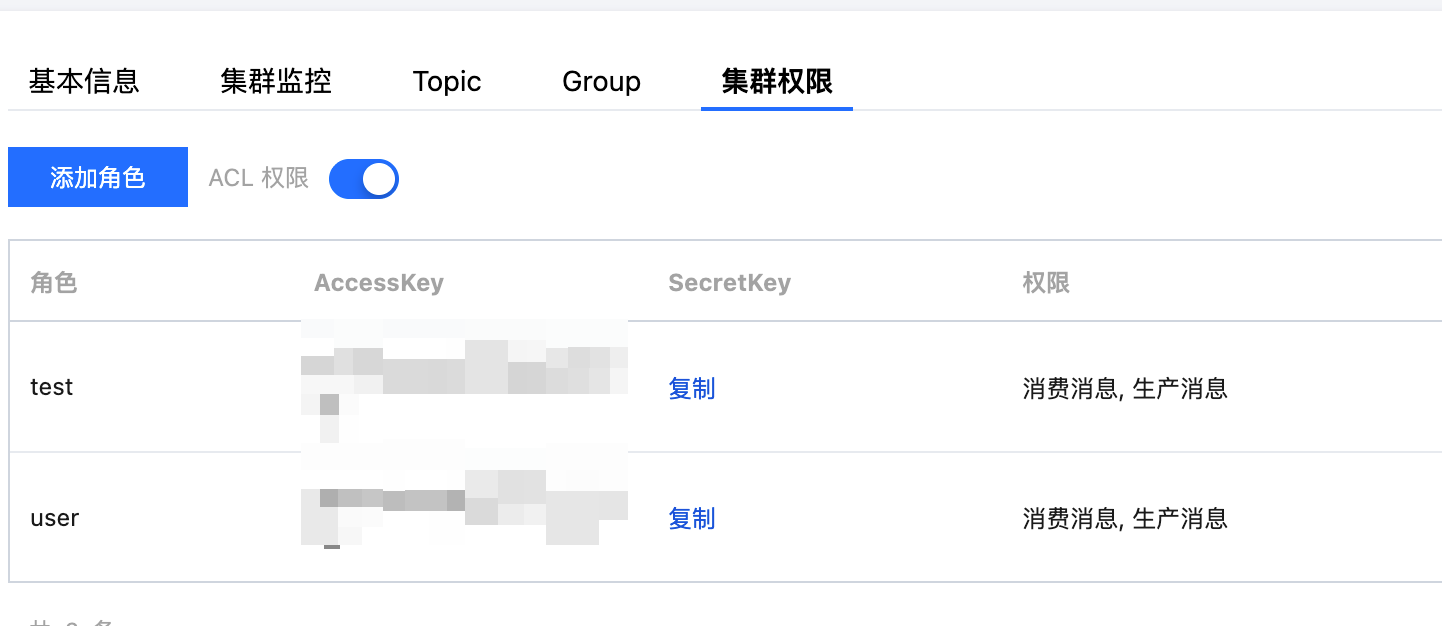 |
topicName | Topic 的名称,在控制台 Topic 管理页面复制。 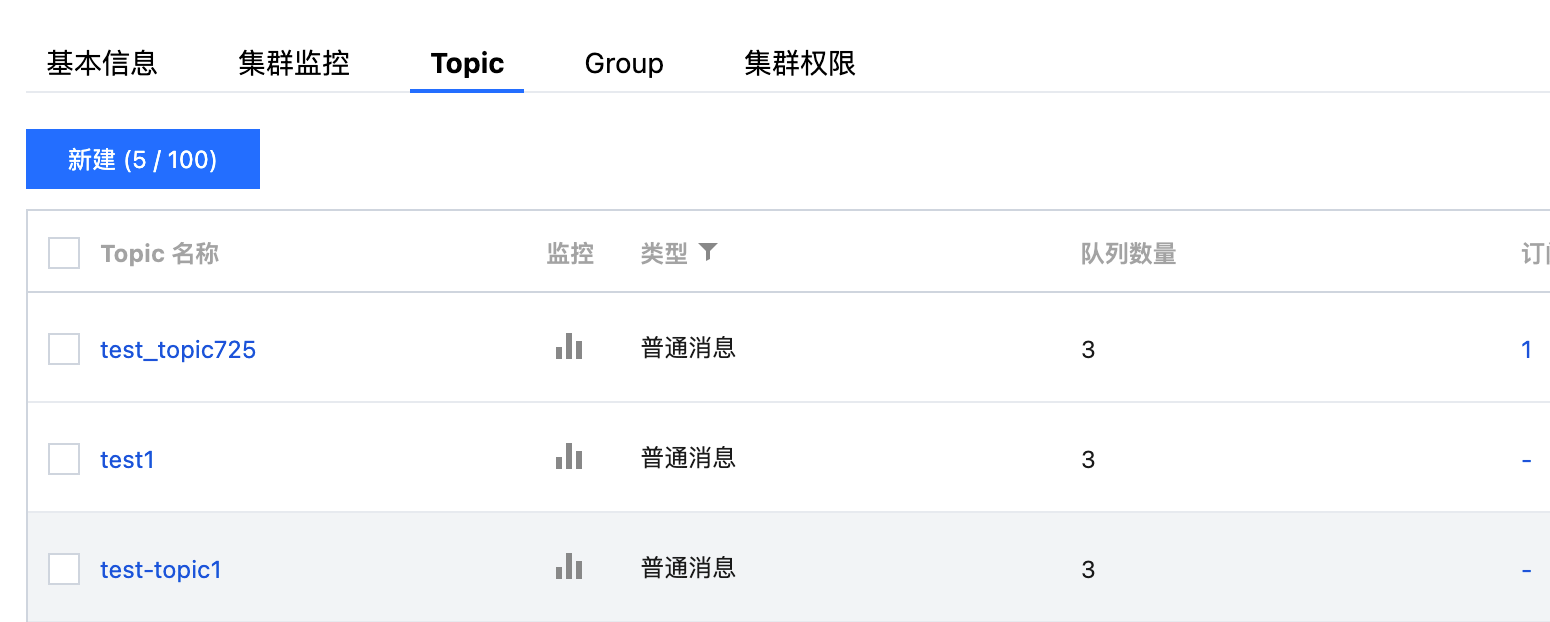 |
步骤4:查看消息详情
完成消息发送后会得到一个消息 ID (messageID),您可以在控制台的消息查询 > 综合查询页面查询刚刚发送的消息,以及该消息的详情和轨迹等信息。
说明:
文档反馈