Standard Video Call
Baixar
Modo Foco
Tamanho da Fonte
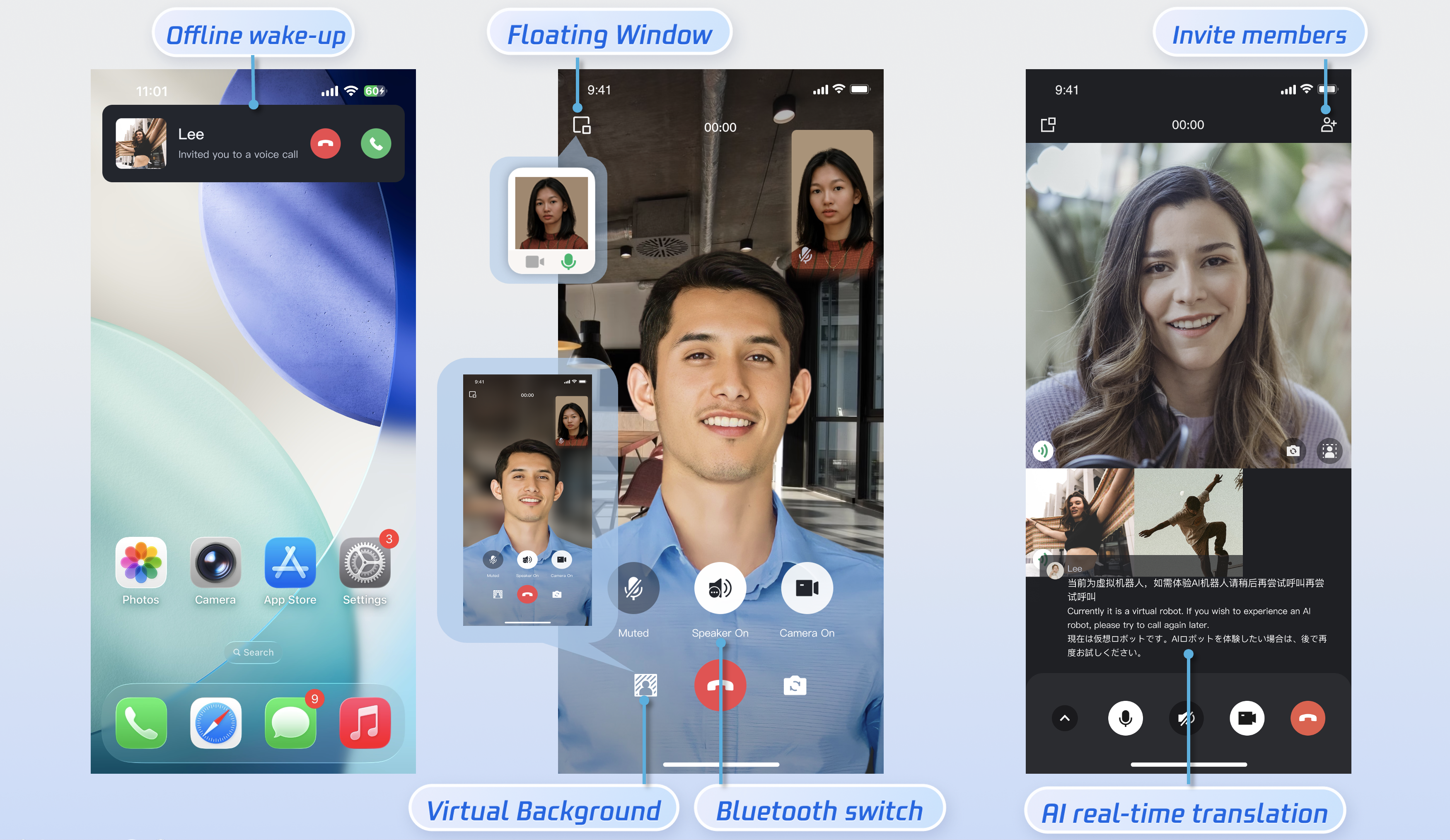
This document will guide you through quickly running the audio and video call Demo. By following this guide, you can run the Demo within 10 minutes and experience an audio and video call feature with a complete UI.
Prerequisites
Environment Setup
Install Android Studio.
Two devices running Android 5.0 or above.
Activate the Service
Please refer to Activate the Service to obtain your
SDKAppID and SDKSecretKey. These will be used in a later step (Configure and Run the Demo).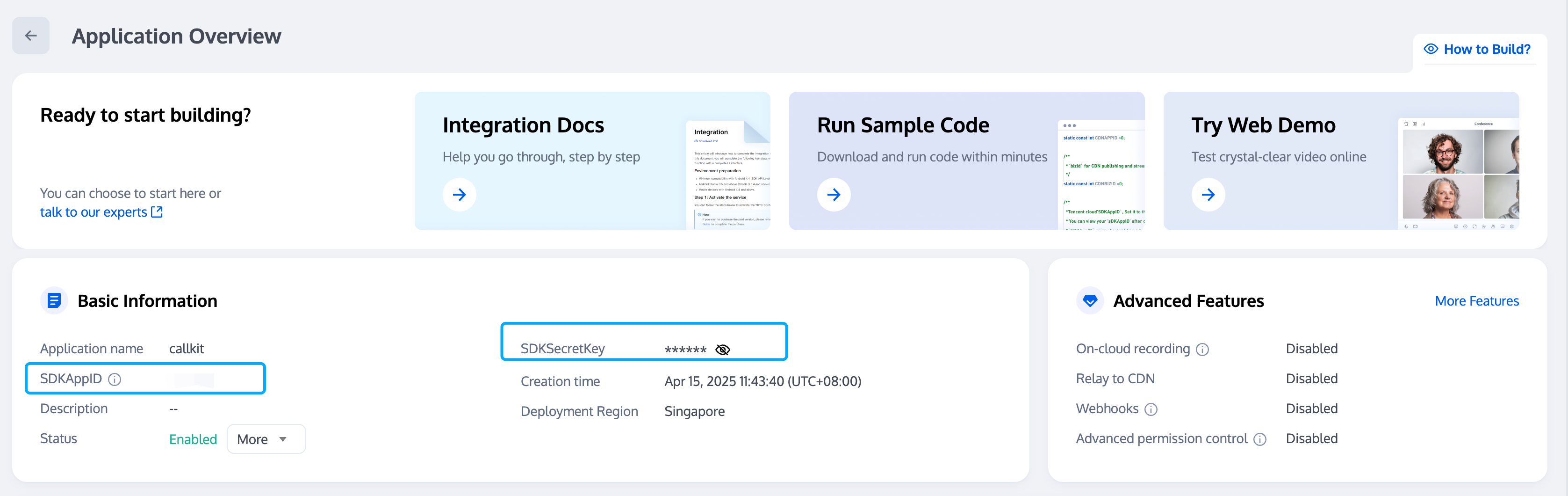
Downloading the Demo
1. Download the TUICallKit Demo source code from GitHub, or run the following command in the command line:
git clone https://github.com/Tencent-RTC/TUIKit_Android.git
2. Open the
TUIKit_Android/application directory through Android Studio: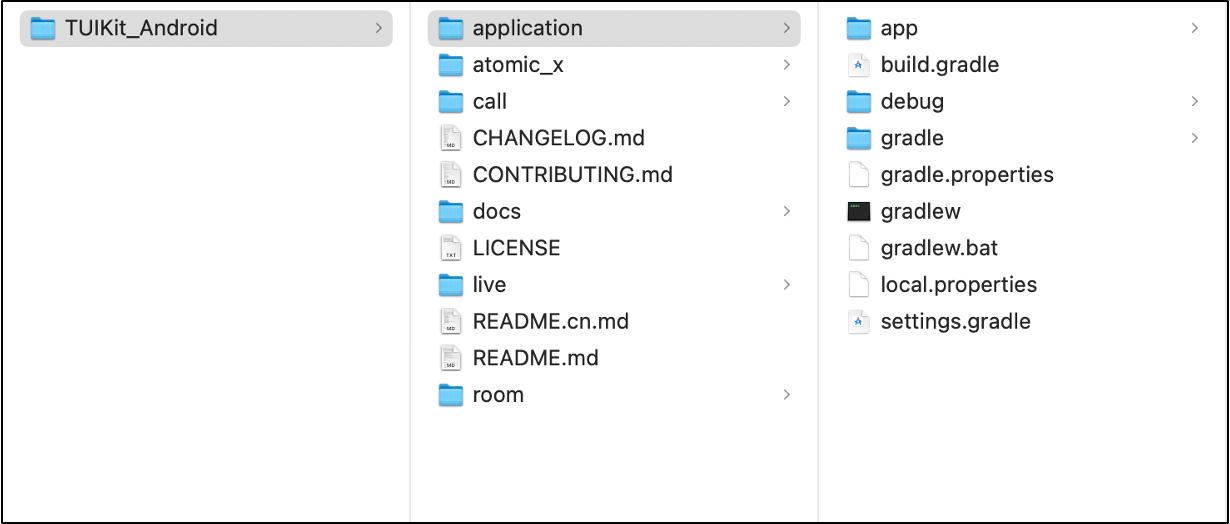
Tip:
Currently, TUICallKit is compatible with Gradle 7.x and 8.x. If you encounter an issue like: Your build is currently configured to use incompatible Java 21.0.5 and Gradle 8.0. Cannot sync the project.
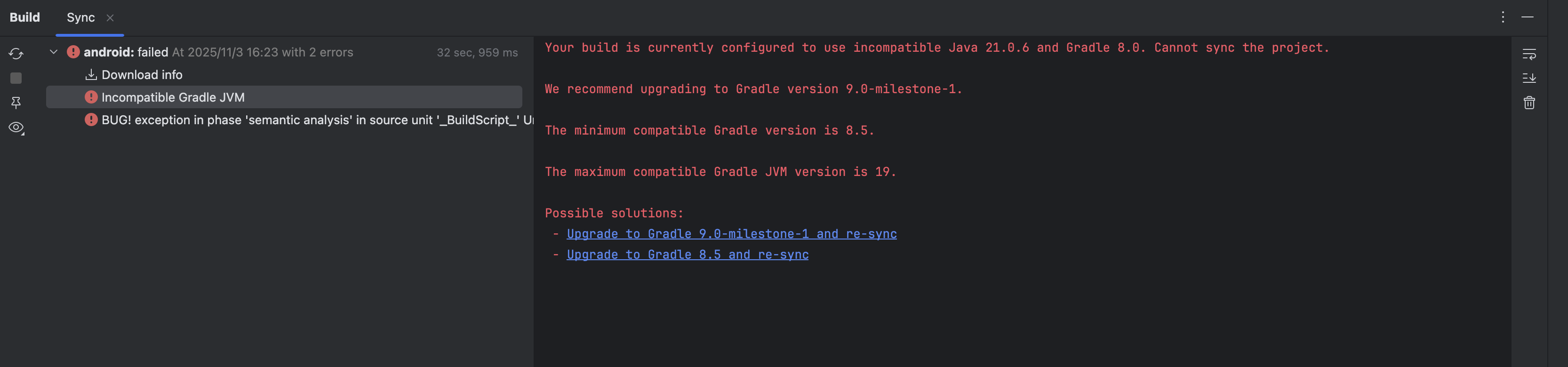
Recommended Solution: Change the Java version in Android Studio to 17.
1. Open Android Studio Settings.
Windows:File > Settings
Mac:Android Studio > Preferences
2. Modify the Java compiler settings.
Path: Build, Execution, Deployment > Build Tools > Gradle
Change the Gradle JDK to 17 (if installed) or Use project JDK
Running the Demo
Run the program through Android Studio. Log in with two different user accounts on two devices, one as the caller and one as the callee, to complete an audio/video call experience.
Step 1: Configure and Run the Demo
1. Configure SDKAppID and SecretKey: Open the
application/debug/src/main/java/com/tencent/qcloud/tuikit/debug/GenerateTestUserSig.javafile, and fill in the SDKAppID and SDKSecretKey obtained during Activate the Service: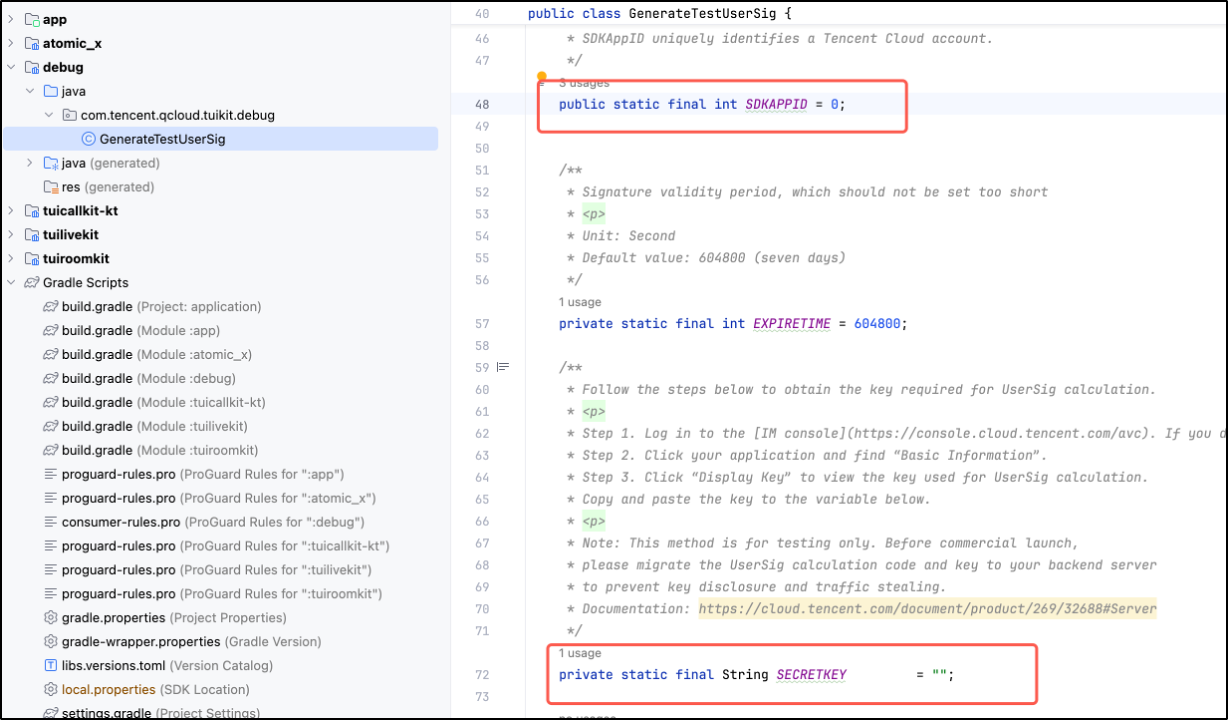
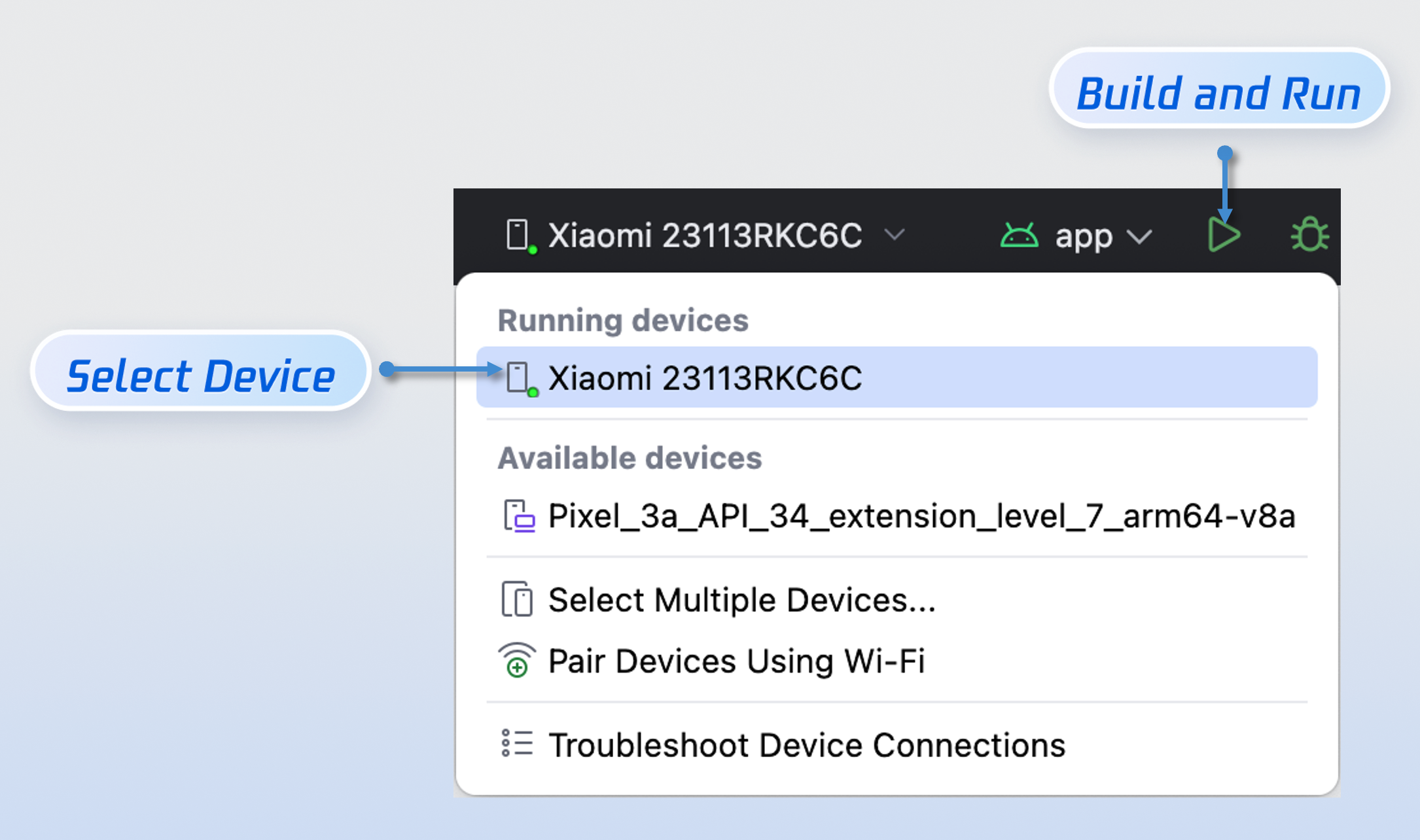
2. Compile and Run: Please select a device and run the Demo.
Step 2: Login and Registration
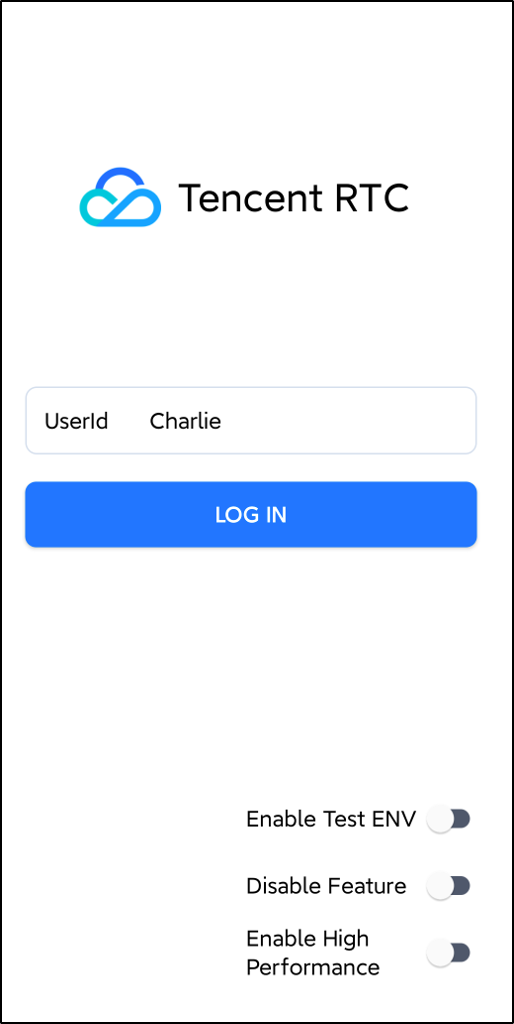
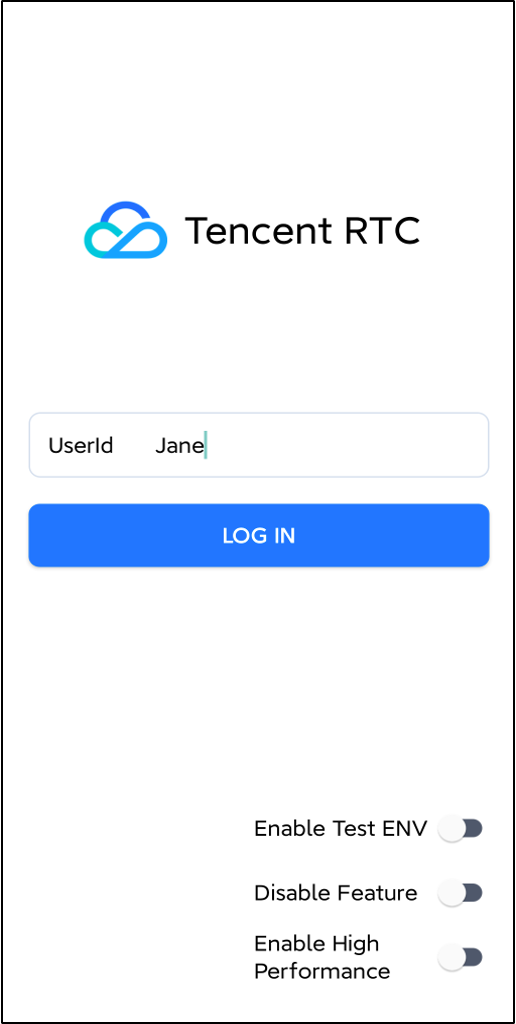
After the Demo starts, please enter an ID in the
User ID field. If your current UserID has not been registered, you will enter the registration interface, where you can set a nickname for yourself.Logged-in User: Charlie | | Logged-in User: Jane | |
 |  |  |  |
Tip:
Avoid using simple UserIDs such as "1", "123", or "111". These IDs are commonly used during collaborative development and may already be in use by others, resulting in login failures. We recommend using a unique UserID during testing.
Step 3: Make a Call
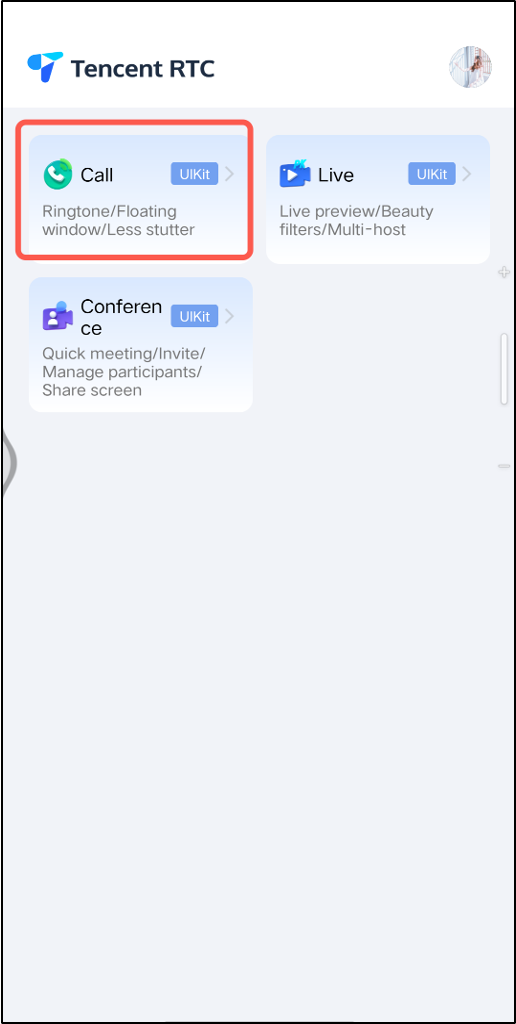
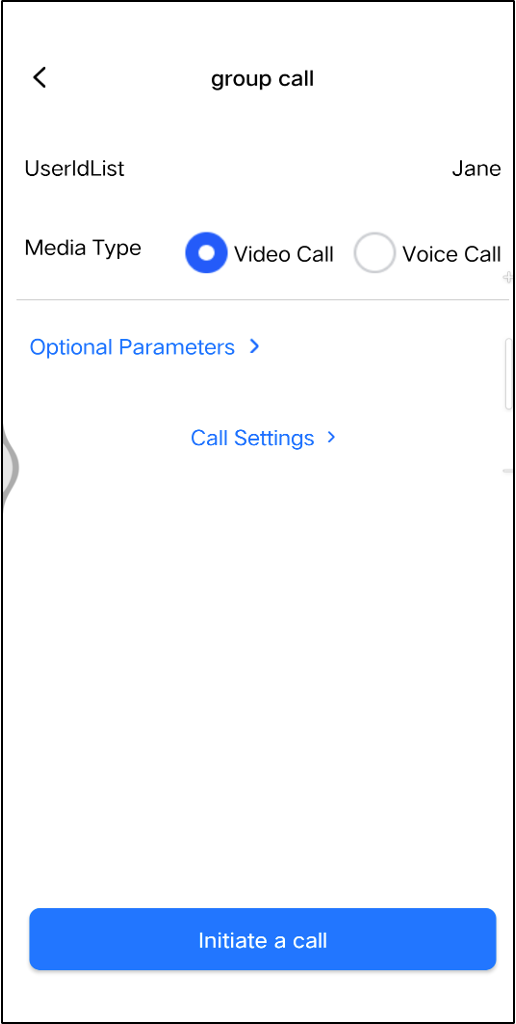
1. Click Call on the interface. On the next screen, enter the recipient's ID in the User ID List and select the Media Type.
2. Click Initiate a Call.
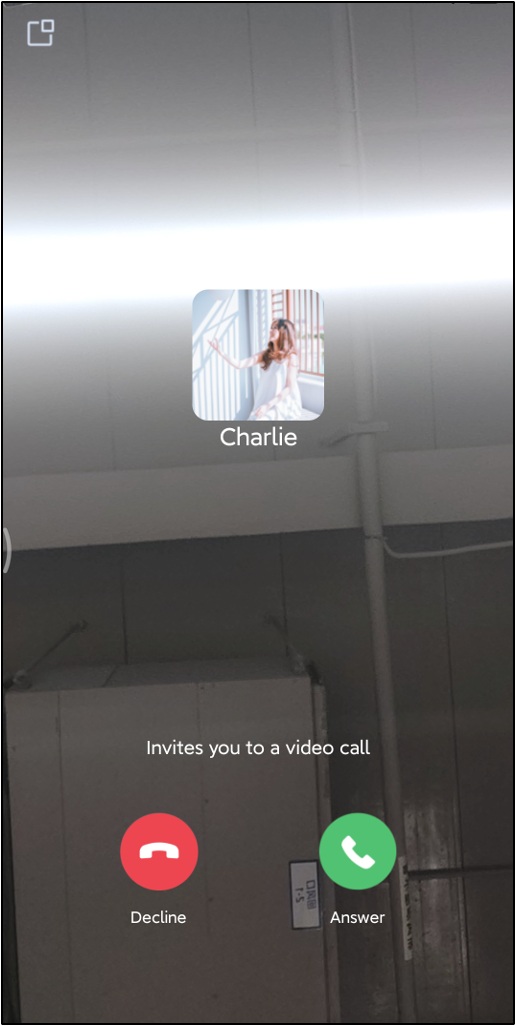
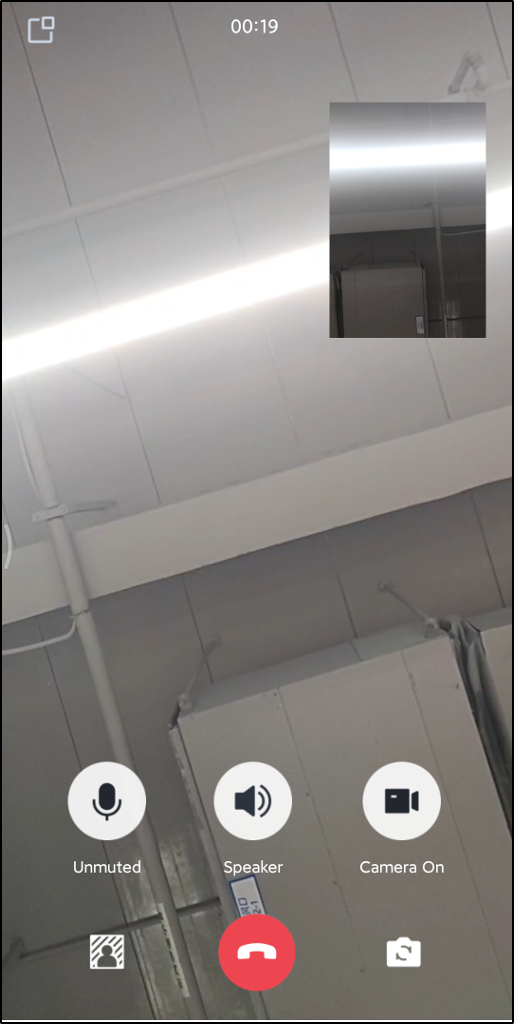
Click Call | Charlie calls Jane | Jane receives the incoming call | The call starts after Jane clicks Answer |
 |  |  |  |
Tip:
To start a call, you need to confirm that the Callee User ID is a valid and logged-in ID.
FAQs
A signature error or login failure occurs when running the demo?
Please check if the
SDKAppID and SDKSecretKey you filled in theTUIKit_Android/application/debug/src/main/java/com/tencent/qcloud/tuikit/debug/GenerateTestUserSig.java file are correct. Ensure they are the keys you obtained when Activate the Service.Purchase prompt appears during call?
Error Prompt | Solution |
You have not purchased an audio and video calling package. Please go to the IM console to activate a free trial or purchase the official version. | You have not purchased an audio and video calling package. Please go to the console to activate a free trial or purchase the official version. |
The audio and video calling package you currently purchased does not support this feature. It is recommended that you upgrade your package type. | The audio and video calling package you currently purchased does not support this feature. It is recommended that you go to the console to upgrade your package type. |
Tip:
If you encounter other error prompts, you can refer to the TUICallDefine Error Codes for a solution.
Contact Us
If you have any questions or suggestions during integration or usage, feel free to join our Telegram group or contact us for support.
Ajuda e Suporte
Esta página foi útil?
Você também pode entrar em contato com a Equipe de vendas ou Enviar um tíquete em caso de ajuda.
comentários