If your Web service has Tencent Cloud Application Load Balancer (CLB) enabled, you can enable precise domain protection or cloud-native object policy protection in your cloud-native WAF instance. This document describes how to enable default protection for cloud-native instance objects.
Note:
Object Onboarding is only supported in the Enterprise Edition and above. Please upgrade the corresponding WAF instance package to the Enterprise Edition to access cloud-native protection objects.
Each object instance is counted as one primary domain against the instance's Primary Domain Quota, sharing the same quota pool with domain-based access. For example, the Ultimate Edition has a primary domain quota of 4. This quota can be fully allocated to object access (supporting up to 4 objects), fully allocated to domain-based access, or flexibly mixed as needed.
Before onboarding, ensure that your current plan has sufficient remaining primary domain quota. For the primary domain quota of each edition, refer to Plans and Editions.
You can view the current quota usage in Instance Management. When the quota is insufficient, go to the Purchase Page to buy Domain Extension Packs.
Background
Cloud-native object onboarding supports accessing WAF instance protection based on cloud-native instance objects (such as application CLB, cloud-native gateways, APISIX gateways) or hybrid cloud cluster objects accessed via other application gateway SDKs. After access, default Basic Security policy sets are automatically generated based on cloud-native instance ID objects or hybrid cloud cluster ID objects. This initiates default protection for Web traffic without domain name access configuration and allows customers to customize and manage corresponding protection policies.
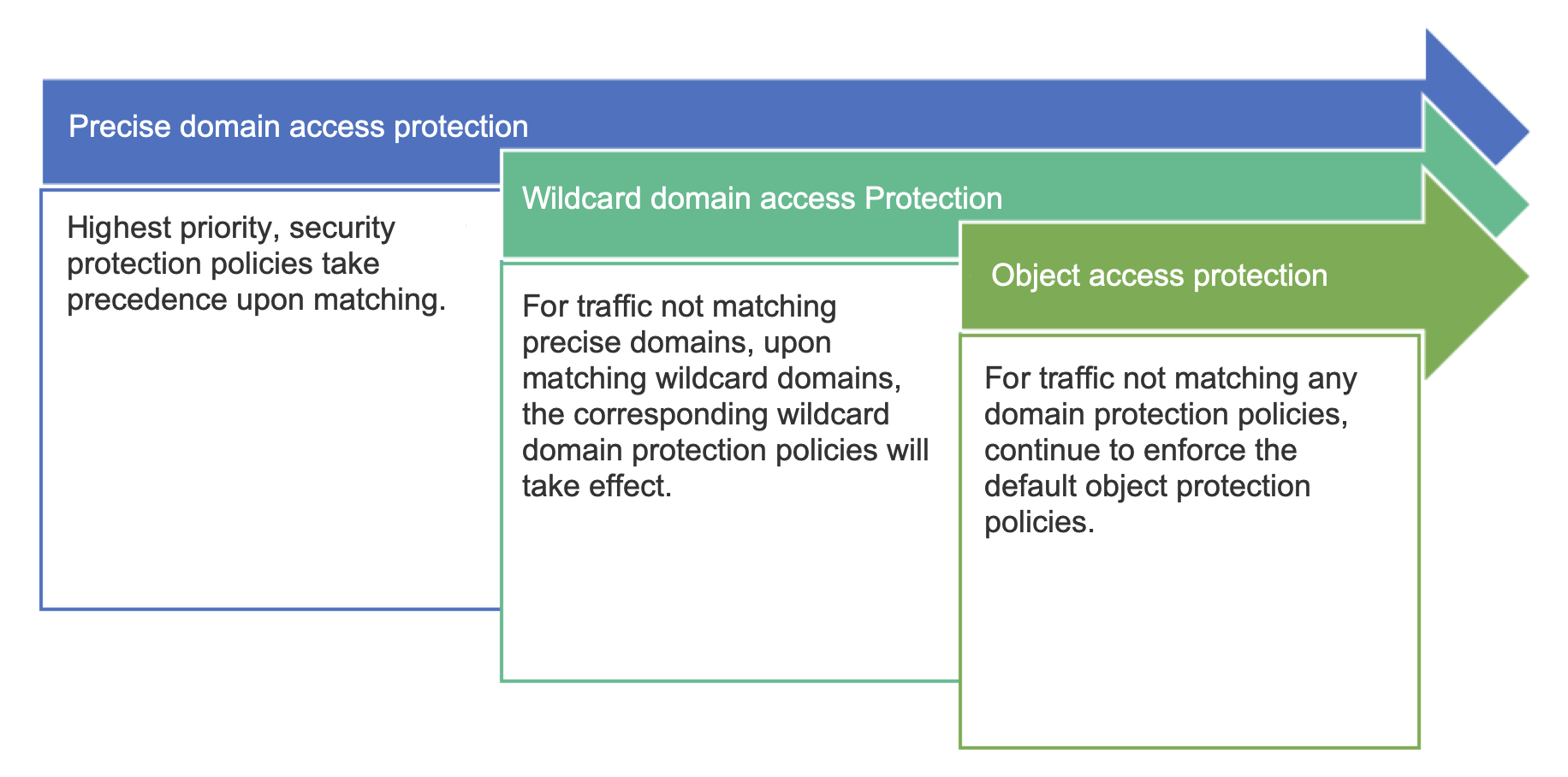
The order in which the relevant protection takes effect is as follows:
Configuration Instructions
1. Log in to WAF console, in the left sidebar, choose Connection Management > Instance Object Onboarding.
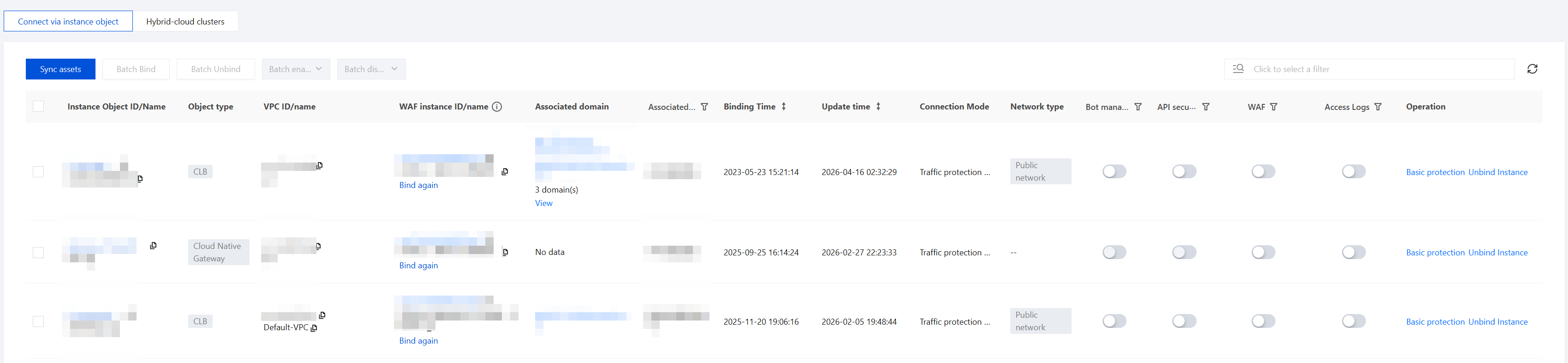
2. On the object onboarding page, you can view all instance information for CLB or cloud-native gateways.
After the current account is authorized, the system automatically synchronizes newly discovered CLB or cloud-native gateway instances within 5 minutes. If you find that a recently onboarded CLB or cloud-native gateway instance is not listed, you can click Refresh Assets to synchronize the updated assets.
If part of the Web traffic for the current CLB or cloud-native gateway instance objects has been accessed via precise domain names, you can view it in the Associated Precise Domain Names column. For Web traffic already protected by precise domain names, the protection policy for precise domain names takes precedence. If no matching policy is found or the precise domain name protection policy is not triggered, the protection policy based on cloud-native instance objects will automatically take effect.
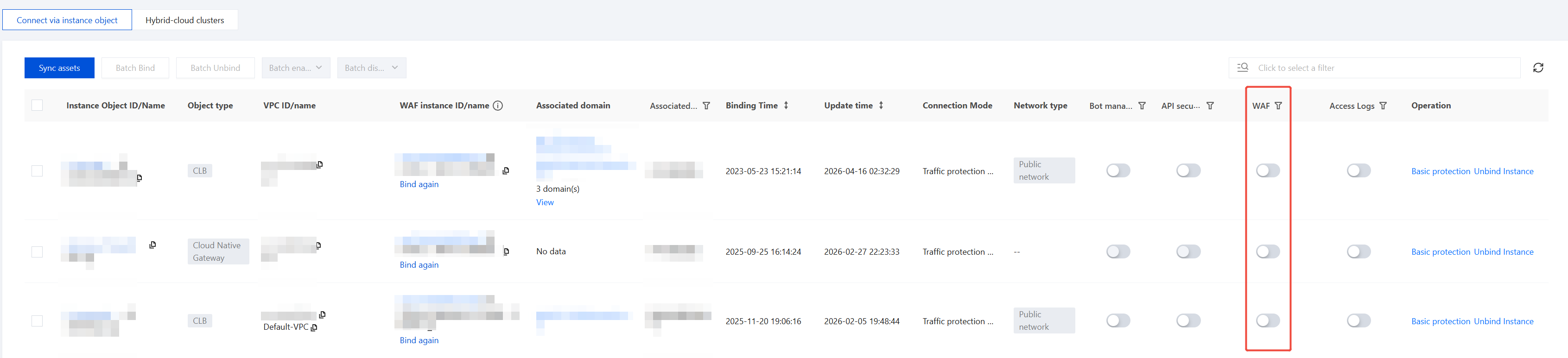
3. Enable WAF protection.
3.1 Select the CLB or cloud-native gateway instance with WAF protection enabled, and click
in the WAF toggle column.
3.2 In the confirmation dialog box, click OK to enable WAF protection.
Note:
After enabling, WAF will protect traffic passing through CLB listeners by intercepting attack behaviors and logging attack records.
If you have only one cloud-native WAF instance, you can directly enable WAF protection with one click.
If you have multiple cloud-native WAF instances, first bind the CLB instance to the corresponding WAF instance in the Instance Object ID/Name column, then enable WAF protection with one click.
4. Disable WAF protection.
4.1 Select the CLB or cloud-native gateway instance with WAF protection enabled, and click
in the WAF toggle column.
4.2 In the confirmation dialog box, click Disable to disable WAF protection.
Note:
After disabling, WAF will no longer protect traffic passing through CLB listeners, and all WAF features will become unavailable.
5. Enable the BOT management toggle.
5.1 Select the CLB or cloud-native gateway instance for which WAF protection is enabled, and click
in the BOT toggle column.
5.2 In the confirmation dialog box, click OK to enable BOT protection.