Step 6: Querying Messages
下载
聚焦模式
字号
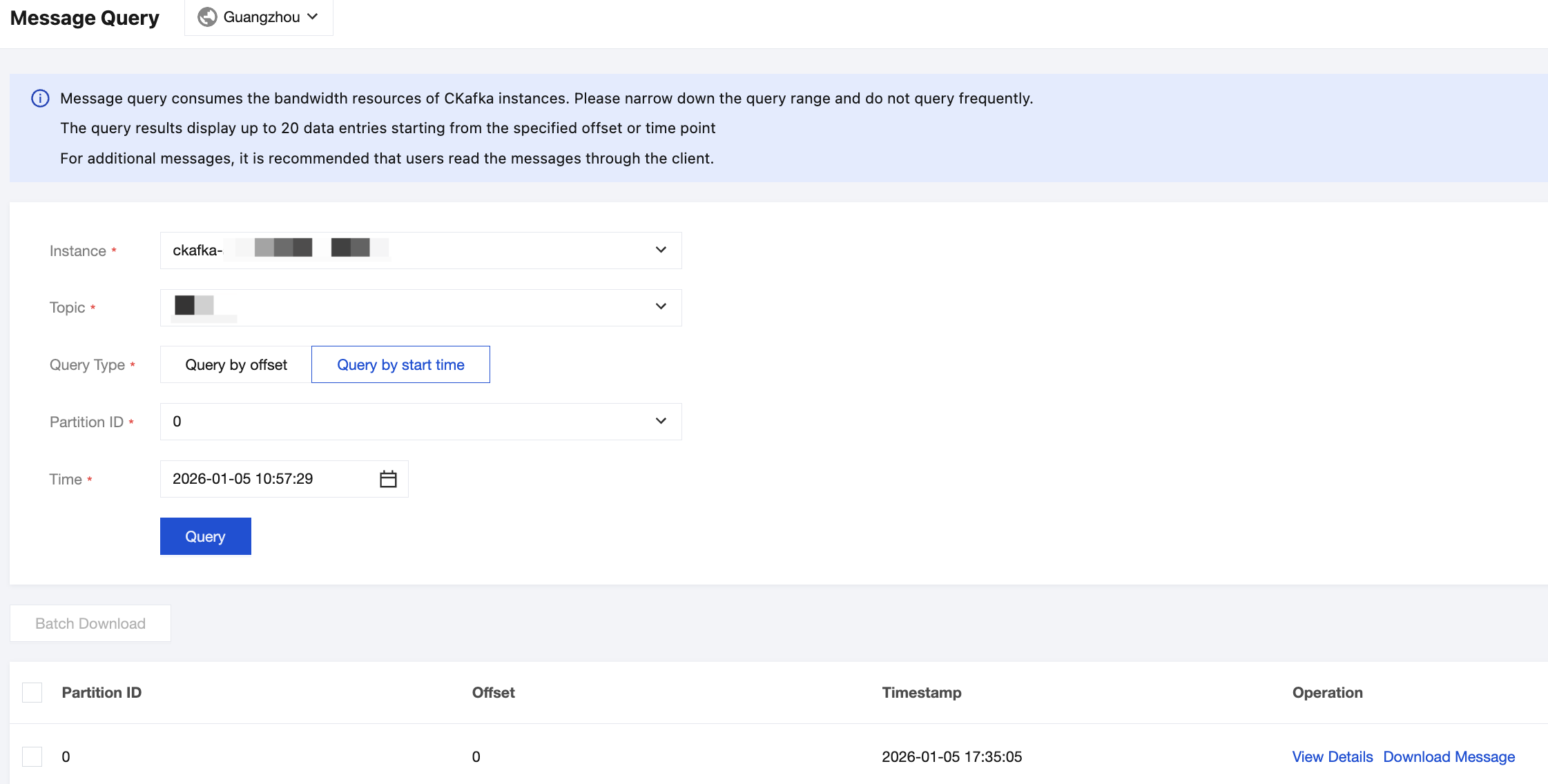
After completing message sending and receiving, you can use the message query feature in the console to view the message details of a specified topic.
Operation Steps
1. Log in to the TDMQ for CKafka (CKafka) console.
2. In the left sidebar, select Instance List, select a region, and click ID/Name of the target instance to go to the instance details page.
3. On the instance details page, select Topic List, and then choose More > Message Query in the Operation column on the right of the target topic.
4. On the message query page, you can query messages for this topic either by offset or by start time.
5. Click View Details in the Operation column to view specific message content.
文档反馈