Step 4: Configuring ACL Policy
Baixar
Modo Foco
Tamanho da Fonte
Scenarios
In public network access scenarios, you need to configure the access control list (ACL) policies for topics to ensure that users have production and consumption permissions on topic resources.
Prerequisites
Operation Steps
1. Log in to the TDMQ for CKafka (CKafka) console.
2. In the left sidebar, select Instance List, locate the pre-created instance, and click the instance ID to go to the instance details page.
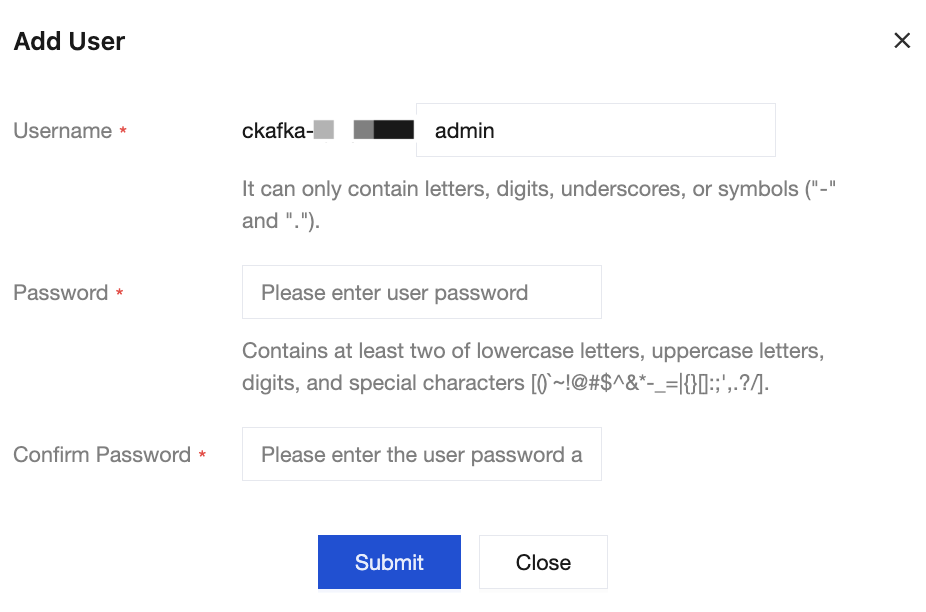
3. On the instance details page, choose ACL Policy Management > User Management, click Create, add a user, and set the username and password.
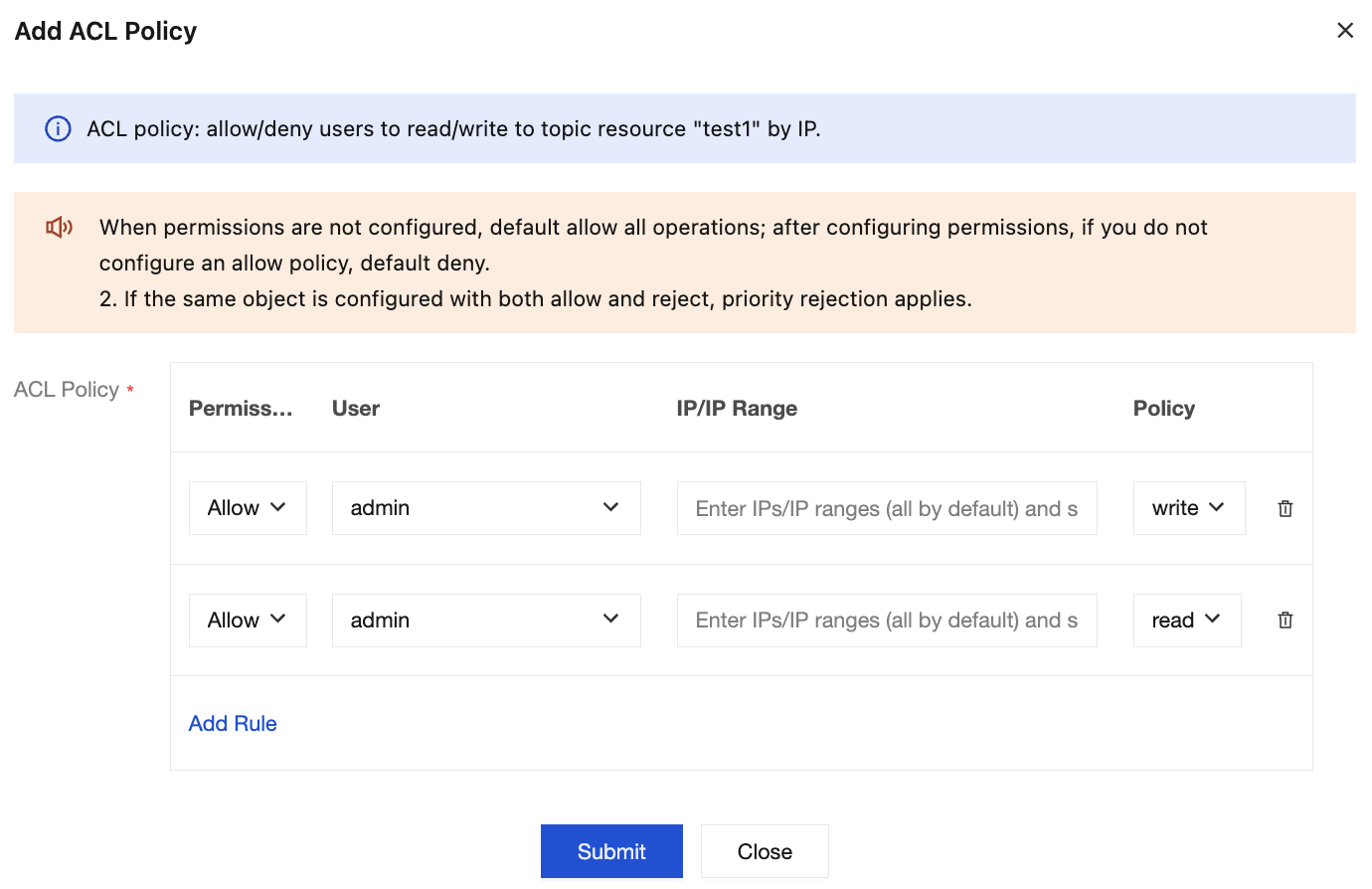
4. On the user list page, choose Policy List > Resource, and click Add ACL Policy in the Operation column of the created topic to assign read/write permissions to the user.
Ajuda e Suporte
Esta página foi útil?
Você também pode entrar em contato com a Equipe de vendas ou Enviar um tíquete em caso de ajuda.
comentários