Step 2: Add Public Network Route
Baixar
Modo Foco
Tamanho da Fonte
Scenarios
In public network access scenarios, it is necessary to add a public network route to the instance. This article describes the steps to add a public network route to an already created instance via the CKafka console.
Prerequisites
Operation Steps
1. On the CKafka console's instance list page, click the "ID/Name" of the pre-created instance to go to the basic information page.
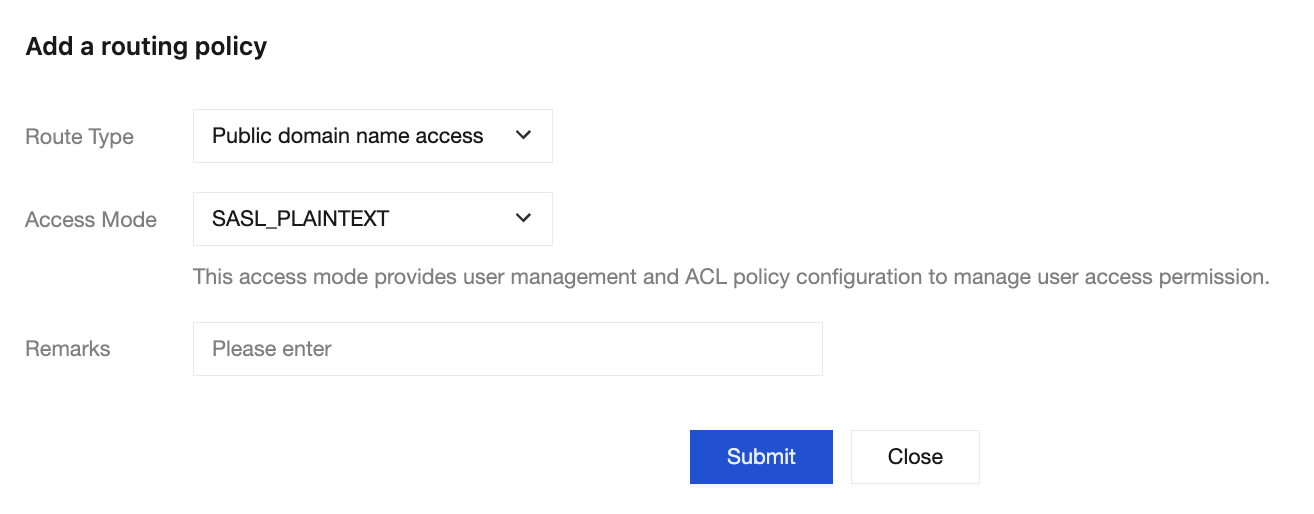
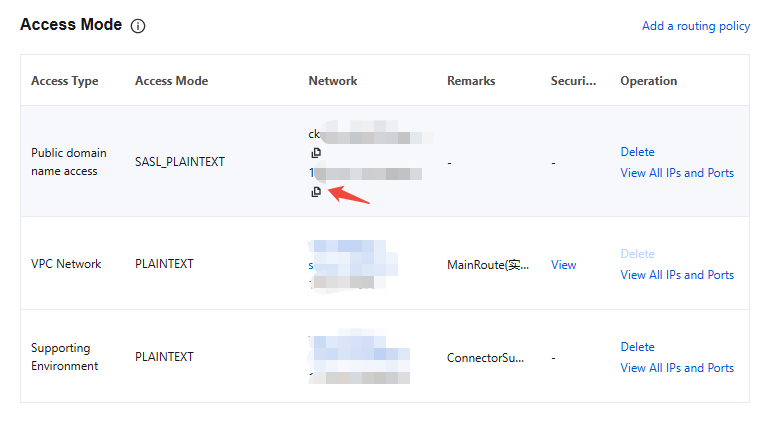
2. On the instance details page, select the Add a routing policy in the top-right corner of the Access Mode module to add a new public network route.
3. After adding, you will obtain the domain name and port for public network access.
Ajuda e Suporte
Esta página foi útil?
Você também pode entrar em contato com a Equipe de vendas ou Enviar um tíquete em caso de ajuda.
comentários