It is possible to control the latency of HLS playback by adjusting the size and number of HLS segments. Note that setting the latency too low may cause playback to stutter.
Prerequisites
You have activated CSS and logged in to the CSS console. Latency control
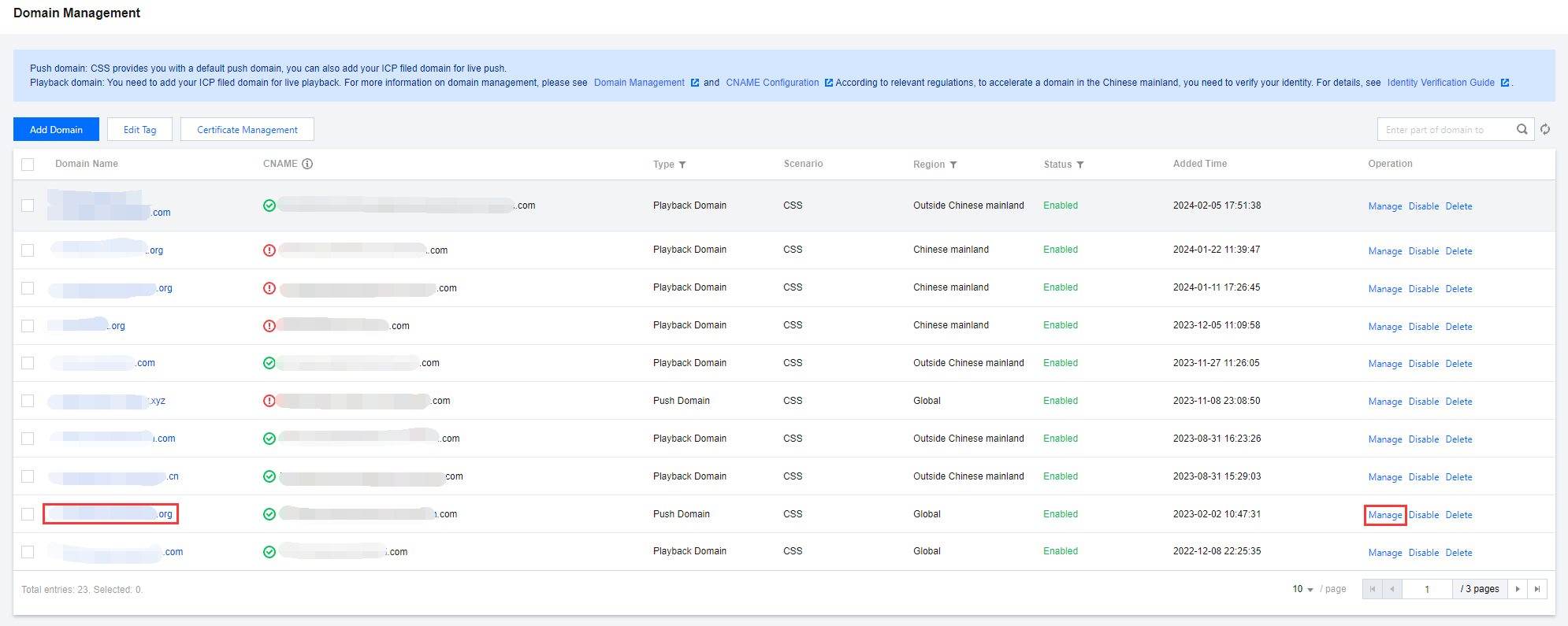
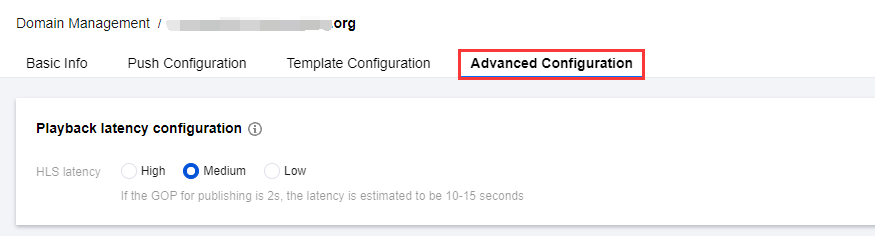
1. Select Domain Management on the left sidebar and click the target push domain or click Manage on the right to enter the details page. 2. In Advanced Configuration > Playback latency configuration , you can configure the latency for HLS.
3. Based on your actual business needs, select appropriate latency parameters.
Select different configurations, corresponding to HLS segments configurations, high for 5 seconds 4 segments, medium for 4 seconds 3 segments, and low for 2 seconds * 3 segments. The actual slice duration is related to the GOP length. Each TS should contain at least one GOP. It is recommended to set the push stream GOP to 1s ~ 2s.
4. When GOP is set to two seconds, the latency is as follows:
|
Estimated Latency | 20-25s | 10-15s | 6-8s |