This document describes how to use the jumbo frame capability of CVM instances, including enabling the jumbo frame capability during CVM instance creation and enabling it for existing CVM instances.
Prerequisites
See the Families and Models to determine the CVM models that support the jumbo frame capability.
Directions
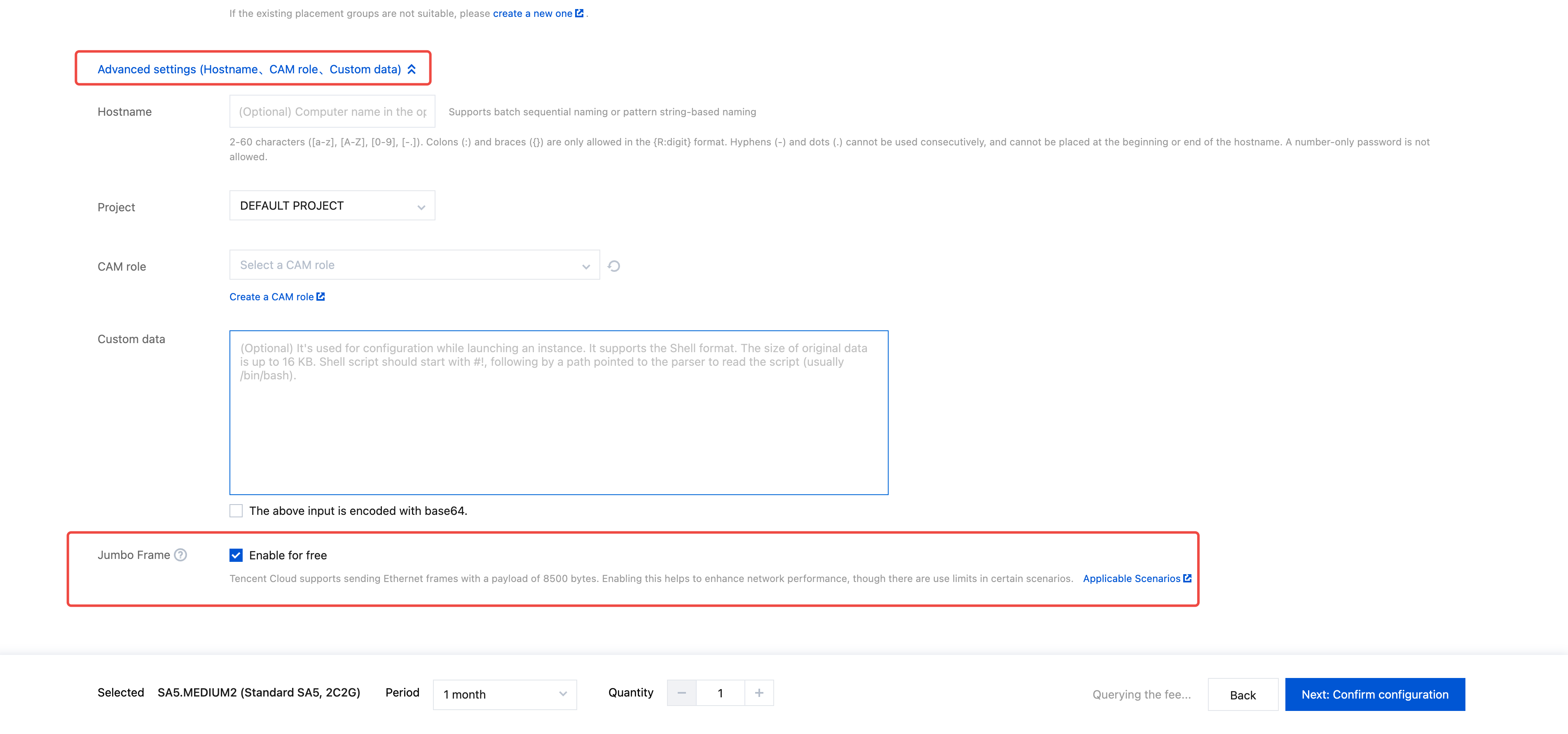
Enabling the Jumbo Frame Capability During CVM Instance Purchase
Enabling/Disabling the Jumbo Frame Capability for Purchased CVM Instances
1. Log in to the CVM console and enter the CVM instance list page.
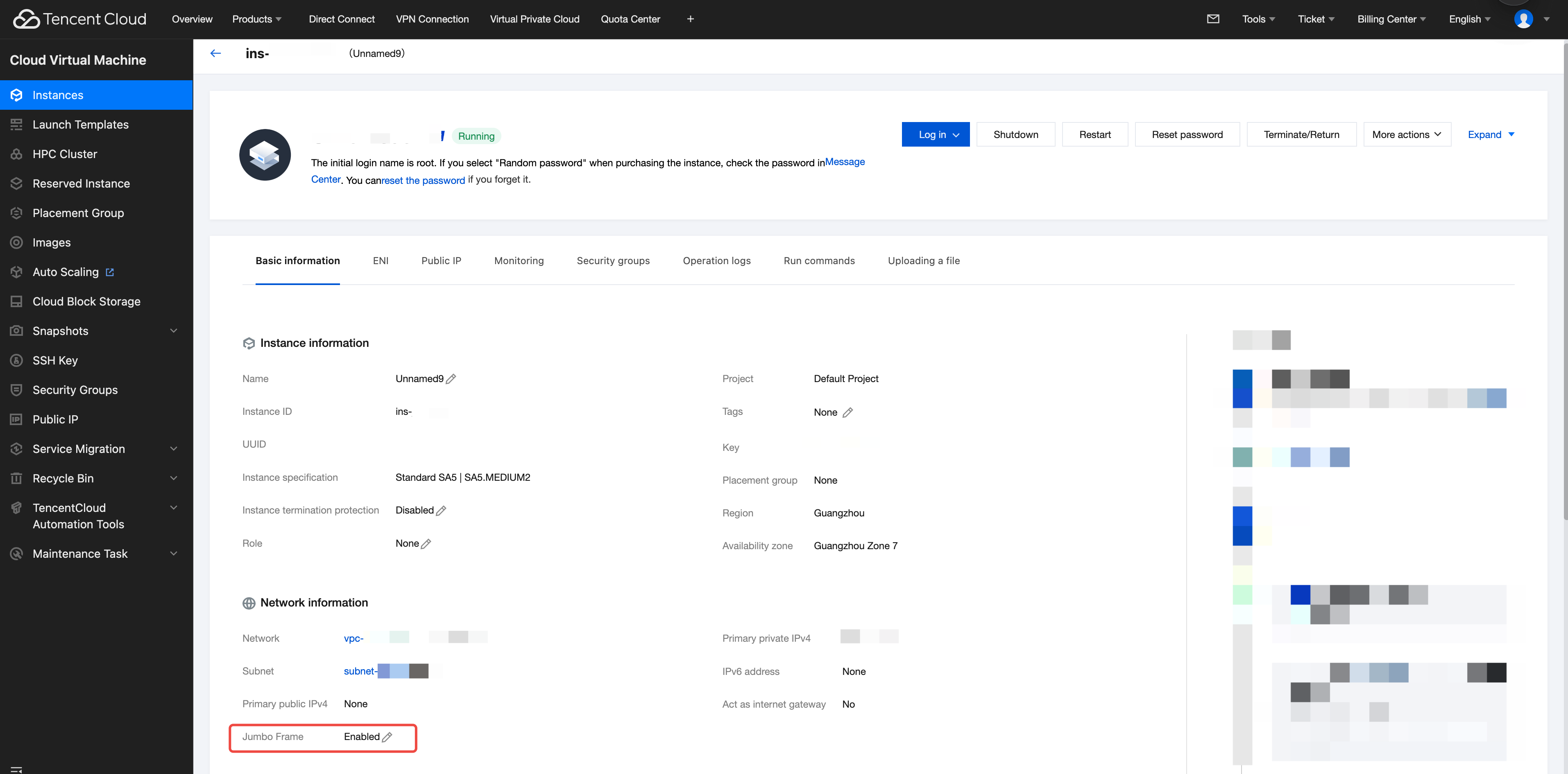
2. Click the name of the target CVM instance to enter the instance details page.
3. Find the jumbo frame field in the network information.
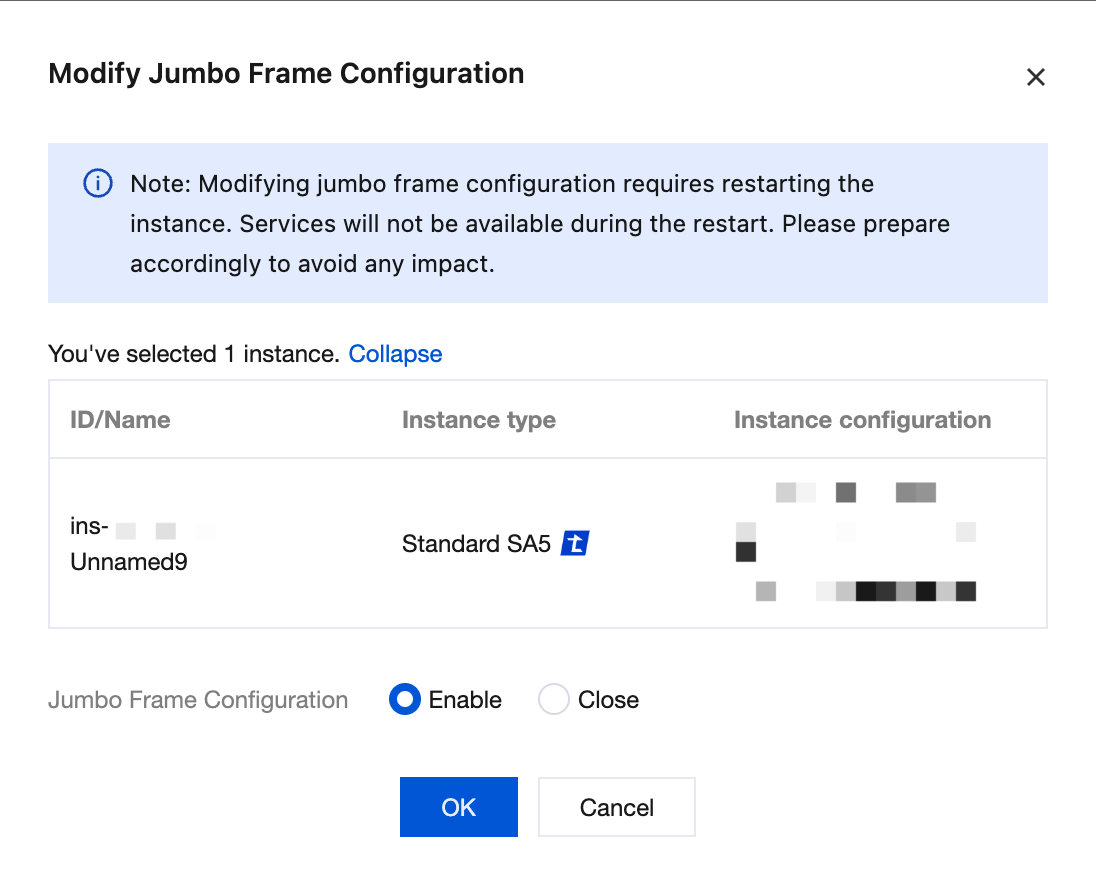
4. Click the editing icon to modify the jumbo frame enabling status, select Enable or Close, and click OK.
Note:
Modifying the jumbo frame configuration of a CVM instance requires an instance restart. Services are not provided during restart. Please make preparations accordingly to avoid impact.