Purchase Method
Baixar
Modo Foco
Tamanho da Fonte
PTS
1. Go to the SES Purchase Page, choose Security Attack and Defense > PTS.
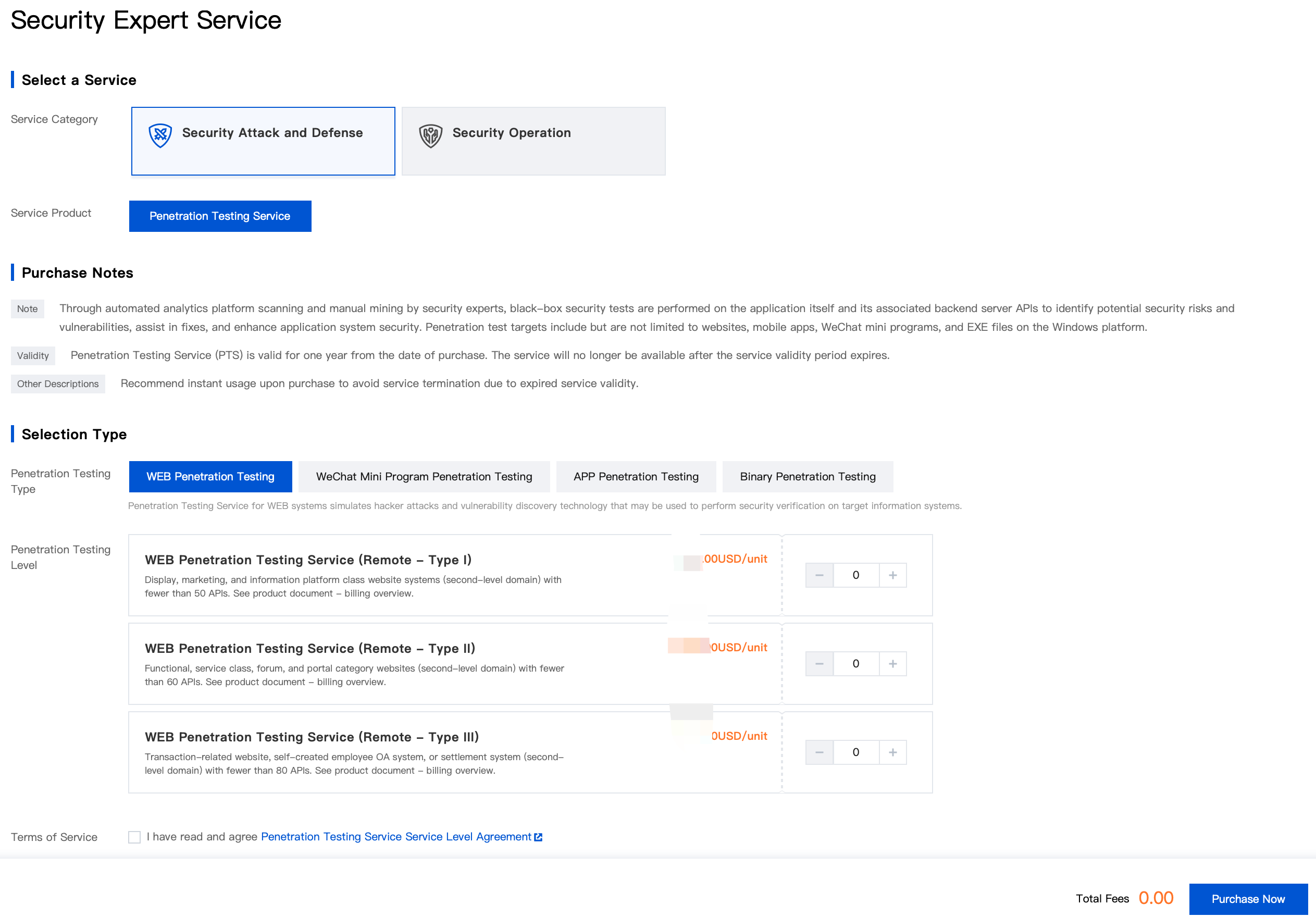
2. Select the asset test type based on the number of applications or modules to be tested, enter the purchase quantity, and click Purchase Now.
3. After your order is confirmed and payment is successful, we will arrange for a service engineer to contact you for service onboarding.
Note:
If you cannot determine the type of penetration test required, please contact us for expert consultation.
MSS
1. Go to the SES Purchase Page, choose Security Operation > MSS.
2. Select the Number of CVMs and Service Duration based on your requirements.
Note:
If you have more than 1000 assets, you need to purchase additional extension packs. Each extension pack supports 100 assets. If you have fewer than 1000 assets, the extension pack configuration item is not displayed by default.
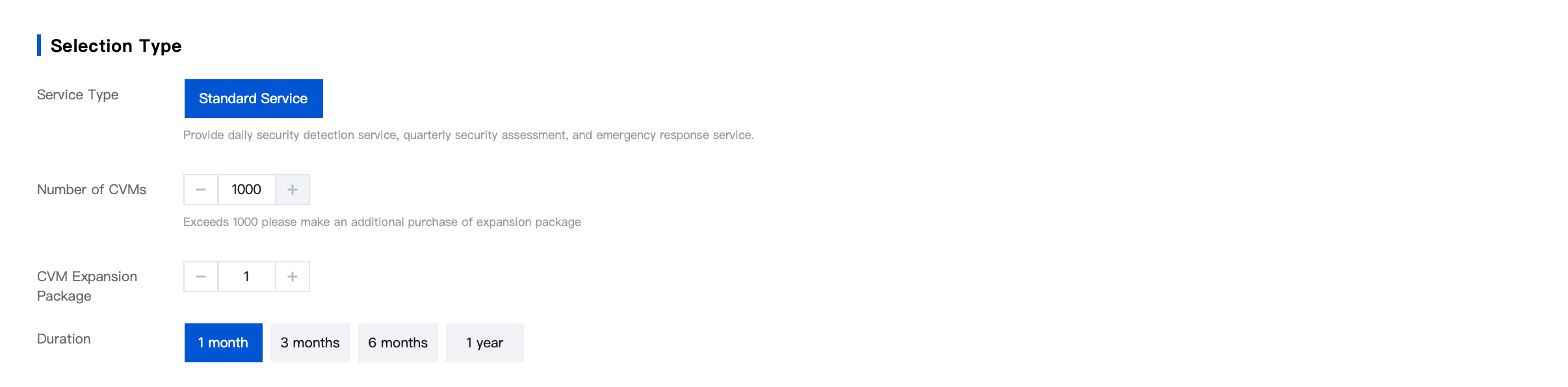
3. Confirm and select whether to enable auto-renewal, agree to the service agreement, click Purchase Now, and complete the payment.

Note:
After you purchase MSS, a dedicated specialist will contact you within one business day for service onboarding.
Ajuda e Suporte
Esta página foi útil?
Você também pode entrar em contato com a Equipe de vendas ou Enviar um tíquete em caso de ajuda.
comentários