Help Center
Baixar
Modo Foco
Tamanho da Fonte
When a terminal has non-compliant items, the Help Center can guide users to complete the fix through customized guidance documents, improving compliance fix efficiency.
1. Log in to the Tencent iOA Zero Trust Security Management System console and choose iOA Client Ops > Personalized Settings > Help Center in the left sidebar.
2. On the Help Center page, click Add Category.
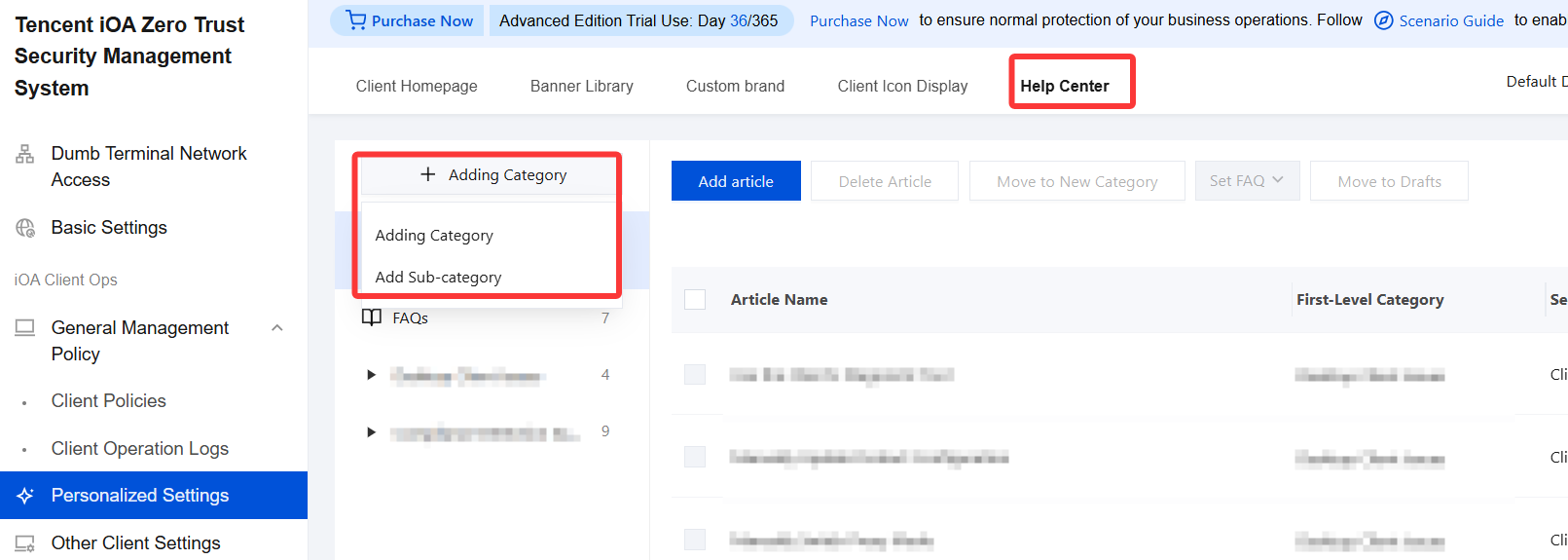
Add Category: Click Add Category and enter the category name in both Chinese and English.
If a category already exists, you can also click Add Sub-category, select a first-level category from the drop-down list, enter the subcategory name, and then click Confirm to save.
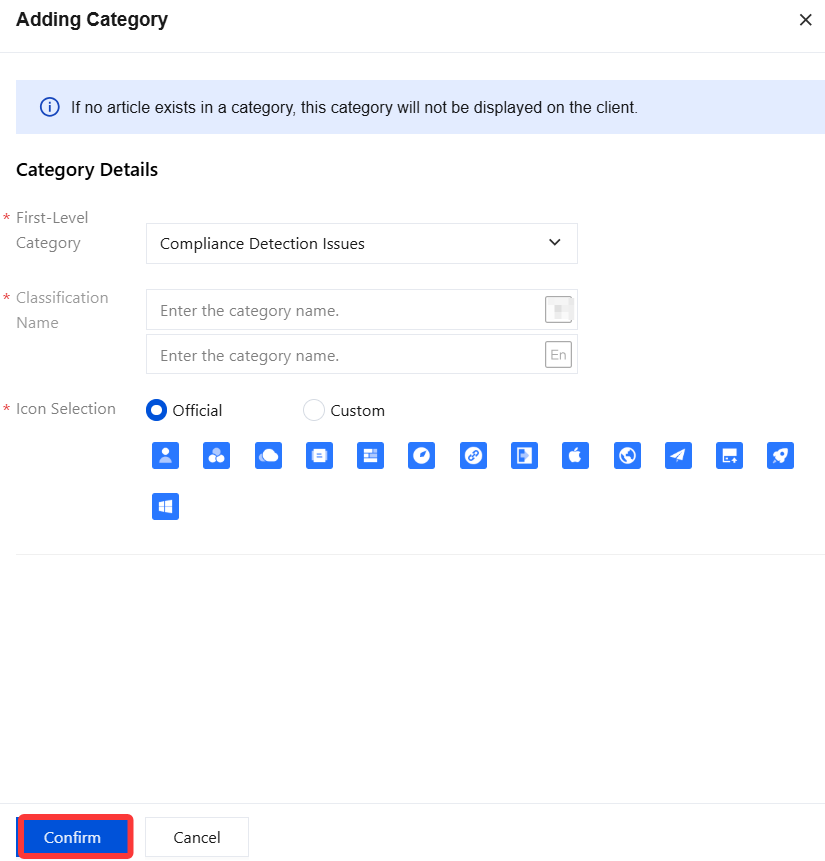
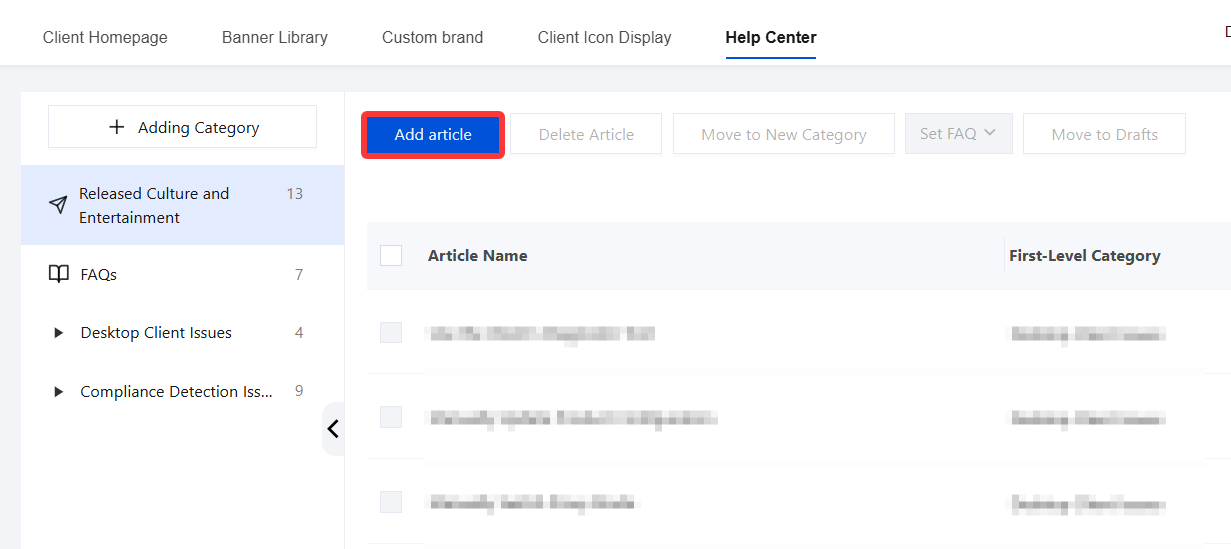
3. After creating the category, click Add article to publish articles under this category.
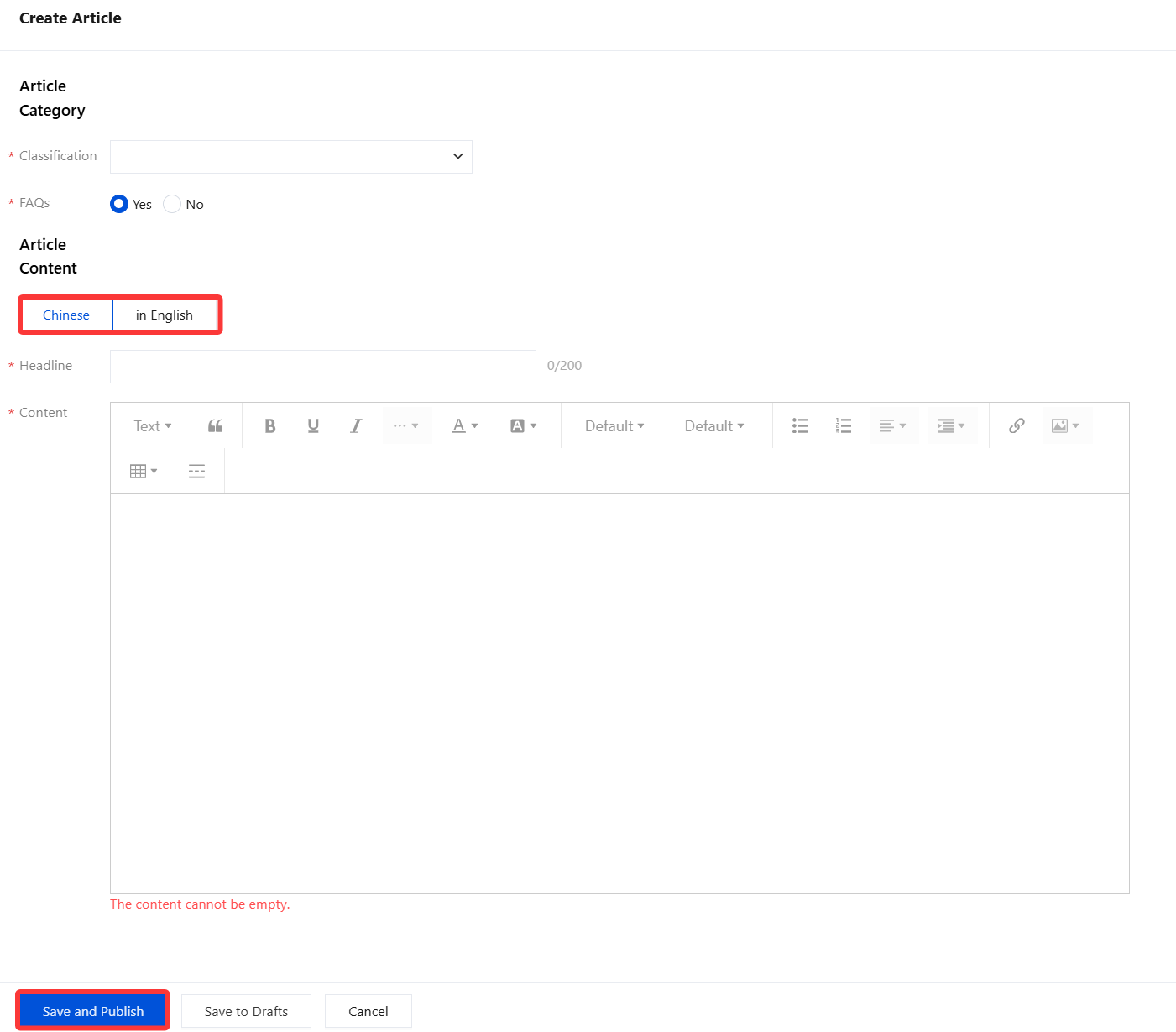
4. On the new article page, enter the article category, content, and other information, configure the document content in Chinese/English, and then click Save and Publish.
Note:
For common questions, select either Yes or No as needed, because no clear distinction is shown on the iOA client compliance page.
After completing the Chinese article content, you must proceed to fill in the English article content. Only after both are completed can you save and publish.
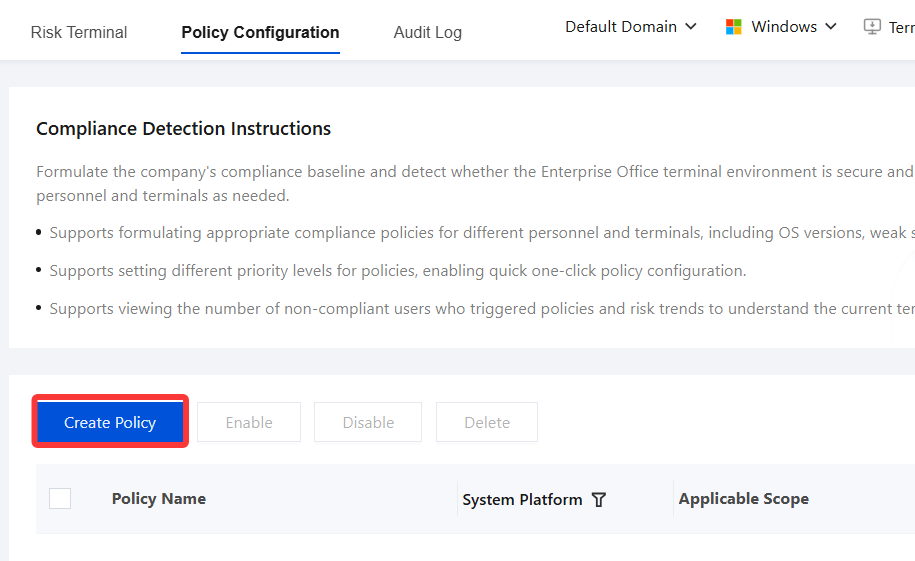
5. Go to Asset Management > Terminal Management > Compliance Detection > Policy Configuration and click Create Policy. When configuring remediation guidance, associate a document from the Help Center.
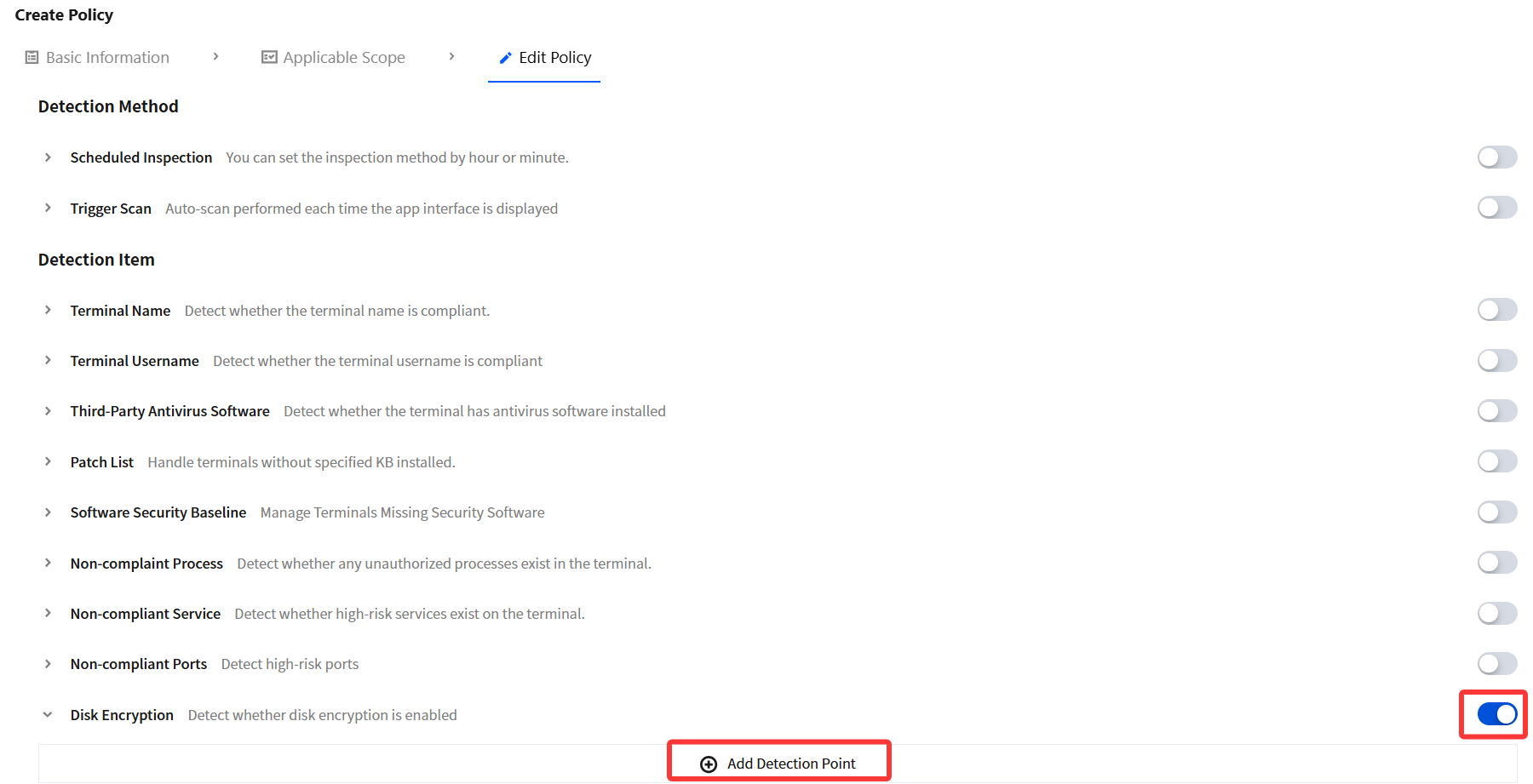
6. Take the disk encryption policy as an example: After you enable the policy switch, click Add Detection Point.
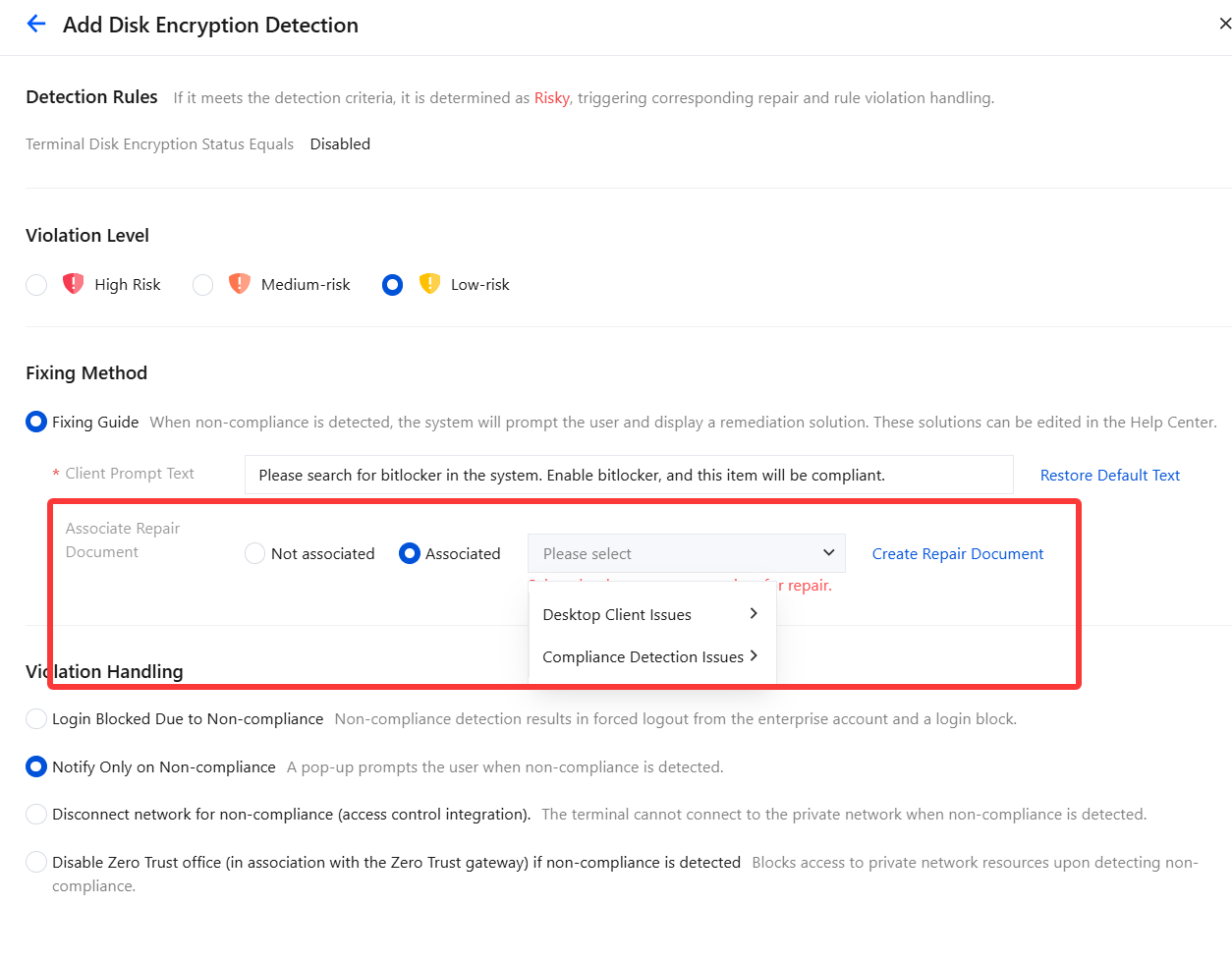
7. In the Associate Remediation Document section, click Associate and select the corresponding edited document.
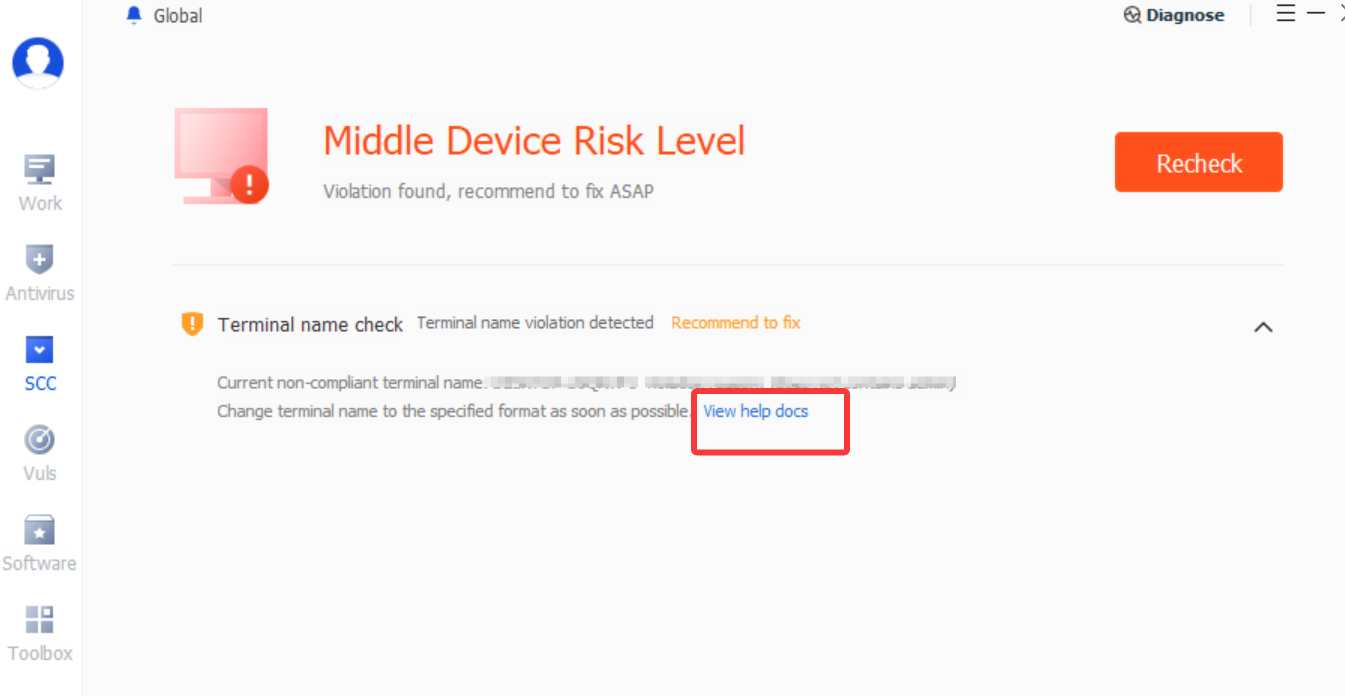
8. When the client indicates non-compliance, you can guide users to complete the fix, improving compliance fix efficiency.
Ajuda e Suporte
Esta página foi útil?
Você também pode entrar em contato com a Equipe de vendas ou Enviar um tíquete em caso de ajuda.
comentários