Call Records, Voice Recording, and Latency
Baixar
Modo Foco
Tamanho da Fonte
Call Records and Voice Recordings
After an AI Agent call ends, you can easily access the call records and recordings in the service log. For more details, see Service Log and Recording Playback.
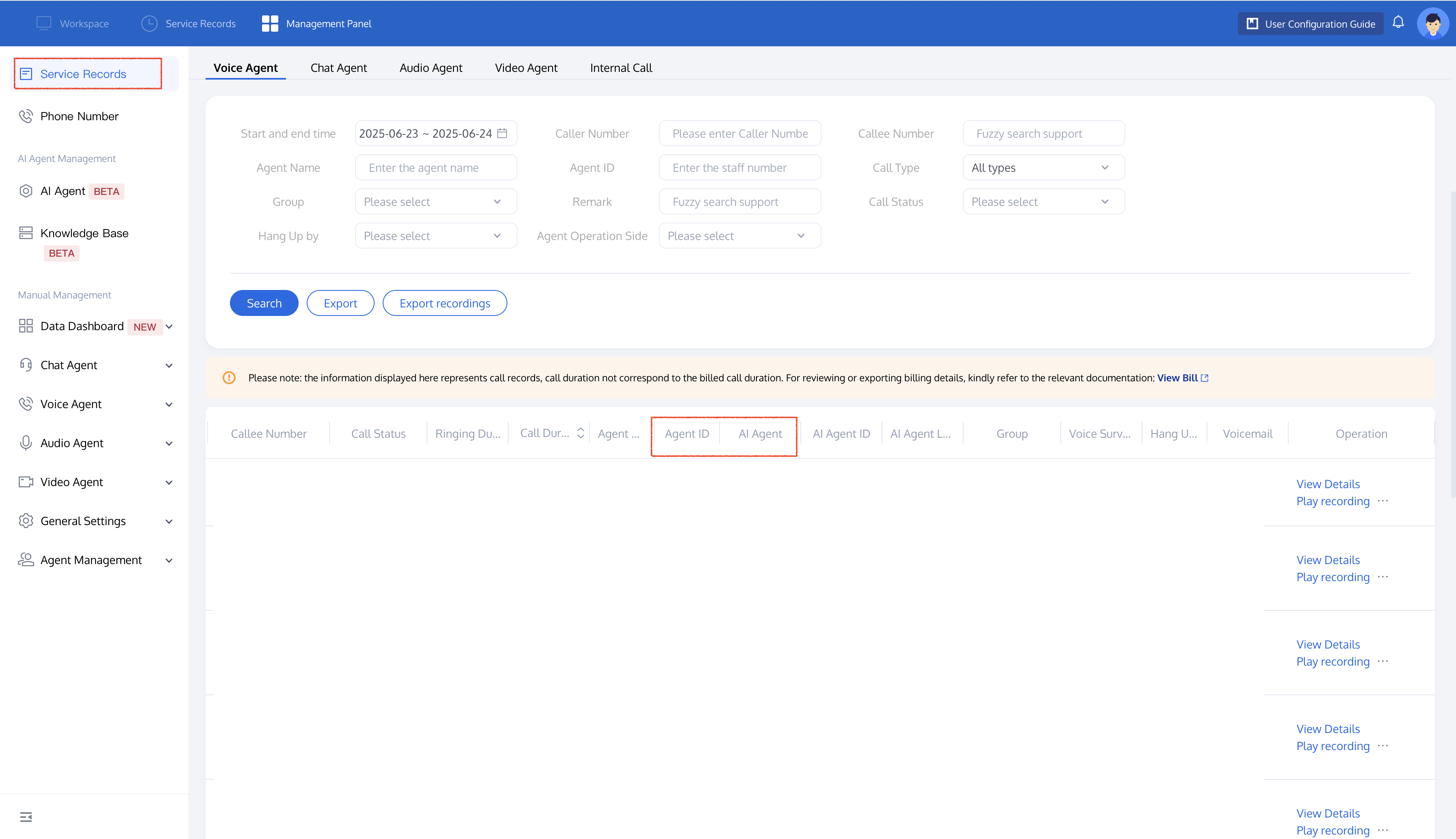
If you want to integrate call records or call recordings into your business system, you can find detailed integration methods in the following documents: Service Log Storage and Retrieval, call records, call recordings, latency, and the viewing and access of recording transcriptions.
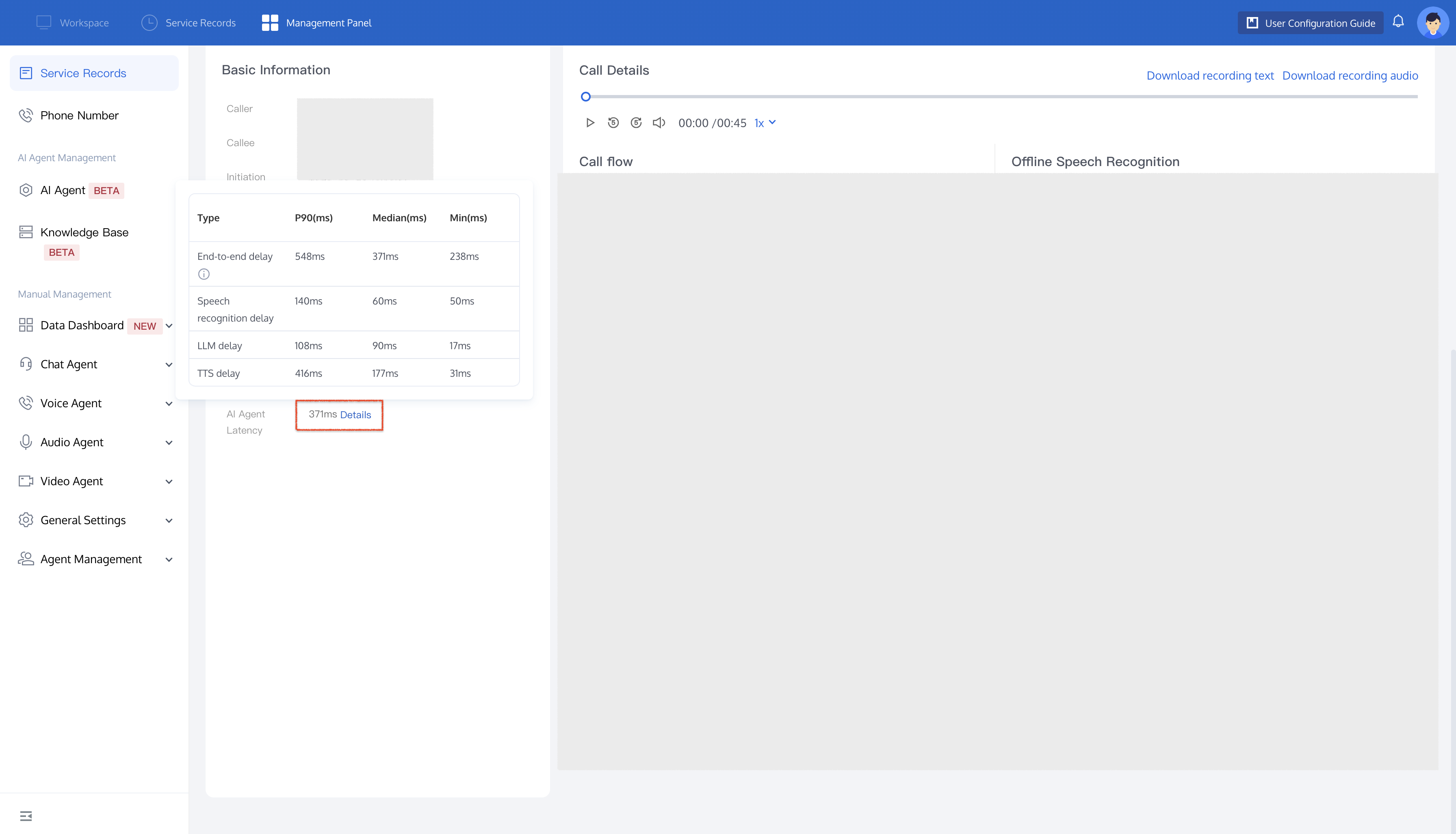
AI Agent Conversation Latency
Click View Details to go to the call details page and view latency data. You can also obtain latency data through the server-side API Get AI Latency.
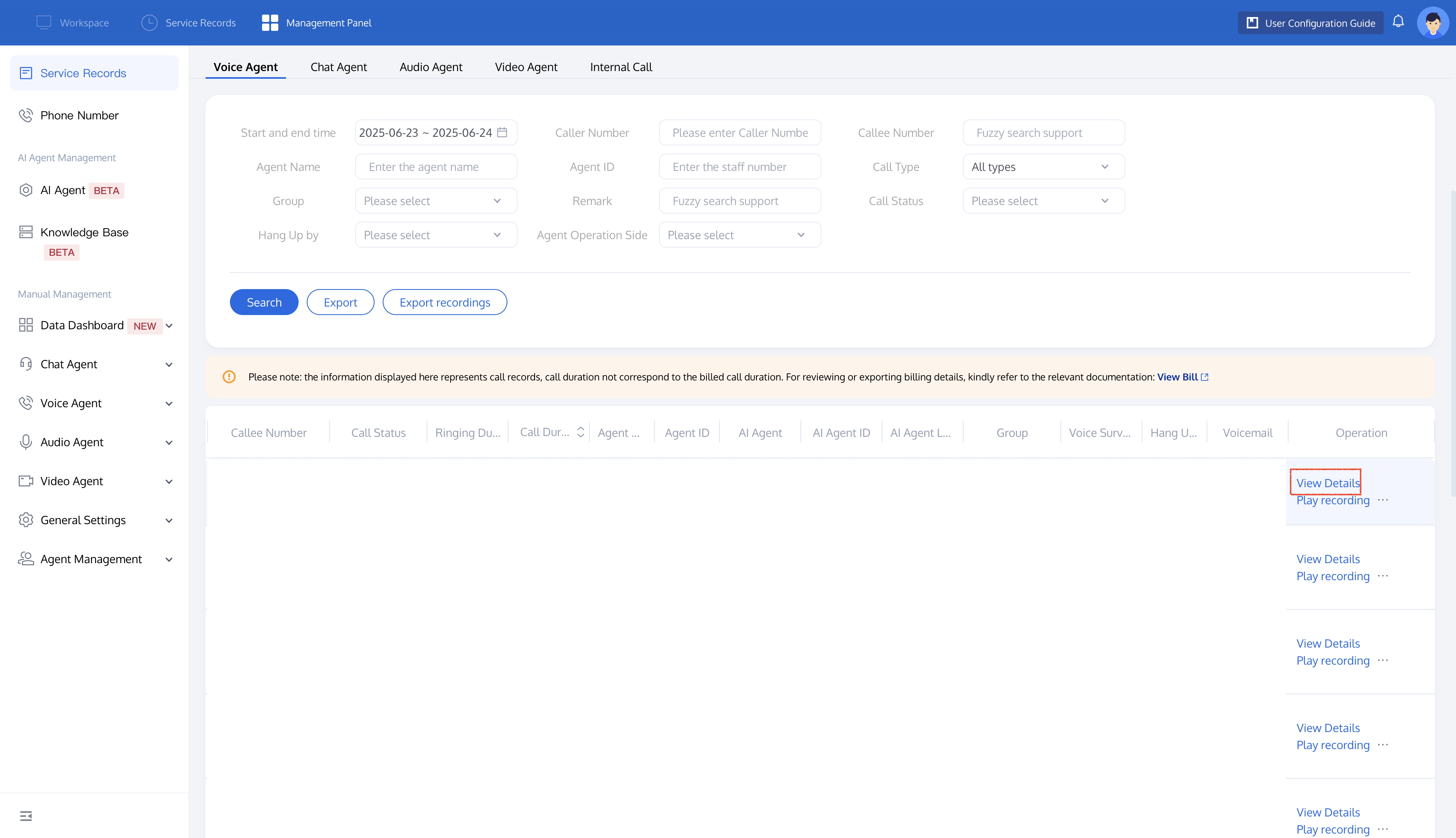
Related Guides
Select the corresponding path based on your deployment method.
First time user? Deploy a functional AI Agent in just five minutes create a conversation flow or integrate an external model.
Want to learn about our conversation flow nodes? Go to Conversation Nodes.
Build a knowledge base for your conversation flow? Go to Build Your Knowledge Base.
How to test your model? Refer to Test Conversation Workflow.
Configure a voice AI Agent with your own model? Go to Integrate External Model, Edit Conversation Content, Configure Voice Interaction, and Add Call Control.
Want to view application scenarios? Try Voice Notification, Lead Mining, Feedback Collection, or Customer Support.
How to make outbound and inbound calls with an AI Agent? Refer to AI Agent Outbound Calls or AI Agent Inbound Calls.
View data logs? Refer to Call Records, Call Recordings, Latency.
How to create and view post-call tags? Refer to Post-call Tags (Created via Conversation Flow) or Post-call Tags (Created via External LLM).
Ajuda e Suporte
Esta página foi útil?
Você também pode entrar em contato com a Equipe de vendas ou Enviar um tíquete em caso de ajuda.
comentários