Default Test Project and Free Concurrency Pack for New Users
Download
Modo Foco
Tamanho da Fonte
Última atualização: 2024-01-26 12:00:38
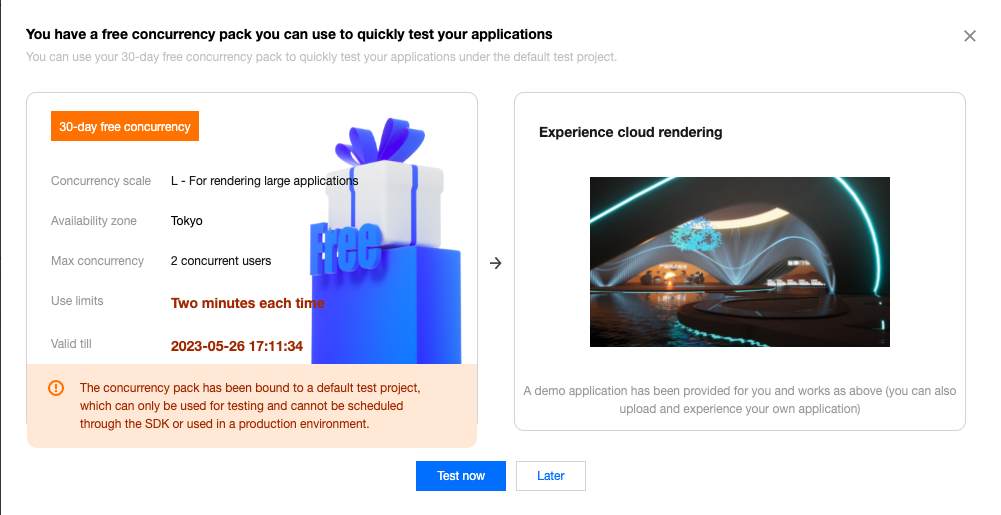
CAR offers new users a 30-day free concurrency pack of two L concurrencies.
The free concurrency pack offered to new users is bound to the default test project, which you can use to test the uploaded application for free.
Note:
Please choose an availability zone closer to the testers to avoid lagging problems caused by the distance. For instance, If you are in Japan or Seoul, you will need to select the Tokyo region. The 30-day free concurrency pack only support a few available zones for now, please refer to Billing for all availability zones supported by CAR.
The default test project and the free concurrency pack offered to new users are intended for testing only. They can be used by each user for two minutes each time and cannot be scheduled through the SDK or used in a production environment.
Directions
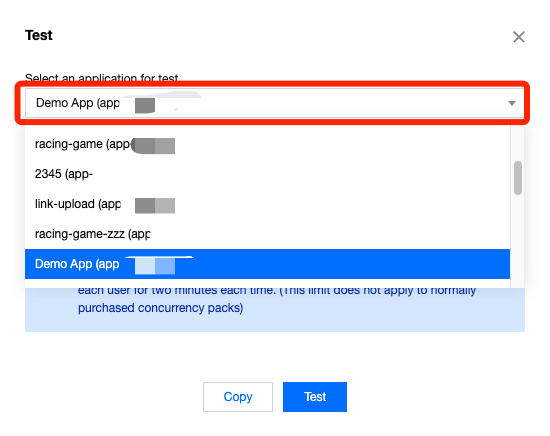
1. Click Test now in the pop-up window or go to the Projects page, find the default test project, and click Test under the Operation column.
2. Select the demo application or your uploaded application to generate a test link and password. If you select your uploaded application, you will first need to correctly configure the application startup parameters.
Note:
If you need to test multiple applications, you can click Test multiple times and select a different application each time to generate a new password. Make sure to save the generated information locally.
A test password is valid for seven days. Each time you click Test, a new password will be generated, but the previously generated passwords are still valid if they haven't expired.
While a test password is still valid, you don't need to generate a new one to perform operations such as purchasing a concurrency pack and updating the application version.
A message is displayed indicating that there are no idle concurrencies:
Check whether there are any idle concurrencies under the project in the console. When a user exits the application, it takes about one minute for the concurrency to be automatically cleared. Only then will the concurrency become idle so that a new user can connect to it.
If the application uses window capturing mode, check whether the window title and class name are correctly entered. If they are configured incorrectly, a black screen will occur.
The application starts slowly:
Generally, the prelaunch feature is used to load an application in advance so the application will already be running when a user connects to it. Because multi-application projects do not support prelaunch, the applications under those projects take a longer time to start.
For a single-application project, you can enable prelaunch so that the application will be loaded in seconds when the user connects to it.
When a user exits the application, the concurrency they were connected to will be repossessed, cleared, and reset, and when the concurrency becomes idle, the application will be prelaunched again. If the next user enters the application just when the concurrency becomes idle, the application may have not been completely prelaunched.
The delay data is abnormal: We recommend that you first check for local network jitter. You can try accessing over a 4G/5G network.
The application is slow: This may be because your application has high requirements for computing power but the concurrency scale is low (such as S). We recommend you try a higher concurrency scale.
If your problem still persists, contact us for assistance. For more FAQs, see Cloud Application FAQs.