Modifying Ports
Download
Modo Foco
Tamanho da Fonte
Overview
After host synchronization, the default port is used (for instance, Linux uses port 22 by default). If the host uses a port other than the default, modify the port if necessary.
Directions
1. Log in to the BH console.
2. In the left sidebar, choose Asset Mgmt > Servers.
3. On the Host Assets page, select the host for which you want to modify the port, then click More > Modify port.
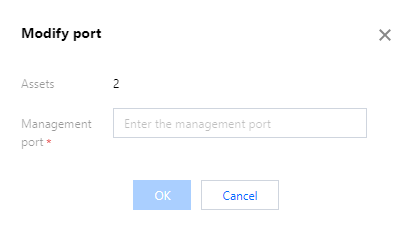
4. In the port modification popup, set the new management port and click OK to modify the management port of multiple hosts.
Ajuda e Suporte
Esta página foi útil?
Você também pode entrar em contato com a Equipe de vendas ou Enviar um tíquete em caso de ajuda.
comentários