Because TDMQ for RocketMQ needs to access APIs of other cloud products, created TDMQ for RocketMQ service roles should be authorized to access other cloud products.
2. On the Cluster List page, select a region and click Create Cluster to go to the purchase page.
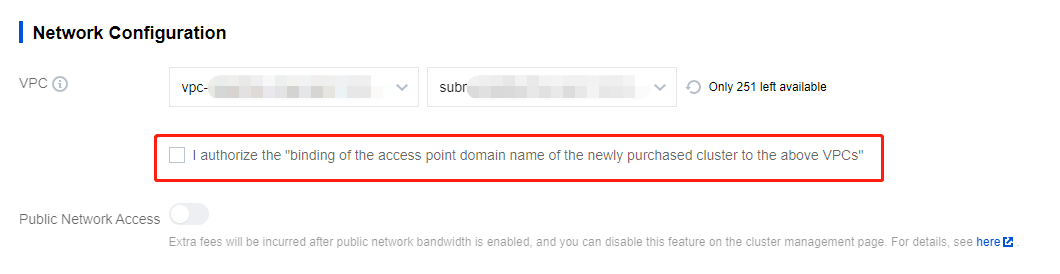
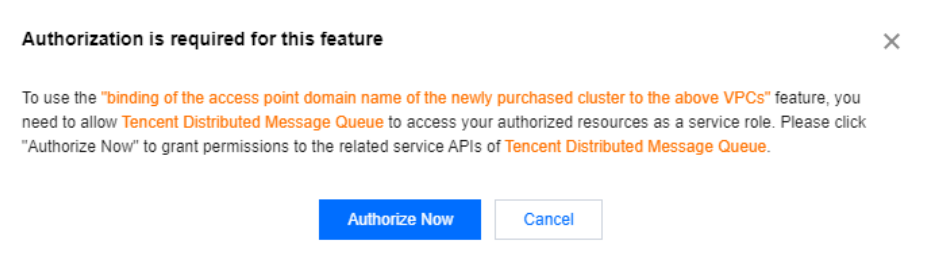
3. On the cluster purchase page, select a Virtual Private Cloud (VPC) network in the Network Configuration section, and select I authorize the "binding of the access point domain name of the newly purchased cluster to the above VPCs ". A pop-up window for authorization is displayed.
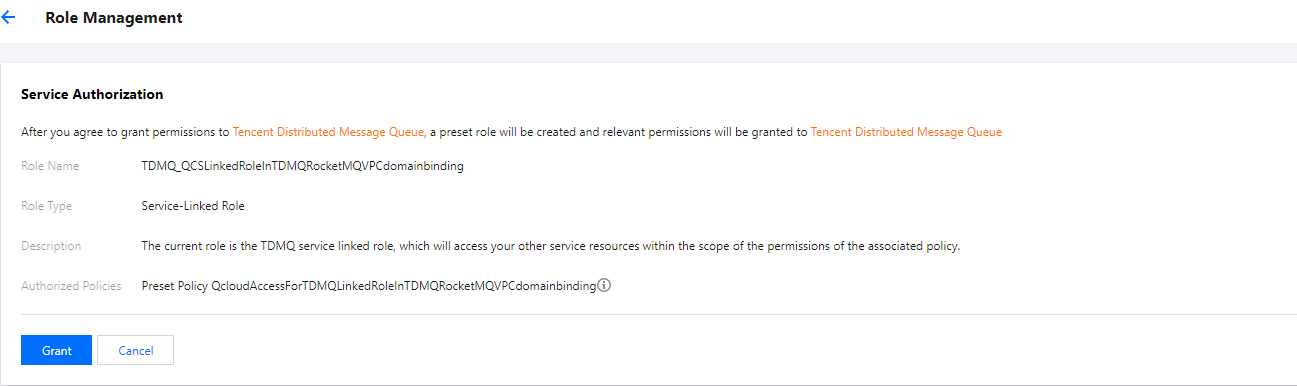
4. Click Authorize Now to go to the Cloud Access Management (CAM) console, and click Grant. The TDMQ for RocketMQ service roles are authorized to access resources of other cloud services.
5. After the authorization is completed, you can continue to create TDMQ for RocketMQ clusters and use relevant services.