Disabling the Audit Service
Baixar
Modo Foco
Tamanho da Fonte
This document describes how to disable the audit service in the console.
Attention:
After the audit service is disabled, auditing of instances will stop and historical audit logs will be cleared.
Prerequisites
Operation Steps
1. Log in to the TDSQL-C for MySQL console.
2. In the left sidebar, select SQL Insight (Database Audit).
3. After selecting a region at the top, go to the Audit Instance page. Click Audit Log Storage Status and select Enabled to filter out instances with audit enabled.
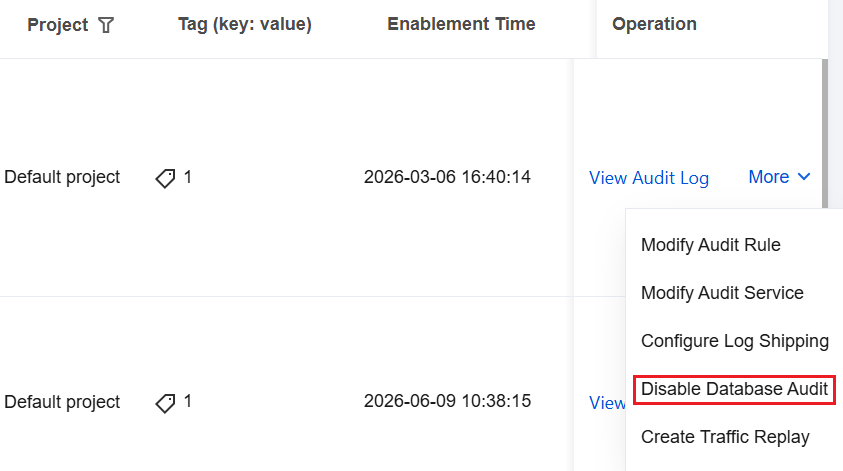
4. Locate the target instance in the audit instance list (you can also quickly find it by filtering with resource attributes in the search box). In its Operation column, choose More > Disable Database Audit.
Note:
Batch disabling of the audit service is supported. On the audit instance list page, select multiple target instances and click Disable Database Audit at the top.
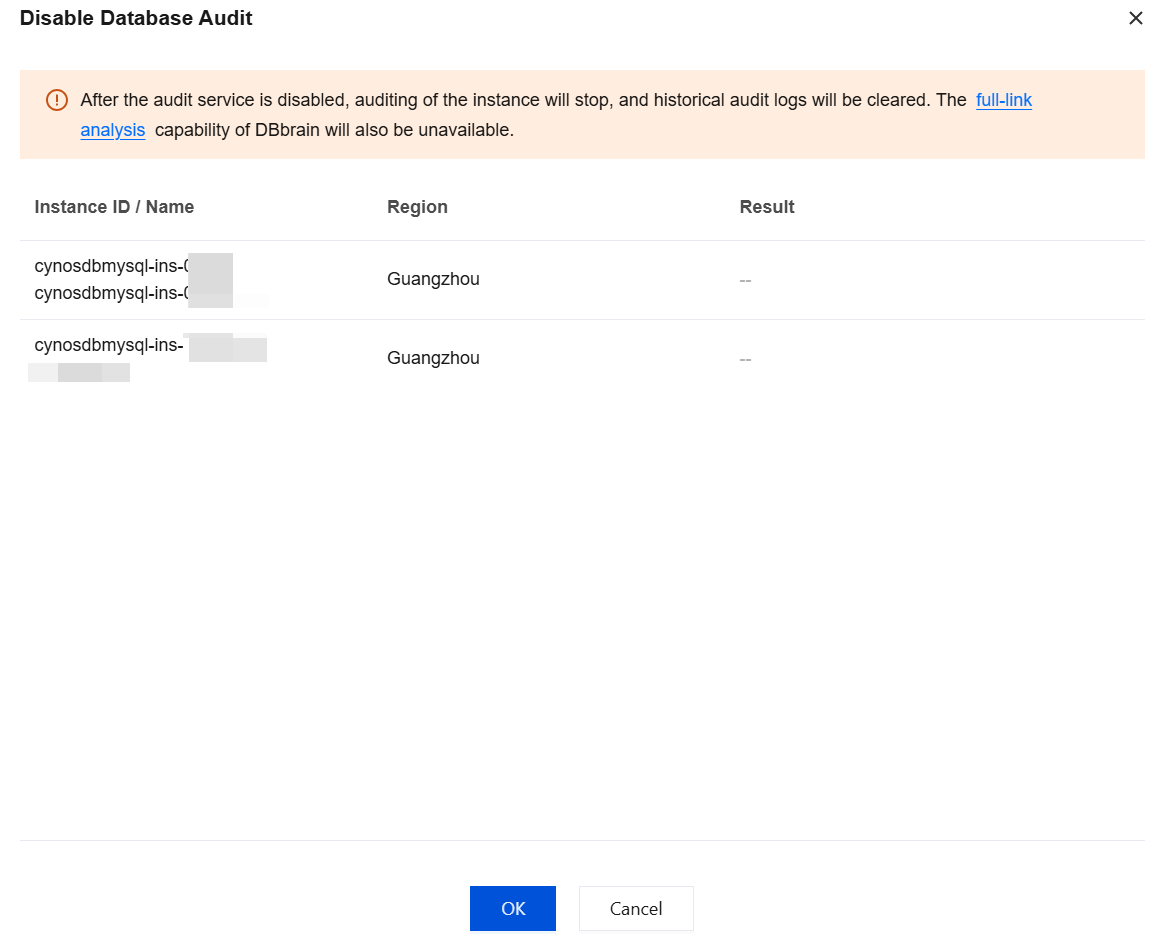
5. In the Disable Audit Service window, click OK after verifying the information.
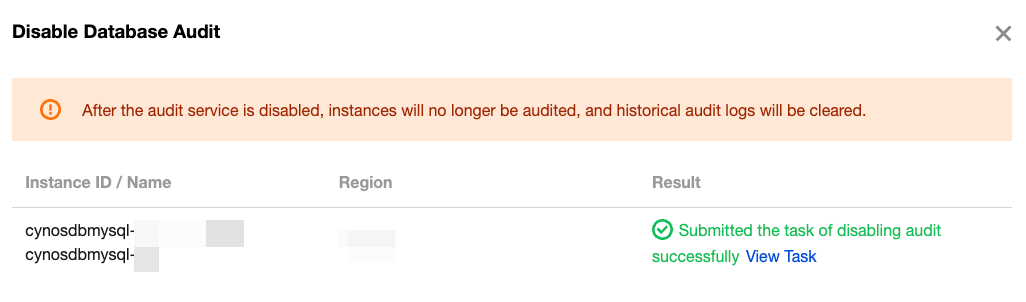
6. After confirmation, the result prompt column displays the disabling result. Click View Task to jump to the task list and view the details.
Related APIs
API | Description |
This API (CloseAuditService) is used to disable the database audit service for TDSQL-C MySQL instances. |
Ajuda e Suporte
Esta página foi útil?
Você também pode entrar em contato com a Equipe de vendas ou Enviar um tíquete em caso de ajuda.
comentários